Transceiver Warranty Proof That Prevents Costly Optics Downtime
If you have ever swapped a failed SFP or QSFP module only to learn the warranty window was missed, you already know how painful “paper warranty” can be. This article helps network and data center teams build an operational process around transceiver warranty coverage, so replacements are fast, traceable, and defensible. You will also learn how to pair warranty documentation with practical optical transceiver insurance strategies to reduce downtime risk.
Prerequisites: what you need before you touch any warranty claim
Before you evaluate transceiver warranty, gather the inputs that vendors and distributors typically require. In the field, the fastest claims usually come from teams that can prove purchase timing, module identity, and installation context. Have your asset management system ready, plus a way to record serial numbers and DOM telemetry.
Minimum checklist (field-ready)
- Asset list: switch model, port number, optics type (SFP/SFP+/QSFP28/QSFP56), and installed date.
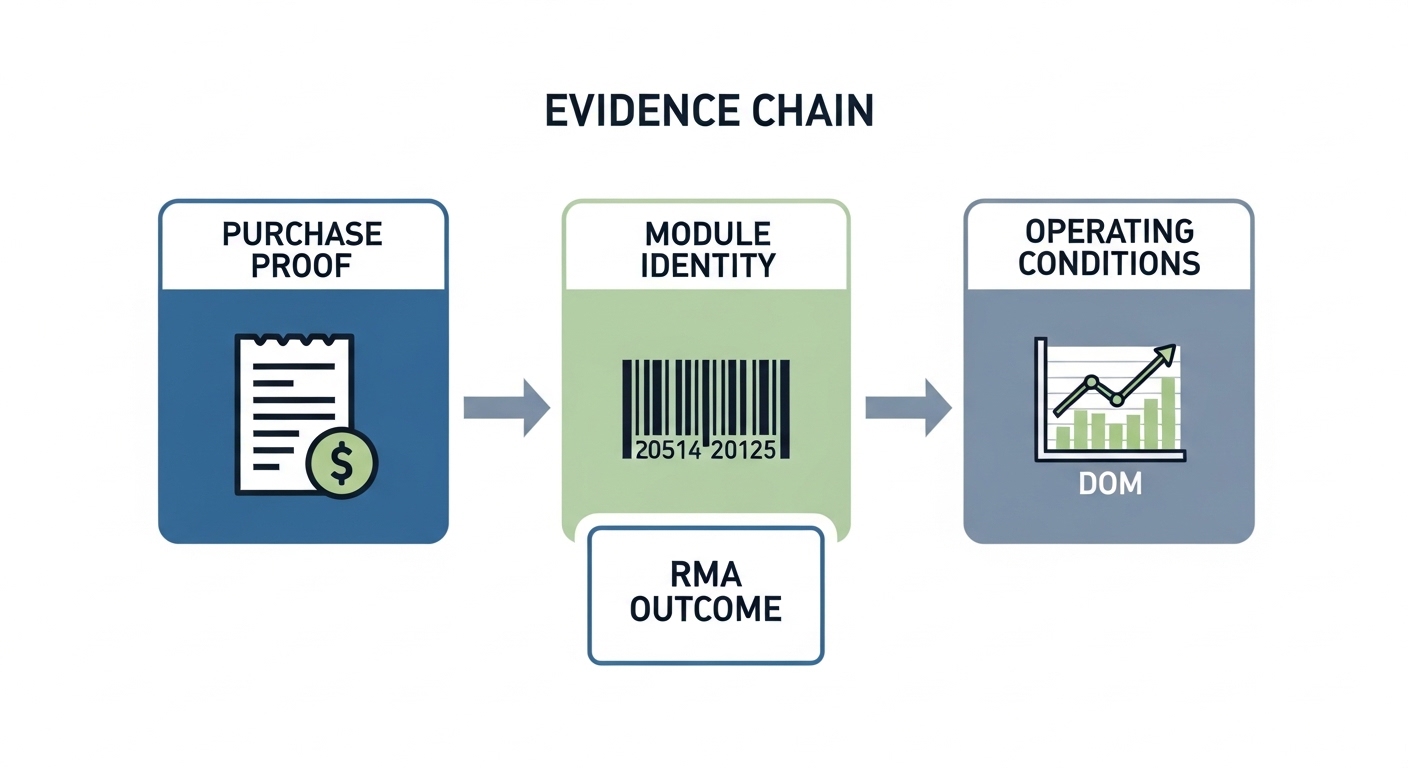
- Proof of purchase: invoice or PO line item, ship date, and distributor SKU.
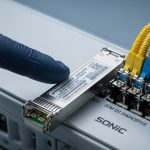
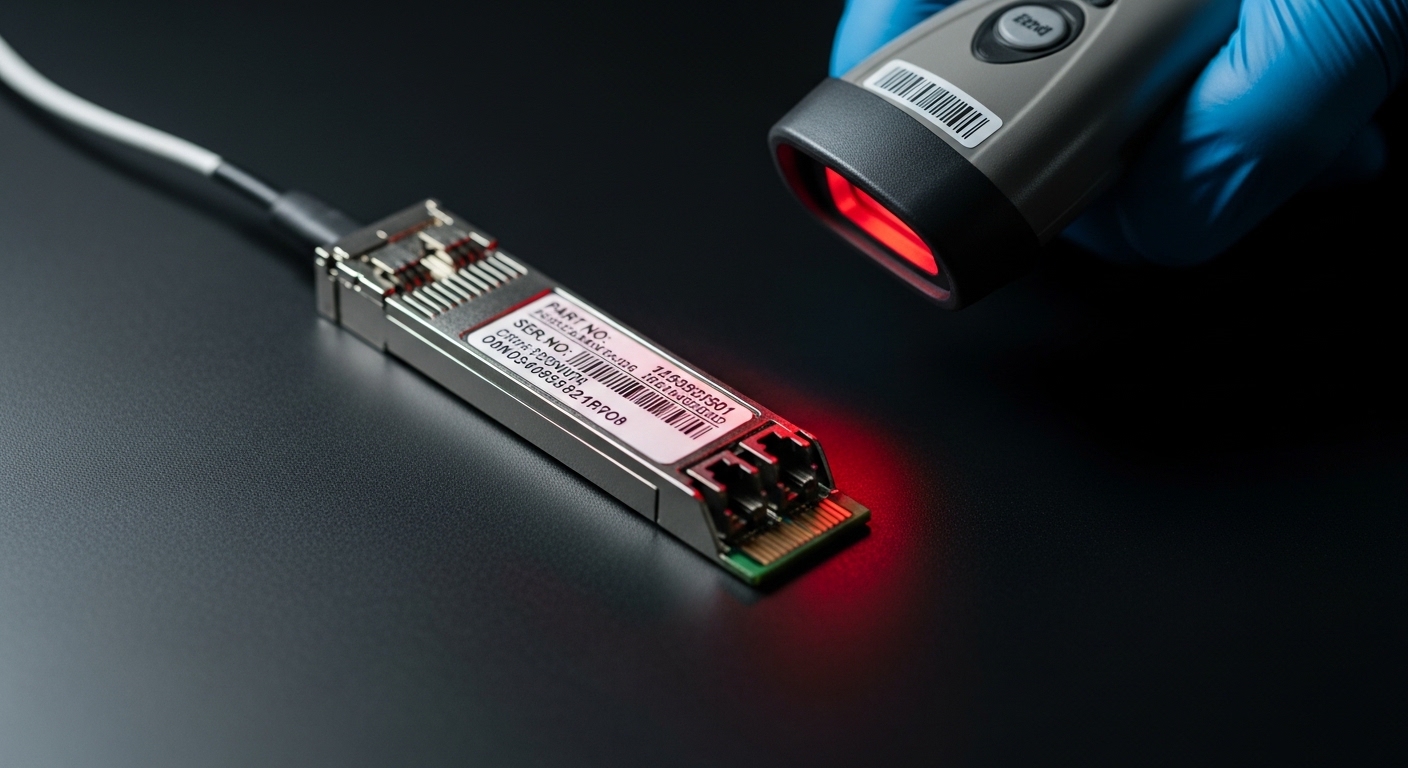
- Module identity: serial number and vendor part number from the transceiver label.
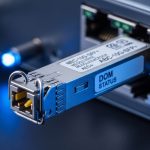
- DOM snapshot: optical diagnostics values (Tx bias, Tx power, Rx power, temperature) at install time or from your last monitoring cycle.
- Compliance context: link speed and fiber type (OM3/OM4/OS2) and connector style (LC/SC).
Operational note for engineers
DOM data is not just for troubleshooting. In warranty disputes, vendors often ask whether the module was operated within spec (temperature, optical power levels, and link speed). When you have a baseline snapshot, you can show the module behaved normally before the failure.
Step-by-step: build a warranty-proof workflow for every optical link
This section is written as an implementation guide you can roll out to a team. The goal is simple: make it hard to lose track of warranty eligibility, and make it easy to prove module identity and operating conditions. Treat this like a small “quality management” loop for optics.
Standardize your transceiver ID capture
Action: create a single intake form or ticket template that forces serial number capture at install or first sight. Record vendor part number, serial number, and the switch/port mapping. If your team uses barcode scanners, store the scan output in the ticket as immutable evidence.
Expected outcome: every optics asset has a unique identity record linked to a port and installation date.
Capture DOM baseline and link context
Action: poll DOM immediately after installation using your platform tools. For Cisco IOS-XR and NX-OS style environments, teams commonly collect DOM via built-in commands; for Linux-based monitoring, they may use vendor SDKs or direct I2C reads depending on hardware access. Store at least: temperature, Tx bias, Tx power, Rx power, and RSSI if available.
Expected outcome: you can demonstrate the module was operating in the expected range before any incident.
Store warranty evidence with retention rules
Action: in your ticketing or asset system, attach the invoice or PO confirmation for each optics procurement batch. Apply retention rules aligned to your typical warranty duration (often 1–3 years for many transceiver warranties, but it varies by vendor and program). Use a consistent naming convention: date, vendor, part number, and PO number.
Expected outcome: claims can be initiated without hunting for files during an outage.
Pre-approve replacement logistics
Action: negotiate an RMA workflow with your distributor: advance replacement, cross-shipment, or “ship first, verify later” options. Document who is authorized to submit claims and what evidence is required. If you have multiple sites, define which location handles RMAs for each contract.
Expected outcome: time-to-replacement drops, and you avoid long waits caused by missing paperwork.
Add an “insurance layer” for downtime risk
Action: create a spares policy based on failure history and lead times. Many teams keep a small pool of critical optics (for example, 2–5 spares per top-of-rack switch model class) to cover the mean time to repair during an RMA. Pair this with a vendor insurance program when offered, or with a third-party spares strategy if you can validate compatibility.
Expected outcome: you maintain service continuity even if a warranty claim is delayed.
Warranty reality check: what coverage usually depends on
Not all transceiver warranty terms are equal. Coverage often depends on whether the module was used within electrical and optical operating limits, whether the host platform is on the vendor compatibility list, and whether the serial number is intact and legible. Even when the module is defective, vendors may deny claims if they suspect misuse, incompatible optics, or out-of-spec operation.
Key standards and why they matter
Optics interoperability is anchored in standards like IEEE 802.3 for Ethernet PHY behavior and link requirements. The optical transceiver specifications are commonly aligned with multi-source agreements for form factors and electrical signaling, and the host vendor typically enforces compliance through management and optics diagnostics. For baseline link behavior, see [Source: IEEE 802.3]. For practical optical interface expectations, review the relevant SFP/QSFP MSA documents and vendor datasheets.
- [Source: IEEE 802.3] IEEE Ethernet standards, including PHY requirements for link operation.
- [Source: Cisco QSFP/SFP documentation] platform-specific optics compatibility and DOM behavior.
Typical specification factors vendors review
- Wavelength and reach: mismatch can lead to link instability and early wear.
- Optical power levels: exceeding allowed Tx/Rx ranges can stress components.
- Temperature and environment: many modules assume controlled airflow and ambient limits.
- Connector cleanliness: contamination can cause high attenuation and apparent “module failure.”
Transceiver warranty vs reach: compare optics specs that drive claim outcomes
Engineers often treat warranty as a legal checkbox, but the technical story is what decides outcomes. If you choose an OM3-rated transceiver for an OM4 link budget scenario that is already near the edge, the module can appear to “fail” under marginal conditions. The comparison table below helps you align reach, wavelength, and operating envelope before you rely on warranty replacement.
| Transceiver type (example) | Wavelength | Typical reach | Connector | Data rate | Operating temperature | Notes for warranty defensibility |
|---|---|---|---|---|---|---|
| SFP-10G-SR (example: Cisco SFP-10G-SR) | 850 nm | ~300 m over OM3; ~400 m over OM4 | LC | 10G | Commercial to industrial depending on variant (commonly up to 70 C) | Verify fiber type and link budget; store DOM baseline to show normal Tx/Rx before failure. |
| QSFP28-40G-SR4 (example: common vendor SR4 modules) | 850 nm (4 lanes) | ~100 m over OM3; ~150 m over OM4 (varies) | LC | 40G | Varies by model; check datasheet | Lane-level issues can look like “module failure”; collect per-lane diagnostics if supported. |
| FS.com SFP-10GSR-85 (example third-party) | 850 nm | Up to ~550 m over OM4 (model-dependent) | LC | 10G | Check exact model listing | Compatibility and DOM behavior matter; confirm host support and DOM alarms. |
| Finisar FTLX8571D3BCL (example long-standing 850 nm family) | 850 nm | ~300 m class (model-dependent) | LC | 10G | Check datasheet | Vendor datasheet alignment helps prove correct selection; keep purchase proof and part number evidence. |
Sources: vendor datasheets and vendor documentation pages for example module families; always confirm your exact part number on the label and the datasheet revision shipped with that SKU. For general Ethernet PHY behavior, see [Source: IEEE 802.3]. For platform-specific optics guidance, see your switch vendor’s transceiver compatibility matrix documentation (for example, Cisco optics documentation).
Pro Tip: In warranty disputes, the most persuasive technical evidence is not “the module stopped working,” it is the before-and-after DOM trend. If you can show temperature rose, Tx bias drifted, or Rx power collapsed only after a connector incident or after a stable baseline, you can separate “optics defect” from “link environment problem” quickly.
Selection criteria for transceiver warranty coverage you can actually use
When you buy optics, you are indirectly buying the likelihood that your transceiver warranty will be honored without delays. Use this ordered checklist before procurement and before you standardize a spare pool.
- Distance and link budget: confirm fiber type (OM3 vs OM4 vs OS2) and connector loss assumptions; size reach with margin.
- Switch compatibility: verify the host model is explicitly compatible with the module type and data rate.
- Warranty terms and DOM support: confirm whether the warranty is tied to DOM alarms, optical diagnostics support, and whether the host will read diagnostics.
- Operating temperature class: match your environment; check airflow assumptions inside racks and the module’s temperature range.
- Budget and spares strategy: balance lower unit cost against higher operational risk from longer RMA lead times.
- Vendor lock-in risk: if third-party optics are allowed, confirm they meet the same electrical and optical behavior expected by your platform.
Common mistakes and troubleshooting tips that break warranty claims
Below are failure modes that repeatedly cause both downtime and warranty friction. Each item includes a root cause and a practical fix you can apply immediately during incident response.
Serial number mismatch or missing purchase proof
Root cause: the module was installed, but the serial number and PO line item were not recorded at intake. During an RMA, the vendor cannot tie the claimed unit to the eligible purchase batch.
Solution: implement Step 1 and Step 3 from above. If you already have an asset inventory, backfill by reading the serial number from the label and linking it to the closest PO line item and invoice.
Out-of-spec optical environment mistaken for a defective transceiver
Root cause: connector contamination, damaged fiber, or excessive attenuation causes Rx power collapse. The transceiver may be blamed, but the root cause is the link.
Solution: clean and inspect connectors using proper procedures (inspection scope, correct cleaning tools). Confirm fiber attenuation and test with a known-good reference link before RMA.
Incompatible optics behavior across switch families
Root cause: a module works in one switch model but triggers link flaps or DOM warnings in another due to differences in optics verification logic, lane mapping, or power management.
Solution: validate on a single controlled port first. Confirm compatibility with your switch vendor optics guidance and test DOM alarm thresholds. If you are deploying third-party optics, keep a compatibility evidence record per switch model.
Thermal stress from poor airflow
Root cause: modules run hotter than assumed because of blocked vents or fan degradation. Over time, this can lead to increased error rates and early aging that appears as “defect.”
Solution: verify rack airflow, inspect fan health, and confirm ambient temperatures. Add a monitoring alert for transceiver temperature and correlate it with incident timestamps.

Cost and ROI: how warranty-aware insurance changes your TCO
From a finance perspective, transceiver warranty strategy is about total cost of ownership, not just unit price. OEM optics are often priced higher than third-party equivalents, but they may reduce RMA friction and compatibility risk. Third-party optics can be economical, yet you must account for the time cost of additional validation, the chance of delayed claims, and the operational cost of downtime while waiting for replacements.
Typical street price ranges vary widely by speed and vendor relationship, but many teams see meaningful spread between OEM and compatible third-party modules. For example, 10G SR-class SFP modules may range from budget-friendly third-party pricing to higher OEM pricing depending on DOM support and warranty program terms. The ROI often comes from two levers: (1) fewer prolonged outages due to faster replacements and (2) reduced “false RMA” events caused by poor evidence or environmental issues.
Also consider power and cooling indirectly. If a module runs hot due to marginal optics selection or airflow problems, you may increase cooling load and maintenance effort. In practice, a small investment in evidence capture and monitoring can pay back quickly when you avoid even one multi-hour incident.
Real-world deployment scenario: warranty strategy in a leaf-spine data center
In a 3-tier data center leaf-spine topology with 48-port 10G ToR switches, an operations team standardizes 10G SR optics for server-to-leaf links and maintains a monitoring dashboard that polls DOM every 5 minutes. They purchase 10G SR SFPs with a documented warranty program and require serial number capture at install. Over a quarter, they see a failure cluster on one rack: Rx power drops while connector inspection shows contamination. Because the team stored DOM baselines and purchase proof, they avoid an unnecessary RMA and instead replace the patch cable and re-clean connectors; the warranty process is used only when DOM trends and link tests confirm a module defect.
Operationally, they also keep three spares per switch model and pre-authorize cross-shipment with the distributor. When a module fails, replacement happens within hours, while the RMA proceeds in parallel using the evidence chain. This reduces mean time to repair during the RMA window, which is often the true cost driver.
FAQ: transceiver warranty questions engineers ask before buying
How long is a typical transceiver warranty?
Common durations are 1 to 3 years, but it depends heavily on OEM, distributor terms, and sometimes the specific part number. Always read the warranty statement tied to your exact SKU and verify whether it includes advance replacement or only standard RMA handling.
Does DOM telemetry affect transceiver warranty claims?
It can. Many vendors expect that the module was operated within specs, and DOM values help prove that. If DOM is not supported or not readable by the host, you may have less evidence for operating conditions.
Are third-party optics covered under the same transceiver warranty terms?
Not always. Some third-party vendors provide their own warranties, but switch vendors may still treat compatibility as conditional. You should confirm host support and keep compatibility evidence, especially if you rely on transceiver warranty for replacement speed.
What evidence should I store to speed up an RMA?
Store proof of purchase (invoice or PO), module serial number, switch model and port, and DOM baseline or last known-good readings. Also include link test results after cleaning and fiber inspection so the claim is clearly rooted in module failure.
Can a “failed” transceiver be caused by fiber issues?
Yes. Connector contamination, damaged fiber, or excessive attenuation can trigger symptoms that look like a bad module. Clean and test the link first, then use DOM and error counters to decide whether the optics truly failed.
How do I reduce downtime if a warranty claim takes time?
Use a spares policy aligned to your failure history and lead times, and pre-approve RMA processes with your distributor. The goal is to keep service running while your transceiver warranty claim is validated.
Updated on 2026-05-01.
If you want to strengthen your overall optics resilience, next review how to build an optics spares and monitoring plan to connect warranty evidence with day-to-day detection and faster recovery.
Author bio: I am a field-focused photographer and systems troubleshooter who documents real data center optics workflows, from connector inspection to DOM evidence capture. I write from hands-on deployments where uptime, not just specs, drives what “good warranty coverage” really means.