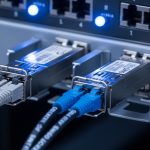
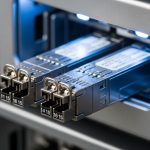
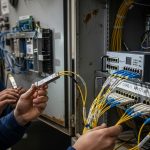
When a fiber plant grows faster than your lead times, transceiver inventory becomes a budgeting and uptime risk at the same time. This article helps network and DC ops teams plan bulk optical transceiver procurement, negotiate volume pricing, and size spares without buying the wrong optics. You will get practical selection criteria, a troubleshooting checklist, and a cost and ROI perspective that matches real deployments.
Why bulk optical procurement turns into a transceiver inventory problem
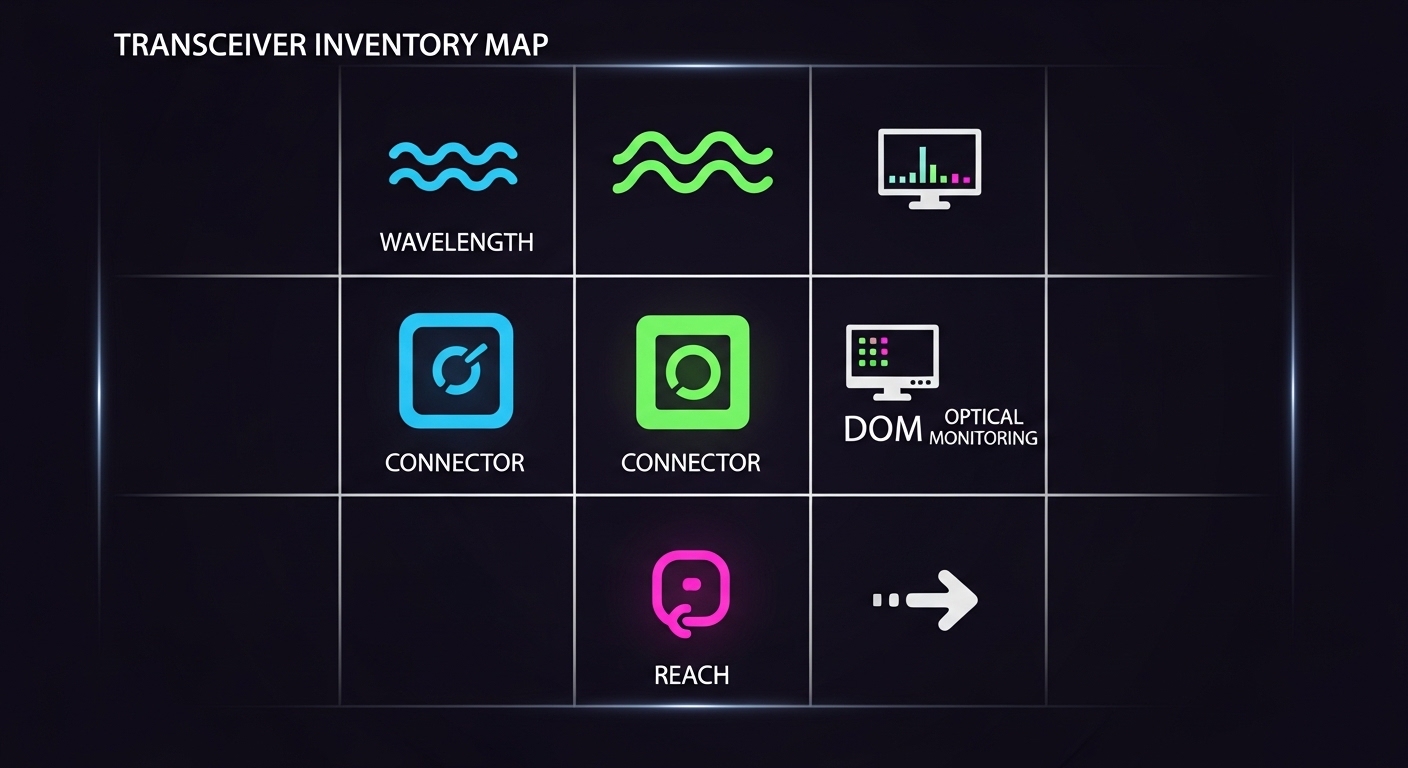
Bulk purchasing is supposed to reduce unit cost, but most failures in the field come from mismatch: wrong DOM behavior, incompatible switch firmware, or optics that pass link but underperform at temperature extremes. In practice, transceiver inventory planning is not just counting ports; it is tracking optics by data rate, optical reach, wavelength, connector type, and vendor/part number. For spares, the objective is to minimize mean time to repair (MTTR) while controlling total ownership cost (TCO).
On the procurement side, vendor pricing often scales by MOQ tiers and by whether you buy OEM-locked optics or third-party compatible modules. On the operations side, your inventory should reflect how your network actually fails: optics that drop links under load, DOM readouts that misreport, or fiber cleanliness issues that look like “bad optics” during troubleshooting.
Procurement reality: volume pricing is tied to SKU discipline
In many multi-site environments, the same switch line card supports multiple optics families, and procurement tends to drift into “close enough” substitutions. That drift complicates transceiver inventory because spares no longer share the same part number, and failure response slows down. A disciplined SKU list—down to exact manufacturer part numbers and DOM support—keeps your volume discounts meaningful.
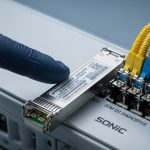
Pro Tip: In field replacements, the fastest path is not “any compatible SFP/SFP+.” It is the one whose DOM implementation and vendor calibration match your monitoring expectations. If your NOC dashboards alert on “DOM absent” or “vendor mismatch,” non-matching optics can trigger noise during an outage, even when the link is up.

Optics that actually fit your switches: specs, DOM, and fiber reach
The core of transceiver inventory planning is mapping your physical layer requirements to IEEE-defined behavior and vendor datasheets. For Ethernet optics, most deployments follow IEEE 802.3 standards (for example, 10GBASE-SR and 10GBASE-LR), but module implementation details vary. You should treat the switch compatibility list and the optics vendor’s temperature and power specs as “hard constraints,” not suggestions.
Technical specifications table for common procurement lanes
Below is a practical comparison for typical bulk optical procurement categories. Treat it as a starting point; always validate against your switch transceiver compatibility matrix and the exact fiber plant (OM3 vs OM4, OS2, patch panel loss, and splice counts).
| Module type | Data rate | Wavelength | Typical reach (MM/SM) | Connector | Power / voltage (typ.) | DOM support | Operating temp range |
|---|---|---|---|---|---|---|---|
| SFP+ 10GBASE-SR | 10G | 850 nm | ~300 m (OM3), ~400 m (OM4) | LC | ~0.8–1.0 W | Yes (via I2C) | ~0 to 70 C (varies by vendor) |
| QSFP+ / QSFP28 40G/100G SR | 40G or 100G | 850 nm (MM) | ~100 m (typical MM lanes; confirm) | LC | ~3–6 W (varies) | Yes (vendor dependent) | ~0 to 70 C (varies) |
| SFP 1GBASE-LX | 1G | 1310 nm | ~10 km (SM, OS2) | LC | ~0.9–1.5 W | Yes (often) | ~0 to 70 C / some extended grades |
| SFP+ 10GBASE-LR | 10G | 1310 nm | ~10 km (SM) | LC | ~1.2–1.8 W | Yes (often) | ~0 to 70 C |
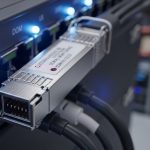
These categories map to the most common procurement lanes in metro and enterprise data centers. For the underlying optical and electrical behavior, reference IEEE 802.3 for each Ethernet PHY and vendor datasheets for transceiver power, receive sensitivity, and link budget assumptions. Useful background sources include [Source: IEEE 802.3] and vendor documentation for specific module families. For module examples you may see in the field, common SKUs include Cisco-compatible optics like Cisco SFP-10G-SR (when using supported platforms) and third-party equivalents such as Finisar/Flexoptics FTLX8571D3BCL and FS.com SFP-10GSR-85 (verify exact part number and compatibility).
DOM and monitoring: the hidden procurement constraint
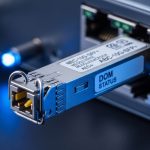
DOM (Digital Optical Monitoring) is typically implemented over I2C, exposing laser bias current, received optical power, and temperature. However, “DOM supported” on a datasheet does not guarantee identical behavior to your switch vendor’s expectations for thresholds and alarm interpretation. In transceiver inventory terms, you should record DOM status as a field: “reads DOM correctly on switch model X, firmware Y.”
Fiber reach is not just the label
Reach claims assume a specific link budget with nominal patch cord loss and connector cleanliness. In procurement, spares fail when the live links are already near the margin due to extra patch panels, aging splices, or dust. Before ordering bulk, validate with an OTDR or at least a calibrated attenuation test and keep a margin for future maintenance.
Volume pricing mechanics: how to structure a bulk order
Volume pricing usually depends on how tightly you define the SKU and how predictable your demand is across time. Many vendors offer tiered pricing by quantity (for example, MOQ breaks at 25, 100, and 500 units), but they also protect themselves against returns and warranty disputes by requiring matching part numbers and documented compatibility.
A solid procurement package for transceiver inventory includes: a SKU list by exact part number, a mapping to switch model and line card, a fiber reach class, and an acceptance test plan. If you are buying spares, also include the expected failure profile: how many modules you realistically need per site per year based on historical RMA rates and age of the installed base.
Spare sizing that matches uptime risk
For many environments, a pragmatic approach is to hold spares by “criticality bands.” Example: for a leaf-spine data center fabric, you might keep 2–4 spare SR optics per top-of-rack switch in the first year for high-traffic links, then reduce once burn-in data is available. For edge routers or WAN aggregation, the spare count can be higher if a site is hard to access or if replacement requires a truck roll.
OEM vs third-party optics: a budget and TCO view
OEM-locked optics often cost more per unit but reduce compatibility and warranty friction. Third-party optics can cut acquisition cost, but they can increase operational overhead if DOM interpretation differs or if a vendor refuses warranty for “not listed on our compatibility matrix.” In TCO terms, the cheapest optics are not always the lowest total cost once you factor MTTR, troubleshooting time, and potential replacement churn.
For realistic pricing, many 10G SR optics can land in the broad range of $40–$120 per unit depending on OEM status, temperature grade, and vendor pricing. Higher-speed optics (40G/100G) and longer reach SM variants can be significantly higher, and bulk pricing can reduce per-unit cost further—yet always treat warranty and compatibility as part of the cost model. For external reference points on module classes and typical market behavior, see [Source: ANSI/TIA-568] for cabling practices context and [Source: IEEE 802.3] for PHY behavior; for pricing trends, consult vendor catalogs and reputable reseller listings tied to the exact part numbers.

Selection criteria checklist for transceiver inventory and spares
When procurement and operations both need to sign off, the checklist below keeps decisions consistent across sites and vendors. Use it for each transceiver SKU you plan to stock, especially when negotiating volume pricing.
- Distance and fiber type: MM (OM3/OM4) vs SM (OS2), plus measured attenuation and patch cord loss budget.
- Data rate and PHY class: confirm it maps to the switch port speed and Ethernet PHY mode (for example, SR vs LR).
- Connector and polarity: LC vs MPO, and whether polarity management is handled correctly in the patch panels.
- Switch compatibility: verify the exact switch model and line card supports the module part number (not just “SFP+ SR”).
- DOM behavior: confirm monitoring reads temperature and optical power; check alert thresholds and alarm integration.
- Operating temperature grade: internal DC thermal zones can exceed assumptions; prefer extended grade where needed.
- Vendor lock-in risk: if you expect firmware updates or vendor migrations, stock optics that your monitoring and replacement workflow can tolerate.
- Warranty and RMA process: define DOA acceptance windows and how quickly spares can be swapped during an incident.
- Lead time and shipping conditions: fiber and optics are sensitive to handling; require proper ESD packaging and moisture control.
Common mistakes and troubleshooting tips during bulk spares rollouts
Even well-planned transceiver inventory fails in predictable ways. Below are concrete pitfalls with root causes and field-tested remedies.
“Link up” but performance collapses under load
Root cause: optics are near the receiver sensitivity limit due to marginal link budget (extra patch panels, dirty connectors, too many splices) and the vendor’s reach assumption does not match your plant. Solution: measure end-to-end attenuation with a calibrated source/OTDR, clean connectors using appropriate procedures, then re-test. If needed, move to a higher-reach grade or reduce path loss.
DOM alarms and monitoring noise after replacements
Root cause: third-party modules expose DOM fields differently, or your switch expects specific threshold behavior. This shows up as “DOM present but out of range” or “vendor mismatch” events. Solution: validate DOM reading on the exact switch firmware version; document alert thresholds and update NOC logic if your monitoring stack supports it. In high-sensitivity environments, restrict spares to optics that are proven DOM-compatible.
Wrong polarity or MPO mapping issues
Root cause: for multi-fiber MPO optics (40G/100G SR), polarity and fiber mapping mistakes prevent proper lanes from aligning, sometimes resulting in intermittent errors. Solution: verify polarity using a continuity tester and the patch panel polarity standard used in your facility. Confirm the MPO keying and lane mapping before declaring an optic defective.
Temperature-related degradation in hot aisles
Root cause: modules installed in airflow-constrained racks exceed rated operating temperature, leading to intermittent link drops and rising error counters. Solution: check rack airflow, confirm sensor readings, and prioritize extended temperature optics if required. Re-seat optics and ensure airflow baffles are intact.
FAQ: bulk ordering, spares, and compatibility decisions
How do I build a transceiver inventory list that procurement can approve?
Start with a mapping table: switch model and port speed to exact transceiver part number, then add fiber reach class and connector type. Include DOM compatibility status from a test on the target switch firmware. This reduces “close enough” substitutions and supports volume pricing negotiations.
Is third-party optics safe for spares, or should we buy OEM only?
Third-party optics can be safe when you validate compatibility and DOM behavior on your specific switch models. The tradeoff is warranty and monitoring friction; OEM often has smoother RMA handling. For critical paths, stage third-party units in a pilot group and measure error counters and DOM stability.
What is the best way to size spares across multiple sites?
Use a risk-based approach: hold more spares for hard-to-access sites and for roles where downtime impacts revenue or safety. Incorporate historical RMA and age of installed optics, then refine after the first quarter of live replacements. Keep spares grouped by exact SKU to ensure fast MTTR.
How do I verify optical reach before ordering bulk transceivers?
Validate with measured link attenuation (source/OTDR or calibrated test) and confirm patch cord and splice counts match your design. Then compare against the vendor’s link budget guidance for that module class. If you are near margin, do not rely on the “typical reach” marketing number.
What acceptance tests should we run on incoming transceiver inventory?
Perform a port-level link test, verify DOM readings (temperature and optical power), and monitor interface counters for link stability. For higher-speed optics, include a traffic test that matches your real utilization pattern. Document results by serial number so you can correlate future issues with batch behavior.
Do DOM differences matter if the network is just passing traffic?
They can matter operationally even when traffic is fine, because monitoring and alert thresholds drive your incident response. If DOM is missing or misinterpreted, you may lose early warning signals or generate false alarms during outages. For that reason, DOM compatibility should be part of your transceiver inventory acceptance criteria.
Building transceiver inventory for bulk optical procurement is ultimately a discipline problem: align exact SKUs to switch compatibility, validate DOM and link budget against your fiber plant, and size spares by risk and measured performance. Next step: review your current port-to-optic mapping and run a DOM plus link stability test before you place the bulk order using transceiver compatibility matrix planning.
Author bio: I have spent two decades deploying and troubleshooting routed and switched networks, including fiber cabling, VLAN segmentation, and optics replacement workflows in live data centers. I focus on practical inventory controls—measured link budgets, DOM validation, and operational MTTR—so spares actually reduce downtime.