
In an 800G rollout, the fastest way to lose a maintenance window is assuming “it fits” means “it interoperates.” This article helps network engineers and field techs validate transceiver compatibility across switches, optics vendors, fiber types, and optics management features (like DOM). You will get a top-list evaluation workflow, a spec comparison table, and practical troubleshooting patterns I have seen during real leaf-spine upgrades.
Top 1: Confirm the 800G optics form factor your switch actually supports
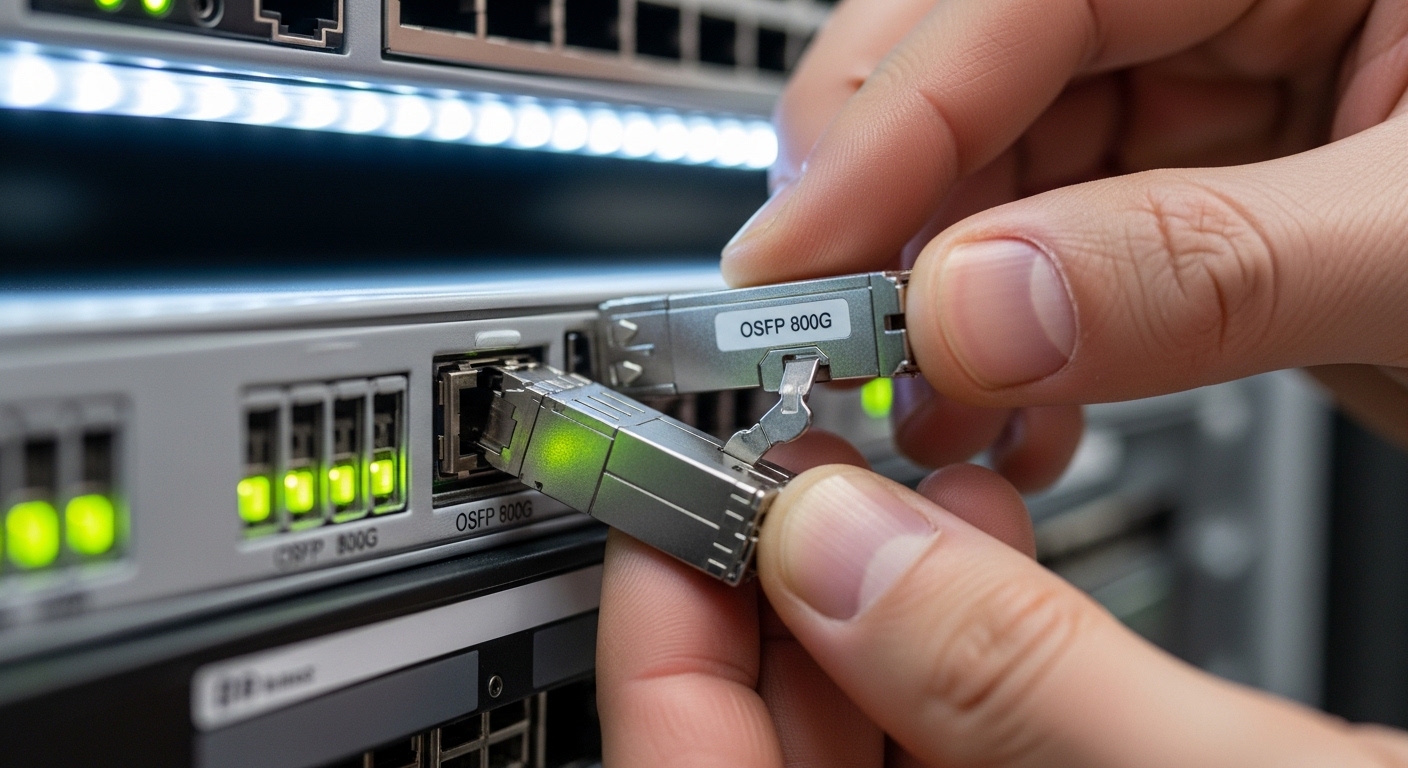
Before you compare wavelengths or reach, confirm the physical and electrical interface your 800G ports expect. Many platforms support multiple pluggable families (for example, OSFP or QSFP-DD depending on vendor and generation), but the switch will not negotiate across incompatible cages. In the field, I have watched teams order the “right” speed rating only to discover the optics won’t seat or the port remains administratively down.
Key specs to verify include the pluggable type, lane mapping, and the expected electrical interface. For 800G Ethernet, typical implementations are based on 8 lanes at 100G each or equivalent internal lane aggregation depending on the platform. That means transceiver compatibility is not just “800G in the datasheet,” but “800G optics that match the switch’s lane wiring, modulation, and FEC expectations.”
Best-fit scenario: You are upgrading a data center leaf-spine fabric where the top-of-rack switch uses 800G OSFP ports. You need transceivers that match the exact cage and firmware expectations, not just the nominal data rate.
- Pros: Avoids dead-on-arrival installs; reduces RMAs.
- Cons: Requires reading port module requirements and sometimes firmware release notes.
Top 2: Match fiber type and wavelength plan to your link budget
Transceiver compatibility depends heavily on fiber type and the optical wavelength plan (for example, SR-style multimode vs LR-style single-mode). Even when both ends are “800G,” the optics can be fundamentally incompatible if one side expects OM4/OM5 multimode and the other expects SMF at a specific band plan. For deterministic outcomes, verify connector type, fiber grade, and the expected reach class.
Use a link budget approach rather than trusting “max reach” marketing numbers. For multimode, modal bandwidth and patch cord quality dominate; for single-mode, connector reflections, splices, and aging losses matter. IEEE 802.3 specifies optical performance requirements for Ethernet PHYs, but your deployed channel may still fail if the installed fiber plant is marginal.
Best-fit scenario: You have a 120 m OM4 patching run plus 20 m backbone lead-in fiber, with two connectors per end. You must choose optics that tolerate the installed insertion loss and meet receiver sensitivity margins under your cleaning and polishing practices.
- Pros: Prevents “works in lab, fails on site” outcomes.
- Cons: Requires fiber documentation and measured loss values.
Top 3: Verify standardized 800G optics parameters and reach classes
Now that form factor and fiber type are aligned, compare optics parameters that directly affect compatibility: nominal wavelength, reach class, output power, receiver sensitivity, and connector. In 800G deployments, the most common mismatch is choosing optics with compatible form factors but mismatched link reach for the actual fiber plant.
Below is a practical comparison of common 800G fiber optics categories engineers evaluate. Exact values vary by vendor and part number, so always cross-check the specific datasheet you plan to purchase.
| Optics category | Typical wavelength | Fiber type | Reach (typical class) | Connector | Operating temp | Data rate |
|---|---|---|---|---|---|---|
| 800G SR (multimode) | 850 nm band | OM4/OM5 | ~100 m class (varies) | LC (often MPO-12/MPO-16 depending on module) | 0 to 70 C (typical) | 800G Ethernet |
| 800G FR/ER/LR (single-mode) | 1310 nm or other single-mode bands | SMF | ~2 km to 10 km class (varies) | LC or MPO-8/MPO-12 (depends) | -5 to 70 C (typical) | 800G Ethernet |
| 800G ZR-class (single-mode, longer) | 1550 nm band | SMF | ~80 km class (varies) | LC (often) | -5 to 70 C (typical) | 800G Ethernet |
Best-fit scenario: You are standardizing a fleet across multiple sites and want fewer surprises. You use a single vendor’s optics family that offers multiple reach classes (SR, FR, LR) so that transceiver compatibility is managed through predictable switching and optical behavior.
- Pros: Quick elimination of incompatible reach/fiber combinations.
- Cons: “Reach class” is not a substitute for your measured channel loss.
Top 4: Validate switch firmware, optics vendor support lists, and interoperability notes
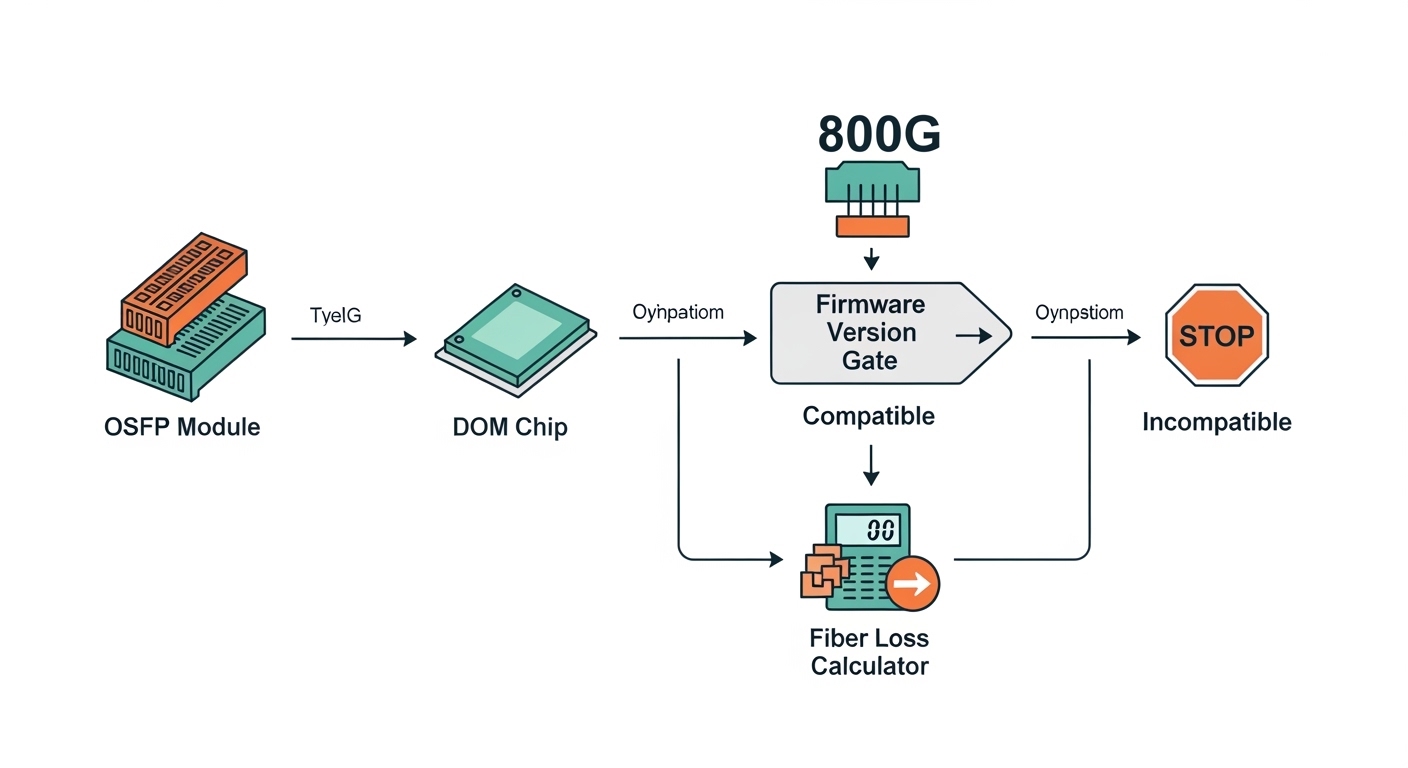
This is where many “it should work” assumptions break. Switch vendors publish optics compatibility matrices and sometimes require specific firmware versions to enable certain transceivers. Even if the optics are IEEE-compliant at the electrical/optical layer, the switch’s management plane may reject or limit features for unsupported modules.
In practice, I recommend checking three things before ordering in bulk: (1) the switch model’s transceiver compatibility list, (2) the minimum firmware version for that platform’s 800G port behavior, and (3) whether the switch requires a specific DOM threshold configuration. If the platform supports vendor-specific behaviors (for example, vendor-defined laser safety or proprietary diagnostics), interoperability can become conditional.
Best-fit scenario: Your fabric uses a new switch generation where 800G ports are newly introduced. You must align optics and firmware to avoid a scenario where the port comes up with alarms or stays down.
- Pros: Reduces operational risk and speeds acceptance testing.
- Cons: Can slow procurement due to firmware upgrade dependencies.
Top 5: Check DOM and management behavior (not just link state)
Transceiver compatibility is more than “link up.” Many operators care about whether alarms clear correctly, whether telemetry is readable, and how the switch reacts to vendor-defined DOM fields. Typical DOM parameters include laser bias current, transmit power, receive power, temperature, and supply voltages, plus vendor-specific diagnostics.
Field experience: I have seen ports appear “green” but still generate intermittent errors because threshold values were tuned for one vendor’s optics calibration curve. That can lead to unnecessary flaps when temperatures change or when dust on connectors increases attenuation. Confirm that the switch accepts DOM readings and that your monitoring system can parse the telemetry without failing the automation workflow.
Best-fit scenario: You run automated optics health checks in your NMS, and you need consistent telemetry schema across vendors to trigger the right maintenance tickets.
- Pros: Improves real-time detection of aging optics and connector contamination.
- Cons: Requires DOM validation during acceptance testing.
Pro Tip: During acceptance tests, do not stop at “link up.” Pull DOM telemetry under both idle and elevated temperature conditions (for example, after running traffic for 30 minutes). If receiver power readings drift faster than expected, you may have a compatibility issue that only shows up after thermal stabilization.
Top 6: Confirm power class and thermal envelope for the exact module
Some 800G transceivers have different power consumption classes, and a switch’s airflow and power budgeting can influence stability. Even when the optics are physically compatible, the switch may throttle, alarm, or refuse operation if the module exceeds expected thermal or electrical limits. This becomes more likely in high-density chassis where neighboring ports share thermal constraints.
Check the module’s maximum power (often in watts), the switch’s supported module power range, and the recommended airflow direction and minimum fan speed. Then validate that your rack’s ambient temperature and cooling profile match the design assumptions. I have debugged cases where a module was “compatible on paper” but failed only during summer peak heat because the switch’s internal sensors reported higher-than-normal module temperature.
Best-fit scenario: You are deploying 800G optics in a tight rack with side-to-side airflow and you are migrating from a chassis with different fan curves.
- Pros: Prevents intermittent faults tied to thermal margins.
- Cons: Needs careful thermal measurement during rollout.

Top 7: Ensure FEC and error handling expectations align across both ends
At 800G speeds, forward error correction (FEC) behavior and link training parameters matter for stability and interoperability. While IEEE 802.3 defines Ethernet PHY requirements, vendor implementations can differ in how they expose or configure FEC modes, link training retries, and alarm thresholds. If the two ends do not agree (or one end defaults to a mode not supported by the other), you can see link flaps or rising error counters under load.
In troubleshooting, I focus on the switch’s interface counters: CRC errors, FEC corrected/uncorrected error counts, and link renegotiation events. If you mix optics vendors, verify that both sides select compatible FEC settings automatically or through explicit configuration. For consistent transceiver compatibility across a multi-vendor fabric, standardize on a single optics family or confirm interoperability through a documented test plan.
Best-fit scenario: You are doing phased migration where half the links use one optics vendor and the other half uses another, and you must avoid inconsistent error behavior.
- Pros: Improves stability and reduces silent degradation.
- Cons: Requires careful counter validation and sometimes explicit configuration.
Top 8: Use a decision checklist to minimize procurement and interoperability risk
At purchase time, the goal is to reduce “unknown unknowns.” Here is an ordered checklist engineers typically follow to confirm transceiver compatibility before they sign off on a lot.
- Form factor and cage fit: OSFP vs QSFP-DD vs other, plus mechanical keying.
- Switch compatibility matrix: model-specific supported optics and required firmware.
- Fiber type and connector: OM4/OM5 vs SMF, LC vs MPO style, and polarity rules.
- Reach class and link budget: confirm measured loss, patch cords, splices, and margin for aging.
- DOM support: telemetry availability and monitoring schema compatibility.
- Power and thermal envelope: module max power and rack cooling profile.
- FEC and error handling: confirm matching behavior and validate counters under traffic.
- Vendor lock-in risk: plan for at least one alternate vendor if the primary supply tightens.
Best-fit scenario: You are building a multi-site standard and want a repeatable acceptance test that catches incompatibilities early.
- Pros: Turns compatibility into a measurable process.
- Cons: Requires disciplined documentation and test time.
Common Mistakes / Troubleshooting
Below are failure modes I have personally encountered when validating transceiver compatibility for high-speed optics. Each includes the root cause and a practical fix you can apply during rollout.
Mistake 1: Confusing “800G capable” with “800G interoperable on this port”
Root cause: The module matches the data rate but not the switch’s required pluggable type, electrical lane mapping, or firmware feature set. Result: port stays down, or comes up with persistent alarms.
Solution: Verify the exact port module family in the switch documentation, confirm the firmware version requirement, and use the vendor’s optics compatibility list for that switch model.
Mistake 2: Using the wrong fiber plant assumptions (OM4 vs OM5, or SMF band mismatch)
Root cause: A transceiver may be specified for multimode but the installed links use a different fiber type or have higher insertion loss due to dirty connectors, excess patching, or poor polishing.
Solution: Measure end-to-end loss with an OTDR or certified tester. Clean connectors with the correct procedure and re-test. If needed, change optics category to match the fiber type and connector geometry.
Mistake 3: Ignoring DOM thresholds and monitoring parsing differences
Root cause: DOM telemetry fields can be vendor-specific in scaling, thresholds, or alarm interpretation. Monitoring may misread values and trigger false positives or miss real degradation.
Solution: During acceptance, compare DOM readings from the baseline vendor to the new vendor under the same traffic load. Adjust monitoring thresholds and confirm alarm semantics.
Mistake 4: Overlooking polarity, MPO indexing, and patch cord mismatches
Root cause: MPO-style connections are sensitive to polarity and fiber mapping. A polarity reversal can lead to low receive power and frequent link training failures.
Solution: Confirm polarity method (commonly Type A or Type B in multimode systems, depending on the deployment). Rework patch cords to the documented mapping and verify receive power at the switch.
Cost & ROI note for 800G optics and compatibility validation
Realistically, OEM transceivers and optics from reputable third-party vendors can be priced very differently, and the total cost includes more than purchase price. In many deployments, OEM optics may cost roughly 1.2x to 2.5x compared to some third-party options, but they often come with better documented transceiver compatibility support and fewer firmware-related surprises. The ROI hinges on failure rate, RMA turnaround, and the labor cost of troubleshooting during high-traffic maintenance windows.
For TCO, include spares, acceptance test time, cleaning supplies, fiber certification tooling, and the cost of downtime risk. If your NMS relies on DOM telemetry consistency, third-party optics can add engineering time to normalize alarms and dashboards. That engineering time is the hidden tax that often outweighs small unit price savings.
[[EXT:https://standards.ieee.org/standard/802_3 IEEE 802.3 standard]]
Cisco optics compatibility and troubleshooting guidance
[[EXT:https://www.finisar.com/ Finisar (example optics datasheet landing)]]
Summary ranking table: which compatibility checks matter most first
| Rank | Compatibility check | Why it matters in 800G | Fast pass test |
|---|---|---|---|
| 1 | Form factor and port support | Prevents dead-on-arrival installs and port disablement | Confirm cage type and switch compatibility matrix |
| 2 | Fiber type, connector, and link budget | Determines whether receiver power margins hold | Validate measured loss and clean connectors |
| 3 | Firmware and interoperability notes | Controls management-plane acceptance and FEC behavior | Align firmware to vendor’s required version |
| 4 | DOM telemetry and alarms | Affects monitoring, automation, and real-time detection | Compare DOM readings and alarm thresholds |
| 5 | Power and thermal envelope | Prevents thermal throttling and intermittent faults | Verify airflow and re-test after 30 minutes load |
| 6 | FEC and error counters | Ensures stable link under traffic | Check CRC and FEC counters during traffic |
| 7 | Vendor lock-in mitigation | Reduces supply risk and future migration cost | Pre-approve one secondary vendor |
FAQ
How do I verify transceiver compatibility for 800G without buying expensive spares first?
Start with the switch vendor’s optics compatibility matrix and required firmware versions. Then validate fiber type and measured loss against the optics datasheet link budget. Finally, do a small pilot with acceptance tests that include DOM telemetry and error counter checks under traffic.
Can I mix optics vendors on the same 800G switch line card?
Often yes, but it is not guaranteed. Compatibility depends on firmware, DOM interpretation, and FEC/link training behavior. Always test both ends together and confirm that monitoring alarms and counters behave as expected for the mixed-vendor pair.
What is the most common cause of link flaps after deploying new 800G transceivers?
The most common causes are marginal link budget (dirty connectors or higher-than-expected fiber loss) and DOM threshold mismatches that trigger resets or alarm-driven behaviors. Less often, it is a firmware interoperability issue or polarity/MPO indexing error.
Do I need to worry about DOM support if the link comes up?
Yes. A link can come up while telemetry is misread, alarms are misinterpreted, or thresholds cause unnecessary link resets later. Validate DOM fields, confirm monitoring dashboards parse the data, and test under steady traffic.
How much link margin should I keep for 800G optics in production?
A practical approach is to keep margin for connector aging, dust ingress, and temperature drift. Use measured loss from certified testing and add a safety margin recommended by your vendor and your internal reliability policy, then re-check after any major maintenance on the fiber plant.
Where do IEEE standards fit into transceiver compatibility?
IEEE 802.3 defines Ethernet PHY requirements so that compliant optics can interoperate at a baseline level. However, real-world compatibility still depends on platform-specific firmware behavior, DOM management, and the physical channel quality. Standards reduce risk, but they do not eliminate the need for acceptance testing.
If you follow the ranked checklist and validate with DOM plus error counters, you can treat 800G transceiver compatibility as an engineering process rather than a gamble. Next, review fiber cleaning and link testing to reduce connector-related surprises before you schedule the maintenance window.
Author bio: I am a field-focused network engineer who documents hands-on optics installs, acceptance tests, and troubleshooting patterns from real data center rollouts. I write from the perspective of what actually prevents downtime: measured fiber loss, validated DOM telemetry, and repeatable compatibility checks.
