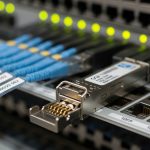
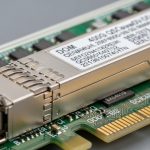
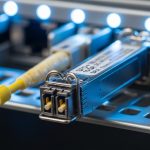
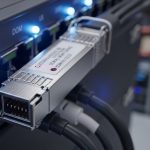
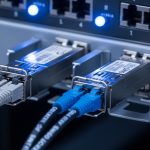
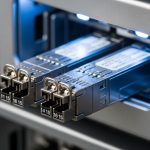
In enterprise networks, the transceiver is the tiny decision that quietly decides whether your links stay up or your pager starts doing interpretive dance. This article compares SFP-SR versus SFP-LR for common Ethernet deployments, with concrete numbers, operational gotchas, and budget-friendly selection guidance. It is written for network engineers, IT directors, and anyone who has ever swapped a module only to discover the fiber plant was the real villain.
SFP-SR vs SFP-LR: what actually changes (beyond the letters)
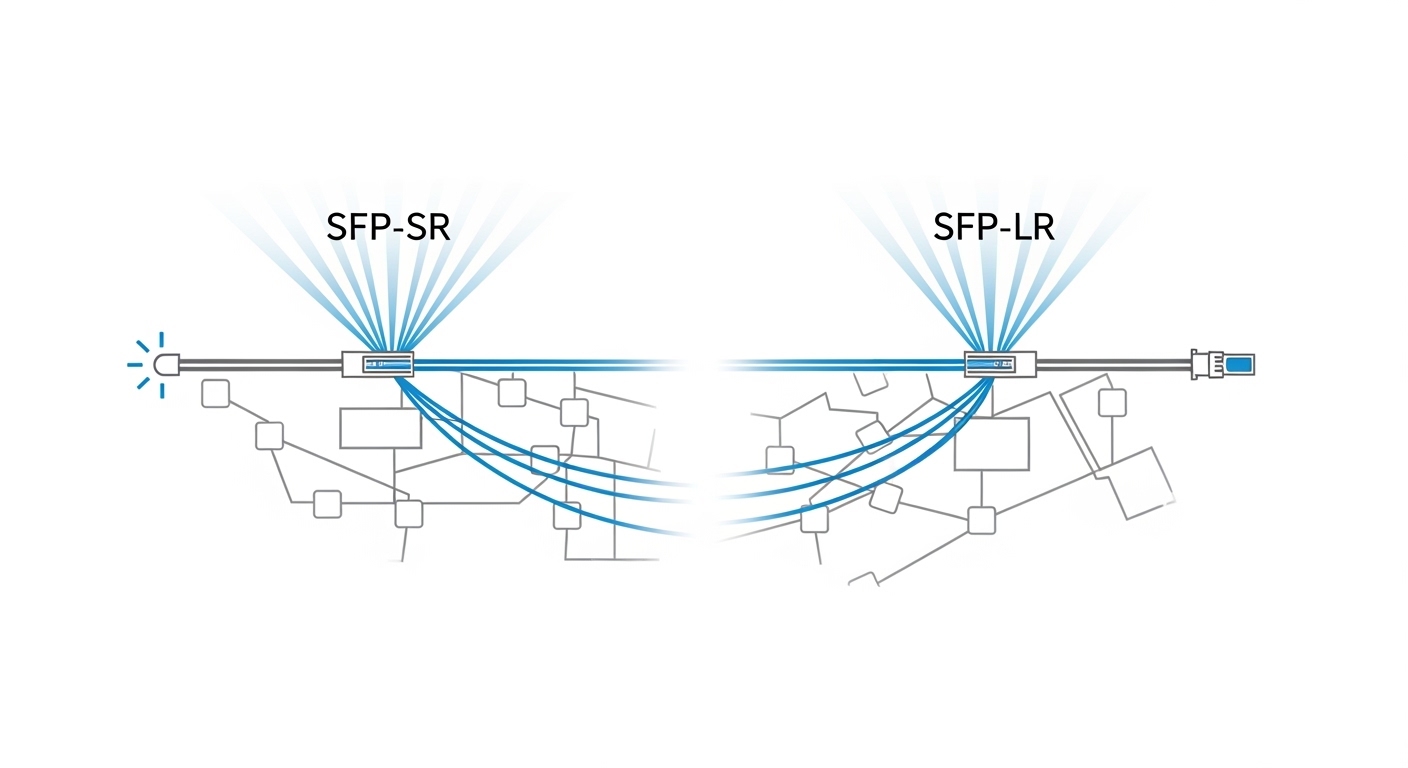
SFP-SR and SFP-LR are both SFP form-factor optics used in Ethernet transport, but they target different reach budgets and typically different fiber types. SFP-SR usually means “short reach” using multimode fiber (MMF) with nominal wavelength around 850 nm. SFP-LR means “long reach” using single-mode fiber (SMF) at about 1310 nm. The result is a practical trade: SR tends to be lower cost and easier to deploy in older MMF-rich buildings, while LR costs more per module but rescues you when the distance, patching, or future growth demands SMF.
From an standards perspective, Ethernet optical transceivers are aligned with IEEE 802.3 link specifications for optical PHY behavior (link coding, signal levels, and optical interface expectations). For reach and performance, vendors follow their own datasheets while staying within the underlying 802.3 requirements. If you are standardizing enterprise networks, treat the vendor datasheet as the “truth source” for actual reach under your exact fiber category, patch loss, and connector quality.
Pro Tip: In many enterprise networks, the “reach” you think you bought is not the reach you get. Patch cords, dirty connectors, and aging splices often consume 2–6 dB of your budget before the light even arrives at the far transceiver. For SR, that can be the difference between “works in the lab” and “fails at 2 AM.”
Key specs comparison: reach, fiber type, power, and operating limits
Below is a practical comparison using commonly deployed 1G SFP variants (because they show the same engineering trade-offs clearly). In real deployments you will also see 10G SFP+ SR and LR, but the decision logic remains: wavelength, fiber type, reach budget, and optics power. Always verify the exact speed and reach class on the datasheet for the module you plan to buy.
| Spec | SFP-SR (typical 850 nm) | SFP-LR (typical 1310 nm) |
|---|---|---|
| Nominal wavelength | 850 nm | 1310 nm |
| Typical fiber | Multimode fiber (MMF) | Single-mode fiber (SMF) |
| Common reach class | Up to roughly 550 m on OM2 (varies by vendor) | Up to roughly 10 km on SMF (varies by vendor) |
| Connector type | Usually LC | Usually LC |
| DOM support | Often available (vendors vary) | Often available (vendors vary) |
| Optical safety class | Typically Class 1 laser product (verify datasheet) | Typically Class 1 laser product (verify datasheet) |
| Typical transmit/receive power | Lower than LR in many designs; exact values are datasheet-specific | Higher reach budget; exact values are datasheet-specific |
| Operating temperature | Commercial: often around 0 to 70 C; extended options exist | Commercial: often around 0 to 70 C; extended options exist |
| Best fit | Data centers and campus links with MMF plant | Longer campus runs, backbone, and future-proofing with SMF |
Engineering reality check: “OM2 vs OM3 vs OM4” matters for SR, and “fiber attenuation plus connector loss plus splice loss” matters for LR. If your enterprise networks are using older MMF, SR reach may degrade compared to modern OM4-qualified links. If your SMF is poorly terminated, LR can still disappoint you, because loss is loss regardless of wavelength.

Distance and fiber plant: how to pick SR or LR in enterprise networks
Start with your physical layer constraints. If your building was wired decades ago, you may have plenty of MMF in ceiling trays and underfloor conduits, which makes SFP-SR the lowest-friction upgrade path. If you are connecting multiple buildings, relocating closets, or planning to grow bandwidth, SMF-backed SFP-LR is the “less drama later” option because it supports much longer reach and cleaner optical budgets.
Decision heuristic that field teams actually use
Engineers typically estimate link budget before they click “buy.” For SR on MMF, you compare vendor reach to your measured link loss using an optical power meter and light source or an OTDR. For LR on SMF, you do the same, but you also pay attention to end-to-end splice quality and whether you have APC versus UPC connector styles in the plant. If you are mixing connector types or using adapters, you can lose margin faster than your ticket queue can drain.
Typical enterprise networks use-case: leaf-spine with mixed fiber
In a 3-tier data center leaf-spine topology with 48-port 10G ToR switches, a team might deploy SR optics for short rack-to-row links over patch panels, while reserving LR optics for row-to-core runs that cross firebreak zones. For example, suppose the rack-to-row distance is 120 m over OM3 MMF with about 1.5 dB of connector loss per end and two patch-splice segments totaling 1.0 dB; SR typically has enough margin. Meanwhile, a cross-building link might be 6 km over SMF with conservative assumptions of 0.35 dB/km plus connector and splice losses; SR would be a gamble, while LR aligns with the intended reach class.
Compatibility, DOM, and governance: the part nobody budgeted for
Enterprise networks are not just about optics; they are about governance. Switch vendors often provide an “optics compatibility matrix” listing which third-party modules work reliably in their cages. Even when SFPs are electrically compatible, firmware behavior, DOM parsing, and alarm thresholds can vary. If your organization uses strict change control, you will want a tested module list and an RMA-friendly procurement workflow.
DOM and alerting behavior
Many SFP modules support Digital Optical Monitoring (DOM), exposing real-time laser bias, received power, and temperature. However, the DOM implementation details can differ by vendor, and some network operating systems show DOM values while others only surface “present/absent” or threshold alarms. If your monitoring is automated, confirm that your telemetry pipeline correctly interprets DOM fields (for example, vendor-specific scaling and unit mapping).
Vendor lock-in risk and operational cost
OEM optics often cost more, but they can reduce integration risk. Third-party optics can be cheaper, but your TCO depends on failure rates, compatibility friction, and the time your engineers spend validating modules. A governance-minded approach is simple: standardize a small set of approved optics SKUs, require DOM compatibility testing, and track failure and performance metrics over time.
Pro Tip: When standardizing enterprise networks, test optics in the exact switch model and software release you run in production. A module that works on Switch Model A running one OS version can behave differently on Model B or after an upgrade due to DOM parsing and rate/encoding negotiation nuances.
Common mistakes and troubleshooting tips (with root cause)
Optics problems are rarely mysterious; they are usually very physical. Here are common failure modes you can expect in enterprise networks, along with practical fixes.
Mistake 1: Picking SR for a link that quietly exceeds patch-panel loss
Root cause: The link exceeds the vendor reach once you include connector insertion loss, additional patch cords, and splice loss. OM2/OM3/OM4 assumptions often fail in the real world because the plant documentation is outdated. Solution: Measure the actual link loss with an OTDR or a calibrated light source and power meter, then compare to the module’s specified power budget.
Mistake 2: Dirty connectors masquerading as “bad optics”
Root cause: Fiber endfaces get contaminated. SR is often more sensitive to margin loss because MMF performance is less forgiving under certain conditions. Solution: Clean LC connectors with lint-free wipes and proper cleaning tools, then re-seat and re-test. If you have repeated failures, add endface inspection to your standard operating procedure.
Mistake 3: Mixing UPC and APC connectors through adapters
Root cause: Return loss differences can trigger receiver issues, especially in systems with tight power budgets. The link may negotiate but run unstable under temperature changes. Solution: Standardize connector polish types across the patching chain. Verify adapter compatibility and keep a diagram of where APC is used.
Mistake 4: Using the wrong fiber type in a “looks close enough” cabinet
Root cause: MMF and SMF cables can be routed together and mislabeled, particularly after renovations. LR will not work properly on MMF, and SR may fail on SMF depending on module design. Solution: Confirm fiber type using OTDR signatures or by consulting as-built labeling verified in the field.
Cost and ROI note: what you actually pay over time
Pricing varies by speed (1G vs 10G), temperature range, and whether you choose OEM or third-party. As a rough planning range for commonly stocked SFP optics: OEM modules for enterprise networks might run from about $80 to $250 per SFP depending on class, while third-party compatible optics may be $30 to $120 each. The SR versus LR delta is often meaningful: LR modules typically cost more because they support longer reach and different optical design.
TCO is where the decision gets interesting. If you already have MMF plant with good documentation and low patch loss, SR can yield ROI by minimizing module cost and reducing operational overhead. If you are connecting long distances or need to reduce future re-cabling, LR can pay back by avoiding expensive fiber plant changes and by improving link stability margin. Power draw differences between SR and LR are usually modest compared to the cost of outages, but reduced error rates and fewer truck rolls are the real ROI lever.

Selection criteria checklist: SR or LR, which one wins for you
- Distance and reach budget: Use measured link loss, not brochure distance.
- Fiber type and quality: Confirm MMF type (OM2/OM3/OM4) or SMF attenuation and splice quality.
- Switch compatibility: Verify the optics compatibility matrix for your exact switch model and OS release.
- DOM support and monitoring: Ensure your monitoring stack correctly ingests DOM metrics and thresholds.
- Operating temperature: Choose commercial or extended modules if you have warm aisles, sunlit cabinets, or poorly ventilated closets.
- Connector and cabling governance: Standardize LC type, polish style, and adapter usage to prevent return-loss surprises.
- Vendor lock-in risk: Decide whether your organization prefers OEM reliability or third-party cost savings with a formal test and approval process.
If you want a simple rule of thumb: SR is the efficient choice for short, MMF-based links with solid patching hygiene; LR is your insurance policy for long-distance campus runs and for environments where fiber plant uncertainty is high.
FAQ
Is SFP-SR compatible with enterprise networks that use single-mode fiber?
Usually not reliably. SFP-SR is designed for MMF at about 850 nm, and SMF links typically require LR optics at 1310 nm. If you try to run SR on SMF, you may get link failures or unstable optical levels. Verify fiber type and module wavelength before deployment. [Source: IEEE 802.3 optical PHY expectations summarized in vendor datasheets]
When would SFP-LR be the better ROI choice even if it costs more?
When the distance pushes you near SR limits, or when fiber plant documentation is incomplete, LR can reduce operational risk. Avoiding a re-cabling project and preventing repeated outages often beats the higher module price. In governance terms, fewer exceptions means fewer change-control headaches.
Do I need DOM for enterprise networks?
DOM is not strictly required for link operation, but it helps with proactive maintenance. If you have an alerting pipeline or want to detect aging lasers and rising receive power issues early, DOM is valuable. Confirm your switch and monitoring system interpret DOM consistently.
Can third-party SFP modules work in enterprise networks?
Yes, but only after you validate compatibility with your switch model and software version. Third-party modules can be cost-effective, yet you should require a test plan: DOM visibility, link stability under temperature swings, and error counters across a realistic burn-in window. Maintain an approved SKU list to control risk.
What is the fastest troubleshooting step when a link is down?
Clean the connectors and verify the fiber type and polarity, then check DOM or optical alarms. Many “bad transceiver” events are actually dirty LC endfaces or swapped fibers, especially after patch-panel work. After that, measure optical power to confirm the link budget.
How do I document optics decisions for governance?
Maintain a small inventory of approved transceiver SKUs with exact part numbers, supported switch models, and verified fiber link loss thresholds. Record connector polish style, cleaning SOP, and any known compatibility caveats. This turns optics from a recurring mystery into a controlled system.
Update date: 2026-05-01. If you want the next step in your enterprise networks roadmap, review your current fiber plant and standardize optics using the checklist above, then validate with a controlled rollout and measured link budgets. For related guidance on minimizing change risk, see fiber optic transceiver governance
Author bio: I have deployed and operated Ethernet optical links in production data centers, including DOM-based monitoring and OTDR-driven acceptance testing. I now evaluate networking technology through budget, ROI, enterprise architecture, and governance lenses—preferably before the outage calendar does it for me.