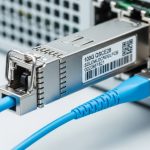
In AI/ML clusters, one flaky optical link can turn your “training run” into an expensive productivity experiment. This article is a hands-on selection guide for choosing SFP modules that actually work with your switches, fiber plant, and telemetry needs. It helps network engineers, datacenter operators, and platform teams who need predictable link stability, clean optics, and measurable ROI.
Case study: why our SFP choices caused (and fixed) AI training flaps
We deployed a 3-tier leaf-spine fabric for GPU workloads: 48-port 10G ToR switches at the access layer, 2 x 100G uplinks per leaf using QSFP28 optics, and 10G SFP+ downlinks to storage gateways. The challenge: we had mixed vendor SFP+ modules in early racks, and the cluster started showing intermittent link resets during peak I/O. In one incident, the ToR logs showed CRC errors rising and then interface flaps; training jobs paused, and the orchestrator kept retrying like a golden retriever chasing a laser pointer.
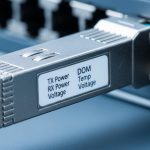
Environment specs mattered. The fiber plant used OM3 multimode in most pod runs (about 85 m typical), with a few longer corridors at 120 m where OM4 was inconsistent. We also had strict monitoring requirements: we needed Digital Optical Monitoring (DOM) readings for temperature, received power (Rx power), and bias current to catch failing optics early. After replacing the problematic optics with a consistent SFP+ model family and validating switch compatibility, link resets stopped and error counters stabilized.

Understand SFP types and choose by optics math, not vibes
SFP selection guide starts with the boring truth: distance and fiber type decide reach. For 10G Ethernet, common SFP+ optics include SR (short reach multimode), LR (long reach single-mode), and sometimes ER (extra long). The wavelength and modulation scheme are standardized by IEEE 802.3 link requirements, while vendor datasheets define exact operating temperature, DOM behavior, and power budgets. If you guess, the link budget will guess back—usually by failing at the worst time.
Key spec table: what to compare before buying
Below is a practical comparison for typical 10G SFP+ options engineers evaluate for AI/ML storage and east-west traffic. Always confirm with your switch transceiver matrix and vendor datasheets, because “compatible” can mean anything from “works” to “works until it gets warm.”
| Optical type | Data rate | Wavelength | Typical reach | Fiber | Connector | DOM support | Operating temperature |
|---|---|---|---|---|---|---|---|
| 10GBASE-SR | 10.3125 Gb/s | 850 nm | Up to ~300 m (OM3 varies) | OM3/OM4 multimode | LC | Often enabled | 0 to 70 C (common) |
| 10GBASE-LR | 10.3125 Gb/s | 1310 nm | Up to ~10 km | Single-mode OS2 | LC | Often enabled | -5 to 70 C (common) |
| 10GBASE-ER | 10.3125 Gb/s | 1550 nm | Up to ~40 km | Single-mode OS2 | LC | Often enabled | -5 to 70 C (common) |
For real-world examples, we used mainstream, widely documented optics models such as Cisco SFP-10G-SR, Finisar FTLX8571D3BCL, and FS.com SFP-10GSR-85 (model naming varies by vendor). The point: optics families exist, but compatibility and DOM behavior still depend on the switch vendor and firmware. [Source: IEEE 802.3 Ethernet specification; vendor datasheets for transceiver models]
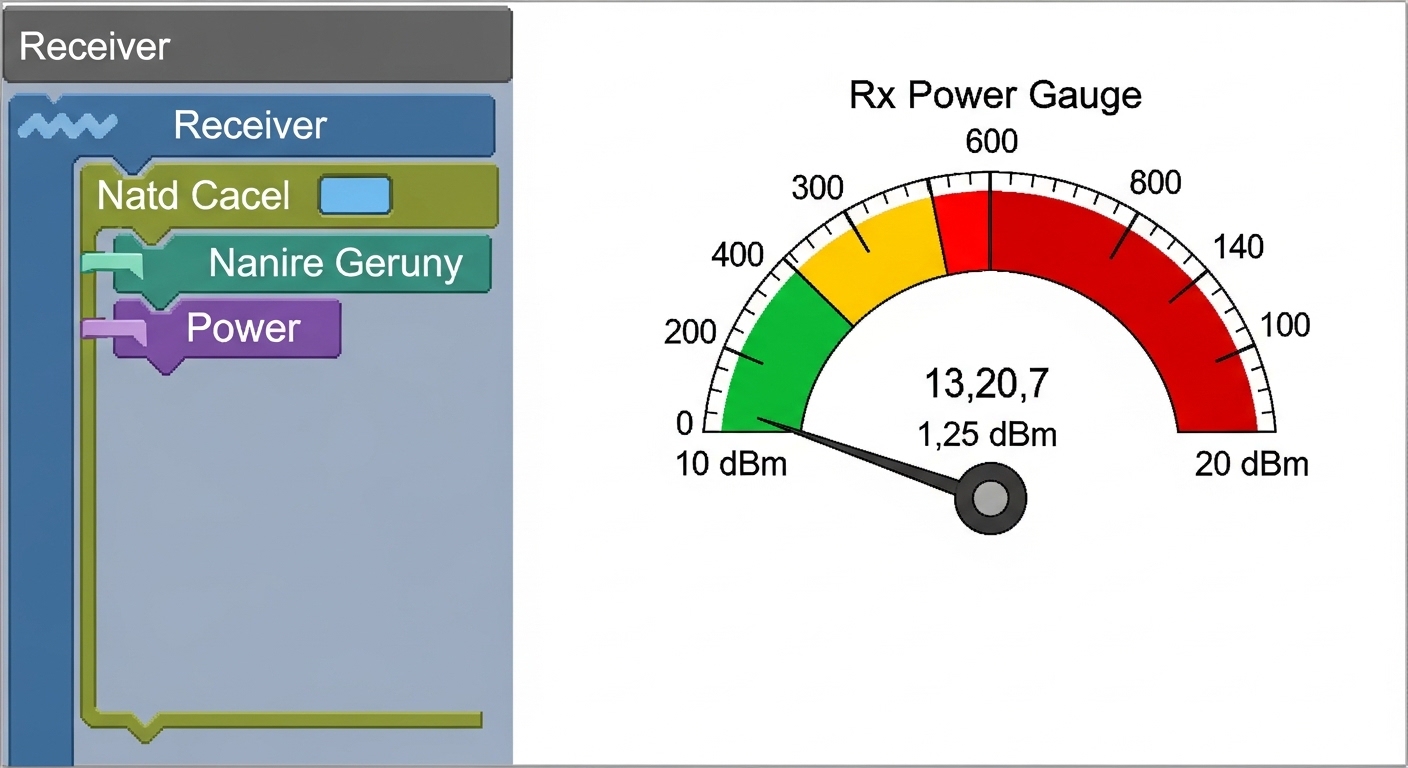
Pro Tip: In AI/ML clusters, treat DOM as an early-warning system, not a dashboard decoration. We configured alerts for Rx power drift and transceiver temperature thresholds, and we caught a marginal module weeks before it caused a training pause.
Chosen solution: standardize optics, validate firmware, and lock the fiber
Our chosen solution was not “buy the fanciest SFP.” It was a disciplined approach: standardize module type per distance class, select optics with consistent DOM implementation, and validate the switch firmware’s transceiver compatibility behavior. We also audited the fiber plant by connector cleanliness and patch cord length distribution, because bad optics plus dirty LC connectors is the network equivalent of putting glitter in a vacuum cleaner.
Implementation steps we actually ran
- Map ports to distance classes: in our fabric, we labeled ToR ports serving OM3 runs at 0–90 m and created a separate pool for 90–130 m corridors.
- Confirm switch compatibility: we cross-checked the switch transceiver support matrix for SFP+ models and updated firmware to a version with known stable optics handling. (Switch vendors often change DOM interpretation quirks between releases.)
- Choose optics by wavelength and reach: OM3 short reach used SR-style optics at 850 nm with LC connectors; any corridor that exceeded the multimode margin got single-mode LR optics at 1310 nm over OS2.
- Require DOM and verify thresholds: we enabled telemetry collection and set conservative alerts for temperature and Rx power. We validated that DOM values were visible through the switch and monitoring system, not just “present.”
- Clean and inspect connectors: we performed LC endface inspections and cleaned using approved procedures before swapping optics. Yes, it is tedious; no, it is not optional.
Selection guide checklist for AI/ML SFP module buying
Use this ordered checklist when building your SFP module selection guide. It mirrors how field teams prevent outages: measure first, buy second, then verify with telemetry.
- Distance vs reach: confirm actual installed length, including patch cords and slack. Multimode reach depends heavily on fiber bandwidth and modal conditioning.
- Switch compatibility and firmware: verify the SFP+ model family appears in the transceiver support list for your exact switch model and firmware version.
- Data rate and Ethernet mode: ensure the transceiver matches the port configuration (for example, 10GBASE-SR vs LR). Don’t assume “10G” means “interchangeable.”
- DOM support and telemetry mapping: confirm DOM is supported and that your monitoring stack can interpret the values (temperature, bias current, Rx power). [Source: vendor DOM documentation]
- Operating temperature range: AI racks can run hot during training. Favor transceivers rated for your environment, and check whether the switch cage derates optics under airflow constraints.
- Power budget and link margin: for LR/ER on single-mode, verify link budget including connector loss and splices. For SR, validate multimode budget with your fiber type (OM3 vs OM4) and worst-case polarity.
- Vendor lock-in risk: decide whether you can tolerate OEM-only support. If you choose third-party modules, standardize on a few validated models and keep spares to avoid “module roulette.”
Common mistakes and troubleshooting tips (aka how we stopped the flaps)
Here are the failure modes we saw, plus the root cause and fix. If your AI cluster is acting possessed, these are your first checks.
“It says 10G SR, so it should work” on longer multimode runs
Root cause: Installed distance exceeded the multimode margin due to patch cord length and connector losses, causing marginal signal quality. Symptoms: rising CRC errors followed by link resets, especially during hotter periods. Solution: move the long links to single-mode LR optics or replace with validated SR optics matched to the fiber grade and measured end-to-end loss.
DOM mismatch leading to blind monitoring
Root cause: Some third-party modules expose DOM, but the switch or monitoring stack misreads or fails to map thresholds. Symptoms: optics appear “up,” but telemetry is missing or flat; you cannot predict failure. Solution: confirm DOM field visibility in your system, and test threshold alerts during a maintenance window.
Dirty LC connectors after repeated swaps
Root cause: Hot-swapping optics often involves touching fibers and repeatedly mating LC connectors. Microscopic contamination can increase insertion loss and degrade the optical signal. Symptoms: sudden link drops after maintenance, inconsistent behavior across ports. Solution: inspect with an endface scope, clean with approved tools, and re-seat connectors. Document cleaning steps in your runbooks.
Cost and ROI note: OEM vs third-party in the real world
Pricing varies by vendor and volume, but in recent purchases we saw typical street ranges for 10G SFP+ optics from roughly $20–$60 for common SR modules and $40–$120 for LR modules, depending on brand, reach, and DOM requirements. OEM optics can cost more (often 1.5x–3x), but they usually reduce compatibility surprises and simplify RMA workflows. TCO should include downtime risk, labor time for replacements, and monitoring maturity. In our rollout, standardization reduced optical-related incidents enough to justify the slightly higher upfront module cost.
Watch the hidden costs: if you buy mixed third-party modules without validation, you may pay twice in troubleshooting hours and maintenance windows. Also consider that power draw is typically similar across comparable optics, so ROI usually comes from reduced failures and fewer link resets, not electricity savings.
FAQ: SFP module selection guide questions engineers actually ask
How do I pick between SR and LR for AI/ML workloads?
Start with your installed distance and fiber type. If you have OM3/OM4 multimode runs within validated reach, SR at 850 nm is cost-effective; if you exceed margin or have uncertain multimode quality, switch to LR at 1310 nm over OS2 single-mode. Confirm with your switch compatibility list and run a link test with measured loss.
Do I really need DOM for AI training links?
Yes, if you want early detection and faster remediation. DOM gives temperature and Rx power trends that help predict failing optics before they cause link resets. Without DOM, you often discover problems only when the network already interrupts your training pipeline.
Will third-party SFP modules work with Cisco, Juniper, or Arista switches?
Sometimes, but compatibility is not guaranteed across firmware versions and specific switch models. Verify the transceiver support matrix and test in a pilot rack. Also confirm that DOM fields are readable and that link training behaves correctly under your optics power and temperature conditions.
What temperature range should I use when selecting SFP modules?
Use the transceiver’s operating temperature rating and compare it to your rack’s measured airflow and inlet temperatures during training peaks. If you run hot, prioritize modules rated for the higher end and ensure the switch and cages are not operating in an airflow-starved state.
Why do I see CRC errors even when the link is “up”?
CRC errors usually indicate signal quality issues: distance too long, dirty connectors, marginal optics, or fiber attenuation/splice problems. Clean and inspect connectors, verify polarity and fiber mapping, then confirm the end-to-end link budget. If errors correlate with temperature, swap optics and watch DOM Rx power drift.
How should I design spares for an AI cluster?
Standardize module models per distance class and keep spares for each validated optics family. For example, keep SR spares for OM3 within your margin and LR spares for OS2 corridors. Store them in anti-static packaging and record DOM baseline readings when you first deploy spares.
If you want fewer training interruptions, your selection guide should be driven by optics math, switch compatibility, and DOM-backed validation. Next step: review your current port-to-fiber map and run a small pilot with standardized SFP models using telemetry alerts via fiber optic transceiver monitoring.
Author bio: I deploy and troubleshoot Ethernet optics in production data centers, including DOM telemetry and link-budget validation during cutovers. I also write runbooks that help teams stop swapping modules like it is a magic trick.