In SR-MPLS transport, the optics are not an afterthought: one marginal transceiver, lane, or DOM setting can turn deterministic routing into intermittent micro-outages. This article helps network and field engineers choose the right segment routing fiber optics for SR-MPLS deployments, focusing on practical transceiver behavior, reach limits, and operational compatibility. You will get a top-ranked selection framework, a specs comparison table, and troubleshooting patterns you can apply during live installs.
Top 8 transceiver considerations for segment routing fiber in SR-MPLS
Match reach to the optical budget, not the brochure number
SR-MPLS relies on stable L2/L3 forwarding, so optical power margin matters as much as protocol timers. For typical SR-MPLS leaf-spine fabric links, engineers often target at least 3 dB of receiver margin after accounting for fiber attenuation, patch cords, and connector loss. Use IEEE 802.3 link budgets and vendor datasheets, then confirm with measured receive power at installation.
Best-fit scenario: A 10G SR-mapped underlay where patch cords total 2 m per end and you have 8–12 LC connections; you budget for typical MMF losses and keep receiver power comfortably above the minimum specified by the module.
- Pros: Fewer link flaps, predictable performance under temperature swings.
- Cons: Requires measurement tooling (optical power meter or built-in DOM telemetry).
Choose wavelength and fiber type intentionally (MMF vs SMF)
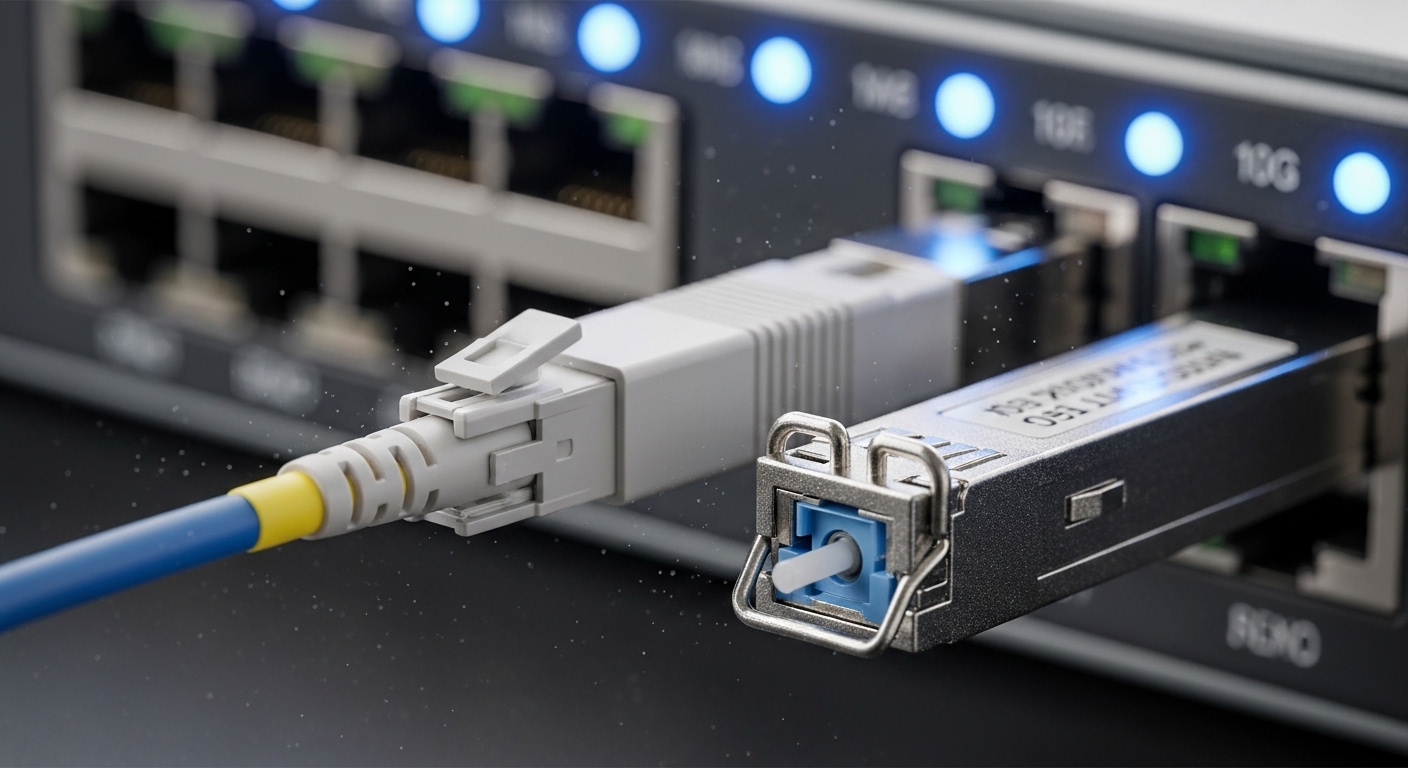
Most segment routing fiber SR-MPLS designs use either MMF for short-reach data center spans or SMF for metro/aggregation. If you select an SR (850 nm) module for a longer SMF span, you will hit dispersion and attenuation realities quickly. Conversely, using an SMF module where MMF is intended can increase cost without adding value.
Best-fit scenario: Data center ToR-to-leaf links on OM4 with 70 m–100 m class targets (depending on channel and patch loss), using 850 nm optics that align with your cabling plant.
- Pros: Better optics-to-plant fit, lower total deployed power consumption.
- Cons: Wrong fiber type can cause immediate link failure.
Verify data rate and FEC/PCS behavior with the switch ASIC
Even when the transceiver “lights up,” SR-MPLS can suffer if the optics negotiate an unexpected mode (especially on 25G/50G/100G variants). Confirm whether your switch uses Reed-Solomon FEC, RS-FEC, or no-FEC for the configured optics class, and ensure the transceiver is compatible with the port’s line-rate and breakout settings. Reference IEEE 802.3 and your switch vendor port support matrices.
Best-fit scenario: A 25G SR-MPLS underlay where you standardize on 25G SFP28 or 25G SFP28 with DOM, ensuring consistent FEC expectations across all leaf ports.
- Pros: Avoids silent performance degradation and intermittent CRC storms.
- Cons: Compatibility checks add procurement lead time.
Use a specs table to compare actual operating constraints
Before you buy, compare wavelength, reach, connector, DOM support, and temperature range. Modules with the same marketing reach can behave differently under cold-start or high-airflow constraints, which matters for always-on SR-MPLS fabrics.
| Module example | Wavelength | Reach (typ.) | Data rate | Connector | DOM / telemetry | Operating temp | Common use in SR-MPLS |
|---|---|---|---|---|---|---|---|
| FS.com SFP-10GSR-85 (10G SFP+) | 850 nm | ~300 m over OM3 / up to ~400 m over OM4 (datasheet-dependent) | 10 GbE | LC | Yes (SFF-8472) | 0 to 70 C typical class | Leaf-spine underlay over MMF |
| Cisco SFP-10G-SR (10G SFP+) | 850 nm | ~300 m class over OM3 / OM4 (model-dependent) | 10 GbE | LC | Yes (platform-specific) | 0 to 70 C typical class | Interoperable SR-MPLS segments with DOM monitoring |
| Finisar FTLX8571D3BCL (10G SFP+) | 850 nm | ~300 m class over OM3 / OM4 (datasheet-dependent) | 10 GbE | LC | Yes | 0 to 70 C typical class | High-availability fabric links with telemetry |
Best-fit scenario: Standardize on one optics family per distance class, then enforce DOM-based monitoring thresholds during commissioning.
- Pros: Faster acceptance testing and fewer surprises during temperature ramps.
- Cons: Requires disciplined model/version control in inventory.
DOM thresholds and alarm handling must match your NOC workflow
DOM telemetry (laser bias current, received power, supply voltage) enables early detection before SR-MPLS forwarding becomes unstable. In practice, field teams set alarm thresholds tighter than default vendor values and integrate them into the monitoring stack. If your alarms trigger too late, you will only discover optical problems after packet loss and SR path reconvergence.
Best-fit scenario: A 10G SR-MPLS fabric where you alert on receive power dropping below a chosen margin and correlate alarms with link flap events.
- Pros: Predictive maintenance for optics and cabling.
- Cons: Misconfigured thresholds can create alert fatigue.
Temperature and airflow: validate in the actual rack environment
Transceiver performance can shift with airflow and ambient temperature, especially during staged upgrades and partial fan failures. Validate with your facility’s worst-case thermal profile and confirm that the module’s operating temperature range matches the real rack inlet conditions. For SR-MPLS, stability is a system property: optics and cooling are co-dependent.
Best-fit scenario: A dense leaf-spine deployment with front-to-back airflow where inlet temps approach the upper third of the module’s operating range during summer peaks.
- Pros: Reduces late-life drift and improves MTBF.
- Cons: Needs thermal validation during site acceptance.
Plan for compatibility: vendor lock-in vs interoperability testing
Some platforms enforce strict transceiver identification, while others accept third-party modules using standard SFP/SFF identification. If you mix OEM and compatible optics, test DOM visibility, alarm behavior, and link negotiation. This is especially important when SR-MPLS paths traverse many hops and you need consistent telemetry across the fabric.
Best-fit scenario: A procurement consolidation where you allow third-party optics only after lab validation on the exact switch models and firmware versions.
- Pros: Lower procurement costs when validated.
- Cons: Higher risk if you skip port-by-port acceptance testing.
Operational discipline: commissioning tests before you trust SR-MPLS
Commissioning should include link training verification, optical power measurement, and sustained traffic validation. Use a controlled load for at least 30–60 minutes while watching CRC/error counters and DOM trends; then document baseline receive power and alarm thresholds. SR-MPLS can mask transient issues via reconvergence, so you must verify the physical layer under sustained stress.
Best-fit scenario: After swapping optics in an active SR-MPLS underlay, you run traffic for an hour and confirm no CRC spikes and stable receive power.
- Pros: Avoids hidden failure modes that appear only under load.
- Cons: Adds time to change windows.
Common mistakes / troubleshooting for segment routing fiber links
Mistake 1: Using the wrong patch cord grade or connector cleanliness
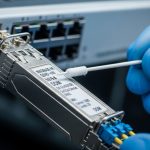
Root cause: Increased insertion loss from dirty ferrules or mismatched OM3/OM4 patch cords. Symptom: Link flaps under load, receive power trending downward. Fix: Clean with approved fiber cleaning tools, inspect with a scope, and re-measure receive power after cleaning.
Mistake 2: Ignoring DOM visibility and alarm configuration
Root cause: Telemetry exists but thresholds are not aligned with your monitoring and incident response. Symptom: You detect the problem only after SR path reconvergence triggers higher control-plane churn. Fix: Establish baseline receive power per link, then set early-warning thresholds and test alert delivery to the NOC.
Mistake 3: Assuming “it lights up” means SR-MPLS is healthy
Root cause: CRC errors or marginal optical margins can persist while the link remains up. Symptom: Burst packet loss, retransmissions, and intermittent congestion during traffic changes. Fix: Run sustained traffic, inspect error counters, and validate optical power margin against the module datasheet minimums.
Mistake 4: Mixing module families with different FEC or negotiation expectations
Root cause: Port settings or firmware may negotiate a different mode than intended. Symptom: Higher-than-normal latency or repeated link renegotiations. Fix: Lock down transceiver types per port profile and verify with vendor compatibility guidance.
Pro Tip: In many SR-MPLS fabrics, the earliest warning is not a total link down event. Track the slope of received power over days; a steady downward trend often indicates connector wear or contamination before the module crosses the minimum optical threshold.
[[IMAGE:Clean vector-style illustration showing an optical link budget diagram with a segment routing fiber path, labeled losses for connectors, sp