Why edge links miss latency targets (and how optical solutions fix it)
In edge computing deployments, latency spikes usually trace back to link distance, transceiver mismatch, or optical power budgets that were never validated under real temperature and aging conditions. This article helps network engineers and field teams choose optical solutions that meet low-latency requirements for industrial sites, retail micro-datacenters, and campus edge. You will get practical selection steps, a troubleshooting checklist, and a spec-level comparison of common transceiver types. Update date: 2026-05-01.

Low-latency edge networking: what actually drives end-to-end delay
Latency is not only “propagation.” In fiber, propagation delay is predictable (about 5 microseconds per kilometer), but most real delay comes from serialization, switching, buffering, and retransmissions when optics cause marginal links. For time-sensitive edge workloads, you typically need stable optics that maintain bit error performance across temperature swings and connector contamination. The engineering goal is to keep the link within the transceiver’s optical budget while ensuring the switch and optics negotiate the correct electrical and optical parameters. When those conditions hold, you avoid link flaps and reduce retransmission-driven tail latency.
Measure latency like an engineer, not a dashboard
Start with a repeatable measurement plan. Capture round-trip time (RTT) between the edge compute host and upstream aggregator, then correlate spikes with interface counters and optical diagnostics (DOM). On Cisco and many other platforms, optics diagnostics (Rx power, Tx bias current, temperature) are available via standard management interfaces; you can export them to time-series storage to align events. If you see CRC errors or FEC corrections rising before RTT spikes, treat the optics path as a first suspect.
Optical budget basics that impact latency stability
Even when average throughput is fine, marginal optical power can trigger intermittent errors that force retransmissions. That increases tail latency far more than the raw propagation delay would. In practice, you want a conservative margin between measured received power and the transceiver’s minimum sensitivity for the target reach. Also account for fiber aging and connector cleaning quality; dirty LC/SC end faces can create enough loss to push the link from “works” to “works until conditions change.”
Transceiver and fiber choices for edge: the spec-level comparison that matters
Edge sites often have short runs, but they still face harsh environments and tight maintenance windows. Selecting the right wavelength, reach class, and connector type prevents avoidable truck rolls and reduces “works in the lab” failures. The table below compares common optics used for low-latency edge links, focusing on wavelength, typical reach, and connector expectations you will see in real deployments.
| Optical solution type | Data rate | Wavelength | Typical reach (single link) | Connector | Temperature range (typical SFP/QSFP) | Where it fits best |
|---|---|---|---|---|---|---|
| 10G SR (SFP+) | 10G | 850 nm | ~300 m (OM3) / ~400 m (OM4) | LC duplex | 0 to 70 C (commercial); some industrial variants lower/higher | Short-reach edge switches, retail backrooms, indoor cabinets |
| 25G SR (SFP28 / SFP) | 25G | 850 nm | ~70 m (OM3) / ~100 m (OM4) | LC duplex | 0 to 70 C (commercial); check vendor for extended | High-density edge aggregation over short multimode runs |
| 25G LR (SFP28) | 25G | 1310 nm | ~10 km (single-mode) | LC duplex | 0 to 70 C (commercial); extended available by OEM/third-party | Edge to hub over longer distances with tighter budgets |
| 100G SR4 (QSFP28) | 100G | 850 nm | ~100 m (OM4 typical) | LC quadruplex or 4x lanes (per module) | 0 to 70 C (commercial) | Aggregation bursts from compact edge micro-datacenters |
| 100G LR4 (QSFP28) | 100G | 1310 nm | ~10 km (single-mode) | LC duplex | 0 to 70 C (commercial) | Edge backhaul where fiber already exists and latency stability matters |
When you select a specific part number, verify compliance to IEEE physical layer expectations and check switch compatibility. For example, many vendors follow IEEE 802.3 specifications for Ethernet PHY behavior, while module vendors publish link budgets and DOM behavior in datasheets. For authoritative baseline references, see [Source: IEEE 802.3]. For practical optical parameters and compatibility notes, rely on the module datasheets and switch transceiver support lists from the platform vendor. anchor-text: IEEE 802.3 standard
Concrete module examples you may encounter
Field teams often mix and match OEM and third-party optics depending on policy and availability. Examples of widely referenced optics include Cisco SFP-10G-SR and Finisar FTLX8571D3BCL (10G SR class) and FS.com SFP-10GSR-85 (10G SR class), but exact reach and DOM features vary by vendor. Always confirm the module matches your switch’s supported optics matrix, and that the module type (SR vs LR, OM3 vs OM4, SR4 lane mapping) aligns with your fiber plant. If your site uses industrial temperature modules, validate the temperature spec rather than assuming “extended” means “will survive outside the rack.”
Use cases: mapping optical solutions to low-latency edge patterns
Different edge workloads stress different parts of the network. The optical solutions that work best are the ones that prevent retransmissions and keep the link stable under environmental variance. Below are common patterns and the optics approach that usually yields predictable results.
Use case 1: Industrial control edge with short multimode runs
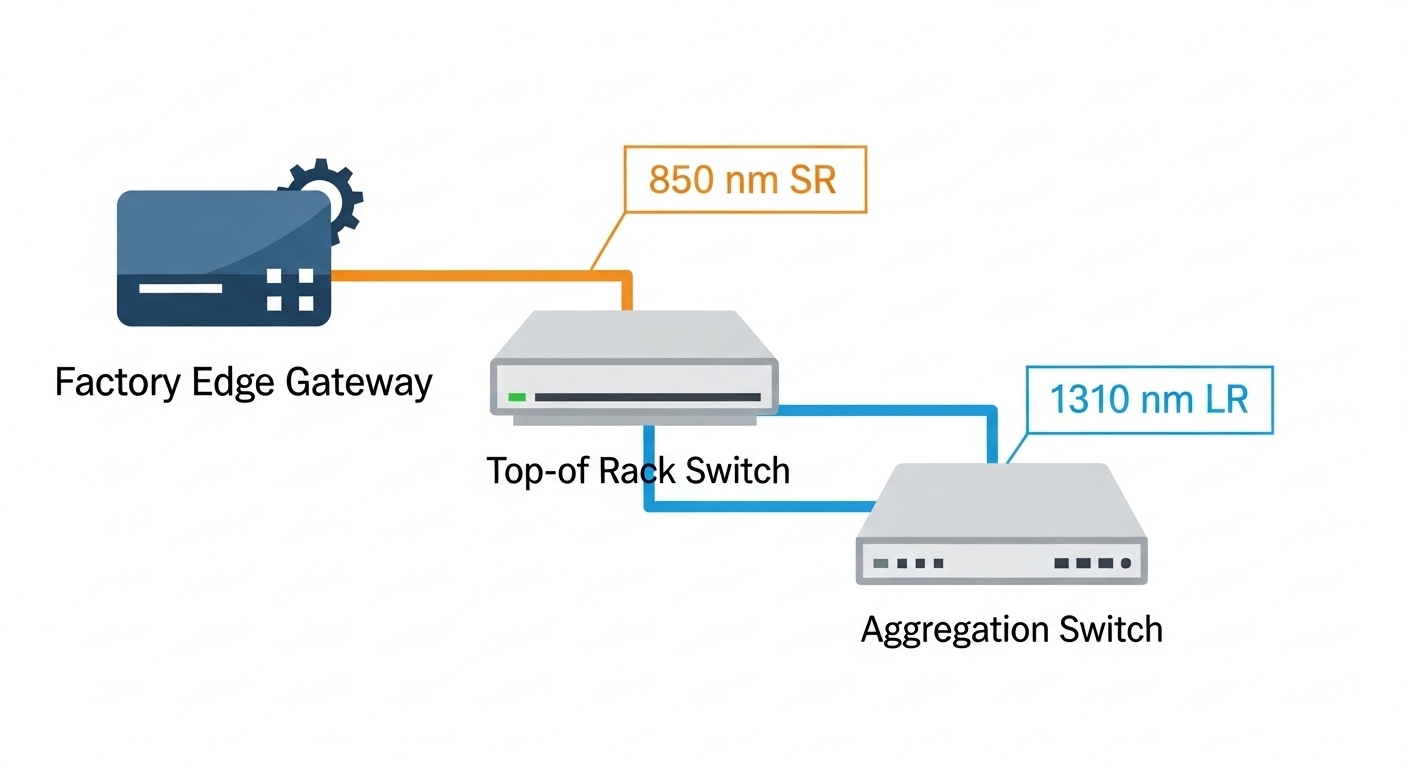
In a manufacturing cell, you might have a compact edge gateway rack feeding a local controller and a video analytics node. Typical topology: a ToR switch with 10G ports connects to the edge gateway over 50 to 120 meters of OM4 multimode fiber through LC duplex patch panels. For low-latency control loops, the priority is stable link operation during temperature cycling and vibration-driven connector wear. In this case, 10G SR or 25G SR optics with DOM monitoring are common choices, because they support short-reach multimode links with manageable cost and straightforward installation.
Use case 2: Retail micro-datacenter aggregation over mixed distances
A retail chain may deploy a micro-datacenter in each store or mall wing with a small compute cluster that aggregates POS, inventory, and surveillance streams. You might run 200 to 600 meters from store wiring closets to a building aggregation point. In many designs, you start with multimode inside the store and move to single-mode for the longer building run, using LR optics at the boundary. The optical solution goal is to maintain a clean optical budget across splices and patch panels, because a single intermittent error burst can inflate application tail latency even when average throughput looks healthy.
Use case 3: Edge to regional hub backhaul with strict jitter requirements
For content distribution or real-time telemetry, you may need stable jitter for scheduling and time synchronization. A common pattern is a high-throughput edge switch uplinking to a regional hub over 3 to 10 km of single-mode fiber. Here, LR optics (25G LR or 100G LR4 depending on port density) are favored because they reduce reliance on multimode modal dispersion effects and typically simplify reach planning for outdoor or campus fiber. Validate end-to-end optical budget, including connector reflectance considerations and any inline splitters, to avoid marginal links that create retransmission-driven spikes.
Selection criteria checklist for edge optical solutions (engineer workflow)
Use this ordered checklist during design and during procurement. It is optimized for low-latency stability, not just “it links up.”
- Distance and fiber type: confirm OM3 vs OM4 vs single-mode, and measure actual run length including patch panels and jumpers.
- Reach class vs margin: choose optics with a conservative margin beyond the vendor reach rating; aim for a stable received power range under worst-case conditions.
- Switch compatibility: verify the exact transceiver family is supported by the switch model (OEM vs third-party can differ).
- DOM and alarms: ensure your platform reads DOM fields you need (Rx power, Tx bias, temperature) and that alarms are actionable.
- Operating temperature: confirm the module temperature spec fits the environment (outdoor huts, poorly ventilated cabinets, cold storage).
- Connector and cleaning plan: verify LC/SC type, polarity handling, and whether your site has a cleaning SOP and inspection scope.
- Vendor lock-in risk: if you must use OEM optics, model TCO; if third-party is allowed, require that the vendor provides compatibility documentation and tested optics lists.
Pro Tip: In edge deployments, the most damaging latency spikes often come from “link maintenance churn” caused by marginal Rx power that still passes basic link bring-up. Use DOM time-series plus CRC/FEC counters to detect the slow drift before it crosses the error threshold.
Common mistakes and troubleshooting steps for low-latency optics
Below are failure modes you can reproduce in the field. Each includes a root cause and a fix.
Wrong fiber type assumption (OM3 vs OM4)
Root cause: Design assumed OM4 reach, but the site uses OM3 or mixed-grade cabling. SR optics may still link up at short distances but degrade under temperature and aging. Solution: verify the fiber grade with documentation and, if needed, test results; then re-validate optical budget. If the run is near the edge of reach, switch to a longer-reach option (e.g., LR on single-mode) or reduce jumper loss.
Dirty connectors and intermittent CRC bursts
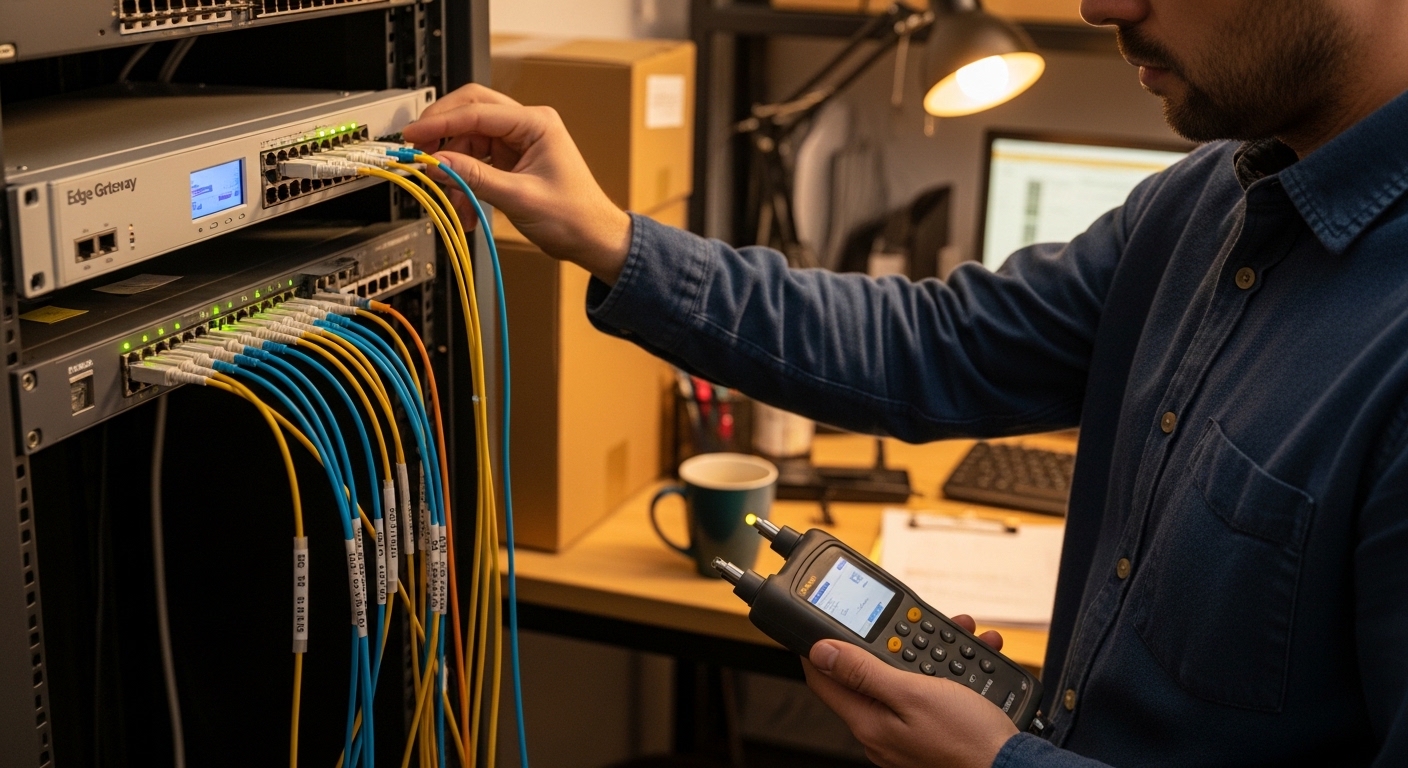
Root cause: LC/SC end faces contaminated by dust or installation residue cause intermittent errors, which can create retransmissions and RTT spikes. Solution: clean using the correct fiber cleaning method, inspect with a microscope, and re-seat connectors with consistent polarity. After cleaning, monitor CRC and interface error counters for at least 24 hours during realistic traffic loads.
DOM mismatch and “works but you can’t troubleshoot”
Root cause: Some third-party optics are not fully supported by your switch’s DOM interpretation, so you lose key visibility into Rx power or temperature. That delays root cause analysis and turns latency incidents into guesswork. Solution: confirm DOM compatibility during acceptance testing. Require a test plan that validates that DOM fields populate correctly and that the switch raises alarms you can act on.
Temperature excursions in outdoor or poorly ventilated edge racks
Root cause: Commercial optics rated for 0 to 70 C get used in environments that periodically exceed the spec. Result: increased optical power drift and higher error rates. Solution: select industrial temperature optics where needed and validate cabinet airflow. Add a temperature sensor in the rack and correlate it with optical diagnostics.
Cost and ROI note: what to budget for optical solutions at the edge
Pricing varies by vendor, speed, and temperature grade, but realistic budgets are often dominated by optics plus downtime risk. OEM transceivers can cost roughly 1.5x to 3x more than broadly compatible third-party modules, and they may reduce compatibility friction. However, third-party optics can be cost-effective when you enforce acceptance testing, maintain a compatibility matrix, and track failure rates. For TCO, include labor and truck-roll time: if a marginal optic causes a production outage once per year, the ROI of cheaper modules can vanish quickly.
Power consumption differences between optics are usually small compared to the switch and compute, but link stability can reduce retransmissions and congestion, indirectly improving application performance. If you operate in a high-availability model, factor in spares strategy: keep a small inventory of the exact optics types used at each site, and standardize on connector types and cleaning tools.
FAQ: low-latency edge optics questions engineers ask
Which optical solutions minimize latency jitter at the edge?
Latency jitter is mainly affected by retransmissions and buffering. Choose optics with stable performance inside the optical budget, ensure DOM visibility for Rx power drift, and keep connectors clean. In practice, the best “latency” outcome comes from preventing intermittent errors, not from chasing marginal reach figures.
Can I use 850 nm SR optics for longer edge runs?
Only if the fiber plant and loss budget support the distance with margin. SR reach is sensitive to fiber grade (OM3 vs OM4), patch panel loss, and connector quality. If you need hundreds of meters to kilometers, single-mode LR optics are often more predictable.
How do I validate optical budget before deployment?
Measure fiber attenuation using an OTDR or documented test results, and confirm connector loss with an optical power meter when possible. Then compare measured received power against the transceiver’s specified sensitivity for the target data rate and reach. Finally, run a traffic soak test while monitoring DOM and error counters.
What causes link-up success but poor latency under load?
Common causes include marginal Rx power that triggers CRC/FEC corrections, or intermittent connector contamination. Another cause is mismatch between expected and actual lane mapping (for multi-lane optics) or incorrect polarity handling. If throughput looks fine but RTT spikes, correlate RTT with error counters and DOM trends.
Do IEEE standards guarantee optics compatibility across vendors?
IEEE standards define PHY behavior, but vendor switch implementations and transceiver vendor details still affect compatibility. You must confirm support via the switch vendor’s transceiver compatibility list and test in your exact configuration. Treat standards compliance as necessary, not sufficient.
How should we choose between OEM and third-party optical solutions?
OEM optics often reduce compatibility friction and come with predictable support workflows. Third-party optics can be cost-effective if you require documented compatibility, perform acceptance testing, and track field failure rates. For edge sites with limited maintenance windows, the ability to troubleshoot quickly often matters as much as purchase price.
Edge computing low-latency success depends on optical solutions that stay stable across distance, temperature, and connector realities. If you want a practical next step, use the selection checklist above to build an optics acceptance test plan for your specific switch and fiber plant, then standardize the optics and cleaning process across sites via optical solutions acceptance testing.
Author bio: Field-focused network engineer specializing in Ethernet optics deployments across industrial edge and data center environments. I help teams reduce latency tail risk by validating optical budgets, DOM telemetry, and error counter behavior during real traffic.