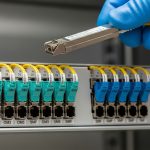
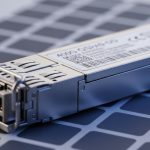
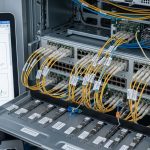
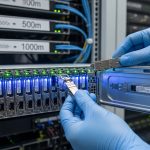
When optical parts go scarce, outages spread fast: leaf-spine links drop, uplinks flap, and replacement lead times become your real risk. This guide helps network and data center teams build network resilience using pragmatic transceiver planning, compatibility checks, and operational troubleshooting. It is written for engineers who must make decisions under constrained inventories and still hit uptime targets.

Resilience strategy: treat optics as a capacity and reliability system
Optical supply shortfalls are not only a procurement problem; they are a reliability design constraint. In practice, teams increase network resilience by reducing single points of failure across optics, fiber paths, and switch ports. A resilient design assumes that “the exact same part number” may not arrive on time, so you plan for equivalent electrical performance, optical safety, and deterministic compatibility.
Define what “equivalent” means for your links
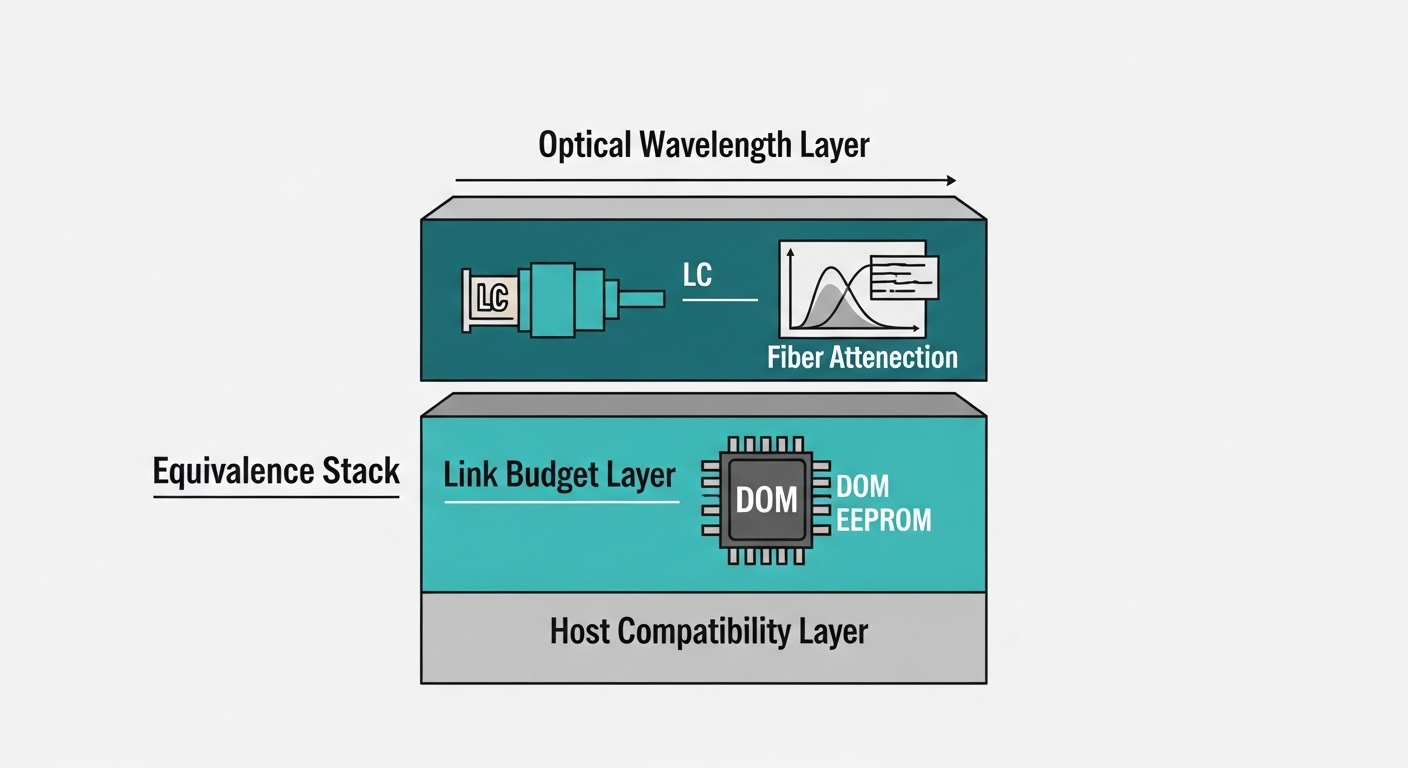
Engineers commonly map equivalence to three layers: (1) optical wavelength and modulation format, (2) link budget and reach, and (3) switch interoperability (EEPROM programming, DOM fields, and vendor timing quirks). For Ethernet optics, IEEE 802.3 defines electrical and optical link requirements, while vendor datasheets define module behavior (laser bias, receiver sensitivity, power class, and DOM support). Use [Source: IEEE 802.3] and vendor datasheets from your switch and transceiver suppliers as ground truth.
Also plan for operational limits: temperature range mismatches, connector cleanliness, and transceiver “won’t initialize” faults. In the field, I have seen modules that meet spec on paper still fail when they are outside the host’s expected DOM behavior or when the host port requires a specific programmable threshold.
Key transceiver specs to compare during shortages
When you cannot rely on a single vendor SKU, you compare modules using a structured spec checklist. The fastest way to avoid rework is to compare wavelength, reach class, optical power, receiver sensitivity, connector type, and DOM/temperature compatibility before you purchase.
Practical comparison table for common Ethernet optics
| Module Type (example) | Wavelength | Target Reach | Connector | Data Rate | Typical Tx Power / Rx Sensitivity | Operating Temp | DOM |
|---|---|---|---|---|---|---|---|
| SFP-10G-SR | 850 nm VCSEL | ~300 m on OM3, ~400 m on OM4 | LC | 10G | Tx: roughly -1 to -7 dBm class; Rx sensitivity roughly -8 to -10 dBm class (varies by vendor) | 0 to 70 C (common) or -5 to 70 C (some industrial bins) | Supported (real-time diagnostics via I2C/EEPROM) |
| SFP+ / SFP28-25G SR | 850 nm | ~70 m (SR on OM3/OM4 depends on exact bin; verify datasheet) | LC | 25G | Tx/Rx values vendor-specific; verify within switch link budget | 0 to 70 C typical | Supported |
| QSFP28-100G SR4 | 850 nm MPO | ~100 m class on OM4 (verify exact reach) | MPO/MTP (8-fiber or 12-fiber depending on breakout) | 100G | Tx/Rx vendor-specific; verify lane alignment and extinction ratio requirements | 0 to 70 C typical | Supported (DOM) |
| CWDM4 / LR4 variants (if used) | ~1310-1550 nm bands | 10 km+ (varies widely by SR/LR/ER) | LC | 40G/100G | Tx/Rx vendor-specific; verify dispersion and link budget | -5 to 75 C sometimes | Supported |
Note: exact power and sensitivity values vary by manufacturer and part bin. Always pull the vendor datasheet for the specific model you plan to buy, then validate against the host switch’s optics compatibility notes. For Ethernet optics interoperability, vendors often publish “validated module lists” and firmware notes. See [Source: Cisco Transceiver Compatibility Matrix] and [Source: Juniper Optics Interoperability Notes] for examples.
Decision checklist for resilient optical sourcing
Use this ordered checklist when selecting replacement optics during shortages. The goal is to minimize the probability of “it fits but won’t link” outcomes while keeping total cost and lead time under control.
- Distance and fiber type: Confirm OM3 vs OM4 vs OS2, measured attenuation, and patch panel losses. Use your fiber plant records and a meter-based verification where possible.
- Wavelength and reach class: Match SR to SR, LR to LR, and ensure the reach target exceeds your measured link budget with margin (commonly 3 to 6 dB margin in operational designs).
- Connector and polarity: LC vs MPO/MTP matters. For MPO, confirm polarity method and lane mapping so lanes do not swap.
- Switch compatibility: Validate DOM format, EEPROM fields, and whether the host enforces vendor-specific thresholds. Check your switch vendor’s compatibility guidance before bulk purchase.
- DOM support and monitoring: Ensure DOM is readable in your network monitoring stack (I2C/EEPROM fields, alarms, vendor-specific thresholds). Plan for consistent telemetry so NMS alerts remain meaningful.
- Operating temperature and airflow: Verify that the module’s rated range fits your rack environment and airflow plan. In constrained cooling zones, I have seen borderline modules throttle or degrade faster.
- Vendor lock-in risk: Prefer suppliers that support multi-vendor validation or provide detailed compliance documentation. Keep at least two qualified sources per critical link tier.
- Procurement lead time and RMA terms: During shortages, an “in-stock” module that fails initialization costs more in downtime than a delayed but validated part.
Pro Tip: In many switches, the most time-consuming failure during shortages is not optical performance but EEPROM and threshold behavior. Before shipping spares, test one module in a spare port and confirm DOM alarms, link training stability, and error counters for at least 30 minutes under expected traffic load.
Deployment scenario: resilient design in a 3-tier data center
Consider a 3-tier data center with 48-port 10G ToR switches at the access layer, aggregating into 12-port 40G uplinks and a small core. Each ToR has eight uplink optics, each expected to run at 10G over OM4. Total uplink count per rack is 16 active ports with 8 additional standby optics staged locally for rapid replacement. During an optical supply shortfall, the team orders alternate vendor SFP-10G-SR modules (for example, models like Cisco-compatible SR optics such as Cisco SFP-10G-SR, or equivalent parts like Finisar FTLX8571D3BCL / FS.com SFP-10GSR-85), but only after validating reach and DOM behavior against the switch.
Operationally, they pre-stage spares per rack, label by port role (active vs standby), and keep a “compatibility test log” for each vendor. They also verify fiber loss with OTDR or at least a basic optical power meter and confirm connector cleanliness. The result is that a failed transceiver can be replaced without waiting for a specific brand on the critical path, which directly improves network resilience during supply shocks.

Common mistakes and troubleshooting tips
Optics failures during shortages often look similar at first: link down, flapping, or high bit error rates. The root cause usually falls into a few repeatable categories.
Reach mismatch masked by “it links”
Root cause: The module is rated for the right nominal type (SR) but the specific power/sensitivity bin is weaker than the original, leaving insufficient margin for your actual fiber plant. Solution: Recalculate link budget using measured attenuation and connector loss, then validate with optical power readings and sustained error counter checks (not just initial link up).
MPO polarity or lane mapping errors on 40G/100G SR4
Root cause: Using the wrong polarity method or reversed MPO orientation can break lane alignment, causing persistent CRC errors or no link. Solution: Confirm MPO polarity scheme end-to-end (send/receive mapping) and test with known-good breakout assemblies before mass installation.
DOM telemetry mismatch breaks monitoring and triggers “unsafe” actions
Root cause: A replacement module may still carry traffic but exposes DOM fields differently, causing NMS to mark the link as “unknown” and automated workflows to disable ports. Solution: Validate DOM readability and alarm thresholds in your telemetry pipeline; confirm that your automation rules treat the module as expected.
Temperature and airflow surprises
Root cause: Spares stored in warm areas (loading docks, closets) are installed in hot aisles; some modules are outside their rated range or experience accelerated aging. Solution: Store optics within recommended conditions, monitor inlet temperatures, and verify airflow paths through the rack.
Cost and ROI note: what resilience costs in real budgets
During shortages, replacement transceivers often cost more per unit, but the larger cost is downtime and labor. In many deployments, OEM optics might run roughly $80 to $250 per 10G SR SFP depending on vendor and volume, while third-party equivalents may be lower but vary widely in quality and RMA outcomes. A resilient program typically adds TCO through (1) maintaining dual-source inventory, (2) running compatibility tests per switch platform, and (3) holding slightly larger local spares.
Field ROI improves when you reduce mean time to repair and avoid cascading failures. If a single ToR outage costs more than the incremental optics testing and spares, the resilience investment pays back quickly—especially when lead times stretch beyond your operational tolerance.
FAQ
How do I verify network resilience when I replace optics with a different vendor?
Test the replacement in a spare port and validate link stability under expected traffic, then compare DOM telemetry and error counters to the original. If your monitoring system triggers actions on DOM fields, confirm those thresholds behave the same.
Can I mix SR and LR modules on the same switch model?
Only if the physical port and optics type match the intended standard and your fiber plant. SR optics assume multimode fiber reach profiles; LR optics target single-mode with different wavelength behavior, so mixing can break reach and violate link budget assumptions.
What is the fastest safe troubleshooting step when a link won’t come up?
Confirm connector type and polarity (LC vs MPO) and clean the endfaces before any deeper testing. Then check that DOM is readable and that the host port accepts the module without alarms.
Do I need OTDR for every optical replacement?
Not always. For routine swaps, a power meter and link budget validation often suffice, but OTDR is valuable after suspected fiber damage, construction changes, or repeated failures that suggest a plant-level issue.
How much spare inventory should we stage during shortages?
A common operational approach is to stage spares per rack or per uplink group, sized for your risk tolerance and lead time. If lead time exceeds your planned maintenance window, increase local spares and maintain at least two qualified sources.
Where can I find authoritative compatibility guidance?
Use IEEE 802.3 for baseline requirements and check your switch vendor’s transceiver compatibility matrix and optics notes. For examples, consult [Source: IEEE 802.3], IEEE Standards, and vendor documentation such as [Source: Cisco Transceiver Compatibility Matrix] or [Source: Juniper Optics Interoperability Notes].
If you build network resilience around equivalence testing, DOM validation, and measured link budgets, optical shortages become a manageable operational constraint instead of a downtime event. Next, review fiber link budget to tighten your reach math and reduce surprise failures during replacements.
Author bio: I design and validate optical and switching interfaces in production networks, focusing on interoperability, monitoring correctness, and failure-mode UX for on-call engineers. I have deployed link replacement and spare strategies in live data centers where lead times and RMA handling directly affect resilience outcomes.