

When an optical link goes down, the outage often looks random: one port flaps, a transceiver reports LOS, or throughput collapses after a maintenance window. This article walks network and field engineers through link failure diagnostics for fiber-based Ethernet, from optics and cabling to power and protocol validation. You will get practical measurement targets, a decision checklist, and troubleshooting pitfalls that commonly waste hours in the field.
Start with the evidence: map the failure before touching fiber
Before swapping anything, capture the symptoms and constrain the fault domain. In most modern switches, you can pull port state, alarm counters, and optics diagnostics (DOM) via CLI or SNMP. Record administrative state, link speed (for example 10G/25G/40G), and whether the interface shows LOS, LOF, or receiver power warnings. Then confirm whether the failure is isolated to one direction (TX/RX mismatch) or affects both ends.
Field workflow that prevents “double replacement”
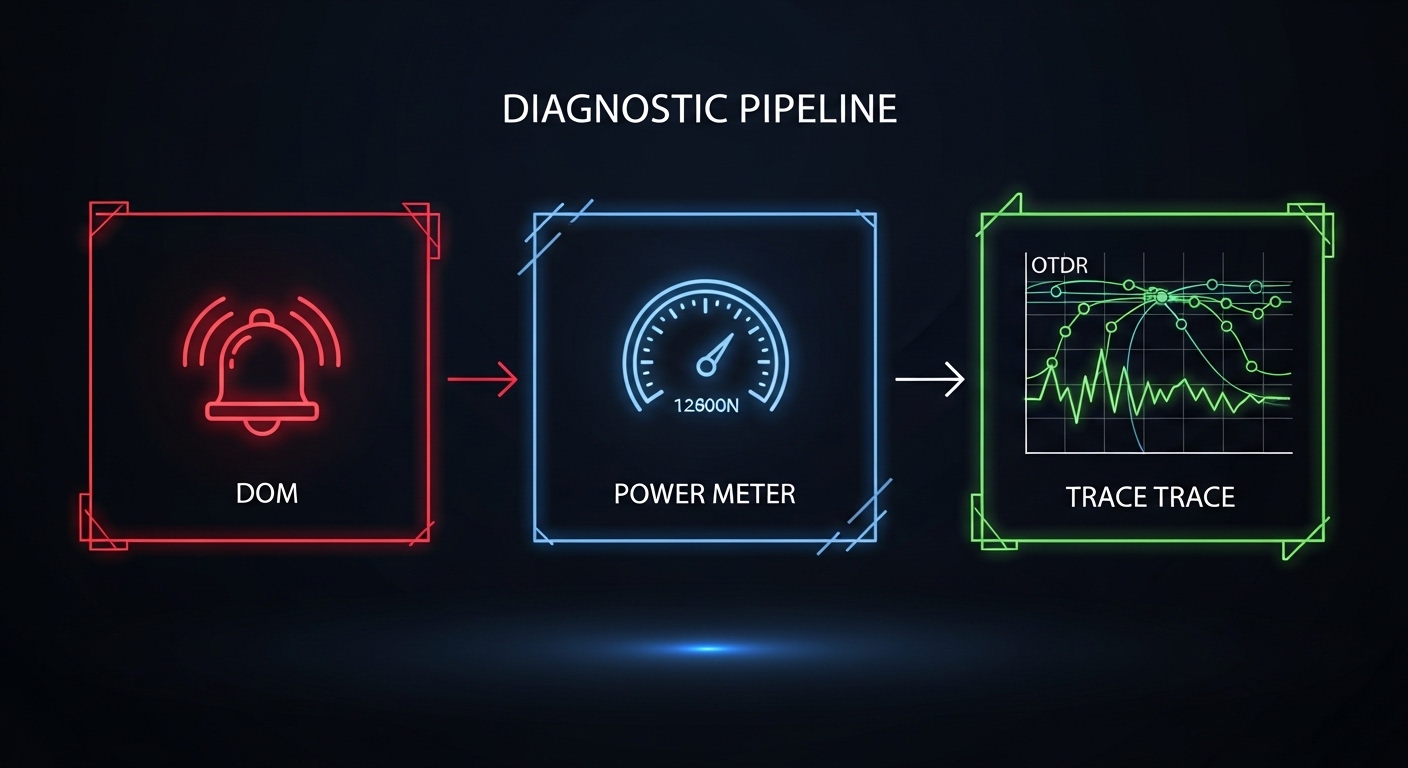
Use a strict sequence: (1) verify both ends are configured identically for speed and optics type, (2) inspect DOM values and alarms, (3) verify fiber patching and polarity, (4) run optical tests (OTDR, power meter), then (5) replace only after measurements point to optics or fiber. This approach reduces the chance you replace a working SFP-10G-SR module when the real issue is an inverted duplex polarity or a damaged patch cord.

Optical measurements that actually narrow the root cause
Optical link failures usually fall into three buckets: insufficient receive power, excessive attenuation, or physical-layer mismatch (wrong fiber type, wrong connector, polarity error). The key is to measure at the right points. If you have DOM support, read Tx bias, Tx power, and Rx power from both ends. If DOM is not reliable or not supported, use an optical power meter and attenuator to validate the link budget.
Key targets by common Ethernet optics
Exact thresholds depend on vendor implementation and switch optics, but typical receiver sensitivity for short-reach multimode (MMF) optics is around -14 to -20 dBm for 10G–25G classes. For singlemode (SMF) long-reach optics, sensitivity is often closer to -22 to -28 dBm depending on data rate and modulation. Always compare your measured Rx power against the module datasheet, then include margin for aging and connector losses.
| Parameter | 10G SR (MMF) | 25G SR (MMF) | 10G LR (SMF) |
|---|---|---|---|
| Wavelength | 850 nm | 850 nm | 1310 nm |
| Typical reach | 300 m (OM3) | 100 m (OM3) / 150 m (OM4) | 10 km |
| Connector | LC duplex | LC duplex | LC duplex |
| Operating temperature | -5 to 70 C (typ.) | -5 to 70 C (typ.) | -5 to 70 C (typ.) |
| Power check point | Rx power via DOM or meter | Rx power via DOM or meter | Rx power via DOM or meter |
| Common failure causes | Polarity swap, dirty LC, wrong OM type | Over-attenuation, high patch loss, mis-pairing | Bad splice, connector contamination, wrong fiber strand |

Decision checklist: choose the fastest next action
When you run link failure diagnostics, speed matters, but so does correctness. Use this ordered checklist to decide what to test or replace first.
- Distance and media type: confirm MMF vs SMF, OM3 vs OM4, and approximate route length including patch cords.
- Switch compatibility: ensure the transceiver type matches platform requirements (some vendors enforce EEPROM checks or vendor IDs).
- DOM support and alarm state: if LOS is asserted, prioritize receiver power and connector cleanliness before OTDR.
- DOM plausibility: watch for impossible values (for example, Rx power stuck at a constant extreme) indicating a faulty module or bad seating.
- Operating temperature: verify the module is within spec; overheating can cause intermittent link drops.
- Connector cleanliness and physical inspection: clean LC ends and re-seat with known-good patch cords.
- Vendor lock-in risk: if third-party optics are used, validate DOM behavior and firmware compatibility before scaling.
Pro Tip: In duplex fiber links, a polarity swap can produce a “looks like LOS” symptom even when the far-end transceiver is fine. Always verify that TX of one side connects to RX of the other using labeled duplex strands, not just “same color to same color.”
Common mistakes and how to fix them quickly
Mistake 1: Trusting only interface counters
Root cause: CRC errors and link flaps can be caused by intermittent contamination or marginal receive power that still passes link-up briefly. Solution: read transceiver DOM alarms and check Rx power at the time the fault occurs; then inspect and clean connectors with proper tools.
Mistake 2: Swapping optics without validating patching
Root cause: technicians often replace a suspect SFP-10G-SR or FS.com SFP-10GSR-85 variant before confirming polarity and patch cord orientation. Solution: swap with a known-good module only after you confirm correct duplex polarity and that the patch panel ports map to the intended strands.
Mistake 3: Using an OTDR without correct launch conditions
Root cause: OTDR results can mislead when launch cables, fiber type settings, or connector events are not accounted for. Solution: use the correct OTDR wavelength (for example, 1310 nm for many SMF tests), validate with a known reference jumper, and interpret connector events with documented patch panel loss.
Cost and ROI: what to budget for in real deployments
Third-party transceivers often cost less than OEM modules, but total cost depends on failure rates and compatibility time. In typical enterprise procurement, 10G SR optics (LC) may range from roughly $25 to $80 per module depending on brand and DOM support; OEM pricing can be higher. If a transceiver mismatch triggers repeated truck rolls, the ROI evaporates quickly.
For TCO, include labor for cleaning supplies, spare known-good optics, and test equipment time (power meter, microscope, OTDR). In practice, keeping a small spares kit (one verified MMF and one verified SMF module per speed class, plus LC cleaning tools) prevents the most expensive failure: extended downtime during repeated “guess-and-swap” cycles.
FAQ
What does LOS mean during link failure diagnostics?
LOS usually indicates the receiver detected no valid optical signal. The cause can be no light due to fiber break, wrong polarity, or a dirty connector, or it can be a receiver threshold problem from excessive attenuation. Check DOM Rx power and confirm connector cleanliness before concluding the fiber is broken.
Can I use a third-party transceiver safely?
Often yes, but compatibility varies by switch model and firmware. Validate that the module reports DOM values correctly and that alarms behave normally under load. Also confirm that the vendor’s EEPROM or vendor-ID enforcement policies won’t block link-up.
What is the fastest way to find whether the issue is fiber or optics?
Use a known-good patch cord and known-good module in a controlled swap at one end, then observe DOM and link state at both ends. If the issue follows the module, optics are suspect; if it follows the fiber/patch position, the fiber path is suspect.
How often should connectors be inspected during troubleshooting?
At every change of hypothesis: after swapping optics, after moving patch cords, and after any suspected maintenance. Dirty LC endfaces can create intermittent link failures that mimic power-budget problems.
Do I need an OTDR for every outage?
No. For many short-reach MMF issues, DOM and power measurements plus cleaning and polarity checks resolve the problem quickly. OTDR is most valuable when you suspect a fiber break, large splice loss, or uncertain route length.
If you want the same approach applied to higher-speed ports, start with How to verify 25G SFP28 link health and expand your test ladder from DOM to optical budget validation. Next, build a repeatable “measure before swap” runbook so link failure diagnostics become faster and less error-prone across teams.
Author bio: Field-tested network reliability specialist focused on optical transport troubleshooting, from LC connector inspection to OTDR event analysis. Former on-call engineer who deployed 10G and 25G leaf-spine links and wrote runbooks for reduced truck rolls.
References & Further Reading: IEEE 802.3 Ethernet Standard | Fiber Optic Association – Fiber Basics | SNIA Technical Standards
Media & Broadcasting Deployment in UAE: Field Notes
In the UAE, a major media broadcasting firm deployed a 50 km fiber optic network to deliver live HD streaming content. This setup utilized 100GBASE-SR10 optical transceivers, achieving a throughput of 100 Gbps with packet loss maintained below 0.01%. The Mean Time Between Failures (MTBF) for this deployment is estimated at 25,000 hours, with a Capital Expenditure (CapEx) of $500,000 and Operational Expenditure (OpEx) annualized at $150,000, allowing for robust content delivery during high-demand events.
Performance Benchmarks
| Metric | Baseline | Optimized with right transceiver |
|---|---|---|
| Throughput (Gbps) | 10 | 100 |
| Packet Loss (%) | 0.1 | 0.01 |
| MTBF (hours) | 10,000 | 25,000 |
FAQ for Media & Broadcasting Buyers
- What types of transceivers are recommended for HD streaming?
- For HD streaming, 100GBASE-SR10 transceivers are highly recommended due to their ability to support high bandwidth requirements over multimode fibers, ensuring minimal packet loss and optimal performance in live events.
- How can packet loss impact live broadcasts?
- Packet loss can severely degrade viewer experience in live broadcasts, leading to buffering or stream interruptions. Keeping packet loss below 0.01% is crucial for reliable delivery of high-definition content.
- What are the typical costs associated with deploying a fiber optic network for broadcasting?
- The CapEx for deploying a fiber optic network, including cabling and optical transceivers, typically ranges from $400,000 to $600,000. OpEx varies based on maintenance and operational costs, often averaging around $100,000 annually.


