
When an 800G rollout stalls, it is rarely “one thing.” This guide helps network engineers and field technicians isolate faults in 800G fiber optics links by walking through measurable checks for optics, cabling, polarity, and signal integrity. You will learn a repeatable procedure that reduces mean time to repair (MTTR) and avoids the most common misdiagnoses in high-density deployments.
Prerequisites: tools, optics, and test fixtures for 800G fiber links
Before you touch a live rack, confirm you have the right instrumentation and module information. For 800G, link troubleshooting depends on accurate optical power readings, correct connector/polarity handling, and known-good transceiver behavior.
What to gather
- Transceiver part numbers from both ends (for example, QSFP-DD 800G SR8 such as Cisco QSFP-800G-SR8 class modules, or vendor equivalents).
- Fiber plant details: MPO/MTP cassette type, polarity method used (commonly MPO polarity A/B or vendor-specific mapping), and patch panel labeling.
- Optical power meter with compatible wavelengths and an adapter for the connector type (LC or MPO/MTP as applicable).
- Visual Fault Locator (VFL) or microscope for fiber end inspection.
- OTDR (for multimode fiber) or equivalent time-domain reflectometry tool suited to your fiber type and length range.
- Switch/host diagnostics: platform CLI access for DOM, optics alarms, and BER counters.
- Cleaning kit (lint-free wipes, IPA-grade cleaner, MPO/MTP cleaning cassette, and inspection scope).
Expected outcome: you can record a baseline of DOM values and link statistics before changing anything, so every change has an observable effect.
Step-by-step troubleshooting workflow for 800G fiber optics links
The goal is to narrow the failure domain: optics vs fiber plant vs switch configuration. Use this sequence to minimize guesswork and avoid repeated module swaps that mask the real root cause.
Confirm physical layer identity and optics compatibility
Start by verifying that both ends use the correct 800G transceiver type for the fiber medium and expected reach. For example, 800G SR8 class optics are designed for multimode fiber and an MPO/MTP harness with multiple lanes.
Check vendor guidance for module interoperability and ensure the host supports the exact form factor and lane mapping. In many deployments, mismatched optics types can still “link up” partially but show elevated errors, frequent retrains, or flapping alarms.
Expected outcome: you confirm both ends are the same optics family (or explicitly supported interoperable pair) and the switch ports accept the module.
Pull DOM and alarm counters from both ends
DOM (Digital Optical Monitoring) values are your early warning system. Record Tx/Rx power, bias current, laser temperature, and any warnings for “receive power out of range,” “LOS,” or “low signal.” Then capture BER or error counters (depending on platform support).
On many switches, you can correlate optics health with link state transitions. If one side shows receive power significantly lower than the other, the issue is more likely in the fiber path or connector cleanliness than in the DSP.
Expected outcome: you have a table of DOM and error metrics from both ends, with a clear asymmetry if one direction is degraded.
Verify polarity and MPO lane mapping end-to-end
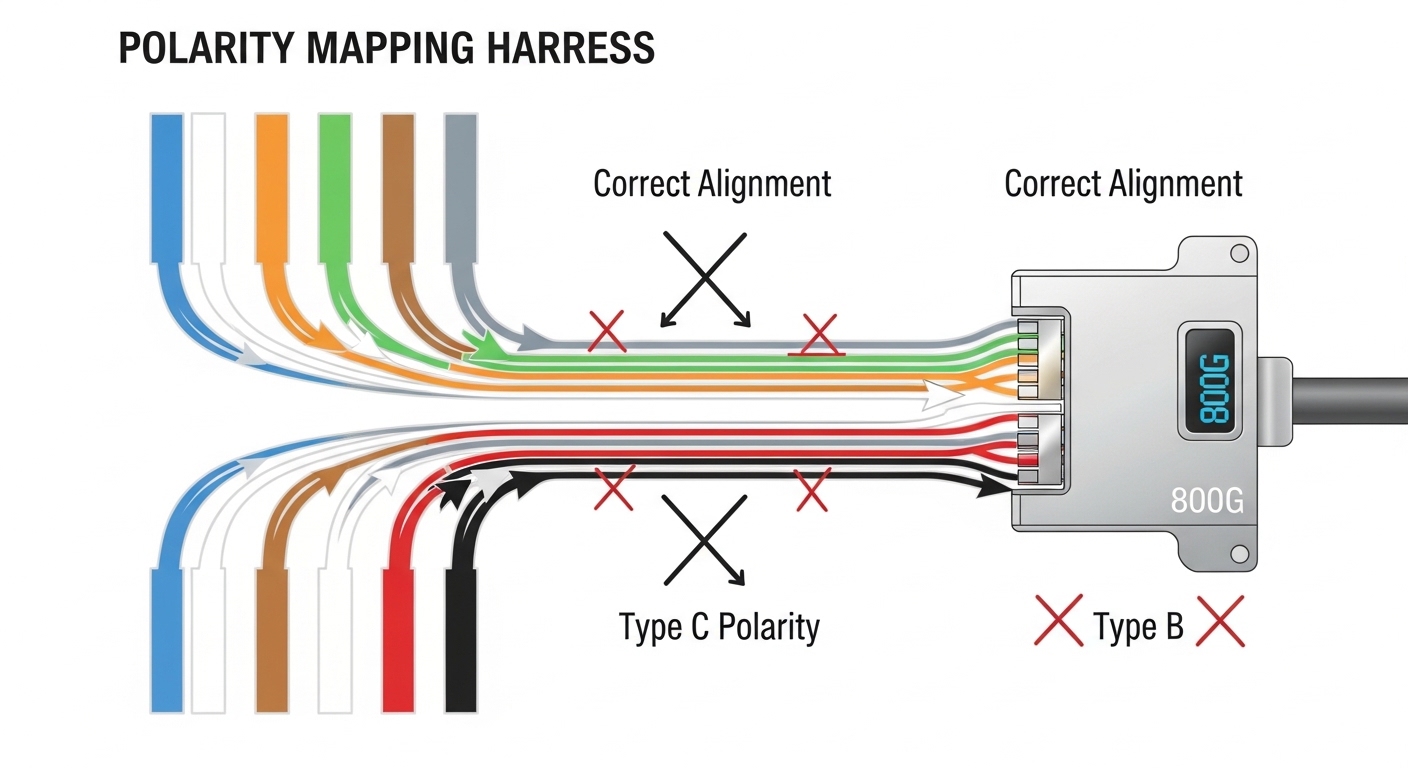
For MPO/MTP cabling, polarity mistakes are among the fastest ways to break 800G links. Even if connectors are mated, lane order mismatches can lead to high BER and intermittent training behavior.
Confirm the polarity method used by your cabling standard and compare it to the transceiver’s expected lane mapping. If your patch panel uses a polarity adapter, ensure it is present and correctly oriented. When in doubt, check the harness and cassette labeling and validate with a known-good link on the same rack.
Expected outcome: you confirm the MPO/MTP polarity mapping matches the optics lane expectation.
Clean and inspect connectors before measuring anything expensive
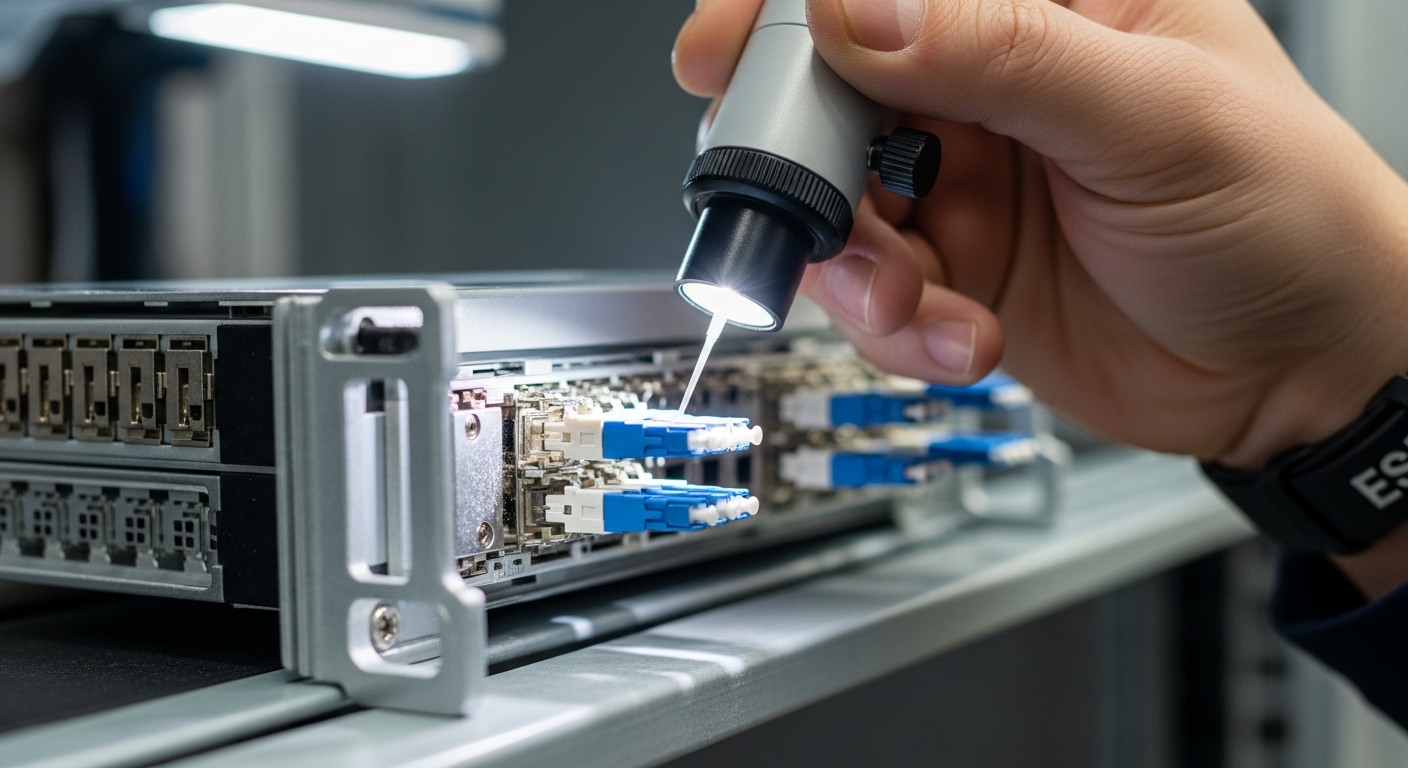
Optical power meters tell you the truth, but dirt tells you the wrong story. Clean the MPO/MTP ferrules and any LC jumpers using the correct cleaning method, then inspect with a scope for remaining debris or micro-scratches.
Many “mystery BER” cases in 800G fiber optics trace back to contamination that attenuates specific lanes. Because 800G SR8 uses multiple lanes, partial contamination can cause lane imbalance that is hard to spot without DOM per-lane visibility (if supported) or without measuring aggregate Rx power trends.
Expected outcome: you eliminate connector cleanliness as a variable and can trust subsequent readings.
Measure optical power and compare to the module budget
Use the optical power meter to measure Tx launch and Rx receive power at the far end, accounting for patch cords and splitters. Compare measured values to the transceiver’s specified optical budget (including connector loss and typical insertion loss of the cabling path).
For accurate results, measure at consistent points: either end-to-end with standardized jumpers or using a repeatable reference method. If you see receive power below the recommended threshold, check for excessive insertion loss, too-long runs, or high-loss splices.
Expected outcome: you identify whether the link is failing due to insufficient optical power, excessive loss, or a lane imbalance pattern.
Use OTDR for fiber plant diagnosis (multimode focus)
For multimode fiber, OTDR can locate breaks, high-loss events, and unexpected bends. Trigger OTDR at the patch panel side and compare traces between the failing link and a known-good adjacent link.
Look for sharp loss spikes that indicate dirty connectors, damaged fibers, or poor splices. If the trace suggests the loss is concentrated near a patch panel or cassette, you likely have an assembly or cleaning issue rather than a whole-cable problem.
Expected outcome: you pinpoint the physical location of excessive loss so you can fix the plant rather than swapping optics repeatedly.
Validate switch configuration and training behavior
After physical checks, confirm settings such as FEC mode, interface breakout constraints (if applicable), and any port-level parameters. Some platforms require explicit FEC enablement or default behavior changes between software versions.
Also verify that both ends negotiate the same capabilities. If the link repeatedly retrains, inspect logs for “training failure,” “signal degrade,” or “FEC uncorrectable” messages.
Expected outcome: the configuration matches on both ends and link training stabilizes with acceptable error rates.
Pro Tip:
In many 800G fiber optics incidents, the fastest win is to compare DOM receive power trends across multiple lanes or across adjacent ports using the same patch panel. If only one port or one cassette is affected, you have a cabling polarity or connector cleanliness issue; if all ports on an optics type show the same pattern, you may be dealing with switch-side configuration or a module batch incompatibility.
800G optics and fiber expectations: what to verify before you troubleshoot
Engineers often jump straight to BER counters without confirming the fundamental transmission assumptions. 800G over fiber typically uses multi-lane parallel optics, so both the optical budget and lane mapping matter.
Key spec comparison table (typical 800G SR8 vs LR4 class)
Use this as a sanity check for reach, connector style, and power consumption. Always confirm exact specs from the vendor datasheet for your module model.
| Parameter | 800G SR8 (Multimode, MPO/MTP) | 800G LR4 (Single-mode, LC) |
|---|---|---|
| Typical data rate | 800G aggregate (8 lanes) | 800G aggregate (4 lanes) |
| Wavelength | ~850 nm class | ~1310 nm class |
| Reach class | ~100 m typical multimode (depends on OM4/OM5 and budget) | ~10 km typical single-mode (depends on budget) |
| Connector | MPO/MTP (often 12-fiber harness) | LC (duplex) |
| Typical DOM support | Bias current, Tx/Rx power, temperature | Bias current, Tx/Rx power, temperature |
| Operating temperature | Commonly industrial ranges (confirm exact module) | Commonly industrial ranges (confirm exact module) |
| Expected culprit when failing | Polarity, cleanliness, multimode loss budget | Fiber type mismatch, connector cleanliness, dispersion budget |
For standards context, consult IEEE Ethernet physical layer guidance and vendor-specific optical interface requirements. [Source: IEEE 802.3 Ethernet standard family]. For practical optical interface behavior, vendor datasheets and module application notes are authoritative; for example, check the datasheet of your exact transceiver model from the manufacturer or reseller listing (including DOM alarms and optical budget).
Selection criteria and decision checklist for 800G fiber optics
Troubleshooting is easier when the original choice was correct. Use this checklist to validate that your deployment aligns with the optics and fiber plant constraints.
- Distance vs optical budget: measured end-to-end loss must be within the module budget for your fiber type (OM4/OM5 vs single-mode).
- Fiber type and grading: multimode must match the expected bandwidth and attenuation class; single-mode must be true OS2 with correct connector polishing.
- Connector and harness style: confirm MPO/MTP cassette type and whether your harness uses the right polarity method for the optics.
- Switch compatibility and lane mapping: confirm port supports the module form factor and your platform’s expected lane order.
- DOM and alarm visibility: ensure the platform reads the module’s DOM fields you need for diagnostics.
- Operating temperature and airflow: high temps can shift bias currents and degrade signal margins, especially in dense pods.
- Vendor lock-in risk: prefer vendors that provide interoperable firmware compatibility notes and clear DOM alarm definitions.
- Cleaning and handling practicality: if your environment makes cleaning difficult, prioritize designs and cassettes that reduce repeated connector exposure.
Expected outcome: you avoid a category of problems that look like “link flapping” but are actually budget or compatibility mismatches.
Common mistakes and troubleshooting tips for 800G fiber optics failures
If you want to reduce MTTR, focus on the failure modes that repeat across deployments. Below are the top mistakes, with likely root causes and concrete fixes.
Swapping modules without validating polarity and harness mapping
Root cause: MPO polarity mismatch can cause high BER even though the link may train intermittently. Swapping optics can waste time while the real issue remains in the cassette orientation or lane order.
Fix: verify polarity adapters and cassette orientation; compare with a known-good link using the same patch panel. Label lanes and document which end uses which polarity method.
Measuring with dirty connectors and interpreting “low power” as fiber damage
Root cause: contamination creates excess attenuation and can vary by lane, leading to misleading power readings and false assumptions about fiber length or splice quality.
Fix: clean and inspect before measuring; wipe, clean MPO/MTP with the correct cassette method, and inspect with a scope. Then re-measure Rx power and BER after cleaning.
Ignoring DOM thresholds and treating BER spikes as random noise
Root cause: some platforms provide granular optics alarms (for example, “receive power below threshold” or “laser bias out of range”). If you ignore them, you may chase OTDR traces while the optics are already signaling a margin issue.
Fix: capture DOM and alarms first; correlate DOM receive power trends with BER counters. If the alarms indicate out-of-range optical power, prioritize optical budget and connector cleanliness before deep fiber plant work.
Using the wrong fiber type for the optics class
Root cause: plugging multimode SR optics into single-mode plant (or vice versa) can lead to immediate failures or extreme error rates. Even if connectors mate, the signal characteristics will not match expected budgets.
Fix: confirm fiber type labels (OM4/OM5 vs OS2) and verify with documentation and installed plant records. When possible, test with a known-good optics pair for the fiber type.

Cost and ROI note: what failures cost in 800G fiber optics
At 800G, transceivers are typically a major cost center, but downtime is often the bigger financial risk. Pricing varies by vendor, reach, and volume; in many markets, 800G SR8 class modules can range roughly from $800 to $2,000 per module in typical enterprise procurement, while LR4 class modules can be higher depending on reach and vendor.
Third-party optics can reduce upfront costs, but ROI depends on compatibility, documented interoperability, and warranty terms. TCO should include: cleaning consumables, inspection labor time, spare modules for fast swap verification, and the probability of repeat failures from connector handling. A disciplined troubleshooting workflow improves ROI by reducing unnecessary swaps and by targeting fixes to the actual fault domain.
Expected outcome: you can justify the operational cost of good diagnostics and cleaning as a direct lever to reduce MTTR and avoid repeated outages.
FAQ
How do I tell whether the problem is optics or the fiber plant in 800G fiber optics?
Start with DOM receive power and alarms on both ends, then compare to the module’s optical budget. If receive power is low on one side while the other side looks healthy, check connector cleanliness, polarity, and the specific patch path; if both ends show symmetric degradation, suspect training/FEC configuration or a module incompatibility.
What is the fastest polarity check for MPO/MTP in multi-lane 800G links?
Use your patch panel labeling and confirm the polarity adapter orientation before swapping anything. Then validate the harness mapping against a known-good port using the same cassette type; if only one cassette path fails, polarity or lane order is the prime suspect.
Why do 800G links sometimes train intermittently even when BER is high?
Multi-lane parallel optics can tolerate partial degradation during initial training, but once the receiver enters steady state, uncorrectable errors accumulate. This often correlates with lane imbalance caused by a single contaminated connector, a high-loss segment, or a polarity mistake.
Should I trust OTDR results immediately for multimode fiber?
OTDR is useful, but measurements can be skewed if the test launch conditions are inconsistent or if connectors are dirty. Clean and inspect first, then run OTDR and compare traces against a known-good link in the same cable bundle.
Can I use third-party optics for 800G to reduce costs?
Sometimes, but only if the vendor provides compatibility notes for your specific switch platform and DOM/alarm behavior. The risk is not only link failure; it can also include reduced diagnostics fidelity, making troubleshooting slower.
Where do I find authoritative details for my transceiver’s optical budget and alarms?
Use the exact transceiver datasheet and application note for DOM fields, thresholds, and reach assumptions. If needed, confirm with the platform vendor release notes for 800G interface compatibility and software-dependent behavior.
If you apply the workflow—compatibility check, DOM baseline, polarity verification, cleaning and inspection, then power and OTDR—you will isolate 800G fiber optics failures with far less trial-and-error. Next, review optical power budgeting for fiber optics to translate DOM readings into actionable budget decisions.
Expert author bio: I have deployed and troubleshot multi-lane Ethernet optics in live data centers, running DOM/BER validation alongside OTDR and connector inspection to cut MTTR. I now advise teams on fiber optics architecture, optical budgets, and operational playbooks for high-density 800G migrations.
