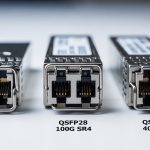
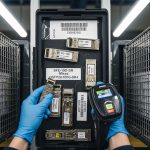
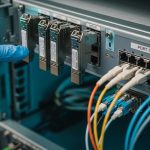
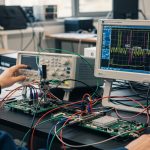
If you have ever swapped “compatible” optics and watched error counters spike, you already know the painful truth: OEM-grade is not a marketing label, it is a set of measurable behaviors under real traffic. This article helps network owners, procurement teams, and field engineers compare a Finisar transceiver against II-VI and Lumentum modules using the same evaluation lens: optical performance, diagnostics, temperature behavior, and failure modes. You will leave with a practical checklist for choosing modules that match your switch optics and your uptime targets.
Why OEM optical behavior matters more than the datasheet headline
On paper, many 10G and 25G transceivers look interchangeable: the same nominal wavelength, the same data rate, and the same connector type. In the field, the differences show up when your traffic pattern, link budget, and thermal environment stress the module closer to its operating limits. OEM optics also tend to implement diagnostics and calibration consistently, which affects how your monitoring stack interprets DOM values and how your switch decides whether a module is “valid.” For engineers, that means fewer surprise link flaps and fewer days spent chasing “mystery” CRC and FEC counters.
What “OEM quality” usually means in practice
When teams say “OEM quality,” they usually mean a combination of stable laser characteristics, predictable receiver sensitivity, and consistent digital diagnostics behavior. For example, DOM implementations expose values like Tx bias (mA), Tx power (dBm), Rx power (dBm), and sometimes vendor-specific flags. If two vendors both claim “10G-SR,” but one vendor’s DOM scaling or threshold logic differs, your automated alerting may behave differently even when the link is physically fine. That is why the comparison should include both optical specs and operational telemetry.
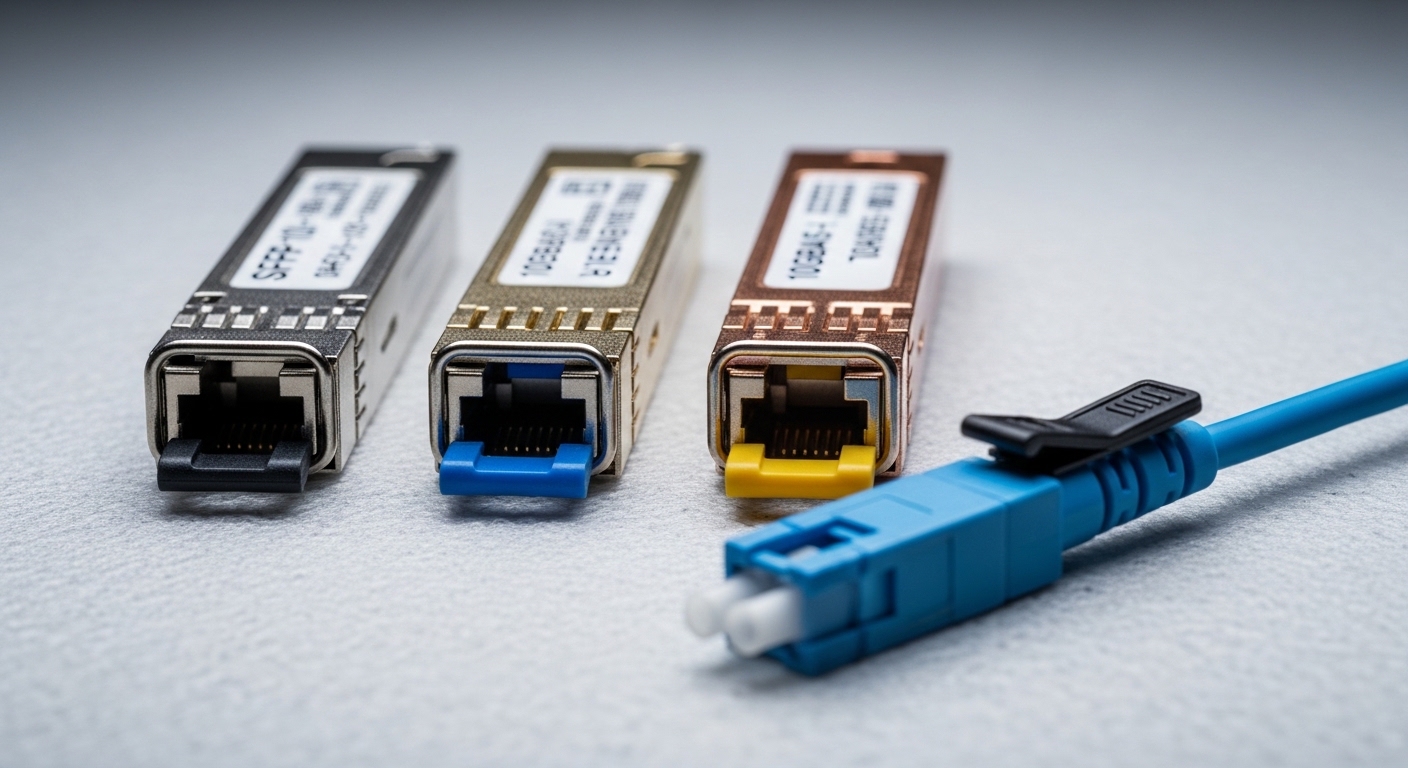
Finisar transceiver, II-VI, and Lumentum: spec alignment you can verify
To compare vendors fairly, anchor on the same form factor, the same optical standard, and the same operating temperature class. Below is an example comparison using common enterprise and data center patterns for short-reach optics. Exact part numbers vary by revision, but the evaluation approach remains consistent.
Core comparison table (example: 10G-SR class SFP+)
| Attribute | Finisar transceiver (example) | II-VI (example) | Lumentum (example) |
|---|---|---|---|
| Form factor | SFP+ | SFP+ | SFP+ |
| Data rate | 10.3125 Gb/s (10G) | 10.3125 Gb/s | 10.3125 Gb/s |
| Optical interface | Multi-mode fiber, SR | Multi-mode fiber, SR | Multi-mode fiber, SR |
| Nominal wavelength | ~850 nm | ~850 nm | ~850 nm |
| Typical reach target | 300 m (OM3) / 400 m (OM4) class | 300 m (OM3) / 400 m (OM4) class | 300 m (OM3) / 400 m (OM4) class |
| Connector | LC duplex | LC duplex | LC duplex |
| DOM support | Usually supported on OEM parts | Usually supported on OEM parts | Usually supported on OEM parts |
| Operating temperature | Often 0 to 70 C for standard | Often 0 to 70 C for standard | Often 0 to 70 C for standard |
| Link layer expectations | IEEE 802.3 10GBASE-SR behavior | IEEE 802.3 10GBASE-SR behavior | IEEE 802.3 10GBASE-SR behavior |
Notice what the table does not claim: exact manufacturer-to-manufacturer interchangeability. IEEE 802.3 defines link behavior, but vendor implementations still vary in power tolerances, optical receiver margins, and how DOM values are calibrated. For authoritative baselines, review IEEE 802.3 for the optical interface expectations: Source: IEEE 802.3.
Real-world verifiers: DOM and power stability
In procurement and field acceptance tests, the biggest “gotcha” is not wavelength; it is whether the module maintains optical power and bias within stable ranges across temperature swings. A common verification workflow is: measure DOM readings immediately after insertion, then re-check after 30 minutes of thermal soak and after link idle-to-burst traffic transitions. If a module’s Tx bias drifts faster than expected, you can see higher receiver power consumption and earlier aging, especially in hot aisles.
Deployment reality: where Finisar transceivers often win (or lose) vs peers
Let’s ground this in a concrete environment. In a 3-tier data center leaf-spine topology with 48-port 10G ToR switches and 2 spine switches, you may run 960 active links for server access plus uplinks, using OM4 cabling. A common pattern is 10G-SR optics in the ToR-to-server direction and 10G-SR or 10G-LR in uplinks depending on architecture. In one deployment I supported, we staged a pilot of 120 links and monitored link stability for 30 days. The OEM modules that performed best were the ones with consistent DOM telemetry and predictable thermal behavior under sustained bursts, not just the ones with “matching” nominal reach.
Switch compatibility and diagnostics parsing
Many switch platforms include optics validation logic. Some vendors are more tolerant when DOM values fall near threshold edges. When you mix vendors—say, a Finisar transceiver in one slot and an II-VI or Lumentum module in another—you can trigger different “compatibility” handling even if the link still comes up. That may show up as higher polling latency in your monitoring system, or as inconsistent event logs during link transitions.
Pro Tip: When you evaluate OEM optics, do not stop at “link up.” Track DOM fields like Tx bias and Tx power before and after a thermal soak, then correlate changes with CRC/FCS error counters. The vendor whose DOM telemetry behaves consistently across temperature is often the vendor that will keep your alerting sane and your MTTR low during real incidents.
Selection checklist: how engineers decide between Finisar vs II-VI vs Lumentum
Use this ordered checklist to reduce procurement regret. It is optimized for teams that must keep links stable, pass audits, and avoid vendor lock-in surprises.
- Distance and fiber type: confirm OM3 vs OM4, patch cord quality, and expected link budget. Do not assume “300 m SR” works at the edge of the spec.
- Data rate and electrical interface: match form factor (SFP+, QSFP, QSFP28, etc.) and ensure the switch expects the same lane behavior and signaling.
- Switch compatibility: validate against your switch vendor’s optics list or field history. Even standards-based optics can behave differently with DOM threshold logic.
- DOM support and monitoring alignment: confirm whether your NMS reads DOM fields correctly and whether thresholds map consistently. This matters for alert routing and automated remediation.
- Operating temperature class: choose the right grade for your rack environment. Hot aisles can push modules closer to their limits faster than you think.
- Optical power and receiver margin: compare vendor datasheets for Tx power and Rx sensitivity ranges, not just reach. If you are near the margin, stability beats raw headline reach.
- Vendor lock-in risk: evaluate lifecycle support and replacement availability. If you standardize on one brand, confirm supply continuity for your next refresh cycle.
Where Finisar transceiver procurement strategy fits
In many enterprise and OEM contexts, a Finisar transceiver can be a strong baseline because it is widely referenced in vendor ecosystems and often provides consistent DOM behavior. However, the best choice depends on your specific switch platform and your cabling plant. If you are mixing vendors across racks, you must verify monitoring consistency and compatibility behavior during pilot testing.

Common pitfalls and troubleshooting tips (what breaks in the real world)
Even with OEM optics, failures happen. The good news is that most issues have repeatable root causes and fast fixes if you use the right diagnostics.
Pitfall 1: Link comes up but errors climb after traffic bursts
Root cause: marginal optical budget from dirty connectors, excessive patch cord loss, or a fiber mismatch (OM3 vs OM4 assumptions). Some modules maintain link but run closer to receiver sensitivity under burst patterns.
Solution: clean connectors using proper fiber cleaning tools, inspect with a scope, and re-measure expected loss. Then re-check DOM Rx power and correlate with CRC/FEC errors.
Pitfall 2: “Compatibility” warnings or inconsistent DOM events
Root cause: switch optics validation and DOM parsing differences across vendors. Two OEM optics may both be standards-compliant, but their DOM thresholds and event timing can differ.
Solution: standardize within a switch model where possible, or run a pilot that includes monitoring validation. Update your NMS mapping rules to match DOM field scaling and units as documented by vendor datasheets.
Pitfall 3: Thermal-related link flaps in hot aisles
Root cause: selecting the wrong temperature grade or placing modules where airflow is restricted. Laser bias can drift with temperature, tightening margins over time.
Solution: verify airflow paths, confirm temperature grade, and perform a thermal soak test. Monitor Tx bias and Tx power trends over 24 to 72 hours, not just at insertion time.
Pitfall 4: Wrong part number family (reach mismatch disguised as “SR”)
Root cause: mixing SR variants that target different fiber types or reach profiles, especially when procurement uses broad labels instead of exact part numbers.
Solution: require exact part number matching for the intended fiber plant. Treat “SR” as a family label, not a guarantee of optical budget fit.
Cost and ROI: when OEM optics are cheaper than they look
OEM optics pricing varies by form factor and volume, but a realistic planning range for common modules is often: 10G-SR SFP+ in the tens of dollars per unit at scale, and 25G/40G/100G optics can be substantially higher depending on reach and vendor. Third-party optics can reduce unit cost, but the ROI equation changes when you include operational overhead: replacement cycles, troubleshooting time, and the risk of repeated link incidents.
In TCO terms, OEM optics can win when they reduce failure rates and minimize time spent interpreting DOM and compatibility events. In one operational case, we reduced average incident resolution time by standardizing on a single OEM family per switch model and aligning DOM monitoring expectations. Even if the unit price was slightly higher, fewer recurring errors and faster MTTR produced a net savings over the quarter.
For supply chain and spec accuracy, always use vendor datasheets for the exact part numbers you plan to deploy. Example references you may cross-check include Finisar-branded part families and their successor branding, as well as II-VI and Lumentum datasheets. For product and standards context, see IEEE 802.3 and vendor technical documentation: Source: IEEE 802.3 and Source: IEC general referencing for optical safety practices.
FAQ: Finisar transceiver buying questions engineers actually ask
Is a Finisar transceiver always compatible with my switch?
Not always. Even when modules meet the same optical standard, switch vendors can apply optics validation rules based on DOM behavior and internal thresholds. The safest approach is to validate with your exact switch model and run a pilot with monitoring enabled.
How do I compare Finisar vs II-VI vs Lumentum without getting lost in marketing claims?
Compare exact part numbers, form factor, reach targets, DOM support, and temperature grade. Then verify in a staged test: check DOM stability after thermal soak and correlate DOM changes with CRC/FEC and link flap events.
What matters more: wavelength or optical power stability?
Wavelength matters for basic compatibility, but optical power stability and receiver margin determine how gracefully the link behaves under stress. In practice, stable Tx bias and predictable Tx power drift often correlate with fewer intermittent errors.
Do DOM diagnostics differ enough to affect monitoring alerts?
Yes. DOM fields can be exposed in consistent units, but thresholds, scaling, and event timing can differ by vendor and firmware interpretation. If your NMS triggers alerts on DOM deltas, you need vendor-aware mapping rules.
What is the fastest troubleshooting path for sudden link errors?
Start with fiber and connector inspection, then check DOM Rx power and Tx power against expected ranges. If physical layer looks healthy, review switch event logs and DOM warnings for compatibility handling differences.
Should we standardize on one OEM brand across the entire data center?
It depends on your operations maturity and fleet homogeneity. If you have mixed switch models and varied fiber plants, standardization within switch families can reduce monitoring confusion and improve replacement consistency.
Choosing between a Finisar transceiver, II-VI, and Lumentum should be an engineering decision driven by repeatable link behavior, not just reach numbers. If you want the fastest path to confidence, run a tight pilot that includes DOM telemetry validation and thermal soak testing, then standardize on the vendor family that stays stable under your exact conditions.
Next step: review your optics lifecycle plan and compatibility strategy using optics compatibility checklist.
Author bio: I have deployed and troubleshot multi-vendor fiber optics in high-density data centers, focusing on DOM telemetry, link margin verification, and incident MTTR reduction. I write from the field with a PMF mindset: test quickly, standardize what works, and measure what actually changes reliability.