
Edge computing deployments fail in ways core networks rarely see: vibration from cabinets, field swaps, and mixed vendor optics. This guide helps engineers and field technicians perform fiber troubleshooting on edge-to-switch and edge-to-CPE runs using practical checks: link light behavior, OTDR interpretation basics, connector hygiene, and transceiver compatibility. You will leave with a step-by-step decision path, a specs comparison table, and common failure modes that cause “mystery” link drops.
How edge faults show up in fiber troubleshooting
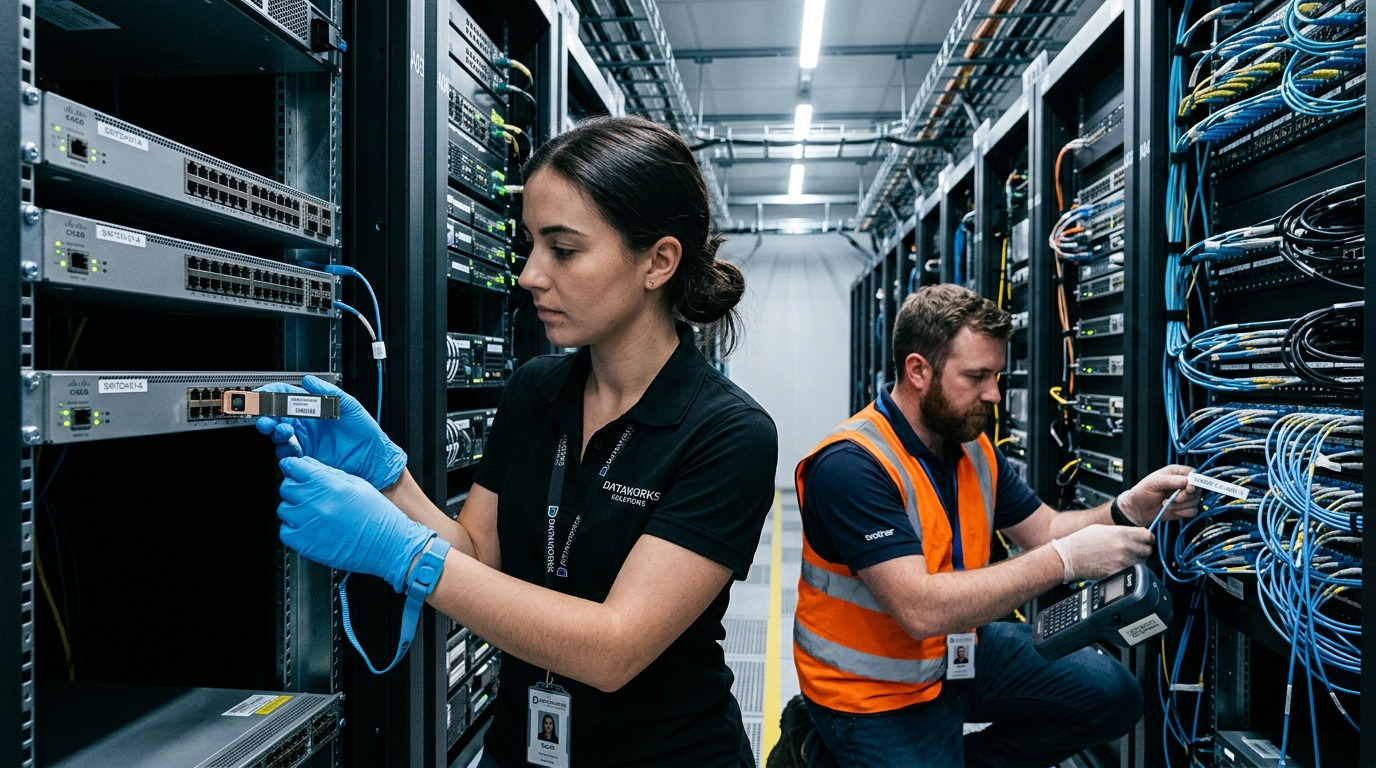
In edge environments, fiber issues often present as intermittent link flaps, high BER under load, or total link loss after maintenance. The pattern matters: if the link comes up and later degrades, you may be dealing with micro-bend stress, marginal optical power, or temperature-shifted transceiver thresholds. If the link never comes up, focus on polarity, connector cleanliness, wrong wavelength optics, and transceiver DOM mismatches. Start with the simplest observable signals on the switch and transceiver before opening the fiber path.
First 5 checks on the switch or edge gateway
- Check link state and speed: confirm negotiated speed (for example 10GBASE-SR) and whether the port is administratively up.
- Read transceiver DOM: optical receive power (Rx) in dBm, TX power, bias current, and temperature. Many platforms expose these in CLI and SNMP.
- Correlate with recent events: cabinet door opened, cable re-routed, connector re-seated, or transceiver swapped.
- Inspect the patch path: verify correct jumpers, no crossed connectors, and no damaged strain relief.
- Confirm fiber type and distance class: multimode vs single-mode, and expected reach for the selected standard.
For standards context, link behavior and optical interfaces align to IEEE Ethernet specifications such as IEEE 802.3 for 10G and higher Ethernet PHYs, and vendor transceiver datasheets for optical thresholds. See [Source: IEEE 802.3] and [Source: SFP/QSFP transceiver vendor datasheets]. For practical troubleshooting workflow, also reference vendor operational guides like Cisco transceiver diagnostics documentation via [Source: Cisco].
Optical targets and connector hygiene: the two biggest levers
Most field failures trace back to either insufficient optical budget or dirty connectors. In fiber troubleshooting, you want measurable thresholds, not guesses. Use the switch’s DOM readings to compare measured Rx power against the module’s recommended operating range from the datasheet, and verify connector cleanliness before re-seating.
Pro Tip: In edge cabinets, “looks clean” is not clean enough. Even a faint haze on an LC ferrule can drop optical power by multiple dB, enough to push Rx below sensitivity and cause BER spikes that look like random link flaps.
Technical specs comparison for common edge optics
Use this table as a quick sanity check when comparing modules during fiber troubleshooting. Always validate against the exact module datasheet and your switch’s transceiver compatibility list.
| Transceiver type | Wavelength | Reach (typ.) | Connector | Data rate | Typical DOM metrics | Operating temperature | Common use in edge |
|---|---|---|---|---|---|---|---|
| FS SFP-10GSR-85 (example) | 850 nm | Up to 300 m (OM3) / 400 m (OM4) | LC | 10G | Tx power, Rx power, bias current, temp | 0 to 70 C (varies by grade) | Short patch runs in edge racks |
| Cisco SFP-10G-SR (example class) | 850 nm | OM3/OM4 dependent | LC | 10G | DOM and optical alarms | 0 to 70 C | Interoperability with Cisco platforms |
| Finisar FTLX8571D3BCL (example class) | 850 nm | OM3/OM4 dependent | LC | 10G | Vendor-specific thresholds | Commercial/extended variants | Validated optics in mixed supply chains |
| 10GBASE-LR style SFP+ (single-mode) | 1310 nm | Up to 10 km | LC | 10G | Tx/Rx power, alarms | -5 to 70 C (varies) | Edge site backhaul over SMF |
Note: exact reach depends on fiber grade, link loss budget, patch cord lengths, and insertion loss. For multimode, the modal bandwidth and cabling type (OM3 vs OM4) matter. For single-mode, wavelength and end-to-end loss dominate.
Connector inspection and cleaning workflow
- Power down and remove the transceiver if your platform requires it for safe handling.
- Inspect with a fiber microscope (200x to 400x magnification). Look for scratches, residue, and film.
- Clean with the correct method: dry wipe plus solvent-free fiber cleaning where appropriate, or lint-free cleaning tips designed for ferrules.
- Re-inspect before reconnecting. If you see haze or debris, repeat cleaning.
- Re-seat carefully: ensure latch engagement and avoid twisting patch cords.
Cleaning is not optional in fiber troubleshooting. Connector contamination can introduce loss and return loss issues that degrade BER even when link LEDs appear “up.”
Edge deployment scenario: diagnosing a flapping 10G link
Consider a 3-tier edge setup: two 48-port ToR switches in each site, uplinked to a regional aggregation pair over 10GBASE-SR multimode. In one site, a field technician reports that a single uplink port flaps every 20 to 40 minutes during daytime load. The patch run is 35 m of OM4 with two 3 m patch cords and a pre-terminated MPO-to-LC fanout. After reading DOM, you see Rx power at -19.5 dBm drifting to -21.5 dBm during flaps, while bias current and temperature remain within normal ranges. The root cause is traced to a connector that was re-seated after a cabinet door adjustment, likely introducing micro-scratches and intermittent contamination film.
In practice, the fix is not “swap the transceiver first.” The fastest path is: inspect the affected LC ferrule, clean, re-measure Rx power, then verify link stability under sustained traffic. If Rx power does not recover, proceed to OTDR or loss test to locate a damaged splice or a bent section. When OTDR indicates a localized event near the cabinet entrance, you replace the patch cord and confirm with a fiber loss test report.
Selection criteria: choosing optics and tools that reduce troubleshooting time
Fiber troubleshooting accelerates when you standardize modules, cleaning gear, and test equipment across sites. Use this ordered checklist when selecting transceivers, patch components, and diagnostic tools.
- Distance and fiber type: match multimode vs single-mode, and verify OM3/OM4 grade for 850 nm optics.
- Budget for connector and splice loss: count every mated pair and patch cord; include safety margin for aging and contamination.
- Switch compatibility: validate transceiver support on your specific model and firmware; some platforms enforce vendor checks.
- DOM support and alarm thresholds: ensure the module reports Tx/Rx/bias/temp reliably for your monitoring system.
- Operating temperature grade: edge cabinets can exceed 50 C near power supplies; pick extended temperature optics where needed.
- DOM visibility for alarms: confirm you can read optical power and link diagnostics during faults.
- Vendor lock-in risk: weigh OEM pricing versus third-party acceptance, especially for high-volume edge rollouts.
- Connector ecosystem: LC vs SC vs MPO; standardize patch cord types to avoid polarity and mating errors.
Common pitfalls and troubleshooting tips in field conditions
Even experienced teams lose time when the troubleshooting path starts in the wrong place. Below are common failure modes with root causes and fixes.
Link up, but traffic fails under load
- Root cause: elevated BER from marginal optical power due to dirty connectors, slight misalignment, or exceeding link budget.
- Solution: clean and re-inspect connectors, then compare DOM Rx power to the module’s recommended sensitivity range in the datasheet. If available, check interface counters for CRC errors and FEC behavior.
Port never comes up after a transceiver swap
- Root cause: wrong wavelength or wrong fiber type (for example, 850 nm multimode module on single-mode fiber), or polarity reversal in duplex LC cabling.
- Solution: verify module wavelength, fiber type, and standard reach. Confirm TX-to-RX polarity by swapping the fiber pair at the patch panel if using duplex cabling.
Intermittent flaps tied to cabinet vibration or door movement
“Works on the bench, fails on site”
- Root cause: bench testing used short patch cords and low-loss jumpers, while the site has longer runs, extra mated pairs, or higher insertion loss.
- Solution: compute the real loss budget: cable attenuation plus patch cord loss plus connector and splice loss. Validate against the optical budget and add a margin for contamination.
When you need authoritative baselines, use IEEE 802.3 requirements for optical Ethernet links and vendor datasheets for each transceiver’s optical power and operating limits. See [Source: IEEE 802.3] and [Source: SFP/QSFP transceiver datasheets].
Cost and ROI note for edge fiber troubleshooting
In edge projects, the cheapest module is often the most expensive when it increases downtime. Typical pricing varies by vendor and volume: third-party 10G optics may land around $25 to $80 per unit, while OEM optics can be $80 to $250+ depending on model and warranty. OTDR time and labor dominate TCO when faults recur, so investing in consistent cleaning tools (microscope, lint-free cleaning supplies) and a fiber loss tester often pays back quickly.
Operationally, a one-hour outage at a site with remote monitoring and SLA penalties can exceed the cost difference between OEM and third-party optics. Also consider failure rates: connectors and patch cords degrade faster than transceivers in harsh edge conditions, so standardizing patch management can reduce recurring fiber troubleshooting cycles.
FAQ: edge fiber troubleshooting questions engineers ask
What should I check first during fiber troubleshooting on an edge link?
Start with the switch port status and transceiver DOM. Confirm negotiated speed, then check DOM Rx power and alarms. If Rx is near the sensitivity limit, clean connectors and verify polarity before deeper testing.
How do I know if the optics are mismatched in fiber troubleshooting?
Verify the module wavelength and fiber type: 850 nm modules are for multimode, while 1310 nm modules are typically for single-mode. Also confirm connector type and that your switch supports the module. If the port never lights, polarity and wavelength mismatches are common.
Is cleaning always necessary even when the link LED is on?
Often yes. A link can appear up while BER rises due to contamination, causing intermittent drops under load. Clean and re-inspect, then compare DOM readings before concluding the transceiver is faulty.
When should I use OTDR versus a simple loss test?
Use a loss test for end-to-end attenuation verification and to confirm budget compliance. Use OTDR when you need to locate the approximate position of a fault or damaged event, especially after suspected cable damage or micro-bend stress.
Can third-party optics reduce troubleshooting time or risk?
They can, if they are validated for your switch model and you get reliable DOM reporting. The risk is compatibility enforcement or less consistent DOM behavior across vendors. Standardize approved part numbers and keep spares with known-good optics for faster swap tests.
What operating temperature range matters for edge optics?
Choose modules rated for the cabinet’s worst-case temperature, not just the ambient air reading. If your site can exceed 50 C near power supplies, ensure you use extended temperature optics and stable airflow to prevent thermal drift and alarm events.
Effective fiber troubleshooting in edge computing is about disciplined measurements: read DOM, verify optics and polarity, clean connectors, then escalate to OTDR only when the evidence points there. For a related checklist on physical-layer readiness and documentation, see fiber optic cable management and labeling.
Author bio: Field-focused network reliability writer who documents how engineers actually isolate optical faults using DOM data, connector inspection, and loss-test evidence. Builds practical troubleshooting runbooks aligned with IEEE Ethernet behavior and vendor transceiver datasheets.
