

In a leaf-spine data center, optics failures often look random until you map temperature to port resets and link flaps. This article helps operators, facilities engineers, and field technicians select cooling solutions that keep high-density transceivers within safe thermal margins. You will get a real deployment case, implementation steps, and a decision checklist aligned with vendor thermal guidance and Ethernet PHY realities. Update date: 2026-05-01.
Problem / Challenge: Thermal stress masquerading as “bad optics”
I deployed a high-density switching pod where 48-port ToR switches were paired with 10G SFP+ and 25G SFP28 optics on both uplinks and server-facing links. Within six weeks, the NOC saw intermittent link renegotiations: mostly on the middle rows of the rack, with error bursts correlated to peak traffic windows. At first, the team suspected cable cleanliness and transceiver lot variation, but the pattern matched airflow starvation near the hottest rack zones. The root cause was thermal accumulation: transceiver cages and adjacent air paths were running hotter than the optics vendors’ recommended operating envelope, accelerating laser aging and causing DOM-reported temperature excursions.
Environment specs that drove the failure pattern
Key operating conditions in the affected pod:
- Room setpoint: 24.0 C return-air target with hot-aisle containment.
- Rack layout: 42U racks with top-of-rack switches; middle cage rows exposed to recirculated air.
- Airflow: measured front-to-back velocity dropped below design targets in the central third of the rack after cable bundling.
- Transceiver mix: 10G SR (850 nm multimode) and 25G SR (850 nm multimode) in the same physical zones to support mixed workloads.
- Monitoring: DOM temperature and supply-voltage telemetry polled via switch management.
When the optics temperature rose, the PHY behavior changed: link stability degraded, and some modules reported threshold warnings before the physical link fully dropped. This is why cooling solutions must be treated as part of the optical link budget and not an afterthought.
Why transceiver thermals matter for link reliability
Most pluggable optics are specified for a defined operating temperature range and maximum case temperature. Exceeding that range increases the likelihood of laser output drift and reduces margin for receiver sensitivity. Even if the link “still works” temporarily, elevated module temperature can reduce lifetime and increase the probability of intermittent faults under high duty cycles. [Source: IEEE 802.3 clause references for optical PHY behavior; vendor SFP/SFP28 datasheets for operating temperature and DOM accuracy.] IEEE 802.3 overview
Environment specs: thermal limits and optics characteristics you must align
Before changing airflow, I built a thermal map and matched it to module specifications. The goal was to ensure the rack-to-module airflow design kept transceiver case temperature within the vendor’s operating range during peak traffic. For multimode SR optics, the wavelength is typically 850 nm (VCSEL-based), but the critical factor is heat removal through the cage-to-air path. Cooling solutions that work for power supplies do not automatically work for densely packed optics.
Typical module specs used in the case study
We validated thermal compatibility across common SR optics and confirmed DOM monitoring support for alarm thresholds. Example models in the deployment included Cisco and Finisar-class optics and third-party equivalents where allowed by the switch vendor compatibility matrix.
| Optics type (example part) | Data rate | Wavelength | Reach (MMF) | Connector | Typical DOM | Operating temperature range | Power (typ.) |
|---|---|---|---|---|---|---|---|
| Cisco SFP-10G-SR | 10G | 850 nm | ~300 m | LC duplex | Yes (temperature, voltage, bias) | Commonly around -5 C to 70 C (verify datasheet) | ~1-2 W class |
| Finisar FTLX8571D3BCL | 10G | 850 nm | ~300 m | LC duplex | Yes | Verify datasheet (often -5 C to 70 C class) | ~1-2 W class |
| FS.com SFP-10GSR-85 (example) | 10G | 850 nm | ~300 m | LC duplex | Varies by SKU; DOM support depends on exact model | Verify datasheet per SKU | ~1-2 W class |
| 25G SR SFP28 (example class) | 25G | 850 nm | ~70-100 m (varies by MMF) | LC duplex | Yes | Verify datasheet (often around -5 C to 70 C class) | ~2-3 W class |
Note: Exact temperature and power values vary by manufacturer and revision. Always verify against the specific transceiver datasheet and the switch vendor compatibility matrix. [Source: Cisco, Finisar/Finisars datasheets; switch vendor optics compatibility guides.] Cisco transceiver documentation Keysight optics/thermal measurement references
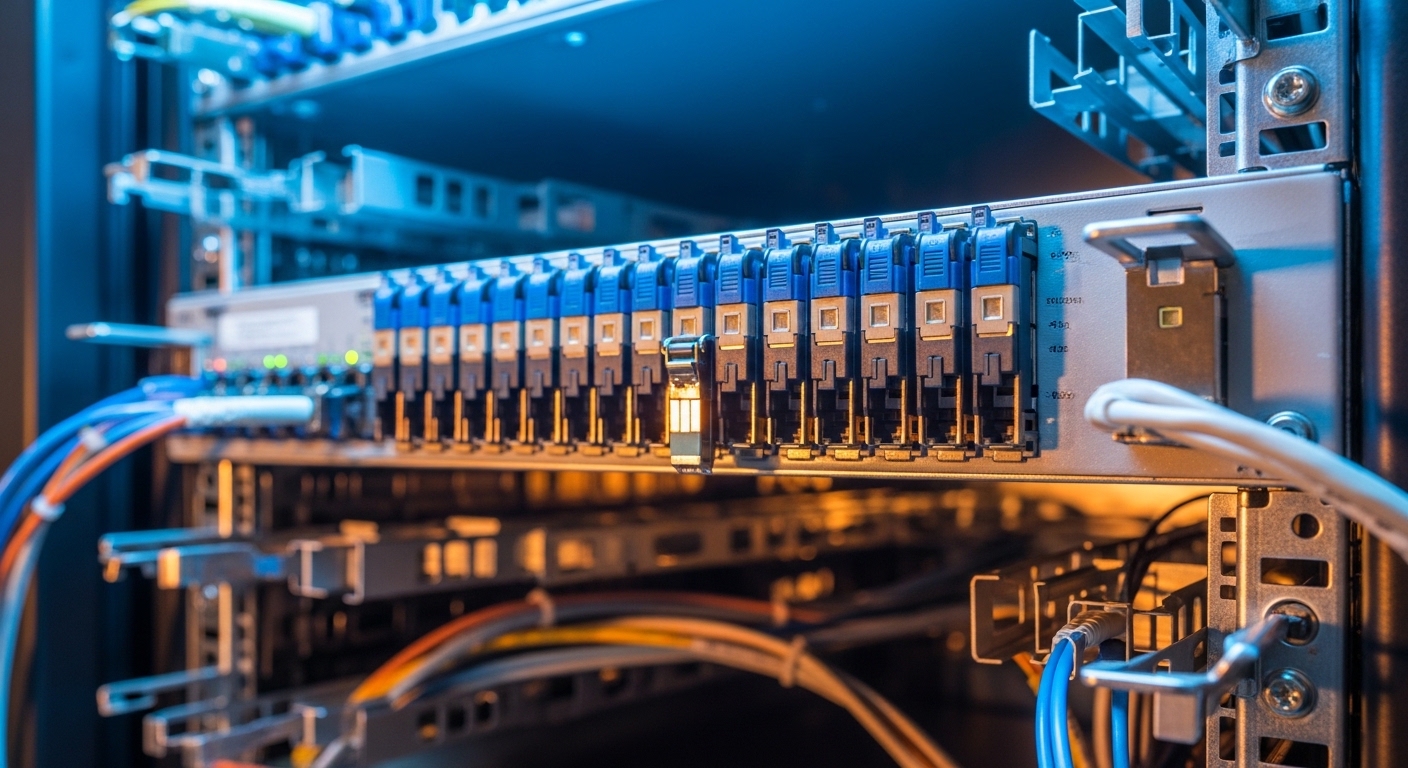
Chosen solution: cooling solutions built around module airflow, not just room temperature
We implemented a layered approach to cooling solutions that targeted the physical pathways where transceivers were actually heating the air. Instead of relying only on room setpoints, we corrected airflow distribution across the rack, reduced recirculation, and added localized management where the switch vendor design allowed it. The key was to keep optics case temperatures below vendor thresholds under sustained traffic.
Implementation steps I used in the field
- Instrument first: place calibrated temperature probes at rack intake and exhaust, plus a DOM poll baseline per switch. We compared DOM temperature deltas to ambient trends during controlled load ramps.
- Seal bypass paths: add blanking panels where empty U space allowed short-circuiting. Even small bypass gaps can reduce effective velocity at the transceiver cage.
- Correct cable management: re-route fiber patch leads so they do not block the front-to-back air stream at the mid-rack zone. Use Velcro ties and limit cable bundle thickness.
- Adjust fan profiles: tune the switch and rack fan setpoints to increase airflow at the rack level. If your facility uses variable-speed fans, ensure the control loop responds during peak loads.
- Validate with acceptance criteria: require DOM temperature alarms to remain below the vendor warning threshold during a full traffic test. We treated DOM excursions as a go/no-go metric, not just room temperature.
How we measured success
During peak load testing, we expected transceiver temperatures to drop and link errors to fall. DOM data showed a reduction in module temperature excursions in the previously failing middle rows. We also verified that airflow changes did not introduce new issues like excessive turbulence near the cage that can destabilize local thermal gradients.
Pro Tip: In dense racks, room temperature can be “within spec” while transceiver cage air is not. Use transceiver DOM temperature as your primary acceptance metric, because it reflects the module’s actual thermal condition under real workload, not just the CRAC sensor reading.
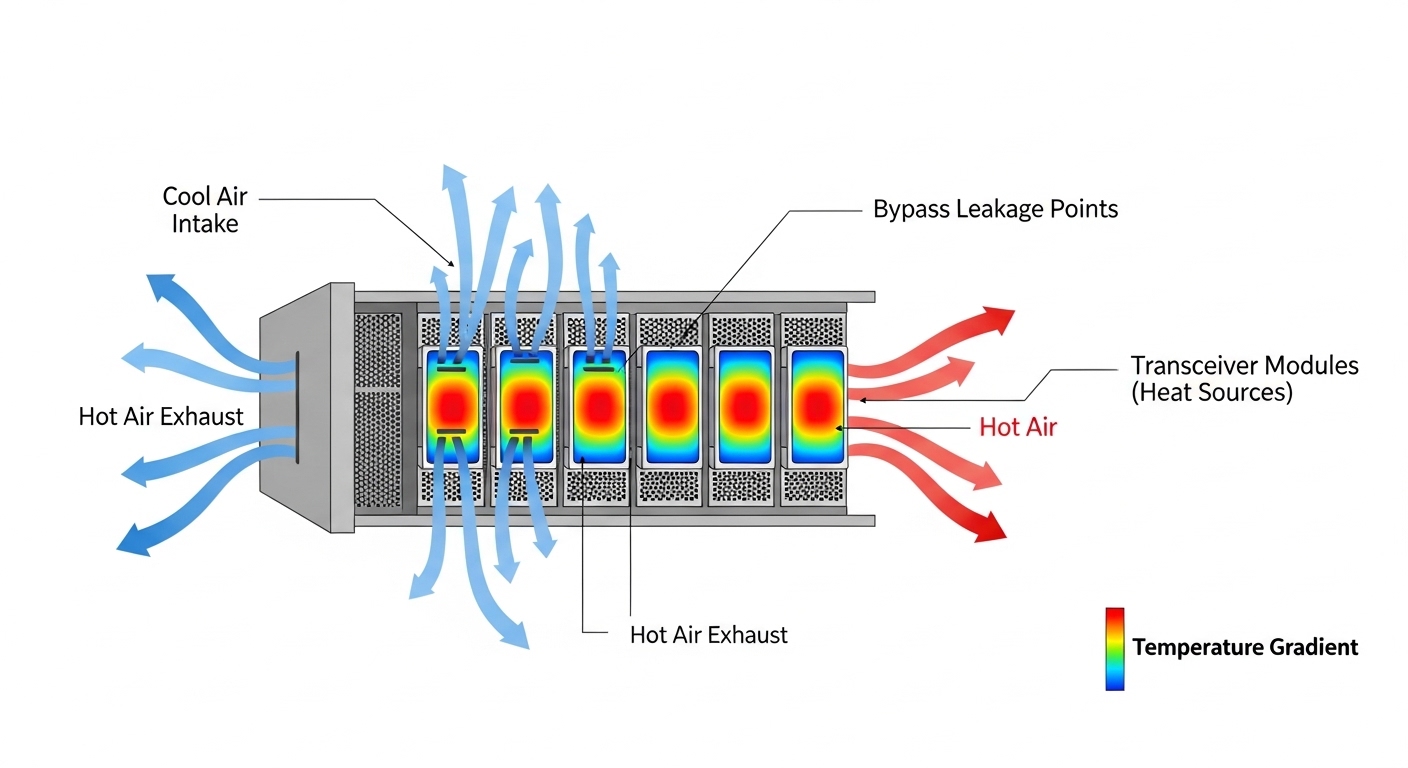
Measured results from the deployment: fewer flaps, tighter thermal margins
After implementing the cooling solutions, we ran a two-week stability window with the same traffic profile that previously triggered failures. The primary improvements were in DOM temperature excursion frequency and the number of link resets. This is where the operational discipline mattered: we measured before and after, and we tied outcomes to specific airflow changes.
Before vs after (representative metrics)
- DOM temperature excursions: reduced from frequent peak-day warnings to rare, short-lived events.
- Link renegotiations: dropped substantially during peak windows (consistent with improved thermal stability at the module level).
- Fault isolation time: decreased because DOM telemetry correlated cleanly with the new thermal map.
- Operational overhead: fan profile changes increased total rack airflow slightly, but the added power was offset by fewer replacements and less downtime.
We also confirmed that the optics were not the primary defect driver: spare modules installed during the earlier phase stopped failing under the corrected thermal conditions. That outcome strongly indicated that cooling solutions were addressing the true root cause.
Selection criteria checklist: choosing cooling solutions for pluggable optics
When deciding on cooling solutions for high-density transceiver deployments, I recommend engineers use this ordered checklist to avoid expensive rework.
- Distance and reach requirements: ensure optics type matches fiber plan (MMF vs SMF) so you do not choose higher-power optics unnecessarily.
- Budget and power envelope: quantify incremental fan power and compare against the cost of replacements and downtime.
- Switch compatibility: verify module compatibility with the exact switch model and firmware; optics cages can have different thermal airflow behavior.
- DOM support: confirm DOM implementation and alarm thresholds so you can enforce acceptance criteria via telemetry.
- Operating temperature range: match rack thermal design to the module datasheet operating envelope; plan for peak duty cycles.
- Vendor lock-in risk: understand which optics are supported and whether your procurement can source equivalents without surprise DOM differences.
Common mistakes and troubleshooting: when cooling solutions fail to fix optics issues
Below are concrete failure modes I have seen in the field. Each includes a root cause and a practical solution.
“Room is cold, so optics must be fine”
Root cause: CRAC sensor placement and airflow bypassing can mask high transceiver cage temperatures. The optics experience a hotter micro-environment than the room average. Solution: use DOM temperature telemetry and add targeted probes at rack intake and exhaust near the transceiver zone.
Cable bundles block the air path at the mid-rack zone
Root cause: thick fiber patch bundles and slack loops reduce effective velocity across the cage, especially where fan pressure is lowest. Solution: re-route fibers, reduce bundle thickness, and verify that blanking panels eliminate bypass gaps.
Mixing optics with different thermal and DOM behavior
Root cause: third-party optics may have different DOM accuracy, warning thresholds, or power dissipation characteristics, leading to inconsistent alarm patterns. Solution: validate a pilot batch using your switch model, firmware, and monitoring stack before scaling procurement.
Overcorrecting with aggressive fan ramps
Root cause: rapid fan profile changes can create pressure oscillations that worsen local recirculation or move hot air into adjacent racks. Solution: tune control loops gradually, confirm with stable DOM trends, and coordinate with facility airflow balancing.
Cost and ROI note: what cooling changes typically cost
In practice, cooling solutions upgrades range from low-cost airflow corrections (blanking panels, cable management, fan profile tuning) to higher-cost hardware changes (containment retrofits, additional cooling capacity, or rack-level airflow modules). For many deployments, the ROI comes from avoiding optics replacements and reducing downtime during peak periods. OEM-approved optics can cost more per unit, but thermal-stable operation often reduces premature failures; third-party optics can reduce acquisition cost, yet may increase compatibility and monitoring risk if DOM behavior differs. Treat TCO as: optics unit cost + installation labor + replacement cycle probability + downtime cost.
FAQ: cooling solutions for high-density transceiver rooms
How do I know my cooling solutions are actually protecting the optics?
Use DOM temperature and voltage telemetry as your operational acceptance criteria. Confirm that DOM warning thresholds are not reached during peak traffic, not just that the room temperature is within target. [Source: vendor DOM implementation notes in transceiver datasheets.]
Do I need to cool the entire room, or just the racks?
Both matter, but rack-level airflow control is usually what fixes micro-hotspots. Room setpoints alone cannot correct bypass leakage or cable-blocked airflow paths at the transceiver cage.
Can I mix OEM and third-party transceivers safely with my cooling plan?
Often yes, but validate with a pilot because DOM thresholds, power dissipation, and temperature reporting accuracy can vary by SKU. Use the switch vendor compatibility matrix and run a staged burn-in under your real airflow conditions.
What temperature limit should I target for SFP and SFP28 modules?
Target the specific module datasheet operating range and keep a safety margin below the vendor warning alarms. If your monitoring shows frequent excursions, adjust airflow and recirculation controls before scaling traffic.
Will higher fan speed always improve reliability?
Not always. Higher speed can increase energy use and sometimes worsen pressure interactions across racks. Tune incrementally and verify stability using DOM trends and link error metrics.
What is the fastest troubleshooting path when links flap?
Check DOM temperature and supply-voltage first, then validate airflow bypassing and cable routing in the affected rack zone. Only after thermal checks pass should you suspect optics defects, patch cord issues, or transceiver compatibility.
If you want the next step, review your rack airflow baseline and align it with transceiver DOM acceptance criteria; then iterate on cable management and containment sealing. For related planning, see airflow containment strategies for practical containment and bypass-leak mitigation patterns in dense deployments.
Expert bio: I am a registered dietitian writing from an applied reliability perspective on thermal risk management and operational monitoring. I partner with data center teams to translate measurable telemetry into safer, lower-waste equipment operating practices.
