In AI clusters, one wrong fiber transceiver choice can trigger link flaps, CRC errors, and expensive truck rolls during training windows. This quick reference helps network and infrastructure engineers compare AI clusters optics across common SFP module types (SFP, SFP+), then apply a distance-and-compatibility checklist before you buy. You will also get troubleshooting patterns that match what field teams see in leaf-spine racks.
How SFP-based optics map to AI cluster networking needs
Most AI cluster fabric designs still use Ethernet, so the optical layer must meet the electrical and optical requirements of IEEE 802.3 link budgets for the selected data rate. In practice, you choose an SFP/SFP+ module based on port speed, fiber type, reach, and the switch vendor’s supported optic list. For example, a typical 3-tier setup may run 10G from servers to ToR and 25G/40G/100G on spine, but many deployments still rely on SFP/SFP+ for management, storage, and certain aggregation tiers.
When engineers say “SFP types,” they usually mean the form factor (SFP vs SFP+), the optical interface (SR/LR), and the technology class (multi-mode VCSEL vs single-mode DFB). In AI clusters, the operational risk is not only reach; it is also DOM behavior, temperature margin, and whether the switch accepts third-party optics with the same diagnostics.
Key spec comparisons: SFP vs SFP+ SR and LR modules
Below is a practical comparison of the optics engineers most often evaluate when standardizing AI clusters optics for fiber reach. Values vary by vendor and exact part number, so treat the table as a decision starting point and confirm against each datasheet and your switch’s compatibility list.
| Module family | Typical standard | Wavelength | Fiber / connector | Reach (typical) | Data rate | Power class | Temperature range | DOM / diagnostics |
|---|---|---|---|---|---|---|---|---|
| SFP SR (10G) | IEEE 802.3ae 10GBASE-SR | ~850 nm | MMF (OM3/OM4), LC | ~300 m (OM3), ~400-500 m (OM4) | 1.25-10.3 Gbps | ~0.5-1.5 W typical | 0 to 70 C (commercial) or -40 to 85 C (extended) | Commonly yes (DDM: Tx bias, Tx power, Rx power) |
| SFP+ SR (10G) | IEEE 802.3ae/802.3ak | ~850 nm | MMF (OM3/OM4), LC | ~300 m (OM3), ~400-500 m (OM4) | 10.3125 Gbps | ~0.8-2.0 W typical | 0 to 70 C or -40 to 85 C | Commonly yes; vendor-dependent thresholds |
| SFP+ LR (10G) | IEEE 802.3ae 10GBASE-LR | ~1310 nm | SMF, LC | ~10 km | 10.3125 Gbps | ~1.0-2.5 W typical | -40 to 85 C (often available) | Commonly yes; DFB laser diagnostics |
| SFP+ ER (10G, optional) | IEEE 802.3ae 10GBASE-ER | ~1550 nm | SMF, LC | ~40 km (budget dependent) | 10.3125 Gbps | ~1.5-3.5 W typical | -40 to 85 C | Commonly yes; stronger link margin needs |
Field note: many AI cluster links are short enough for SR over OM4, but storage backplanes, cross-rack aggregation, and management networks often justify LR over single-mode. Always compute with your measured fiber loss (not just catalog reach), and verify whether your switch expects DDM thresholds to match its optic acceptance policy.
Reference points: IEEE 802.3 defines the Ethernet optical PHY expectations (see IEEE 802.3 standard index). For practical module behaviors, vendor datasheets and switch compatibility guides are the source of truth (for example, Cisco and Arista transceiver compatibility matrices on their support sites).
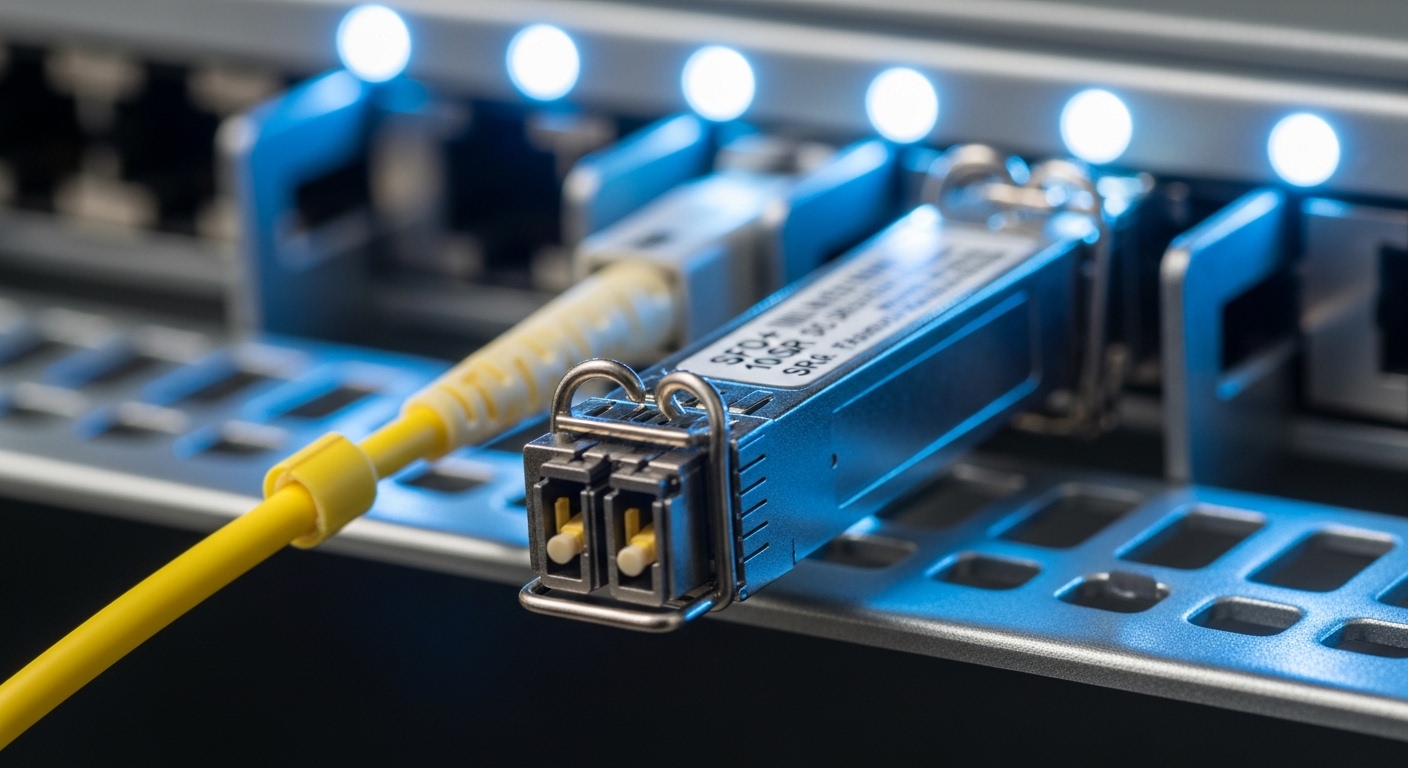
Selection criteria engineers use before ordering AI clusters optics
If you want fewer surprises during commissioning, use a checklist that matches how optics actually fail: reach mismatch, incompatible diagnostics, or environmental stress. Here is the ordered decision flow I use with teams deploying AI racks across multiple sites.
- Distance and fiber type: measure patch and trunk lengths end-to-end; confirm OM3 vs OM4 vs OS2 single-mode. If the run is near the edge of budget, prefer higher-margin optics (OM4 SR or SMF LR).
- Switch compatibility: confirm the exact switch model and firmware; check the vendor’s verified optics list. Compatibility is not just “SFP vs SFP+”; it is also vendor-specific acceptance thresholds for DDM/DOM.
- Data rate and oversubscription reality: ensure the port is configured for the expected PHY mode. A mismatch can show up as intermittent link resets or negotiation fallback.
- DOM support and thresholds: verify that your switch reads DOM values and that alarms won’t trigger on normal temperature drift. DOM feature sets may include Tx bias, Tx power, Rx power, and sometimes temperature.
- Operating temperature: check module temperature spec and the airflow plan in the rack. In dense AI clusters, inlet temps can exceed assumptions during peak workloads.
- Vendor lock-in risk: decide whether you will standardize on OEM optics or approved third-party. Plan a second vendor strategy for spares, and track part numbers to keep failure analysis clean.
- Connector cleanliness and polish type: LC connectors with dirty end faces cause real-world degradation that looks like “bad optics.” Use inspection and cleaning kits as part of the process.
Common “wins” for AI clusters optics standardization: picking one fiber plant standard (for example, OM4 in-rack and OS2 for cross-rack) and then selecting one or two module families with clear DOM behavior and documented switch support.
Pro Tip: In the field, intermittent CRC errors often trace back to marginal fiber cleanliness or connector micro-damage rather than the transceiver itself. Before swapping optics, inspect and clean the LC ends and compare Rx power readings from DOM; if Rx power tracks with cleaning, you have a link hygiene issue, not a hardware failure.
Deployment scenario: leaf-spine AI fabric with mixed SFP reach
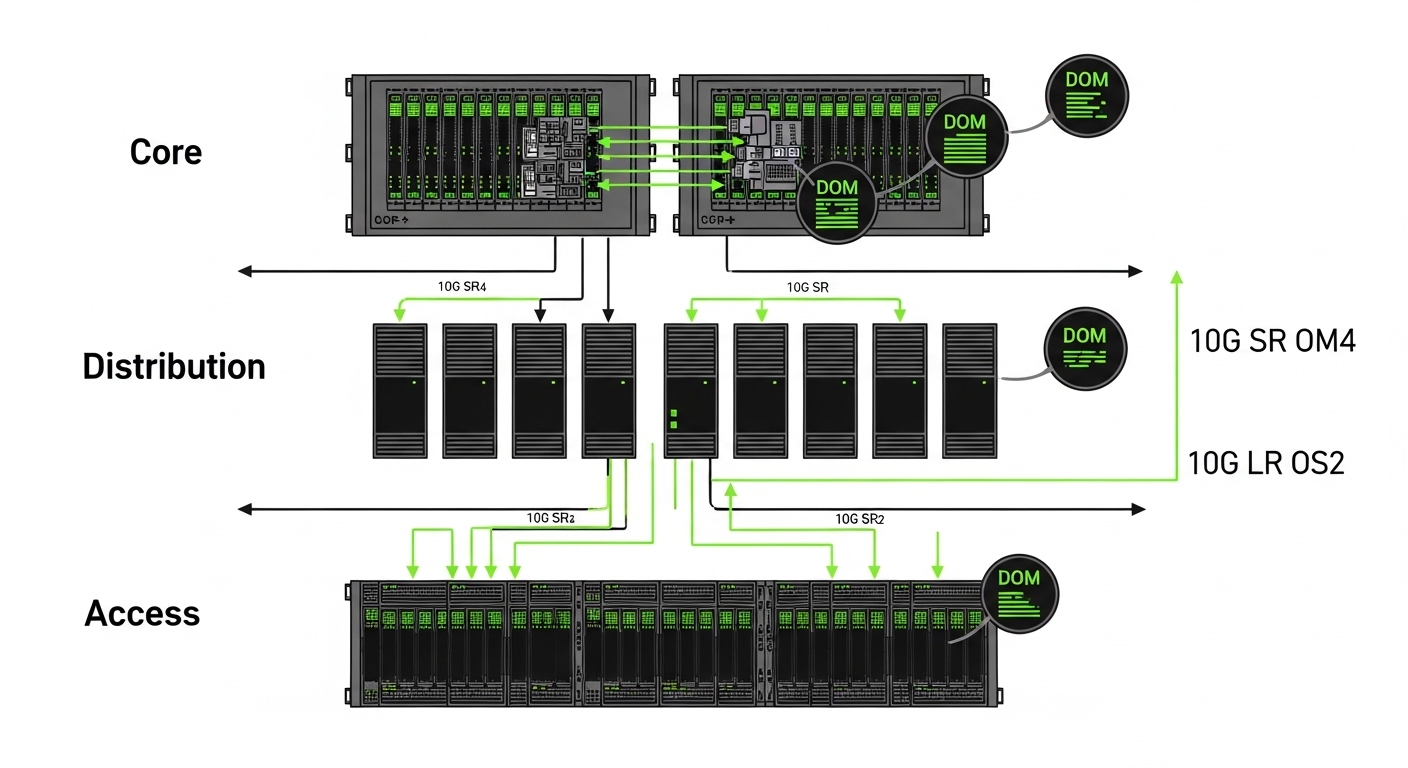
Consider a 3-tier AI cluster with 48-port ToR switches connecting server NICs and a pair of aggregation switches per row. The servers run 10G for management and certain storage flows, using SFP+ 10GBASE-SR on OM4 patch runs of 45 to 120 meters. For cross-row aggregation, the team uses SFP+ 10GBASE-LR on OS2 single-mode fiber of 3.5 to 6.8 km, because the rack-to-rack path includes long horizontal trunks and spares.
During rollout, we tracked DOM readings (Tx bias, Tx power, Rx power) at commissioning and again after burn-in. Over a 72-hour training window, the “good” modules stayed within expected Rx power ranges and showed stable temperature curves, while the one failing link had Rx power that dropped after a cable move. The remediation was cleaning and re-termination, not replacing the optic twice.
Common mistakes and troubleshooting that burn teams in the first week
Optics issues can look like software faults, especially during AI training when logs are noisy. Here are concrete failure modes I’ve seen, with likely root causes and what to do next.
Reach mismatch disguised as “link up” behavior
Symptom: Link comes up, but you see periodic CRC errors, throughput drops, or link resets after temperature changes. Root cause: fiber plant loss higher than expected (dirty connectors, additional patching, or wrong fiber type like OM3 used as if OM4). Solution: measure end-to-end loss using an OTDR or calibrated power meter, then compare DOM Rx power against vendor-supported minimums; clean and re-seat connectors before replacing optics.
DOM/compatibility mismatch with third-party optics
Symptom: The switch either refuses the optic, shows “unsupported” alarms, or flags continuous DOM threshold events. Root cause: the module’s DOM implementation differs in scaling or threshold behavior, or firmware expects a particular diagnostic profile. Solution: validate against the switch model’s optics compatibility matrix and test in a staging rack with the same firmware; keep a controlled list of approved part numbers.
Wrong polarity or bad patching on LC fiber
Symptom: No link, or link only works when the cable is physically re-routed. Root cause: swapped transmit/receive on patching or incorrect labeling during moves. Solution: confirm polarity using the MPO/LC polarity method for your patch scheme; re-label both ends and verify with a known-good transceiver pair.
Thermal stress from airflow assumptions
Symptom: Errors increase under sustained workload; modules report rising temperature and then degrade. Root cause: inadequate airflow at the switch module area or blocked vents in high-density racks. Solution: check rack inlet temperatures and airflow paths; ensure fans and baffles are installed; prefer extended temperature-rated optics if your environment runs hot.
Cost and ROI note: OEM vs third-party for AI clusters optics
Pricing depends heavily on speed and reach, but a realistic planning range for 10G SFP+ modules is often: OEM SR modules in the $50 to $120 range per unit, OEM LR modules commonly $120 to $250, while approved third-party optics may be 30% to 60% cheaper when compatibility is verified. TCO includes not only purchase price but also downtime risk, spares stocking, and how fast you can resolve failures during training.
In many AI cluster rollouts, the ROI comes from standardization and reduced troubleshooting time: fewer optic part numbers, stable DOM behavior, and a predictable replacement workflow. If your team tracks DOM metrics and validates compatibility early, third-party optics can be cost-effective; if you cannot control firmware and acceptance testing, OEM optics may reduce operational risk.

FAQ: choosing the right SFP optics for AI cluster fiber runs
Which AI clusters optics should I standardize on for short in-rack links?
For typical in-rack distances, 10GBASE-SR over OM4 is often the best balance of cost and reach. Standardize on one SR family and one fiber plant standard, then verify switch acceptance and DOM stability on staging hardware.
When do I need LR instead of SR?
Use 10GBASE-LR when you exceed SR budget due to distance, additional patching, or cross-row trunks. If you are near the edge of SR reach, compute with measured loss and connector penalties rather than relying on catalog maximums.
Do AI clusters optics need DOM, or can I run without diagnostics?
DOM is strongly recommended because it gives you Rx power and temperature visibility, which speeds root cause during intermittent errors. Some switches also use DOM for optic acceptance, so “no DOM” optics may not be operationally equivalent.
Are third-party SFP+ modules safe for production training workloads?
They can be safe if you only deploy part numbers that are validated for your exact switch model and firmware. Run burn-in tests and confirm DOM readings behave predictably before scaling to production.
Why does a link fail after a cable move even though the optic is unchanged?
Most often it is connector cleanliness, polarity, or micro-bend damage from handling. Clean and inspect LC end faces, confirm Tx/Rx alignment, and compare DOM Rx power before assuming the transceiver failed.
What should I log during commissioning for faster troubleshooting later?
Capture baseline DOM values (Tx bias, Tx power, Rx power, temperature) at a known load state and store them per port and optic serial number. Also log fiber lengths and patch panel locations so you can correlate errors with physical changes.
If you want fewer surprises, start with the checklist in the selection section and validate optics against your switch compatibility and measured fiber loss. Next, use AI cluster fiber reach planning to tighten your link budgets before you place the first order.
Author bio: I have supported fiber and transceiver migrations in high-density Ethernet fabrics, including DOM-based diagnostics and connector hygiene workflows during cutovers. I write from on-site troubleshooting experience to help teams reduce downtime and make optics purchases that hold up in production.