
Enterprises are moving from 400G to 800G infrastructure faster than many inventories can keep up. This article helps network, data center, and field teams plan optics, cabling, transceiver selection, and operational checks before the first migration window. You will get practical decision criteria, a comparison table of common transceiver options, and troubleshooting patterns engineers see in real deployments. Updated as of May 2026.
What changes when you plan 800G Infrastructure in production
At 800G line rates, the “it should fit” assumption breaks more often because optics, power budgets, and link margins become tightly coupled. In many leaf-spine designs, engineers upgrade ToR switches first, then core aggregation, then cabling and patch panels in waves. The biggest surprises usually come from optical reach mismatches, DOM handling differences, and oversubscribed power constraints in switch PSU backplanes. For standards context, Ethernet 800G is aligned with the broader IEEE 802.3 ecosystem for optical PHY behavior and lane aggregation concepts; verify exact module support using your switch vendor’s optics matrix and release notes. anchor-text: IEEE 802.3 standards portal
Measured operational reality: power and thermal constraints
During field installs, you typically check switch PSU capacity and airflow limits before swapping optics. If your rack is already near thermal headroom, higher module power and fan curves can push the system into protective throttling. I’ve seen this happen when teams replaced a mix of older 400G modules with newer 800G optics without rebalancing cold aisle temperature targets and fan speed profiles.
Pro Tip: When you trial-fit 800G optics, log both DOM-reported bias current and temperature at steady state. A “link up” test can still pass while you quietly lose margin that only shows up under temperature swings after the patch panel is closed.
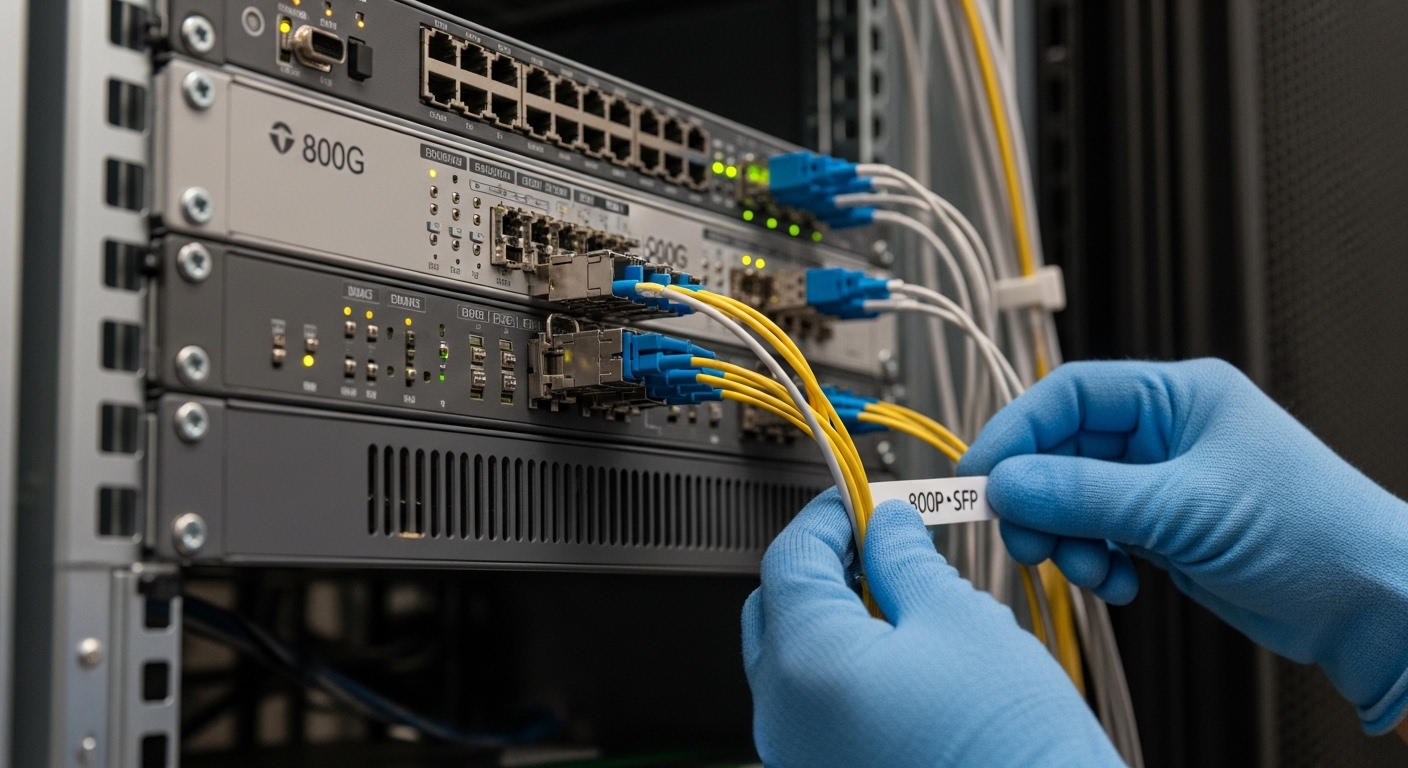
Optics and cabling choices that determine your real reach
For 800G infrastructure, the reach you can actually deliver depends on wavelength, fiber type, and whether you are using multimode or single-mode. Many enterprises aim for short reach inside buildings, then single-mode for campus or inter-building links. The selection is not only about “meters”; it also includes connector style, optical budget, and whether your patching approach keeps insertion loss within the vendor’s recommended range.
Common 800G optics options (what teams usually deploy)
In practice, enterprises most often use short-reach optics for data center spans and long-reach optics for campus. Typical examples include 800G SR8 (multimode) using ~850nm VCSEL/parallel optics, and 800G FR8/LR8/ER8 (single-mode) using different wavelengths such as ~1310nm or ~1550nm depending on the lane plan. Always confirm whether your switch expects specific form factors like OSFP or QSFP-DD and whether it supports the vendor’s transceiver firmware and DOM schema.
| Transceiver example (form factor) | Typical wavelength | Fiber type | Common reach class | Connector | Operating temperature range | Notes for 800G infrastructure planning |
|---|---|---|---|---|---|---|
| FS.com SFP-10GSR-85 (reference style example only) | 850 nm (SR family) | OM4/OM5 (multimode) | Up to ~150 m class for short links (varies by module) | LC (typical for SR) | 0 to 70 C (varies by vendor) | Use only as a familiarity reference; 800G modules are different form factors and lane counts. |
| Finisar FTLX8571D3BCL (example of vendor naming pattern) | 850 nm (SR naming pattern) | Multimode | Short reach (vendor-defined) | LC | 0 to 70 C (varies by vendor) | 800G SR8 modules exist, but verify exact part number for 800G and your switch compatibility matrix. |
| Cisco SFP-10G-SR (example naming) | 850 nm | Multimode | Short reach | LC | 0 to 70 C | Again, naming is illustrative. For 800G, you will likely use OSFP or QSFP-DD, not SFP. |
| Generic 800G SR8 (OSFP/QSFP-DD class) | ~850 nm | OM4/OM5 | ~70 to 150 m class (depends on module and fiber) | LC | 0 to 70 C typically | Ideal for in-rack and row-to-row patching; requires careful patch loss and MPO/MTP cleanliness. |
| Generic 800G FR8/LR8 (OSFP/QSFP-DD class) | ~1310 nm or ~1550 nm | Single-mode OS2 | ~2 km to 10 km and beyond (module-defined) | LC | -5 to 70 C or similar class (module-defined) | Better for campus and inter-building; needs careful fiber grading and end-to-end loss verification. |
Because part numbers vary by vendor, treat the table as a planning map, not a substitute for your switch vendor’s validated optics list. For authoritative compatibility guidance, rely on your specific switch model’s optics documentation and the transceiver datasheet for DOM behavior, optical budget, and temperature ratings. anchor-text: IEEE 802 overview and working groups
Fiber loss budgeting you can verify during a site walk
Before ordering optics, measure end-to-end loss with a calibrated OTDR or insertion-loss tester. For multimode SR, patch panels, adapter loss, and connector cleanliness can dominate the budget. For single-mode FR/LR, the key is overall attenuation plus splice quality across the route, not just a single “port-to-port” reading.
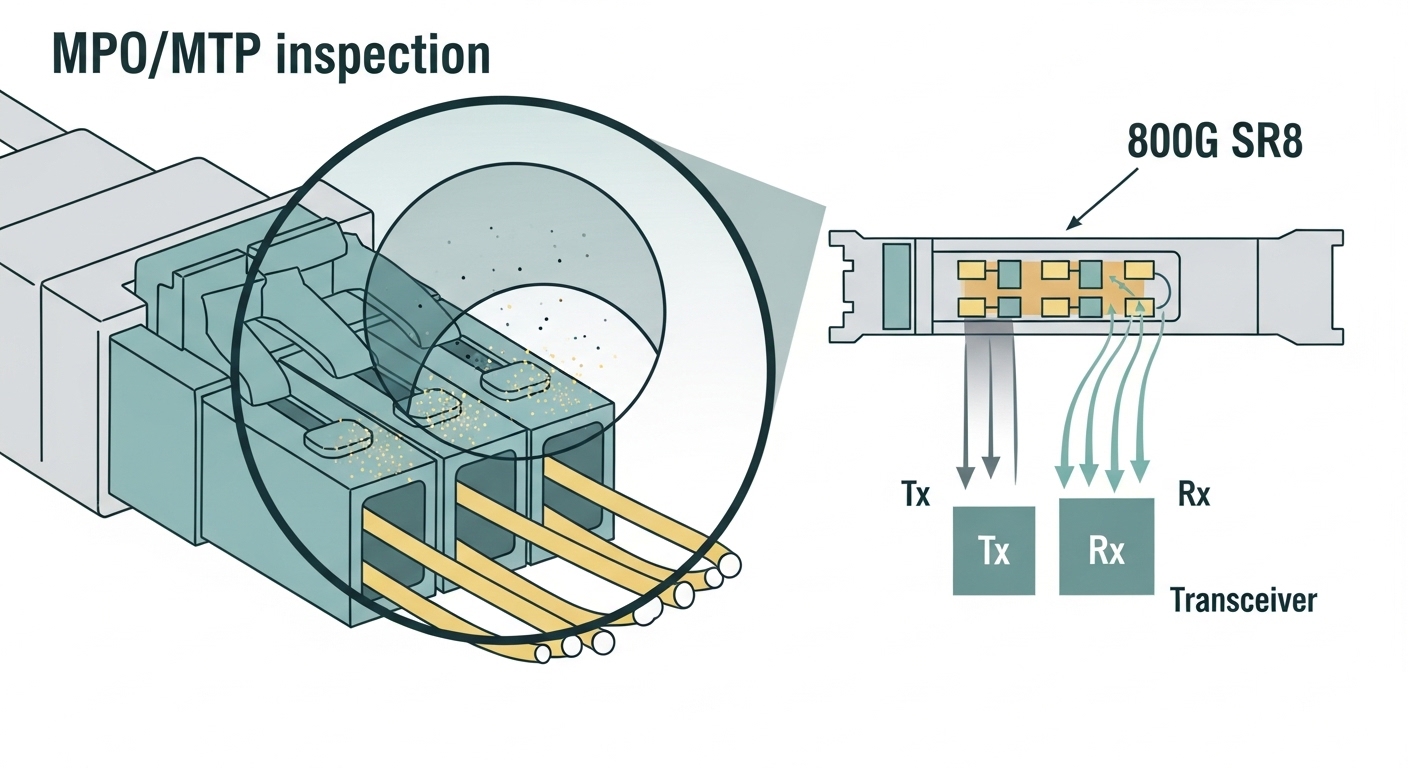
Selection criteria checklist for enterprise 800G infrastructure
When teams pick transceivers for 800G infrastructure, they usually succeed by following a consistent checklist rather than chasing “max reach” claims. Below is the exact ordered list I’ve used during deployments to reduce rework during the first cutover.
- Distance and reach class: Confirm the module’s validated reach for your exact fiber type (OM4 vs OM5, OS2 graded) and patching layout.
- Switch compatibility matrix: Validate the exact form factor and vendor part number support for your switch model and software release.
- DOM support and telemetry: Ensure the platform reads temperature, bias current, and optical power correctly; confirm alert thresholds and thresholds mapping.
- Operating temperature range: Compare module spec to your rack’s thermal environment and expected fan curve behavior.
- Power and PSU budget: Check switch power provisioning and optics power draw; verify you are not triggering power capping.
- Connector and cleaning process: For multimode MPO/MTP, plan for scope inspection and cleaning tools; budget time for re-cleaning.
- Budget and vendor lock-in risk: Compare OEM vs third-party pricing, but also factor return logistics, firmware quirks, and warranty constraints.
- Change management and rollback: Plan a fast rollback path (spare optics, spare jumpers, and known-good ports) for the cutover window.
Decision shortcuts that still hold up
If you are staying within the data hall for short moves, prioritize validated 800G SR8 options with strong DOM observability. If you have campus spans or uncertain routes, choose single-mode FR/LR optics and invest in end-to-end loss measurement. In both cases, align your patch panel strategy early so the cabling plant supports the required connector density and polarity handling.
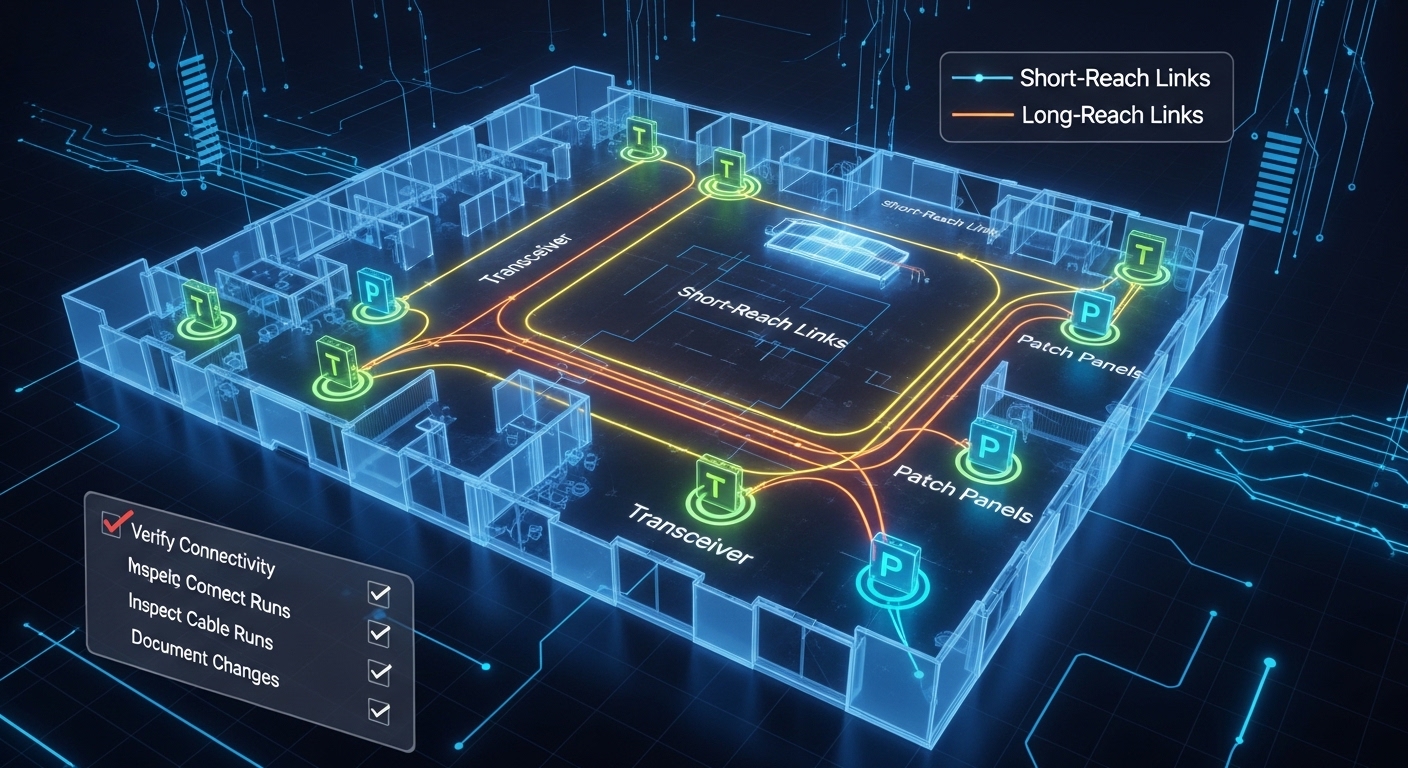
Common mistakes and troubleshooting patterns
Even careful teams hit predictable failures when 800G infrastructure goes live. Here are concrete pitfalls I’ve seen, including root causes and field fixes.
Link flaps after patch panel closure
Root cause: MPO/MTP connectors were not fully cleaned, or a dust film forms when panels are reseated. Solution: Use a fiber inspection scope on both ends, clean with lint-free wipes and approved cleaning method, then re-seat with controlled torque. Re-test at steady state after the rack door is closed to capture thermal effects.
“Link up” but high error counters
Root cause: Optical budget is marginal due to excess insertion loss, especially from adapter cascades or damaged jumpers. Solution: Measure insertion loss end-to-end, replace the worst jumper section, and reduce the number of patch points. For single-mode, confirm proper fiber type and check for mixed-grade fibers on the route.
DOM telemetry mismatch triggers alerts or blocks optics
Root cause: The optics reports DOM fields in a way the switch firmware doesn’t fully parse, or a transceiver is not validated for that software version. Solution: Upgrade switch software to the vendor-recommended release that supports your optics family, and confirm you are using the exact part number listed in the compatibility matrix.
Power capping causes intermittent performance drops
Root cause: Combined optics power draw pushes the switch into a power management mode, reducing performance or increasing latency under load. Solution: Recalculate PSU headroom, check for fan and airflow constraints, and rebalance which ports are populated during initial trials.
Cost and ROI considerations for 800G infrastructure
Pricing varies widely by form factor, reach class, and whether you buy OEM or third-party. In many enterprise markets, you might see OEM 800G optics priced in a range that can be roughly comparable to other high-speed pluggables, while third-party units often undercut upfront cost but may increase operational risk. For ROI, include total cost of ownership: module price, spares inventory, cleaning consumables, labor hours for validation, and expected failure/return logistics.
In a typical upgrade wave, teams reduce downtime by buying a small “golden set” of validated optics and jumpers. That golden set can cost more than a bulk purchase, but it prevents prolonged troubleshooting during cutover. Also consider that better DOM telemetry and validated compatibility reduce mean time to repair, which is often the largest hidden cost during migrations.
FAQ
What does “800G infrastructure” include besides the switches?
It includes optics, transceivers, patch panels, fiber jumpers, cleaning tools, and the operational practices for validation. It also includes switch software support for DOM telemetry and optics compatibility. Plan cabling and telemetry as first-class requirements, not afterthoughts.
Should we use multimode or single-mode for 800G?
Use multimode for short in-building distances when your fiber plant is OM4 or OM5 and your patch loss is controlled. Use single-mode for longer or uncertain routes, inter-building links, and when you need greater reach margin. Always verify the exact module’s validated reach with your fiber and patch topology.
How do we confirm a transceiver will work before the cutover?
Start with the switch vendor’s optics compatibility matrix and validate the exact part number for your software release. Then run a staged test: check DOM readings, confirm error counters stay within acceptable thresholds, and validate under normal load conditions. Finally, re-test after the patch panel is fully closed to capture thermal and mechanical effects.
What are the biggest causes of 800G link failures?
The most frequent causes are connector contamination, insufficient optical budget due to excess insertion loss, and optics/software incompatibility. Power and thermal constraints can also cause intermittent behavior that looks like “bad optics” but is actually a platform management issue.
Are third-party optics safe for 800G infrastructure deployments?
They can be viable, but you must validate them against your switch model, software release, and optics family behavior. Factor warranty terms, return turnaround, and DOM telemetry compatibility. For mission-critical links, keep a verified spare set to reduce downtime risk.
How much spares inventory should we plan for?
Common practice is to keep a small pool of validated spare optics and critical jumpers for each rack group or migration wave. The exact quantity depends on your risk tolerance, how many links you activate per window, and your ability to recover quickly. If you run frequent maintenance windows, spares can be smaller but more frequently rotated.
If you want a smooth migration, treat 800G infrastructure readiness as a system: optics selection, fiber loss budgeting, thermal and power checks, and compatibility validation. Next, review your end-to-end cabling plan with fiber optic cabling loss budgeting so your reach targets match what you can measure on site.
Author bio: I’m a field-focused photographer and technical writer who documents real data center migrations, from rack labeling to optics validation and thermal checks. I write from hands-on deployments, prioritizing measured outcomes, operational safety, and post-processing clarity.
