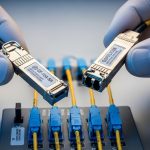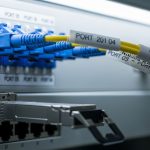
In leaf-spine data centers and metro aggregation sites, one UPS decision can make the difference between a clean failover and hours of link flaps. This article helps network reliability and facilities teams perform UPS selection for high-density optical environments where transceivers, optics cooling, and power quality interact. You will get a practical checklist, common failure modes, and a ranking to support ISO 9001 style verification and maintenance planning. Update date: 2026-04-30.
Top 8 UPS selection priorities for high-density optical sites
High-density optical networks stress power in three ways: continuous load from switch fabrics, sensitive power rails inside optics modules, and strict thermal margins in crowded racks. Start by treating your UPS like a reliability component with measurable inputs: input THD, output voltage regulation, transfer time, and battery aging rate. In practice, engineers often under-spec the UPS because they size for wattage only, ignoring crest factor, power factor, and temperature rise inside the UPS room.
- Output voltage regulation (tight tolerance reduces transceiver rail stress)
- Waveform quality for rectifier/inverter topologies
- Runtime at the actual load profile during partial shutdown events
- Battery type (VRLA vs Li-ion) and expected replacement cycle
- Thermal derating at high ambient and in sealed enclosures
- Maintenance bypass and serviceability to reduce downtime
- Surge and lightning protection coordination with upstream gear
- Monitoring integration via SNMP, dry contacts, and event logs
Best-fit scenario: A 2,000 m2 enterprise colocation hall with 60 to 80 kW per row where optics density peaks at 1.5 to 2.0 kW per rack group. In this setup, the UPS must handle both normal load and the transient behavior during generator start, while keeping the rack inlet temperature stable to protect transceiver lifetime.
Pros: Fewer transceiver resets, smoother failover, better maintenance control. Cons: Requires more measurement (load profile, ambient, power quality) and higher upfront cost for better regulation.
Top 7 runtime math checks that prevent false sizing
UPS selection fails most often when runtime is calculated from nameplate watts rather than the real load curve of your network. For optical environments, loads are not purely resistive: you have switch-mode power supplies, fan arrays, and sometimes inline optics that add board-level power spikes. Use the manufacturer runtime curves at your actual load percentage and account for battery temperature. A field engineer will validate with a short-duration load test and confirm that the UPS does not enter an undesirable battery discharge region.
Steps for reliable runtime verification
- Measure average and peak kW over at least 7 days using a meter; capture peaks during fan speed changes and link training events.
- Convert to UPS input/output loading considering UPS efficiency at your load point.
- Use the UPS datasheet runtime curve for your load level and battery temperature.
- Account for generator start time, typically 10 to 30 seconds, plus any ATS switching delays.
- Plan for end-of-life battery capacity: many sites assume 80% of original capacity at year 5 to 7 for VRLA without aggressive thermal control.
Best-fit scenario: A metro aggregation room with two 40 kW UPS strings (N+1), where generator runtime needs to cover 20 minutes until fuel logistics stabilizes. Runtime must be confirmed at 65% load, not just at 100% nameplate.
Pros: Avoids unexpected shutdown during extended outages. Cons: Requires metering, curve reading, and periodic re-validation.
Top 6 power quality specs that protect optics and switch PSUs
Optical transceivers rely on internal regulators, clocking, and high-speed signaling that can be sensitive to low-quality power. UPS output quality matters because it influences switch PSU behavior during battery operation and during transfers. IEEE and vendor documentation emphasize that UPS waveform quality, output voltage tolerance, and dynamic response affect downstream equipment reliability. For reference, see IEEE 802.3 for link behavior under power events, and vendor UPS application notes for waveform and transfer characteristics.
| UPS spec | What it means for optical racks | What to target | Why engineers care |
|---|---|---|---|
| Output voltage regulation | Stability for PSU rails feeding optics | Within about 1 to 2% | Reduces reset loops in sensitive management controllers |
| Output waveform | PSU input stress and fan control behavior | True sine wave preferred | Improves compatibility with high-efficiency switch PSUs |
| Transfer time | How long links see a power dip | 0 ms (online) or minimal | Minimizes transceiver DOM polling interruptions |
| Output THD | Distortion coupling into PSU input stage | Low THD per datasheet | Helps prevent PSU overheating and nuisance alarms |
| Input power factor and THD | Generator and upstream bus stability | Good PF, controlled THD | Reduces generator derating and upstream trips |
| Surge withstand | Lightning and switching transients | Coordinated with SPD plan | Protects both UPS and downstream PSUs |
Best-fit scenario: A fiber-rich rack with 96-port 10G and 400G uplinks where switches run at high utilization. Engineers observed that when output waveform quality was marginal, optics management processors logged intermittent I2C timeouts during battery operation. Upgrading to a topology with tighter regulation reduced those events.
Pros: Lower risk of optics management instability. Cons: Better power quality typically costs more and may require careful installation and grounding.
anchor-text: IEC reliability and power quality references
Top 5 battery choices and thermal constraints for rack-centered rooms
Battery selection is a core part of UPS selection because it drives runtime, maintenance intervals, and temperature behavior. VRLA batteries are common and predictable, but they age faster at elevated ambient. In optical network environments, you often have constrained airflow and high rack exhaust heat, so the UPS room HVAC and battery compartment thermal management become reliability-critical. Some operators choose lithium-ion UPS systems to reduce footprint and improve cycle life, but they must confirm compatibility with existing site safety and monitoring workflows.
Battery decision points
- VRLA lead-acid: Lower initial cost; higher maintenance planning; capacity fades faster with heat.
- Li-ion: Better cycle efficiency and often longer useful life; higher upfront cost; ensure vendor-approved settings and safety certifications.
- Battery temperature monitoring: Many failures trace to missing sensors or incorrect alarm thresholds.
- Ventilation and enclosure selection: UPS cabinets in tight aisles can cause thermal runaway risk if airflow is blocked.
Pro Tip: During acceptance tests, perform a controlled battery discharge at a mid-load point and record the UPS internal battery temperature sensor readings versus the room ambient. If the delta is consistently large, your runtime estimates will drift over time even if the UPS seems to “work” during outages.
Best-fit scenario: A dark fiber provider with an outdoor-adjacent UPS room where ambient can swing between 15 C and 30 C. They reduced unplanned battery replacements by tightening HVAC control and aligning battery temperature compensation settings with the vendor recommended curve.
Pros: Better life-cycle planning and fewer emergency replacements. Cons: Requires careful commissioning, sensor validation, and periodic capacity checks.
Top 4 topology and service model: online, modular, and maintainability
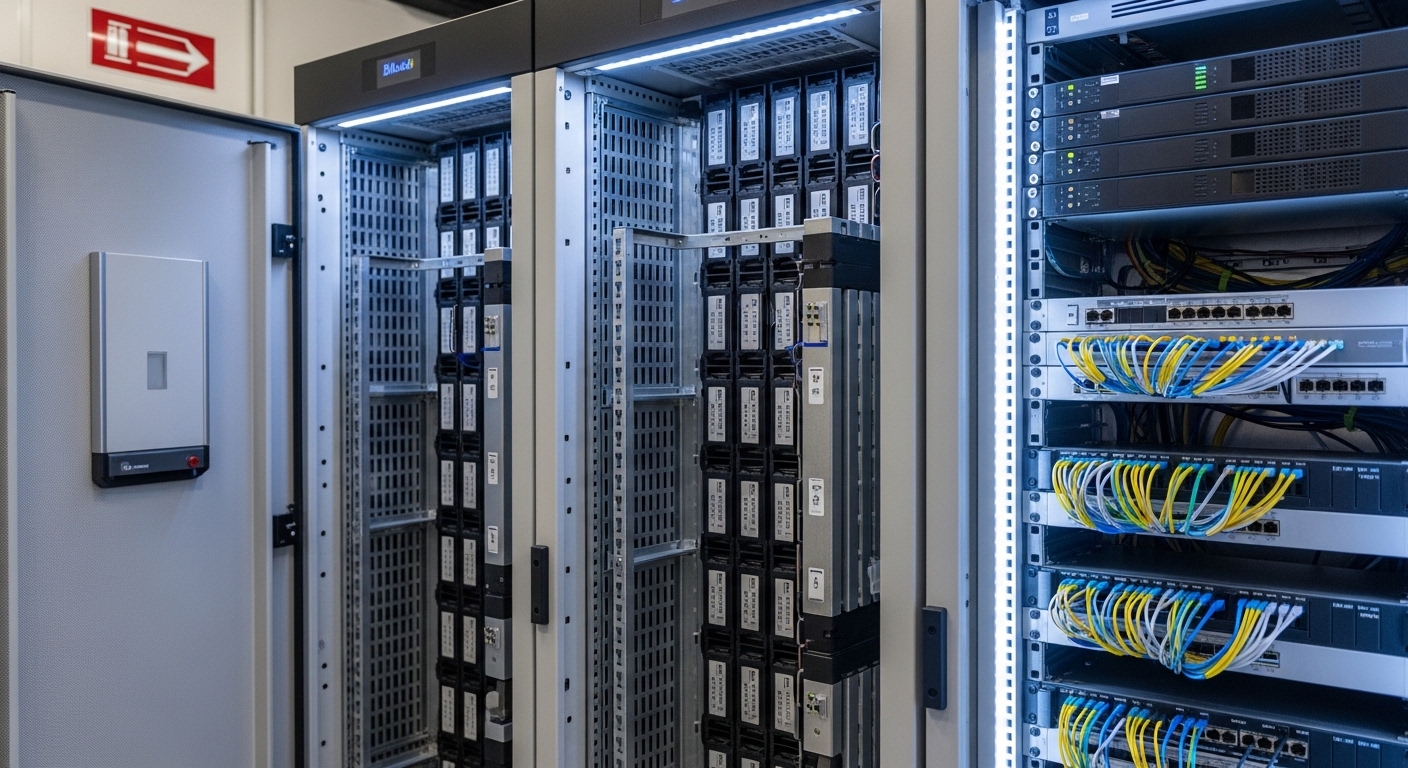
For high-density optical networks, topology affects both reliability and downtime during maintenance. Online double-conversion UPS systems typically offer the lowest transfer disturbance, while modular systems can reduce mean time to repair by isolating failed power modules. Engineers also plan for service bypass and maintenance windows: if you cannot service the UPS without risking the optical core, you are effectively buying downtime risk. In ISO 9001 terms, you want documented service procedures, traceable component swaps, and verification that the UPS configuration returns to within tolerance after maintenance.
Topology and service fit
- Online double-conversion: Best for minimizing voltage dips and transfer events.
- Modular UPS: Better for scaling and faster field replacement of power modules.
- N+1 vs 2N: Choose based on outage tolerance and maintenance policy.
Best-fit scenario: A 3-tier data center where the optical core runs 24/7 and link SLA penalties begin after 5 minutes of unavailability. The site adopted modular online UPS with N+1 capacity and maintenance bypass, reducing average maintenance downtime from 90 minutes to under 30 minutes during module swaps.
Pros: Easier maintenance, lower disturbance, improved MTTR. Cons: Complex configuration and higher cost for modular redundancy.
Top 3 compatibility checks with switches, optics, and monitoring
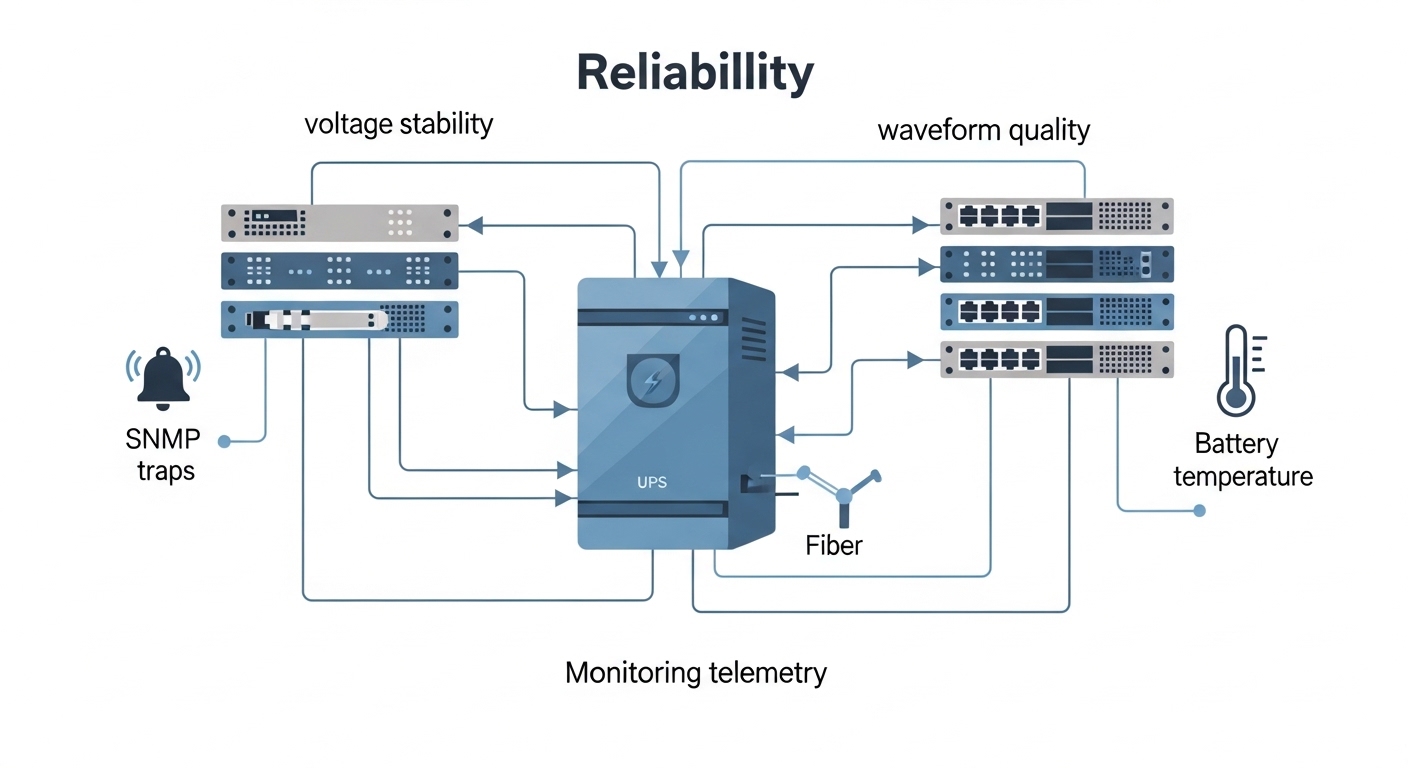
UPS selection is not only about the UPS; it is also about how it interacts with your network equipment and monitoring systems. Many modern switches and optical line cards support telemetry via SNMP and in-band management, and you want UPS telemetry to correlate with transceiver alarms. Confirm that your UPS provides compatible interfaces for event logging and that the transfer event is captured in a way your NMS can interpret. Also verify that the UPS output frequency and voltage settings match the switch PSU requirements, especially in regions with unstable utility frequency.
Checklist: what to verify before purchase
- Confirm UPS output voltage and frequency settings meet your switch and management controller specifications.
- Validate SNMP OIDs, trap formats, and event severity mapping to your NMS.
- Check for compatibility with your grounding scheme and site earthing standards.
- Review whether the UPS supports firmware updates with rollback and change control.
- Ensure that battery test modes do not violate your outage policy for optics management.
Best-fit scenario: A network operations center that correlates events using time-series logs. They required UPS event timestamps aligned within 1 second of switch telemetry so they could prove causality between battery transfer events and optics DOM polling gaps.
Pros: Faster root cause analysis and better operational reporting. Cons: More integration work during commissioning.
Top 2 common mistakes and troubleshooting patterns in UPS selection
Even well-sized UPS systems can fail reliability goals if configuration and environment are wrong. Below are concrete failure modes seen in field deployments, along with practical fixes and what to measure next.
Failure mode 1: Runtime shortfall at end-of-life
Root cause: Runtime was calculated at 100% rated load and a nominal ambient, but actual load is higher during storms and batteries aged warmer than expected. Battery temperature compensation was not aligned with the sensor location.
Solution: Recalculate runtime using the vendor curve at your measured load percent and measured battery temperature delta. Implement quarterly capacity trend checks and update the maintenance plan.
Failure mode 2: Nuisance alarms and optics management timeouts during transfer
Root cause: Output waveform or regulation tolerance did not match downstream PSU behavior, or the UPS was configured with an ECO mode that intermittently affects output quality.
Solution: Disable incompatible operating modes, enforce online double-conversion behavior for the optics core, and verify voltage regulation during transfer with a power quality meter.
Failure mode 3: Overheating due to blocked airflow in the UPS room
Root cause: UPS cabinets installed too close to walls or racks, with blocked intake paths. Optical rack exhaust increased ambient near battery compartments.
Solution: Perform an airflow audit, add baffles or adjust aisle clearance, and verify battery compartment temperature under steady-state and during load tests.
Pros: Faster fault isolation and fewer repeat incidents. Cons: Requires instrumentation and disciplined change control.
Top 1 cost and ROI considerations: what engineers should budget realistically
UPS selection is a total cost of ownership decision, not only an equipment quote. Typical price ranges vary widely by capacity and topology, but for enterprise deployments, a mid-range online UPS system can range from $10,000 to $60,000 for smaller single-cabinet configurations, while higher-capacity modular or 2N designs can reach $80,000 to $300,000+ depending on kW, battery strategy, and redundancy. Battery replacement and maintenance labor often dominate multi-year costs, especially in hot rooms.
ROI framing: If a 10-minute outage triggers SLA penalties or causes optical line cards to enter degraded states, the avoided downtime can justify better regulation and redundancy. Also consider that better power quality can reduce PSU overheating, which indirectly affects switch failure rates and optics replacement cycles.
OEM vs third-party: OEM batteries and firmware updates often reduce compatibility risk, while third-party options may reduce upfront cost but can increase integration and warranty disputes. For reliability programs, many operators prefer OEM-certified battery packs and documented firmware baselines.
Selection criteria decision checklist for UPS selection
Use this ordered checklist to avoid gaps between design intent and field behavior. It is designed for reliability teams that must document acceptance tests and maintain traceability.
- Distance to critical loads and distribution losses: confirm UPS output capacity at the actual rack group and PDU configuration.
- Distance and run time requirements: generator start time, ATS behavior, and required UPS holdover duration.
- Switch and optics compatibility: confirm PSU input requirements and avoid ECO modes that alter waveform behavior.
- DOM and monitoring support: ensure you can correlate UPS events with NMS telemetry and optics alarm logs.
- Operating temperature: validate thermal derating curves for UPS and battery compartments at local ambient.
- Vendor lock-in risk: review firmware update policy, warranty terms, and service parts lead times.
- Maintenance model: service bypass, modular replacement time, and documented MTTR targets.
- Surge coordination: ensure upstream SPD plan matches the UPS surge rating and installation grounding.
Summary ranking table: best UPS selection fit by optical environment
The ranking below is practical, not absolute. Use it as a starting point, then validate with your load profile, ambient conditions, and acceptance test results.
| Rank | UPS selection target | Best for | Key trade-off |
|---|---|---|---|
| 1 | Online double-conversion with tight voltage regulation | Core optical racks requiring minimal transfer disturbance | Higher efficiency losses vs standby modes |
| 2 | Modular online UPS with fast module swap | High availability networks with strict MTTR goals | More complex configuration and monitoring |
| 3 | Battery strategy matched to thermal reality | Hot rooms or variable ambient sites | Higher BOM if choosing Li-ion or improved HVAC |
| 4 | Runtime validated with measured load curves | Sites with generator delays or extended outages | Requires metering and periodic re-tests |
| 5 | Topology and bypass designed for service without optics downtime | Teams with frequent maintenance windows or upgrades | May require additional cabinets and space |
| 6 | Monitoring integration with NMS event correlation | Ops teams performing root cause analysis |