
When a deployment team brings up a SONiC-based switch and optics fail to link, the root cause is often not “bad fiber” but an incompatible SONiC transceiver profile, missing DOM support, or strict EEPROM parsing differences. This article helps network engineers and field technicians validate optics before rollout, troubleshoot link flaps after install, and choose modules that behave predictably across reboots.
How SONiC reads transceivers: EEPROM, standards, and DOM
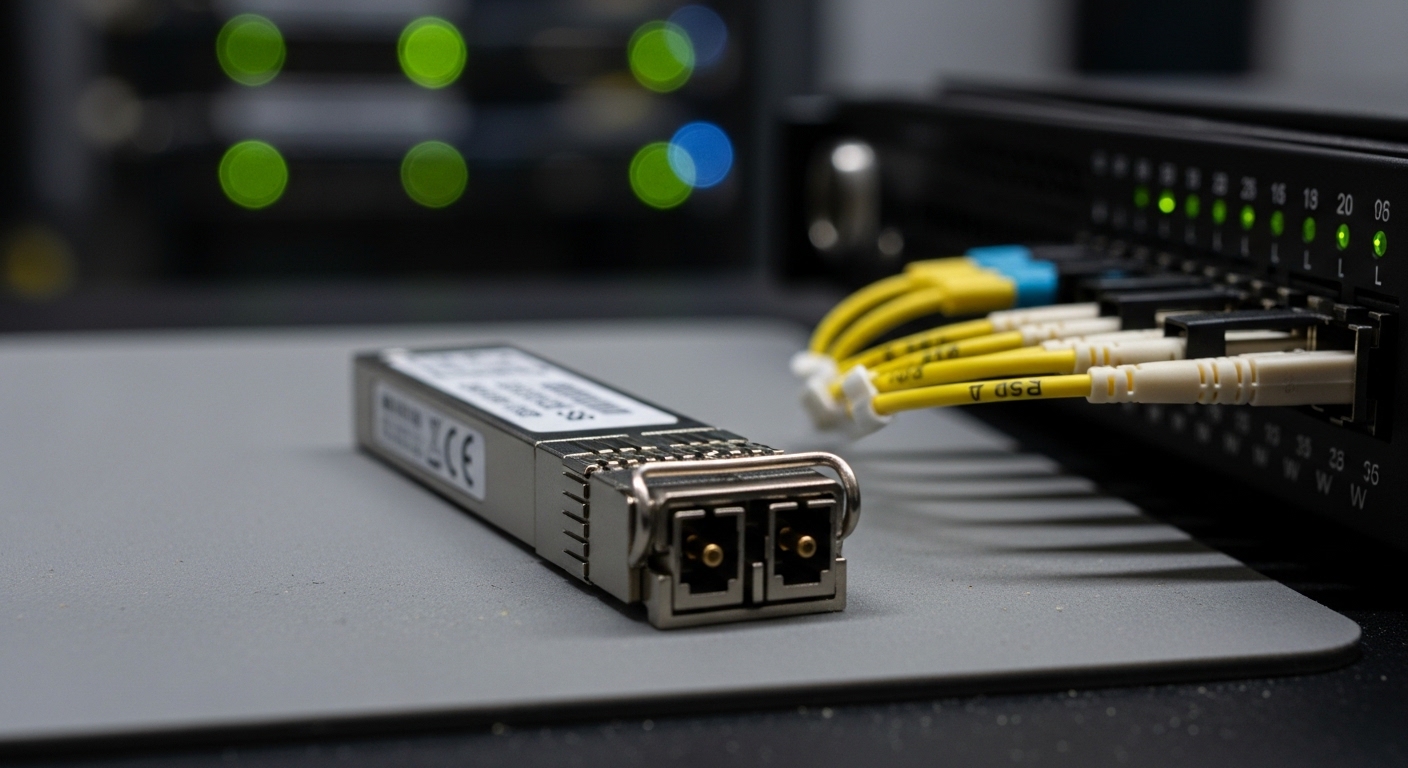
S ONiC Network OS relies on the switch ASIC and kernel drivers to interrogate pluggable transceivers. In most platforms, the module’s management data is stored in an EEPROM on the transceiver, commonly following industry conventions such as QSFP/SFP MSA layout and vendor-specific pages. DOM (Digital Optical Monitoring) fields like received power (Rx power), transmit power (Tx power), temperature, and bias current are then exposed to the OS via platform tooling.
In practice, SONiC compatibility hinges on whether the transceiver EEPROM contains recognizable identifiers and whether the platform driver accepts the DOM capability set. Engineers should assume that not all optics implement the same DOM field mapping, even when they advertise “MSA compliant.” For example, some vendors omit threshold fields or populate them with nonstandard scaling, which can cause SONiC to mark the module as present but unusable for certain telemetry consumers.
What to verify before you plug in
During pre-checks, confirm that your platform supports the module type you plan to deploy (SFP vs SFP28 vs QSFP+ vs QSFP28 vs OSFP, and speed/encoding). Then validate that the transceiver advertises the correct electrical interface and optical wavelength class for your optics budget. Finally, confirm DOM presence by checking whether SONiC can read EEPROM pages and export key sensors.
Authoritative expectations come from transceiver interface guidelines and Ethernet PHY needs. For Ethernet optical link behavior, IEEE 802.3 defines reach and signaling requirements, while transceiver MSA documents define EEPROM and management conventions. See [Source: IEEE 802.3] for optical PHY specifications and [Source: SFP/QSFP MSA documentation] for module EEPROM conventions. External references: IEEE 802.3 and QSFP MSA
Pro Tip: In the field, “module detected” is not the same as “module usable.” Many teams only look for link up, but a SONiC transceiver can load with partial DOM or mismatched identifier pages; that can later trigger interface resets during temperature swings or after a warm reboot.
Compatibility checklist: SONiC transceiver selection that survives reboots
Use an ordered decision checklist so you can justify acceptance criteria during change control. This prevents “works on my bench” optics from failing after the first maintenance window or after a cold start.
- Distance and link budget: match your transceiver reach to fiber plant loss. Use vendor-recommended receive power ranges and worst-case link loss.
- Data rate and lane mapping: confirm the module is designed for the switch’s expected interface (for example 10G SR uses different lane expectations than 25G SR).
- Switch compatibility: verify the module is supported by the specific SONiC platform build and transceiver driver in that release.
- DOM and EEPROM behavior: confirm SONiC reads temperature, Tx/Rx power, and vendor ID fields without errors.
- Operating temperature: ensure the module’s specified range matches your enclosure airflow and ambient conditions (especially in hot aisles).
- Vendor lock-in risk: evaluate whether you can source from multiple vendors with consistent EEPROM/DOM behavior to avoid future supply disruptions.
- Change-management plan: pin transceiver part numbers and maintain a tested spares list; avoid mixing revisions across sites.
Minimum acceptance criteria for rollout
Before you approve optics for a production rollout, require a short validation cycle. For each transceiver part number, test cold-start link up, warm reboot behavior, and DOM telemetry readability for at least temperature and Rx power. If your monitoring stack alarms on missing thresholds, validate that the thresholds are present and scaled correctly.
Key specs that matter: wavelength, reach, power, and connector
Even when the SONiC transceiver is “compatible,” incorrect optics specs can still cause unstable links, especially with marginal receive power. The table below compares common enterprise and data center optics characteristics you should align with your fiber plant.
| Spec | 10G SR (Typical) | 25G SR (Typical) | 40G SR4 (Typical) |
|---|---|---|---|
| Wavelength | 850 nm (MMF) | 850 nm (MMF) | 850 nm (MMF) |
| Reach (rated) | Up to 300 m (OM3) / 400 m (OM4) | Up to 100 m (OM3) / 150 m (OM4) | Up to 100 m (OM3) / 150 m (OM4) |
| Connector | LC duplex | LC duplex | MPO-12 (SR4) |
| DOM / telemetry | Temperature, Tx/Rx power (varies by vendor) | Temperature, Tx/Rx power (varies by vendor) | Temperature, per-lane power (varies by vendor) |
| Operating temperature | Typically 0 to 70 C or wider depending on module class | Typically 0 to 70 C or wider depending on module class | Typically 0 to 70 C or wider depending on module class |
| Compatibility risk | DOM scaling and EEPROM pages vary | Lane mapping and DOM thresholds may differ | MPO polarity and DOM per-lane parsing issues |
For concrete part-number examples used in Ethernet networks, teams often source from OEM or reputable third parties. Examples include Cisco-compatible optics like Cisco SFP-10G-SR, and third-party models such as Finisar FTLX8571D3BCL and FS.com SFP-10GSR-85. Always confirm that the exact part number revision is validated with your SONiC platform release, because DOM field behavior can change across production lots.
Real-world SONiC deployment scenario: leaf-spine with strict optics telemetry
Consider a 3-tier data center leaf-spine topology with 48-port 10G ToR switches using SONiC, paired to spine switches over 10G SR links. The environment uses OM4 fiber with an engineered worst-case link loss of 2.8 dB at patch panel connections, and the operations team requires DOM telemetry to feed a threshold-based alerting system for Rx power and temperature. Each leaf has 24 uplinks (LC duplex) to two spines and 24 downlinks to servers, totaling 96 optics per leaf.
During a phased rollout, the team first deploys OEM optics in one pod to establish telemetry baselines. In the second pod, they swap in a third-party SONiC transceiver model with the same nominal 850 nm SR spec. Link up succeeds, but after a warm reboot window, several ports flap because Rx power thresholds are missing or scaled differently, causing the monitoring system to trigger maintenance actions. The fix is not fiber replacement; it is updating the transceiver part number to one whose EEPROM DOM fields match the platform driver expectations and whose DOM thresholds are populated consistently.
Common mistakes and troubleshooting that actually saves time
Optics issues are rarely random. Below are frequent failure modes engineers see when rolling out a SONiC transceiver fleet.
“Link up” but interface resets after reboot
Root cause: DOM parsing or EEPROM page mismatch causes the driver to mis-handle module state during initialization, especially after warm restart. Solution: validate that SONiC can read required EEPROM pages and DOM sensors immediately after cold and warm boots, then standardize on a validated part number revision.
Rx power alarms without any physical fiber change
Root cause: vendor-specific scaling or missing threshold fields lead to incorrect interpretation of Rx power values. Solution: compare telemetry readings against a known-good baseline module and adjust monitoring thresholds or replace optics with consistent DOM implementations.
Works in the lab, fails in a hot aisle
Root cause: temperature rating mismatch or insufficient airflow around the module causes bias current drift and optical output reduction. Solution: measure ambient and module cage temperature under load, then ensure optics meet the required operating range; also verify the switch’s airflow path is unobstructed.
MPO polarity errors masquerading as “SONiC incompatibility”
Root cause: SR4 MPO polarity and fiber harness orientation can be wrong, producing low optical power even though the module is detected. Solution: verify MPO polarity labeling and test with a known-good polarity patch harness before changing transceiver models.
Cost and ROI: OEM vs third-party optics under SONiC
Pricing varies widely by speed and reach, but typical procurement ranges for optics in production networks often land in the tens of USD for common 10G SR modules (OEM often higher) and higher for faster or longer-reach variants. Third-party optics can reduce capex, yet you must account for operational costs: failed port brings-ups, increased truck rolls, and time spent validating DOM telemetry compatibility with your SONiC release.
From a TCO perspective, the ROI comes from reliable spares and predictable telemetry. OEM optics may cost more but can have lower failure rates in high-volume deployments because they are tightly validated for the target ecosystem. Third-party optics can be cost-effective when you standardize on a validated part number and keep a controlled inventory; otherwise, the labor cost of troubleshooting inconsistent EEPROM behavior can erase the initial savings.
For additional context on optical performance constraints, reference vendor datasheets and IEEE PHY requirements. [Source: IEEE 802.3] and vendor transceiver datasheets provide receive power and DOM capabilities guidance.
FAQ: SONiC transceiver compatibility questions engineers ask
Which transceiver types are most reliable on SONiC?
Reliability usually comes from using module families that are explicitly validated by the platform vendor or community with your specific SONiC build. In practice, many teams start with OEM or a limited set of third-party models that have consistent EEPROM/DOM behavior and then expand only after telemetry baselines are proven.
How can I tell if DOM will work before rollout?
Validate by reading module presence and key DOM sensors immediately after cold start and warm reboot. If your monitoring system depends on thresholds, confirm they are present and correctly scaled, not just that temperature and Rx power values appear.
Can I mix transceiver vendors in the same switch?
You can, but you should only mix if the part numbers are validated to behave consistently with SONiC’s driver expectations. The main risk is inconsistent DOM field mapping or threshold population, which can cause alarms, resets, or telemetry gaps.
Why do I see link flaps only at higher temperature?
Thermal effects can change laser bias and output, pushing Rx power near sensitivity limits. Confirm module operating temperature range, verify airflow, and check whether DOM shows bias current or Tx power drift correlated with the flaps.
What should I check first when a module is detected but traffic does not pass?
Start with fiber polarity and connector cleanliness, then verify that the optics match the expected speed and interface type. Next, validate DOM readings and check for driver warnings that indicate EEPROM parsing or DOM capability mismatch.
Does IEEE 802.3 guarantee transceiver compatibility with SONiC?
IEEE 802.3 defines optical PHY behavior and performance targets, but it does not fully standardize EEPROM DOM field implementations across vendors. SONiC compatibility depends on both PHY correctness and how the platform driver interprets module management data.
If you want to reduce rollout risk, treat SONiC transceiver validation as a repeatable acceptance test: confirm EEPROM/DOM readability, verify telemetry baselines, and lock part numbers per site. Next, review transceiver DOM troubleshooting to build a faster diagnostic path for missing sensors and threshold-driven alarms.
Author bio: I have deployed SONiC-based switching in multi-site data centers, validating optics with DOM telemetry and reboot behavior across production change windows. I also work with field teams to pinpoint EEPROM parsing and optical budget issues using vendor datasheets and IEEE PHY expectations.
