
If you run a WLCG or OSG site, a mismatched SFP can silently throttle performance, trigger link flaps, or fail optical checks during maintenance windows. This guide helps network engineers and site leads choose a WLCG fiber transceiver for SFP-based switches, validate optics against IEEE expectations, and deploy with predictable operations. You will get a step-by-step implementation plan, a decision checklist, and troubleshooting patterns from real deployments.
Prerequisites and scope for WLCG SFP deployments
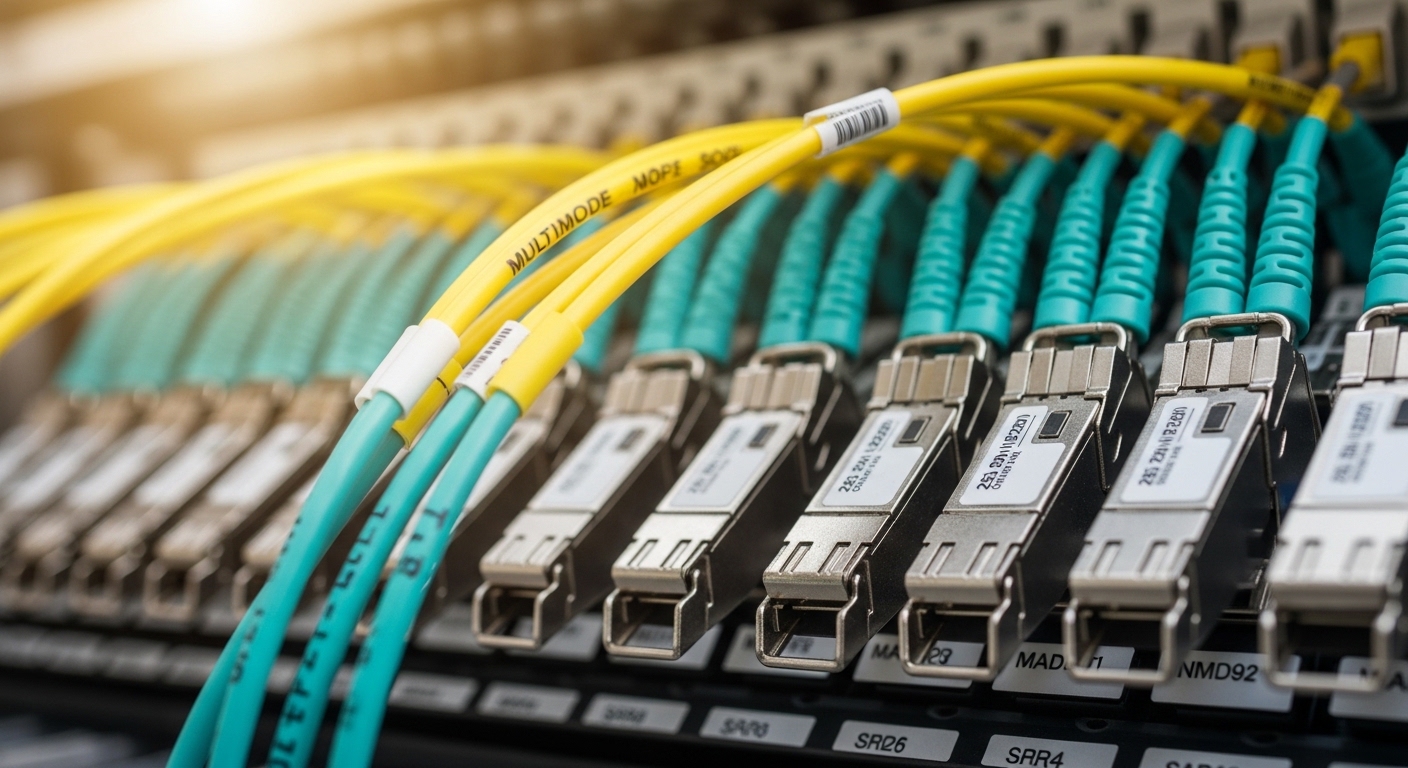
Before you touch optics, confirm the electrical and optical expectations of your switch ports and the fiber plant. For WLCG-style networks, you typically standardize on Ethernet over fiber with SFP (not SFP+), and you must align data rate, lane encoding, and connector type. This article targets sites using SFP ports at 1G (most legacy WLCG edge) and 10G (common leaf/spine edge aggregation), plus single-mode or multi-mode fiber depending on campus distance.
Operationally, plan the change window to include link verification after module insertion, plus one additional validation pass 12 to 24 hours later to catch marginal optics. Use your network monitoring system (SNMP/telemetry) to capture interface counters, optical DOM readings, and link state transitions.
Step-by-step: choose the right WLCG fiber transceiver
Identify the port and link speed requirements
On each switch model and interface, record port speed, optics type, and any vendor-specific restrictions. If you are standardizing on Cisco, Arista, Juniper, or similar platforms, note whether the port is hard-coded to 1GBASE-SX, 10GBASE-SR, or supports multiple modes with auto-negotiation. WLCG sites often run a mix of server access and aggregation, so you may need separate part numbers for short-reach vs long-reach.
Expected outcome: A short list of candidate transceiver families that match the switch port electrical spec and the intended Ethernet standard.
Match fiber type, wavelength, and reach to the actual plant
Use fiber records (as-builts, splice maps) to confirm whether you have OM3/OM4 multi-mode or OS2 single-mode. Then align wavelength and reach to the fiber and budget your site uses. In practice, a 10G short-reach design may work in the lab but fail after aging or connector contamination because the link budget is tight.
For example, typical targets include:
- 850 nm for multi-mode short reach (10GBASE-SR)
- 1310 nm for single-mode short/medium reach (10GBASE-LR)
- 1550 nm for long reach (10GBASE-ER or DWDM solutions)
Expected outcome: A mapping from each fiber run to a specific standard class (SR/LR/ER) and wavelength band.
Select connector and physical compatibility (SFP cage rules)
Confirm the connector standard: LC vs SC and whether your patch panels and jumpers are already standardized. Many WLCG sites use LC duplex for fiber transceivers, but legacy campus wiring may use SC or other formats. Also verify that the switch supports the transceiver type in its compatibility list; vendor firmware can reject unsupported DOM implementations even if the optical wavelength matches.
Expected outcome: A transceiver that physically seats correctly and is recognized by the switch without “unsupported” DOM or vendor ID warnings.
Validate DOM support and optical safety expectations
For SFP optics, confirm Digital Optical Monitoring (DOM) availability and that the switch reads Tx power, Rx power, bias current, and temperature. DOM does not guarantee link quality, but it provides the observability needed to detect drift. For safety, ensure the module class is appropriate for your environment and follow your site’s laser handling procedures.
Expected outcome: DOM fields visible in your monitoring dashboard and consistent baseline values after insertion.
Pick a concrete part number and document it
Choose either OEM modules (tighter compatibility, higher cost) or third-party modules (lower cost, but require more validation). Record the exact model number and DOM behavior. Examples of commonly used optics in the field include:
- Cisco-style 10G SR optics such as Cisco SFP-10G-SR (platform-dependent)
- Finisar parts like FTLX8571D3BCL (10GBASE-SR family, multi-source varies by site)
- FS.com equivalents such as FS SFP-10GSR-85 (verify exact reach and DOM variant)
Expected outcome: A controlled bill of materials (BOM) where each link run is assigned an exact transceiver SKU.
Pro Tip: In WLCG sites, the fastest way to prevent recurring link flaps is not “buying cheaper optics,” but setting a baseline for DOM thresholds. Capture Tx/Rx power and temperature for the first 24 hours after installation, then alarm on deviation beyond your normal aging curve rather than only on link state changes.
Key specifications to compare before you commit
Engineers often compare only wavelength and reach, but for WLCG fiber transceiver selection you must also consider connector type, data rate class, DOM/monitoring support, operating temperature range, and optical power levels. The table below is a practical comparison between common SFP categories used in scientific grid deployments.
| Parameter | 10GBASE-SR (850 nm, MM) | 10GBASE-LR (1310 nm, SM) | 1GBASE-SX (850 nm, MM) |
|---|---|---|---|
| Typical wavelength | 840 to 860 nm | 1260 to 1360 nm | 770 to 860 nm |
| Typical reach class | Up to 300 m on OM3/OM4 (varies by module spec) | Up to 10 km (varies by module spec) | Up to 550 m on OM2/OM3 (varies by spec) |
| Connector | Commonly LC duplex | Commonly LC duplex | Commonly LC duplex |
| DOM monitoring | Often supported (check SKU) | Often supported (check SKU) | Often supported (check SKU) |
| Operating temperature | Commercial: 0 to 70 C or Industrial: -40 to 85 C (verify) | Commercial or Industrial (verify) | Commercial or Industrial (verify) |
| Common failure sensitivity | Fiber cleanliness, patch panel damage, MM budget margin | Connector contamination, SM splice loss, long-run attenuation | Dirty connectors; marginal MM budget |
Build vs buy: OEM vs third-party WLCG fiber transceiver strategy
For WLCG fiber transceiver procurement, the trade-off is compatibility assurance versus cost and inventory flexibility. OEM modules often ship with tighter firmware integration and predictable DOM behavior, which reduces time-to-service during urgent incidents. Third-party modules can be significantly cheaper, but you must validate them across your switch models and firmware versions.
Decision criteria checklist
- Distance and standard alignment: SR vs LR vs ER class, plus fiber type OM3/OM4 vs OS2.
- Switch compatibility: consult vendor compatibility lists and test on the exact switch model/firmware.
- DOM support and monitoring: ensure the switch can read DOM fields without errors.
- Operating temperature: pick industrial grade if optics sit near hot aisles or in out-of-spec enclosures.
- Budget and connector cleanliness: account for insertion loss, splice loss, and expected aging.
- Vendor lock-in risk: evaluate whether module SKUs will be discontinued and whether you can multi-source.
- Lifecycle and warranty: compare RMA terms, lead times, and failure handling SLAs.
Cost & ROI note for WLCG sites
Realistic pricing varies by region and volume, but a typical SFP optics range is roughly $20 to $80 for common short-reach parts and $60 to $200+ for long-reach or industrial-grade variants. OEM modules can be 1.5x to 3x more expensive, yet they may reduce troubleshooting hours and reduce the probability of “works in one switch, fails in another” surprises. For ROI, include the labor cost of validation and any downtime risk; a single failed optic in a critical aggregation path can exceed the price delta between OEM and third-party.
Deployment workflow: validate optics like a field engineer
After you select the module SKU, treat insertion as a controlled change with measurable checks. The goal is to confirm electrical link stability and optical power levels immediately and after thermal settling.
Pre-clean and inspect connectors
Use lint-free wipes and approved cleaning tools for LC connectors. If your site uses APC vs UPC cleaning conventions, follow them strictly. Dirty connectors are the most common root cause of marginal Rx power and link instability in the field.
Expected outcome: No visible contamination risk and a consistent baseline for Rx power.
Insert and verify link state
Insert the transceiver, then validate that the interface comes up and remains stable under normal traffic. Capture interface counters and confirm that there are no recurring CRC errors, runts, or excessive optical alarms.
Expected outcome: Link up state with stable counters over at least 30 to 60 minutes of baseline traffic.
Read DOM values and set alerts
Query DOM readings (Tx power, Rx power, bias current, temperature) and record them in your change ticket. Set alerts for out-of-family values rather than absolute thresholds only; optical aging can shift Tx/Rx over months. If your monitoring stack supports it, correlate DOM trends with error counters.
Expected outcome: A measurable optical baseline and alert thresholds aligned to your operational history.
Common mistakes and troubleshooting for WLCG fiber transceiver issues
When optics fail, the symptoms can look like congestion, spanning-tree events, or firmware bugs. Use a structured approach: verify optics, verify fiber path, then verify switch configuration.
Failure point 1: Link flaps or frequent link down/up cycles
Root cause: Dirty LC connectors, damaged patch cords, or a marginal optical power budget (especially on multi-mode SR). Thermal cycling can worsen the situation. Solution: clean connectors, replace jumpers, and compare Rx power against the module datasheet’s recommended operating range. If you have spare modules, A/B test with known-good optics.
Failure point 2: Interface comes up but traffic shows high CRC or errors
Root cause: Fiber mismatch (OM2 vs OM3/OM4), wrong standard (SR vs LR), or excessive attenuation from dirty splices. Another frequent issue is a transceiver/switch compatibility mismatch that produces subtle signal integrity degradation. Solution: confirm fiber type in the splice map, run an optical power measurement with an optical power meter, and validate the module in the same port with a different vendor SKU that is known compatible.
Failure point 3: No DOM readings or “unsupported module” alerts
Root cause: Third-party DOM implementation differences, firmware incompatibility, or selecting a module grade not supported by the switch platform. Solution: check the switch vendor compatibility list, update switch firmware if your change policy allows it, and standardize on a DOM-compatible module line for that switch family.
FAQ: WLCG fiber transceiver questions engineers ask before purchase
What is the most important spec for a WLCG fiber transceiver?
Start with the Ethernet standard class (SR vs LR vs ER) and the fiber type (OM3/OM4 vs OS2), because that determines the optical budget. Then verify connector type and DOM support so you can monitor Tx/Rx power and detect drift early.
Can I use auto-negotiation with fiber SFPs in a grid network?
Most SFP Ethernet links negotiate at the Ethernet layer, but the optical physical layer still must match the port’s expected standard. In practice, engineers standardize speeds and disable unnecessary negotiation to reduce variability during incidents.
How do I know whether a third-party SFP will work reliably?
Use your switch vendor compatibility list, then validate with a controlled A/B test on the exact switch model and firmware. Monitor DOM and error counters for at least a day, and include a connector cleaning step before testing to avoid false negatives.
What DOM readings should I baseline for long-term operations?
Capture Tx power, Rx power, bias current, and temperature right after installation and again after thermal stabilization. Set alerts on deviations from your baseline rather than only on absolute values, because modules age and environmental conditions vary across racks.
Are industrial temperature SFPs worth it in data centers?
If optics are exposed to hot aisles, adjacent high-power equipment, or inconsistent cooling, industrial grade can reduce early failures. If your environment is tightly controlled, commercial grade may be sufficient, but you should still validate by reading DOM temperature under load.
How should I plan spares for a WLCG site?
Maintain a small pool of known-good modules per switch model and per standard class (for example, one SR family and one LR family). Track RMA rates and lead times; if a vendor has long replenishment windows, multi-source becomes part of your resilience plan.
Choosing the right WLCG fiber transceiver is mostly about matching the fiber plant to the optical standard, then validating with DOM and monitoring so you can prevent repeat incidents. Next, align your change process and documentation with WLCG network change management to reduce downtime during maintenance windows.
Author bio: I have deployed and operated fiber-based Ethernet links for scientific and research networks, including leaf-spine edge aggregation and campus interconnects. I focus on optics selection, DOM observability, and reducing tech debt in heterogeneous switch fleets.
