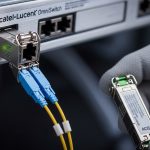
When a SCADA network must move Modbus TCP data over fiber, procurement mistakes can cause silent link instability, long troubleshooting cycles, and unplanned spares. This article compares SCADA fiber transceiver options for Modbus TCP over fiber, focusing on SFP-class modules, what to verify before purchase, and how to reduce supply chain risk. It is written for engineers and procurement leads who need to match optics to switch compatibility, distance, and operating environment without guesswork.
SCADA link requirements: what Modbus TCP over fiber really stresses
Modbus TCP is tolerant of some latency variation, but it is sensitive to link flaps, excessive retransmissions, and inconsistent physical-layer behavior. In practice, the physical layer is where most field issues begin: marginal optical power, temperature drift, dirty connectors, or vendor-specific DOM telemetry quirks. IEEE 802.3 defines the Ethernet physical coding and optical interfaces, while vendor datasheets define the module’s electrical/optical operating limits and diagnostics behavior. For SCADA fiber transceiver procurement, treat “works in the lab” as a starting point, not a guarantee.
Key parameters that affect SCADA traffic stability
Reach and budget: For SFP Ethernet optics, you must confirm the link budget using transmit power, receiver sensitivity, and worst-case attenuation. Optical connector type (LC vs SC) and cleanliness dominate failure rates in industrial sites. Temperature range matters because SCADA enclosures often see wide day/night swings; industrial-rated optics typically support -40 C to +85 C or similar. Finally, DOM support can be critical for predictive maintenance in remote substations and plants.
SFP optics head-to-head: typical SCADA fiber transceiver choices
Most Modbus TCP over fiber rollouts using SFP modules fall into short-reach multimode (MMF) or long-reach single-mode (SMF) categories. Procurement teams often standardize on one family to reduce spares complexity, but the “right” family depends on distance, cabling already installed, and how aggressively you want to monitor link health. Below is a practical comparison using common, field-deployed module families and the constraints engineers verify in acceptance tests.

Technical specifications comparison table
| Option (SFP class) | Typical wavelength | Fiber type | Common reach | Connector | Data rate | DOM / diagnostics | Operating temperature |
|---|---|---|---|---|---|---|---|
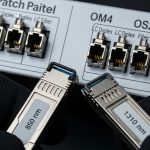
| 10G SR (multimode) | 850 nm | OM3/OM4 MMF | Up to 300 m (varies by budget) | LC | 10G Ethernet | Usually available (vendor dependent) | Commercial to industrial variants |
| 10G LR (single-mode) | 1310 nm | OS2 SMF | Up to 10 km | LC | 10G Ethernet | Usually available (vendor dependent) | Industrial variants common |
| 1G SX (multimode) | 850 nm | OM2/OM3/OM4 MMF | Up to 550 m (OM3) | LC | 1G Ethernet | Often available | Commercial or industrial options |
| 1G LX (single-mode) | 1310 nm | OS2 SMF | Up to 10 km | LC | 1G Ethernet | Often available | Industrial options available |
Concrete module examples engineers commonly source
Exact part numbers vary by switch vendor and compliance program, but you will see patterns like Cisco SFP-10G-SR, Finisar FTLX8571D3BCL, and FS.com SFP-10GSR-85 in real procurement catalogs. For single-mode, common families include 10G LR/ER optics at 1310/1550 nm depending on reach. Always compare against the switch transceiver compatibility list and confirm the optics meet the host’s required optical power and electrical interface.
Pro Tip: In industrial acceptance testing, measure optical receive power at the switch after burn-in, not just “link up” status. If you record the receive level and DOM thresholds on day one, you can spot slow connector contamination or fiber micro-bends long before SCADA operators report intermittent polling delays.
Cost and lead time: OEM SFP vs third-party optics for SCADA
Procurement decisions for SCADA fiber transceiver units are rarely about just unit price; they are about total installed cost, spares strategy, and lead time risk. OEM modules often carry higher per-unit cost but may be easier to qualify with strict host firmware and transceiver validation. Third-party optics can reduce purchase cost, but you must validate compatibility, DOM behavior, and return/repair pathways.
What budgets usually look like in the field
Typical purchase ranges (varies heavily by region, volume, and lead time): 1G SX/SX-MMF modules often land in the lower hundreds of dollars, while 10G SR and 10G LR modules can be higher. Third-party optics frequently undercut OEM by a meaningful margin, but you should account for the engineering time spent on compatibility testing and the operational cost of delayed spares. For SCADA, where downtime can affect safety or regulatory reporting, a small premium for predictable compatibility can be ROI-positive.
TCO factors beyond price
Include power consumption, expected failure rate, warranty terms, and shipping/expedite costs. Also factor the “supply chain friction” cost: if you standardize on a single third-party vendor but they change a sub-component revision, you may see DOM telemetry differences or marginal optical behavior in cold weather. Vendor datasheets and host switch release notes should be treated as part of the procurement package. [Source: IEEE 802.3 Ethernet physical layer overview and vendor module datasheets]
Compatibility and supply chain risk: how to avoid “it linked once” problems
Compatibility issues are the most common root cause of SCADA fiber transceiver failures that appear intermittent. Some switches enforce transceiver vendor ID checks or require specific DOM implementations; others are tolerant but still differ in how they report alarm/warning thresholds. Additionally, supply chain risk is not only about availability; it is about consistency across batches.
Decision matrix: procurement tradeoffs you can score
| Factor | OEM SFP | Third-party SFP | How to mitigate risk |
|---|---|---|---|
| Switch compatibility | High likelihood | Variable by host firmware | Use vendor compatibility lists; run a staged pilot |
| DOM telemetry consistency | Usually predictable | May differ in thresholds/format | Validate alarm/warning mapping in your monitoring system |
| Lead time | Often stable, sometimes slower | Can be faster but uncertain | Carry approved alternates and buffer spares |
| Unit cost | Higher | Lower | Compare 3-year installed cost, not purchase price |
| Supply chain continuity | More consistent revisions | Batch-to-batch variation risk | Lock ordering specs and require revision transparency |
| Warranty and RMA | Clear process | Varies; confirm turnaround | Request RMA SLAs and test/replace policies |
Selection criteria checklist for SCADA fiber transceiver procurement
Use this ordered checklist during RFQ review and technical bid comparison. It mirrors what field teams verify during installation and what procurement teams should require from suppliers.
- Distance and fiber type: Confirm MMF vs SMF, link length, and fiber grade (OM3/OM4 vs OS2). Recalculate link budget with worst-case attenuation.
- Switch compatibility: Check the exact switch model and firmware release. Verify the optics are compatible with the host’s transceiver validation policy.
- Data rate and Ethernet mode: Ensure the module matches the port speed (1G vs 10G) and expected link negotiation behavior.
- DOM and monitoring integration: Confirm whether your NMS polls DOM values and whether alarms/warnings map correctly.
- Operating temperature and enclosure realities: Require industrial temperature rating if the site exceeds commercial limits. Confirm derating guidance.
- Connector and physical installation constraints: LC vs SC, patch panel type, and connector accessibility for cleaning and inspection.
- Warranty, RMA SLA, and spares strategy: Define what “failure” means (no link, high error counters, DOM alarms) and how quickly replacements ship.
- Vendor lock-in risk: Maintain at least one approved alternate supplier and require batch traceability for critical sites.
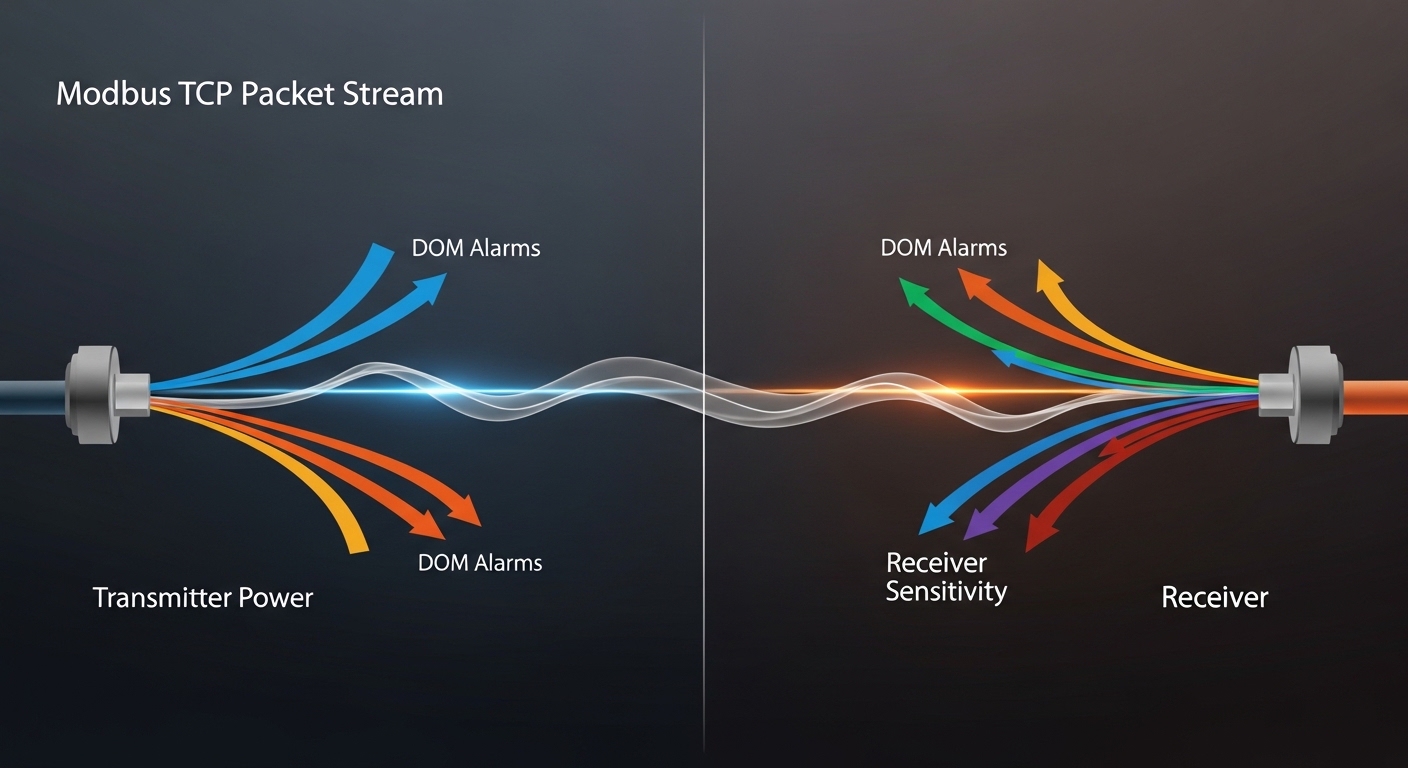
Real-world deployment scenario: leaf-spine SCADA aggregation with fiber SFPs
Consider a utilities environment with a 3-tier architecture: field RTUs connect to industrial switches at the site edge, and those edge switches uplink to a regional aggregation pair using fiber. In one typical rollout, 48-port ToR switches aggregate data from multiple bays, each bay handling 10 to 30 Modbus TCP clients polling every 250 ms to 1 s. The fiber distances range from 200 m to 7 km, so engineers use 10G SR SFPs for short runs on OM4 and 10G LR for long runs on OS2. During commissioning, the team records DOM transmit/receive levels, verifies error counters, and schedules connector cleaning before final acceptance. This is where SCADA fiber transceiver procurement pays off: the chosen optics must behave consistently across temperature swings and must provide enough diagnostics to catch degradation early.
Common mistakes and troubleshooting tips
Even with correct optics selection, SCADA fiber transceiver issues tend to repeat. Below are concrete failure modes with root causes and practical fixes.
Link comes up but Modbus polling becomes unreliable
Root cause: CRC errors or micro-bends causing intermittent optical power fluctuations. This can happen when the connector is “good enough” at install time but degrades with vibration.
Solution: Inspect and clean LC connectors with lint-free wipes and approved cleaning kits, then re-check receive power and interface error counters. If available, log DOM alarms and correlate them with polling delays.
Works on one switch but not another, or flaps after firmware updates
Root cause: Host-specific transceiver validation, DOM mapping differences, or stricter firmware enforcement of vendor IDs and diagnostics.
Solution: Validate against the exact switch model and firmware version used in production. Keep a small pilot batch and require suppliers to document compatibility and DOM behavior.
Cold-weather failures despite “industrial” labeling
Root cause: The module may be rated for a wider range than the enclosure actually experiences, or the system may lack airflow/thermal design. Some optics also show reduced margin near sensitivity limits.
Solution: Confirm the optical power budget with worst-case temperature and aging. If possible, select optics with a larger receiver margin and verify thermal design in the rack or cabinet.
Excessive downtime after swapping a transceiver
Root cause: Using connectors without consistent polarity handling, or swapping LC ends incorrectly during field replacement.
Solution: Standardize polarity labeling in the patch panel, verify transmit-to-receive direction, and test with a known-good module before declaring fiber faults.
Which Option Should You Choose?
If you need maximum operational predictability and minimal integration effort, choose OEM SFP for critical SCADA aggregation links where downtime cost is highest and where your monitoring system depends on consistent DOM behavior. If you are deploying many sites with moderate distances and you can run a staged compatibility pilot, third-party SFP can deliver strong ROI, provided you lock specs, validate switch compatibility, and require clear RMA turnaround. For new fiber designs, align optics to the installed fiber grade early: use multimode SR where reach is within budget and connector cleanliness is manageable, and use single-mode LR when distance or future expansion makes SMF the safer long-term investment.
Next, use SCADA network fiber planning to translate your site distances, fiber type, and maintenance constraints into an optics bill of materials and spares plan.
FAQ
What is a SCADA fiber transceiver used for in Modbus TCP networks?
A SCADA fiber transceiver converts Ethernet electrical signals to optical signals so switches can carry Modbus TCP traffic over fiber. It also provides diagnostics such as transmit and receive power when DOM is supported, which helps maintenance teams monitor link health. The exact behavior depends on the SFP type and the host switch.
Do I need DOM support for SCADA fiber transceiver monitoring?
DOM is strongly recommended if you have a monitoring workflow that alerts on optical power, temperature, or link degradation. Without DOM, you may only see symptoms after performance worsens. If you do use DOM, validate how your NMS interprets vendor-specific thresholds and alarm bits.
Should I buy OEM or third-party SFP modules for industrial SCADA?
OEM modules typically have higher compatibility confidence and more predictable DOM behavior, which reduces commissioning risk. Third-party modules can lower unit costs, but you should pilot-test them with your exact switch models and firmware versions. For high-criticality links, many teams keep OEM as the default and third-party as an approved alternate.
How do I choose between multimode SR and single-mode LR for Modbus TCP over fiber?
Use multimode SR when your distance fits within the MMF link budget and you can maintain good connector cleanliness. Choose single-mode LR when distances approach kilometers beyond typical SR margins or when you want a longer-lived fiber plant. Always calculate link budget with worst-case attenuation and confirm receiver sensitivity margins.
What are the fastest ways to troubleshoot a failing SCADA fiber link?
Start with connector inspection and cleaning, then check receive power and interface error counters on the switch. Next, test with a known-good transceiver to isolate whether the fault is optical or physical. If problems correlate with temperature swings, validate thermal conditions and verify the optical margin across seasons.
Where can I find authoritative optical and Ethernet interface references?
For the Ethernet physical layer foundation, reference IEEE 802.3 for Ethernet optics and electrical interface behaviors. For specific module limits, rely on vendor datasheets and switch compatibility documentation. [Source: IEEE 802.3; vendor transceiver datasheets; switch vendor compatibility matrices]
Expert author bio: I have worked directly on procurement and acceptance testing for industrial Ethernet and SCADA fiber links, including DOM-based monitoring and staged switch compatibility pilots. I translate datasheet optical budgets into field-ready spares and lead-time plans that reduce downtime risk.