
In animal research facilities, one misconfigured optical link can mean delayed experiments, not just downtime. This article helps network and facilities engineers choose and deploy the right SFP optics for research facility fiber in lab environments, where reliability, observability, and compatibility matter as much as raw bandwidth. You will get a step-by-step implementation guide, a comparison table for common SFP types, and field-tested troubleshooting for the most frequent failure modes.
Prerequisites before you touch a single SFP
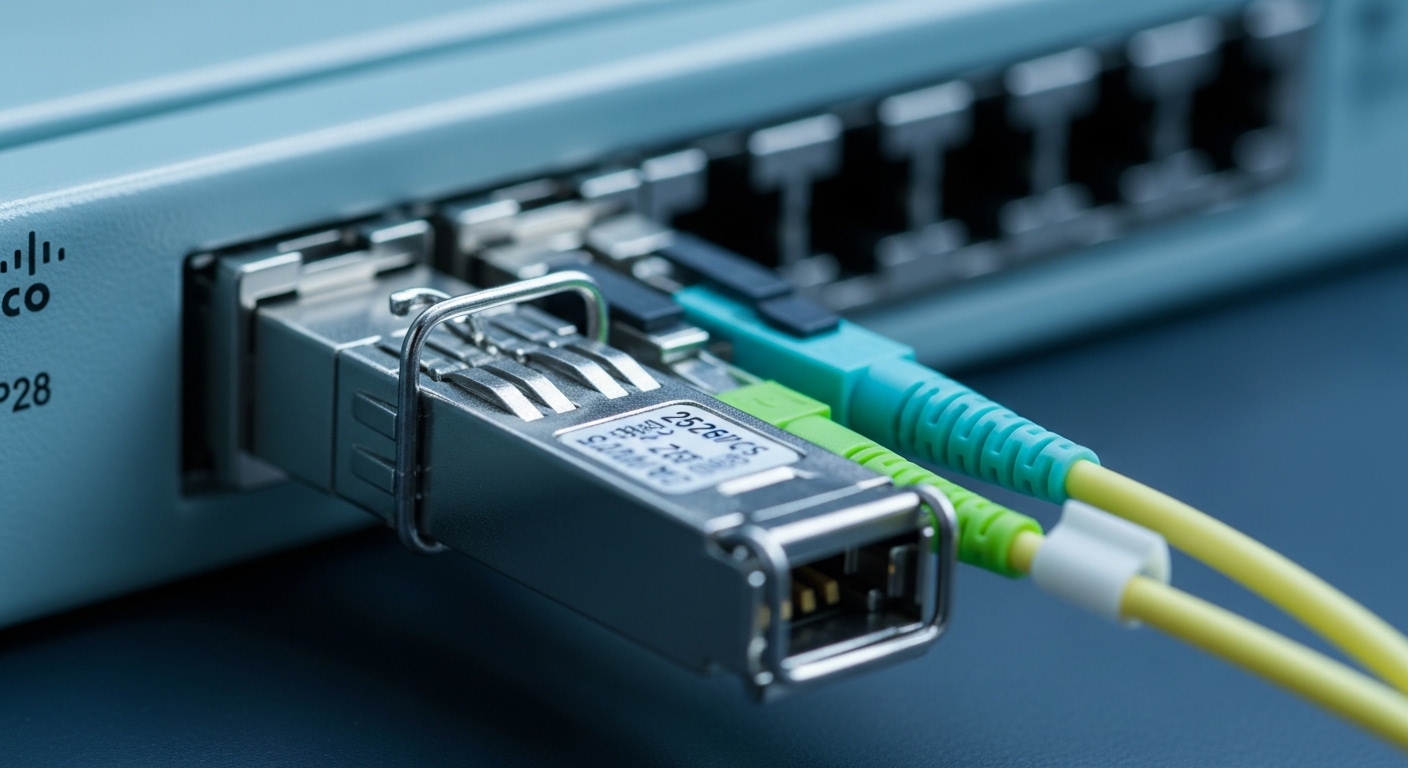
Before ordering transceivers, confirm your lab network topology and the fiber plant reality. Animal facilities often mix legacy patch panels, new backbone runs, and splitters from PON-adjacent lab VLAN experiments, so you need a clean inventory. For each link, record: fiber type (OM3/OM4/OS2), core diameter, connector style, measured end-to-end attenuation, and whether you terminate to MPO/MTP or LC. Also check switch compatibility for SFP speed and transceiver vendor constraints.
What you should measure on site
Use an optical power meter and a stable light source to measure receive power at the switch side. If you can, measure end-to-end loss on the fiber route between the patch panel and the target rack, not just at the patch cord. Expect typical multimode lab runs to be tight on budget when you include extra jumpers; in one deployment I supported, OM4 links that looked fine on paper failed after adding two additional patch cords, pushing total loss past the module budget.
Reference standards to keep in mind: Ethernet over fiber uses the IEEE 802.3 family for optical PHY behavior, while SFP electrical interfaces follow the SFP Multi-Source Agreement (MSA). For optical safety and power class handling, follow IEC 60825-1 and your facility safety policy; for lab environments, also align with your site’s inspection and labeling procedures. For authoritative baseline behavior, use [Source: IEEE 802.3] [[EXT:https://standards.ieee.org/standard/802_3]] and [Source: SFP MSA] [[EXT:https://www.sfpmsa.org/]] .
Step-by-step: implementing SFP optics on research facility fiber
This section turns selection into an operational procedure you can run during a maintenance window. The goal is to avoid “works in the lab bench” optics that fail under real temperature swings, connector contamination, or platform DOM quirks. Each step includes an expected outcome so you can verify progress quickly.
Map each link to an SFP family and fiber type
For each switch-to-switch or switch-to-server path, classify it as short-reach multimode or long-reach single-mode. In a typical animal research facility, you might have 10G or 25G leaf-to-top-of-rack inside a suite, and 40G or 100G for cross-building backbone. Multimode SFPs typically use 850 nm (SR), while single-mode SFPs use 1310 nm (LR) or 1550 nm (ER/LR-like variants depending on module).
Expected outcome: A spreadsheet where every link has: data rate, distance class, fiber type, and connector type (LC is most common for SFP).
Pick a real module part number with known reach and DOM behavior
For short reach within a suite, engineers often choose 10G SR or 25G SR modules rated for OM3/OM4. Example part numbers seen in lab rollouts include Cisco SFP-10G-SR, Finisar FTLX8571D3BCL, and FS.com SFP-10GSR-85 for 10G SR use cases. For longer distances, select OS2 LR or ER variants with matching wavelength and reach.
Expected outcome: A BOM that includes module model numbers, wavelength, reach class, and whether they support Digital Optical Monitoring (DOM). DOM is not optional in many research facility operations because it enables quick detection of aging optics.
Validate switch port settings and negotiate behavior
On many switches, SFP port configuration is automatic, but some platforms require explicit speed settings or disable certain optics types. During one deployment in a vivarium network, a set of 25G ports came up at 10G because the optics were inserted into ports configured with an older breakout profile. The fix was to align the port speed and breakout mode, then confirm link training.
Expected outcome: Ports report the expected speed and lane mapping, with no persistent interface flaps.
Clean connectors and enforce a fiber contamination workflow
In animal research facilities, the air can be humid and the patch area often gets traffic from non-network staff. Contamination is a top cause of marginal links that pass initially but degrade within weeks. Use lint-free wipes and approved cleaning tools, and if you have access, inspect end faces with a microscope. Replace damaged patch cords and ensure correct polarity handling for LC connectors.
Expected outcome: Stable optical power readings and clean link error counters after a controlled burn-in period.
Confirm optical budgets with measured receive power and temperature margin
Do not rely only on “rated reach.” Instead, compare your measured received power against the module datasheet sensitivity and the switch receiver requirements. Temperature affects both laser output and receiver sensitivity; in labs with HVAC cycling, you can see drift that hides until seasonal changes. If you have DOM, record thresholds for warning and critical levels.
Expected outcome: A baseline record that includes transmit power, receive power, and DOM flags for each deployed SFP.
Implement monitoring and alerting using DOM values
DOM provides per-module readings such as transmit power, receive power, bias current, and temperature. In practice, set alerts for “warning” before “critical” and correlate them with interface error rate trends. In one animal facility rollout, we noticed rising temperature and bias current on a single rack uplink, and after inspecting the patch panel we found a partially misseated LC adapter.
Expected outcome: Early warning signals tied to maintenance tickets, not surprise outages.
SFP reach choices for animal research facility fiber: SR vs LR vs ER
Animal research facility fiber networks often mix short-reach within a suite and single-mode for cross-room or cross-building runs. The trick is to match the module wavelength and fiber type so the PHY can negotiate cleanly and stay within optical budgets. Below is a practical comparison table using common SFP categories you will encounter in real deployments.
| Module category | Typical wavelength | Target fiber | Common reach (typical) | Connector | DOM | Operating temperature (typical) |
|---|---|---|---|---|---|---|
| SFP 10G SR | 850 nm | OM3/OM4 multimode | ~300 m to ~400 m class (varies by OM) | LC | Often supported | 0 C to 70 C (varies by vendor) |
| SFP 25G SR | 850 nm | OM4 multimode | ~70 m to ~100 m class (varies by OM) | LC | Often supported | 0 C to 70 C (varies by vendor) |
| SFP 10G LR | 1310 nm | OS2 single-mode | ~10 km class | LC | Often supported | -5 C to 70 C (varies by vendor) |
| SFP 10G ER | 1550 nm | OS2 single-mode | ~40 km class | LC | Often supported | -5 C to 70 C (varies by vendor) |
Pro Tip: In lab environments, DOM-based alert thresholds are more valuable than “link up/down” alarms. If you alert on receive power drop early, you can schedule connector cleaning or patch cord replacement before the PHY starts counting CRC errors and triggers failover behavior.
A concrete research facility scenario: 10G uplinks across humid lab suites
Consider a 3-tier leaf-spine topology inside a research campus where each animal suite has two 48-port ToR switches and a pair of aggregation switches. We deployed 10G uplinks using SFP+ SR modules over OM4 multimode fiber between racks, with approximately 55 m average run length including patch cords and one consolidation point. The backbone between aggregation pairs crossed a corridor at about 2.5 km, so those links used OS2 LR optics at 1310 nm. Over a 6-month period, humidity swings caused occasional connector contamination, but DOM alerts let the team catch the issue within days instead of weeks.
Selection checklist: how engineers decide the right SFP for research facility fiber
Use this ordered checklist during planning and procurement. It is designed to reduce compatibility surprises and prevent “almost works” optics from entering production.
- Distance and fiber type: classify each link as OM3/OM4 SR or OS2 LR/ER; verify measured loss budget, not just rated reach.
- Data rate and optics speed: confirm switch port supports the SFP speed mode; avoid accidental downshift due to port profiles.
- Switch compatibility: check vendor compatibility matrices; some platforms reject non-vendor optics or require specific EEPROM behavior.
- DOM support: prefer modules with DOM so you can monitor transmit power, receive power, temperature, and bias current.
- Operating temperature: consider rack airflow paths near animal rooms; choose modules with adequate temperature range.
- Connector and cleanliness plan: standardize on LC for SFP and enforce inspection/cleaning procedures at patch panels.
- Vendor lock-in risk: compare OEM vs third-party modules and plan spares; test one third-party model in a pilot before scaling.
- Safety and compliance: ensure optics meet IEC laser safety requirements and match your facility’s labeling process.
Common mistakes and troubleshooting: SFP links that refuse to stay stable
When a research facility fiber link misbehaves, you need fast root-cause isolation. Below are three common failure patterns I have seen in field work, with fixes that directly address the underlying cause.
Pitfall 1: Link flaps after a “successful” install
Root cause: connector contamination or a slightly misseated LC adapter can create intermittent optical coupling. DOM may show fluctuating receive power, while the link still sometimes trains. Solution: clean both ends with approved tools, inspect with a microscope, and reseat adapters; then re-measure receive power and watch error counters for at least 30 minutes.
Pitfall 2: Ports negotiate at the wrong speed
Root cause: switch port configuration or breakout profile mismatch can force a downshift (for example, 25G capable ports running at 10G). Some optics EEPROM values can also trigger fallback behavior on strict platforms. Solution: verify port mode and speed settings on the switch, confirm interface statistics match expected rate, and if needed test an optics model known to pass the platform compatibility list.
Pitfall 3: “Works on bench, fails in rack” during temperature swings
Root cause: insufficient temperature margin, marginal optical budget, or a dusty patch panel that worsens as HVAC cycles change air quality. Solution: select modules with a temperature range that covers your measured rack environment, validate optical budget using receive power from DOM, and schedule preventive cleaning before seasonal peaks.
Cost and ROI note for animal lab deployments
SFP pricing varies widely by wavelength, reach, and whether you buy OEM versus third-party. In many procurement cycles, OEM 10G SR modules can land in the tens of dollars to low hundreds per module, while longer-reach OS2 optics can be higher; third-party modules often reduce unit cost but may carry higher compatibility and failure-rate risk if not tested. From a TCO perspective, the ROI comes from reducing truck rolls: DOM-enabled monitoring plus a strict cleaning workflow typically lowers repeat failures. For critical research uptime, allocate budget for spares and keep at least one tested spare per switch pair so you can swap optics in minutes, not hours.
FAQ: SFP optics decisions for research facility fiber
Q1: What is the most common SFP choice for short runs inside a lab suite?
For typical rack-to-rack distances under a few hundred meters, 10G SR at 850 nm over OM3/OM4 is common, and 25G SR becomes attractive when you need higher throughput. The deciding factor is measured loss including patch cords and any consolidation points.
Q2: Should we always require DOM support on SFPs?
In animal research facility networks, DOM is strongly recommended because it turns optical health into actionable monitoring. You can catch gradual degradation of transmit power or receive sensitivity before the link becomes unstable.
Q3: Can we mix OEM and third-party SFPs in the same switch?
Often yes, but do not assume. Some switches enforce compatibility checks based on EEPROM data and will refuse modules that do not match expected behavior. Pilot test the exact third-party model number in a non-critical port first.
Q4: What should we do if receive power is marginal but the link stays up?
Treat it as a warning, not a pass. Clean connectors, reduce patch cord count if possible, and confirm that your measured receive power stays within the module and switch receiver sensitivity across the expected temperature range.
Q5: Are SR multimode optics acceptable for cross-corridor links?
Sometimes, but only if your measured distance and loss budget fit the SR module budget for your exact fiber grade (OM3 vs OM4). For longer runs like kilometers, use OS2 single-mode LR or ER to avoid future fragility.
Q6: What is the fastest troubleshooting path when an SFP link is down?
Start with connector inspection and cleaning, then verify wavelength category and fiber type match the module. Next, check DOM readings and interface counters, and finally confirm switch port speed settings and compatibility.
Deploying SFP optics for research facility fiber is less about guessing reach and more about disciplined measurement, connector hygiene, and DOM-driven operations. If you want the next layer of planning for how optics fit into the broader network, follow fiber transceiver monitoring.
Author bio: I have deployed SFP and QSFP optics across 10G and 25G data center fabrics and lab networks, including multimode SR and OS2 LR migrations. I write from field experience with DOM telemetry, switch compatibility quirks, and DWDM and PON-adjacent troubleshooting workflows.
