
Radiology PACS networks move DICOM images under strict uptime expectations, and a single optics mis-match can trigger retransmits, latency spikes, or even stalled studies. This article helps radiology IT teams and field engineers choose the right radiology network SFP for DICOM transport by mapping link-layer realities to practical selection criteria. You will get a spec comparison table, a concrete deployment scenario, troubleshooting pitfalls, and ROI notes grounded in real transceiver behavior.
DICOM transport meets fiber optics: what your SFP must do
Most PACS environments rely on standard Ethernet switching and TCP/IP for DICOM transfer, so the SFP you pick is effectively your physical-layer contract with the network. DICOM itself is application-layer messaging over TCP, but TCP performance is tightly coupled to link stability: marginal optics can create bit errors, CRC failures, and retransmissions that inflate end-to-end transfer time. IEEE 802.3 defines Ethernet electrical and optical PHY behavior, while SFP modules follow vendor-specific implementation details such as digital diagnostics and optical power control.
In practice, PACS users care about study completion time and consistency during peak scans. That means your link budget, optical type (SR vs LR), and operational temperature range must match the cabinet environment, plus your switch must support the transceiver’s electrical interface and diagnostics expectations. For healthcare networks, you also need predictable behavior during maintenance windows and safe degradation (for example, link goes down cleanly rather than flapping).
Key compatibility points for PACS switches
- Port speed and lane signaling: ensure the SFP matches the switch port (for example, 1G vs 10G). Mixing speeds can force fallback modes.
- Optical type: SR (short reach, multimode) versus LR/ER (single-mode). PACS sites often mix MMF and SMF across floors.
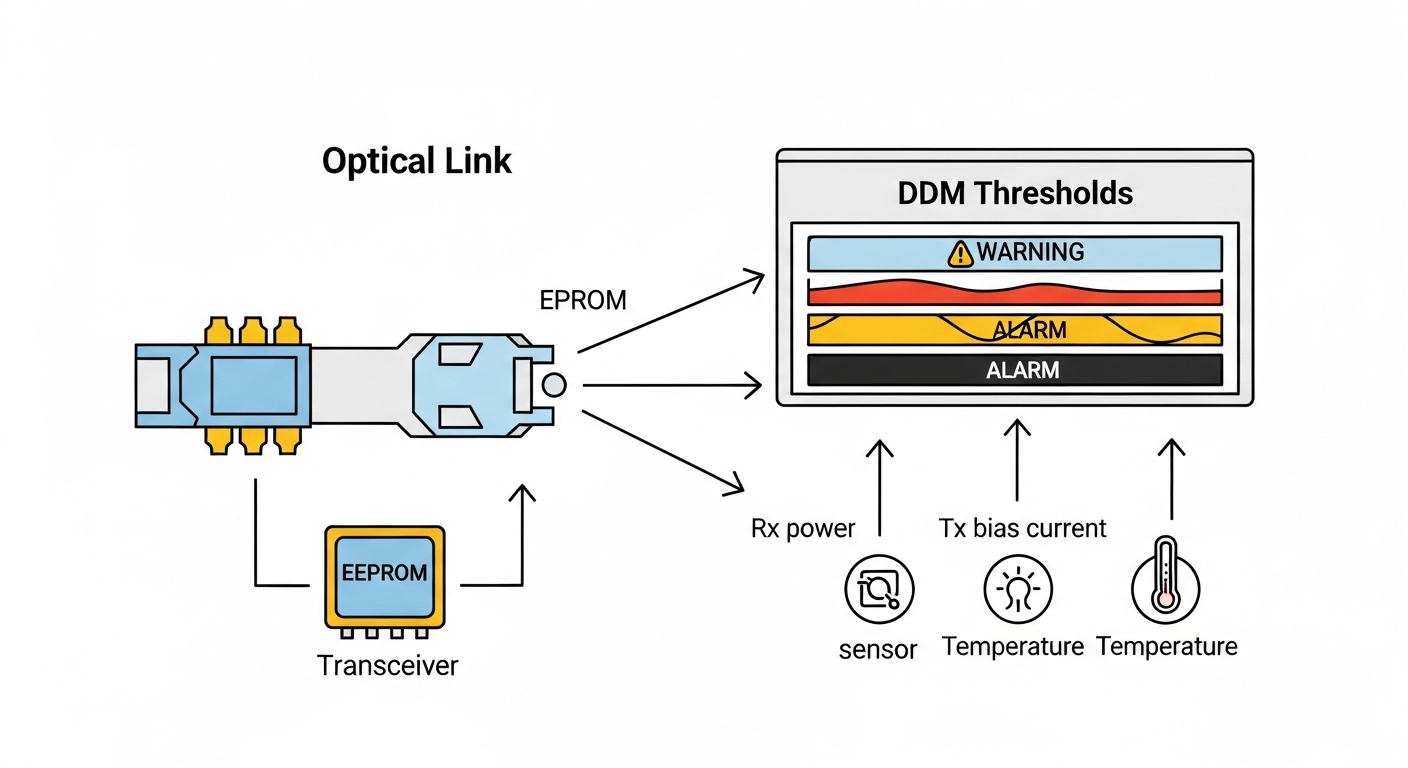
- DOM support: Digital Optical Monitoring is commonly exposed to the switch for alarms; mismatch can hide early warning signs.
- Connector standard: LC duplex is typical for modern SFP optics; wrong connector type causes immediate physical incompatibility.
Relevant standards and reference behaviors include IEEE Ethernet PHY guidance and typical SFP DOM operation described in vendor documentation. For protocol context on DICOM over TCP/IP, consult the DICOM standard overview and integration guides. [Source: IEEE 802.3 Ethernet standards] IEEE 802.3 standards DICOM standard overview
Radiology network SFP spec comparison: SR vs LR for PACS links
Choosing the right radiology network SFP is less about “will it link up” and more about reach, fiber type, optical budget, and thermal margins. Below is a practical comparison of common 1G and 10G SFP options used when building DICOM transport paths between modality, PACS archive, and distribution layers.
| Module example | Data rate | Wavelength | Fiber type | Connector | Typical reach | DOM / diagnostics | Operating temp range |
|---|---|---|---|---|---|---|---|
| Cisco SFP-10G-SR | 10G | 850 nm | OM3/OM4 multimode | LC duplex | ~300 m (OM3) to ~400 m (OM4) | Usually supported (model dependent) | Commercial (vendor specific) |
| Finisar FTLX8571D3BCL | 10G | 850 nm | OM3/OM4 multimode | LC duplex | Commonly ~300 m-class | Supported (vendor datasheet) | Commercial or extended (check exact SKU) |
| FS.com SFP-10GSR-85 (example naming) | 10G | 850 nm | OM3/OM4 multimode | LC duplex | ~300 m-class | Typically supported | Varies by SKU |
| Cisco SFP-10G-LR (example naming) | 10G | 1310 nm | Single-mode | LC duplex | ~10 km (varies by vendor) | Usually supported (model dependent) | Commercial or extended (vendor specific) |
Because vendors publish slightly different reach numbers based on launch power, receiver sensitivity, and fiber attenuation assumptions, treat “typical reach” as a starting point, then calculate an actual link budget for your installed fibers. A field engineer will care about connector loss, patch panel attenuation, and any splices between MDF, IDF, and modality rooms.
Image prompt: A close-up product photo of a 10G SFP transceiver inserted into a rack-mounted switch port, with visible LC duplex fiber connectors and a small status label on the cage, realistic lighting, shallow depth of field.
How to pick the right radiology network SFP for PACS DICOM paths
Engineers usually decide under time pressure: a link is down, a modality needs to send studies, or a cabinet swap is scheduled. The best outcome comes from a repeatable checklist that ties fiber plant reality to switch behavior and monitoring.
Selection criteria and decision checklist
- Distance and fiber type: measure the actual MMF or SMF route length end-to-end, including patch cords and jumpers; confirm OM3 versus OM4 for SR.
- Budget and expected losses: include connector loss (commonly a few tenths of a dB each), patch panel losses, and splices; verify you have margin beyond worst-case.
- Switch compatibility: confirm the port is truly compatible with the transceiver’s speed and DOM behavior; some platforms are picky about vendor EEPROM fields.
- DOM support and alarm integration: ensure DOM thresholds appear in your monitoring system so you can catch “drifting” links before they fail.
- Operating temperature: match the module’s specified operating range to the cabinet airflow; healthcare racks can see heat load from UPS and imaging servers.
- Connector and polarity: LC duplex polarity must align with your fiber labeling; wrong polarity can look like “dead” links.
- Vendor lock-in risk: decide whether OEM optics are worth the cost premium versus third-party modules with documented compatibility.
Pro Tip: In PACS networks, the earliest warning sign is often DOM “rx power” trending toward threshold, not a sudden link flap. Set monitoring alerts for RX power slope and temperature drift so you can schedule optics replacement during low-scan hours, avoiding retransmit-induced DICOM delays that users notice only after the fact.
Deployment scenario: 10G leaf-spine inside a radiology data center
Consider a 3-tier hospital data center with a leaf-spine topology for compute and imaging services. The radiology PACS archive and routing/firewall appliances sit in two adjacent IDFs, while modality gateways connect through leaf switches. A typical design uses 48-port 10G ToR switches and 4x10G uplinks per leaf, with SR optics for intra-building links over OM4 and LR optics for longer runs between MDF rooms.
In this environment, a field engineer installs 10G SR LC duplex SFPs for leaf-to-leaf connections across the same floor, targeting about 250 m maximum cable plant length plus patching. For the MDF-to-IDF uplinks around 3.5 km, they switch to 10G LR 1310 nm single-mode SFPs with a documented link budget margin of at least a few dB after accounting for splices and connectors. During go-live, they validate DOM readings in-band, confirm CRC/error counters remain near baseline, and verify DICOM transfer times during concurrent peak scans.
Image prompt: An engineering illustration showing a hospital data center layout with labeled racks (MDF, IDF, modality rooms) connected by fiber trunks; two paths are highlighted: OM4 multimode with 850 nm SR and single-mode with 1310 nm LR, clean vector style.
Common mistakes and troubleshooting in PACS optics links
Even careful teams get tripped up because optics failures can masquerade as higher-layer issues. Below are common failure modes that directly impact DICOM transport performance, with root causes and practical fixes.
Wrong fiber type or mismatched MMF grade
Symptom: link negotiates poorly, intermittent drops during peak, or high retransmits in TCP sessions tied to DICOM transfers. Root cause: using an 850 nm SR SFP over fiber that is effectively closer to OM2/unknown-grade, or exceeding the real installed loss budget due to patch cords.
Solution: verify fiber grade via test records or OTDR, replace patch cords with the correct attenuation class, and re-calculate link budget including connectors and splices. If distance is uncertain, plan SMF with LR to reduce sensitivity to MMF modal effects.
Fiber polarity reversed or patch panel cross-wired
Symptom: no light, link stays down, or you see link-up but with errors after swapping sides. Root cause: LC duplex polarity mismatch between transmitter and receiver lanes.
Solution: check labeling on both ends, then perform a structured polarity correction: swap the LC duplex pair or use a polarity adapter as per your cabling scheme. Validate by inspecting link LEDs and verifying RX power in DOM.
DOM alarms ignored until the link fails
Symptom: DICOM transfers slow down before outages, then suddenly fail; logs show CRC or interface errors spiking. Root cause: DOM thresholds not integrated into monitoring, so “weak receive” conditions go unnoticed.
Solution: configure alerts for rx power and temperature, capture baselines during stable operation, and set a maintenance threshold that triggers replacement during planned downtime. Also check for dirty connectors; a single contaminated LC can mimic “bad optics.”
Third-party optics incompatibility on specific switch platforms
Symptom: module recognized inconsistently, frequent resets of the optical interface, or DOM values not readable. Root cause: EEPROM field mismatches or vendor-specific compliance differences with the switch’s transceiver validation logic.
Solution: test candidate optics SKUs in a staging rack with the exact switch model and firmware; keep OEM optics for critical uplinks until compatibility is proven. Document vendor part numbers and firmware combinations that pass burn-in.
Image prompt: Conceptual troubleshooting diagram with warning icons around a fiber link; RX power bar gradually approaching a threshold line, with a small chart overlay labeled “DOM trend,” modern flat design.
Cost and ROI: OEM vs third-party SFPs for clinical uptime
Cost decisions for a radiology network SFP should include total cost of ownership, not only the unit price. In many hospitals, OEM optics carry a premium but can reduce compatibility risk and speed up RMAs. Third-party modules often cost less, yet require a compatibility validation step and can introduce longer troubleshooting cycles if a module behaves differently under DOM monitoring.
Typical street pricing varies by vendor and reach class, but many teams see approximate ranges like $60 to $150 per 1G or 10G SR module and $120 to $300 for 10G LR-class modules, with OEM often higher. TCO should include labor time for swaps, downtime risk during go-live, and the cost of monitoring gaps when DOM integration is incomplete. If your network monitoring can alert on optics drift, third-party modules can be cost-effective; if not, OEM may be worth the premium for predictable behavior and simpler support paths.
Image prompt: A lifestyle scene inside a hospital server room: a technician in safety glasses holding a fiber optic cleaning kit and a labeled SFP module, with softly blurred racks in the background, warm realistic photography.
FAQ
What does a radiology network SFP change for DICOM transfers?
The SFP controls the physical link quality between switches. Better optics and correct fiber matching reduce CRC and retransmits, which helps TCP carry DICOM sessions more consistently during peak imaging.
Is 10G SR always better than 10G LR for PACS?
Not necessarily. SR (850 nm) can be cheaper and simpler over short OM4 runs, but LR (1310 nm) often provides more margin and tolerance for longer distances or mixed fiber quality.
How can we verify an SFP is working before users notice?
Use switch interface counters plus DOM metrics like RX power and temperature. Establish baselines during stable operation, then alert on trends rather than waiting for full link failure.
Can we use third-party radiology network SFP modules safely?
Often yes, but you must validate on your exact switch model and firmware. Test for consistent DOM readability and stable link behavior under normal temperature and load before deploying broadly.
What causes DICOM transfer delays even when the link is “up”?
Common causes include marginal optical power leading to retransmits, dirty connectors causing intermittent micro-errors, and polarity issues that cause frequent error bursts. Check CRC/FCS counters, DOM trends, and physical cleanliness.
Do I need to match connector type or just wavelength?
Connector type and polarity matter as much as wavelength. LC duplex mismatches or incorrect patching can prevent a link from ever stabilizing, even if the optics are the correct SR or LR class.
If you want a practical next step, map your installed fiber plant to a reach and margin calculation, then shortlist SFP SKUs for staging validation using your switch model and firmware. For broader planning around how DICOM behaves across TCP, review DICOM over TCP performance and align your physical layer choices to the application’s tolerance for latency and retransmits.
Author bio: I have deployed and troubleshot fiber and transceiver ecosystems in enterprise and healthcare data centers, including DOM monitoring and optical link budgeting for mission-critical traffic. My work focuses on turning vendor specs into field-safe decisions that reduce outages and improve measurable transfer performance.
