In AI data centers, the bottleneck is rarely raw compute; it is the fabric plumbing that must move tensors without hiccups. This article helps network and facilities teams choosing QSFP-DD links for leaf-spine and pod-to-pod traffic while balancing performance optimization and cost. I will share hands-on deployment details, compatibility caveats, and troubleshooting patterns I have seen during bring-up and live traffic days.
QSFP-DD vs other optics: what changes for performance optimization
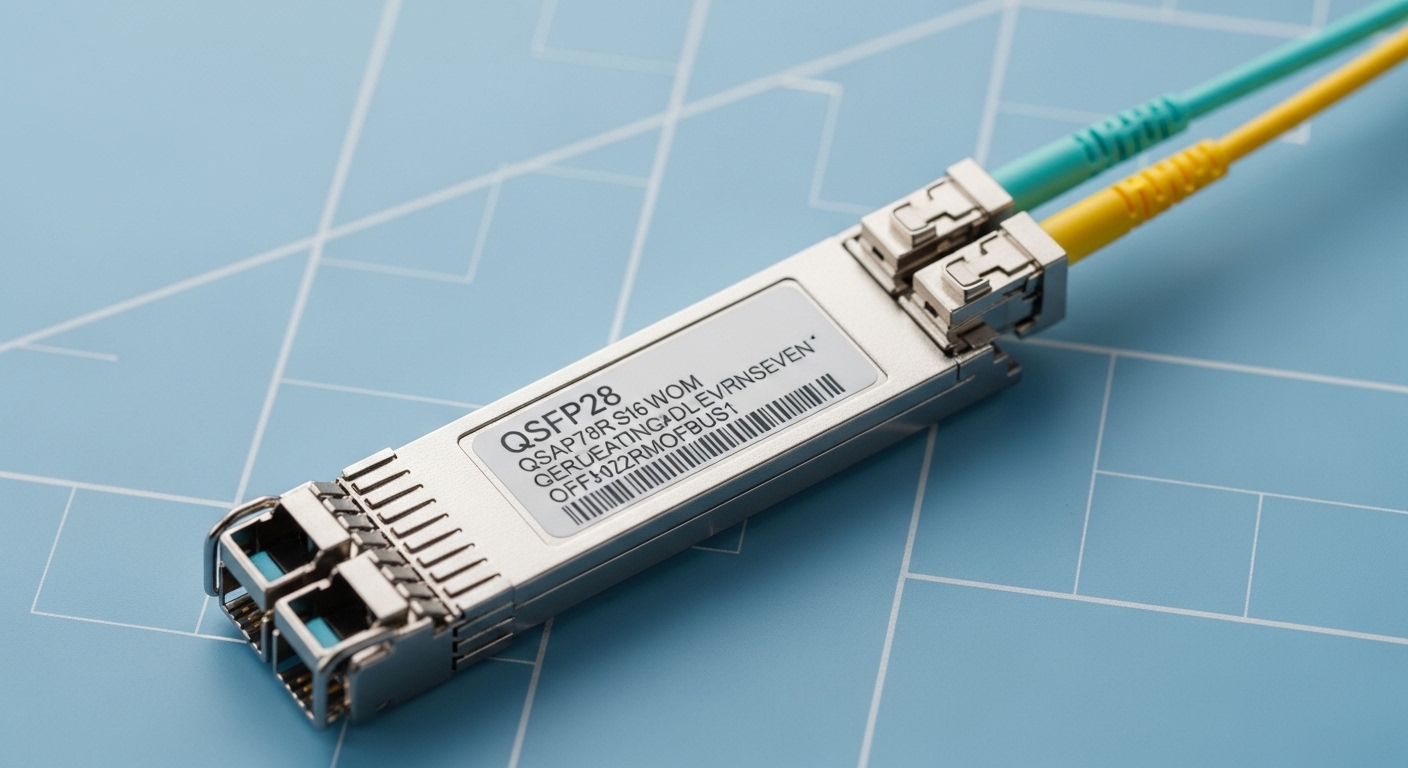
QSFP-DD is designed for higher per-port throughput and tighter optics packaging than older pluggables, which matters when you scale AI clusters to hundreds of GPUs. In practice, performance optimization comes from two levers: meeting the switch’s electrical and optical expectations (signal integrity, lane mapping, power class) and avoiding unnecessary retransmits. For AI fabrics, most teams target 400G class links (often via 8x50G lanes at the electrical interface) to reduce oversubscription and keep queueing shallow.
During one deployment in a 3-tier AI pod, we used 400G QSFP-DD uplinks from top-of-rack switches to aggregation, with 48 ToR ports per switch and 4 spines. The goal was to keep average link utilization under 70% during training bursts while preserving headroom for east-west traffic. Once we standardized optics part numbers and DOM policies, we saw fewer link flaps and faster incident triage because the switch reported consistent temperature and bias diagnostics.
For standards context, Ethernet optics and electrical PHY behavior follow IEEE Ethernet and link layer expectations, while the optics themselves must meet vendor datasheet parameters. Engineers typically align with IEEE 802.3 for 400G Ethernet and follow vendor guidance for host compatibility; see [Source: IEEE 802.3]. For module diagnostics, most modern optics expose digital optical monitoring (DOM) data over the standard management interface; the exact register set depends on the vendor and whether the module is compliant with common pluggable monitoring conventions. See [Source: Cisco SFP and QSFP documentation] and [Source: IEEE 802.3].
Performance, reach, and power: QSFP-DD spec tradeoffs that matter
When teams say “performance optimization,” they often mean predictable link behavior under load: low error rates, stable eye margins, and manageable thermal load in dense cages. QSFP-DD options for AI fabrics usually include short-reach multimode fiber (MMF) and reach-extending single-mode fiber (SMF) variants. The choice affects not only distance but also power draw and how aggressively you must manage airflow in the rack.
Below is a practical comparison of common QSFP-DD optics categories you will encounter. Exact reach and power vary by vendor and speed grade, so always validate against the switch vendor’s interoperability list and the optics datasheet.
| Optics type (examples) | Nominal wavelength | Typical reach | Connector / fiber | Data rate | Power class (typ.) | Operating temperature | Notes for AI fabrics |
|---|---|---|---|---|---|---|---|
| QSFP-DD 400G SR8 (MMF) e.g., Cisco SFP-10G-SR is older; for 400G SR8 look for vendor SR8 QSFP-DD) | 850 nm class (MMF) | ~100 m typical on OM4 (varies) | LC duplex / OM4-OM5 MMF | 400G Ethernet | ~3.5 W to ~6 W typical | 0 C to 70 C (verify) | Best for same-pod leaf-spine; easier fiber handling |
| QSFP-DD 400G LR8 (SMF) e.g., vendor LR8 QSFP-DD) | ~1310 nm class (SMF) | ~10 km typical (varies) | LC duplex / SMF | 400G Ethernet | ~4 W to ~8 W typical | -5 C to 70 C (verify) | For longer pod-to-pod runs; lower fiber loss than MMF |
| QSFP-DD 400G ER8 (SMF) e.g., vendor ER8 QSFP-DD) | ~1550 nm class (SMF) | ~40 km typical (varies) | LC duplex / SMF | 400G Ethernet | ~5 W to ~10 W typical | -5 C to 70 C (verify) | Rare for same facility; useful for campus links |
In the field, the “better” module is the one that keeps error counters flat. I have used optical receiver power readings from DOM to catch marginal connections early: if receive power drifts toward the datasheet minimum under normal temperature swings, you can get intermittent bursts that look like congestion rather than optics faults. That is where performance optimization becomes operational, not theoretical.
Pro Tip: In dense AI racks, treat DOM thresholds as an early-warning system. If your switch supports per-lane or link-level diagnostics, alert on trends (temperature rise, bias drift, RX power slope) rather than only on hard link-down events; it often shortens mean time to innocence during escalations.
Cost and ROI: where QSFP-DD saves money without risking uptime
QSFP-DD can be cost-effective when it reduces the number of optics you need per unit of bandwidth. For example, moving from multiple lower-rate links to a single 400G port can cut transceiver count, simplify cabling, and reduce switch port usage. In one rollout, the team replaced a portion of 100G uplinks with 400G QSFP-DD, and we reduced total optics SKUs by nearly a third for the same aggregate throughput.
However, ROI is not just purchase price. Third-party optics can be cheaper per module, but you must factor in compatibility validation, potential support limitations, and the operational overhead of managing multiple vendor behaviors. A realistic budget range many teams encounter: OEM 400G QSFP-DD optics can be several hundred to over a thousand currency units per module, while reputable third-party modules may be 20% to 40% lower. Total cost of ownership also includes failure rate, inbound inspection time, and the labor cost of swapping modules during maintenance windows.
For AI data centers, power and cooling matter too. If QSFP-DD modules run hotter and your airflow profile is tight, you may need to adjust fan curves or add targeted cooling, which changes the facility OPEX. Always compare module thermal specs against your rack inlet temperatures and verify switch vendor airflow guidance.
Compatibility and selection checklist: decision matrix for QSFP-DD
In AI fabrics, optics compatibility is where performance optimization can fail silently. A module can “link up” yet still run with reduced margin if lane mapping, power class expectations, or firmware settings differ. Engineers should treat optics selection as an interoperability project, not a procurement line item.
Ordered checklist engineers actually use
- Distance and fiber type: MMF vs SMF, expected link budget, and connector cleanliness.
- Switch and line card compatibility: confirm the exact QSFP-DD form factor and supported speed profile.
- Vendor interoperability list: match module part numbers to the switch model and firmware release.
- DOM and monitoring: ensure the switch reads temperature, bias, RX power, and alarm thresholds correctly.
- Operating temperature and airflow: validate module temperature range against rack inlet conditions.
- Budget and procurement strategy: OEM vs third-party, warranty terms, and spares strategy.
- Vendor lock-in risk: define acceptance tests and a rollback plan before standardizing.
Decision matrix (quick head-to-head)
| Reader type | Best QSFP-DD fit | Primary goal | Suggested validation |
|---|---|---|---|
| AI operator optimizing throughput | 400G SR8 for same-pod, LR8 for longer runs | Keep utilization stable under bursts | Run traffic tests, monitor error counters and DOM trends for 48 hours |
| Facilities team protecting thermals | Choose lower-power modules where possible | Prevent thermal throttling and link instability | Measure rack inlet and module case temps during peak fan mode changes |
| Network engineer reducing incident time | Modules with consistent DOM behavior | Faster diagnosis and lower MTTR | Confirm alarms map correctly to switch logs; test swap under load |
| Procurement balancing capex | Third-party if interoperability is proven | Lower unit cost with controlled risk | Pilot two vendors, define acceptance criteria, and keep OEM spares |
If you want a strict standards anchor for Ethernet behavior, consult IEEE 802.3 for 400G Ethernet objectives and link-layer expectations. For optics interoperability and DOM interpretation, rely on the switch vendor’s transceiver guide and the optics vendor datasheets; see [Source: IEEE 802.3] and [Source: vendor transceiver interoperability guides].
Common mistakes and troubleshooting patterns during QSFP-DD bring-up
Even experienced teams can lose days to optics issues that look like network congestion. Here are failure modes I have personally seen, with root causes and fixes.
1) Dirty connectors and incorrect cleaning cadence
Root cause: LC ferrules contaminated with dust or residue cause elevated insertion loss, reducing RX margin and creating intermittent CRC errors.
Solution: Use a lint-free cleaning workflow and inspect ferrules with a scope before swapping modules; clean both ends and re-check RX power via DOM.
2) Using an unsupported module variant despite “form factor match”
Root cause: Some QSFP-DD modules may not support the host’s required electrical characteristics or speed profile for a given switch/firmware.
Solution: Verify exact part number against the switch interoperability list, then test with the target firmware in a lab or staging pod.
3) Thermal mismatch from high-density airflow
Root cause: QSFP-DD modules can run warm in tight cages; if your rack inlet is already near the upper bound, you may trigger optical power drift or increased error rates.
Solution: Measure inlet temperatures, check fan mode behavior during peak loads, and validate module operating temperature range against your environment.
4) Misinterpreting DOM alarms as optics failure when it is actually cabling loss
Root cause: RX power low alarms may be caused by patch panel issues, incorrect fiber type, or damaged fibers rather than bad modules.
Solution: Swap the fiber first if possible, then swap modules second; keep a labeled fiber map and run a light-level check if your practice supports it.
Which Option Should You Choose?
If you are building an AI pod where most traffic stays within the same room, prioritize 400G QSFP-DD SR8 on MMF for straightforward cabling and fast deployment. If you have longer structured runs between pods or across zones, choose 400G QSFP-DD LR8 on SMF to protect optical margin and reduce maintenance surprises.
For readers optimizing performance optimization and minimizing incidents, standardize on a small set of validated module part numbers and enforce DOM-based monitoring. For readers optimizing capex, pilot third-party optics in a