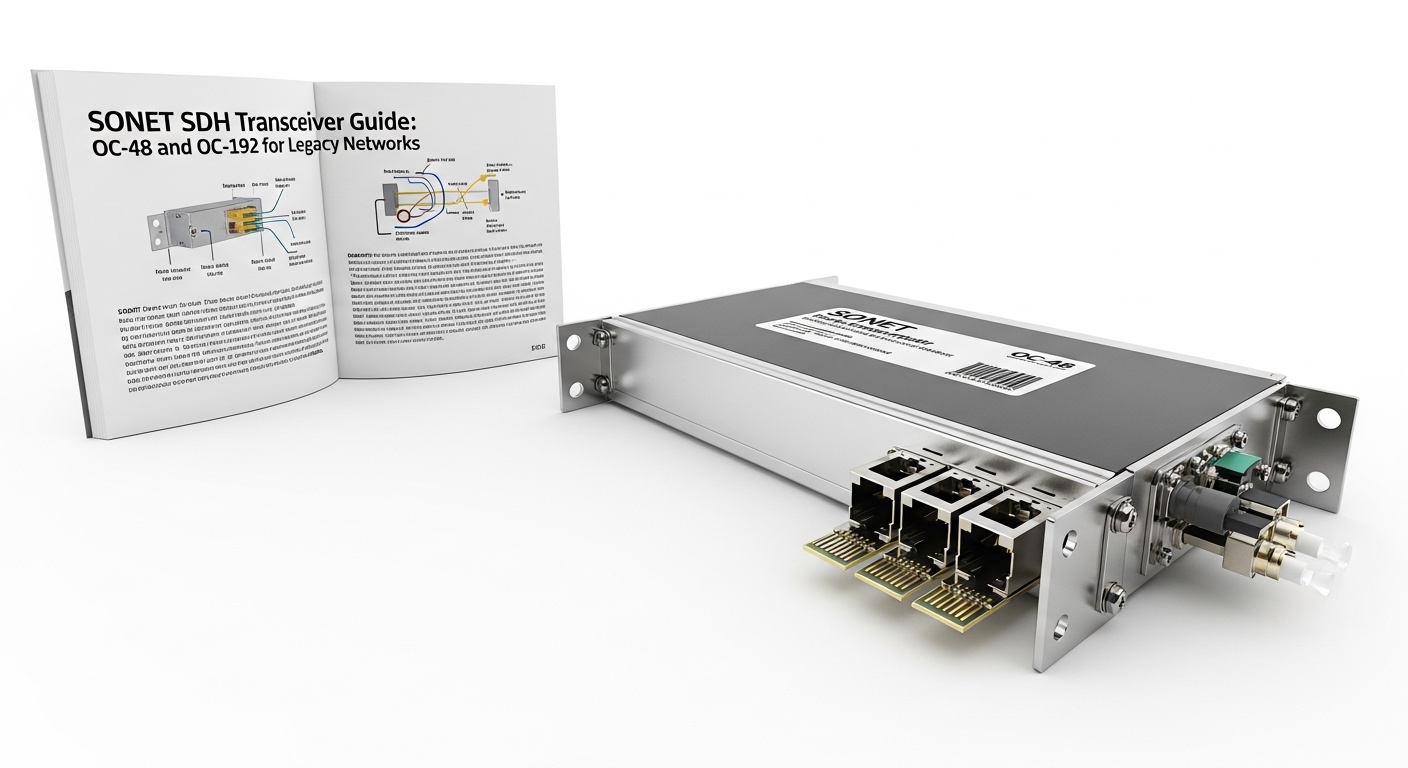
If your legacy SONET/SDH transport still carries critical traffic, the OC-48 fiber module decision is rarely theoretical. This article helps field engineers and network planners choose the right optics, validate link behavior, and avoid common failures when swapping transceivers in real racks. You will get practical selection criteria, a specs comparison table, and troubleshooting steps grounded in typical deployment constraints.
Where an OC-48 fiber module fits in SONET SDH transport
OC-48 is the SONET optical carrier level associated with 2.48832 Gbps line rate. In SDH terms, the closest mapping is typically STM-16, which also lands in the same practical transport class for legacy backbones and metro rings. Think of the OC-48 fiber module as a “rate translator at the light level”: it converts electrical framing signals into optical wavelengths that match the fiber plant.
In real networks, these modules show up in media converters, SONET/SDH multiplexers, and older transport platforms that may still be operational due to regulatory requirements, sunk migration costs, or long lead-time replacement. When you replace an OC-48 fiber module, you are not just swapping optics; you are preserving timing, line coding expectations, and link budget assumptions that were tuned for the original transceiver and fiber.
Key standards and what to verify before swapping
Start by aligning the transceiver to the interface expectations of your platform. SONET/SDH line interfaces are governed by the SONET/SDH set of specifications and the physical-layer behavior described in vendor documentation that references IEEE physical concepts for optical modules. For practical reference on link behavior and optical physical layer considerations, see [Source: IEEE 802.3] and vendor datasheets for your specific transceiver family. Also confirm the chassis optical interface type (for example, OC-48/STM-16 SFP-style vs proprietary form factor).
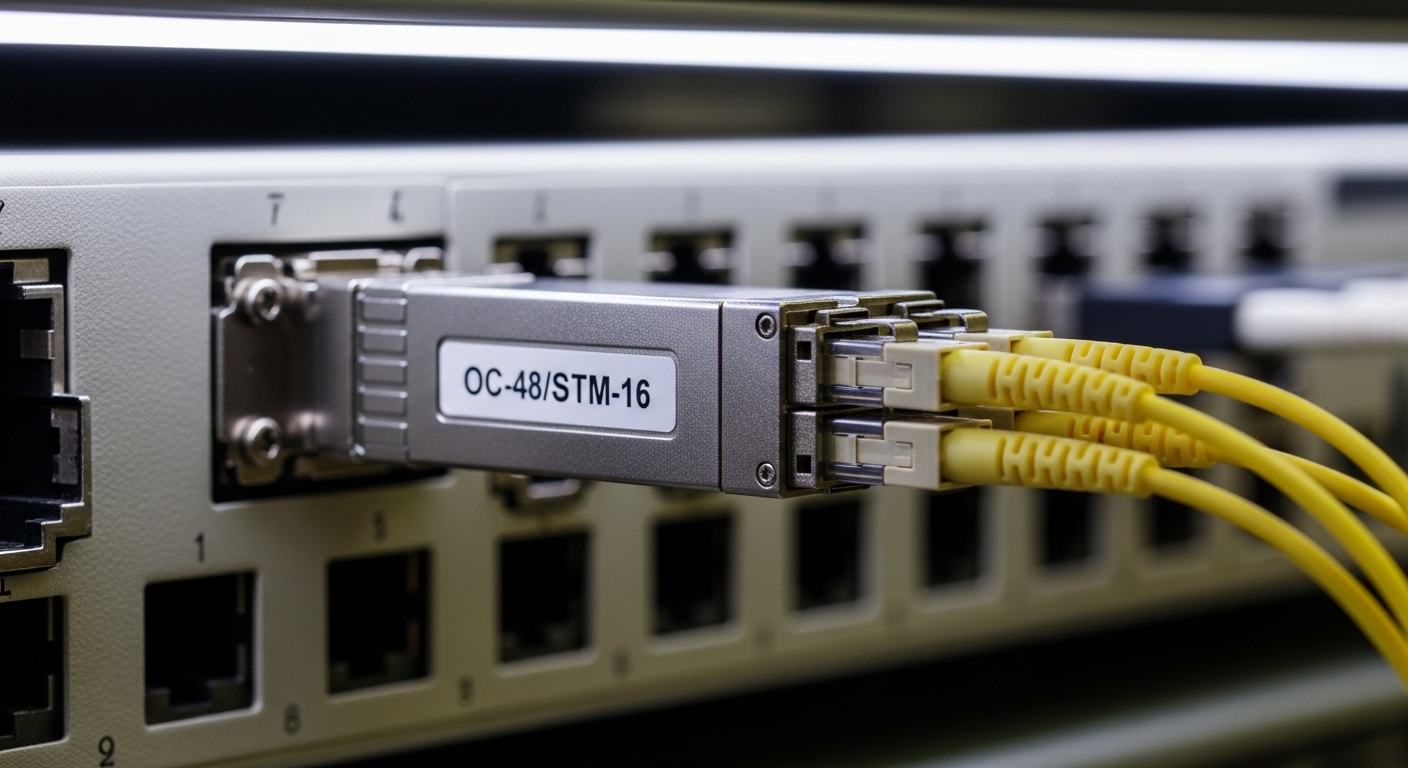
Many OC-48 installs use single-mode fiber with either 1310 nm (common for short-to-mid reach) or sometimes other wavelengths depending on the original design. The safest approach is to match wavelength, connector type, and optical budget requirements exactly, then validate with the switch or mux’s diagnostics.
Technical specs that actually determine compatibility
Engineers often focus on reach and wavelength, but operational compatibility hinges on the module’s electrical interface, optical power levels, and temperature behavior. An OC-48 fiber module must meet the receiving sensitivity requirements of the far-end optics and match the transmit power range expected by the chassis.
| Spec | Typical OC-48 Fiber Module (Examples) | Why it matters in SONET/SDH |
|---|---|---|
| Data rate | 2.48832 Gbps | Must match the OC-48 framing line rate; mismatches cause loss of signal (LOS) or framing errors. |
| Wavelength | 1310 nm (commonly used) | Wrong wavelength yields near-zero optical power at the receiver. |
| Reach (typical) | Often up to 10 km for single-mode 1310 nm variants (depends on budget) | Determines whether your link budget supports margin after splice and connector losses. |
| Connector | Commonly LC (platform dependent) | Prevents physical mismatch; also affects insertion loss if adapters are used. |
| Optical power | Transmit power and receiver sensitivity vary by vendor; verify within datasheet ranges | Ensures the far-end receiver sees enough photons for BER targets. |
| Temperature range | Commercial vs extended ranges (often 0 to 70 C or broader) | Legacy transport rooms can see airflow changes; out-of-range optics can degrade or fail. |
| DOM support | Many modern pluggables support digital optical monitoring; legacy may be partial | Enables alarm thresholds for Tx power, Rx power, laser bias, and temperature. |
Concrete module families and what to look up
In the field, you may encounter OEM part numbers and also compatible third-party optics. For example, you might see OC-48/STM-16 pluggables sold under categories like “OC-48 SFP” or legacy SONET optics. When sourcing, verify the exact optical interface type and DOM behavior in the vendor datasheet. If you are evaluating compatibility, compare to known optics references such as Finisar/Viavi and Cisco catalog items where available (always confirm the exact wavelength and reach). For optical transceiver general electrical/optical considerations, see [Source: IEEE 802.3] and specific vendor datasheets for models like Cisco SFP-10G-SR are not directly OC-48, but the DOM and module-class concepts are similar across vendors. For OC-48 specifically, use datasheets from the actual supplier you are buying from.
Pro Tip: Before you remove the old OC-48 fiber module, capture the chassis-reported Rx optical power, Tx optical power, and any laser bias or temperature alarms. When the replacement comes online, compare those values within the vendor’s allowed operating windows; if the numbers “look right” but framing still fails, the issue is often wavelength mismatch, fiber polarity/connector contamination, or a platform-side rate/encoding mode setting rather than raw optical power.
Deployment scenario: replacing optics in a legacy metro ring
Imagine a metro transport environment with a 3-node SONET/SDH ring, each node running legacy STM-16/OC-48 services for enterprise backhaul. In one site, a maintenance window is scheduled during a night shift; the rack has two transport shelves, each with 16 OC-48 ports, but only 4 are actively used. The existing OC-48 fiber module is failing intermittently, and the chassis logs show increasing receive errors before the link drops to LOS.
On the day of replacement, the engineer confirms the optics type is single-mode at 1310 nm with an LC connector. They clean the LC jumpers, verify fiber loss with a calibrated OLTS/OTDR approach (or at least a known-good jumper), and then insert the new module. After link-up, the engineer checks that the far-end alarms clear and that the measured optical power stays within the module’s datasheet ranges across a 30-minute thermal stabilization period. In this kind of ring, even a small budget shortfall can cause high BER and trigger protection switching, so the swap must preserve both optical and monitoring behavior.
Selection checklist for an OC-48 fiber module purchase
Use this ordered decision list the way you would in a procurement workflow: it prevents expensive rework and reduces downtime risk.
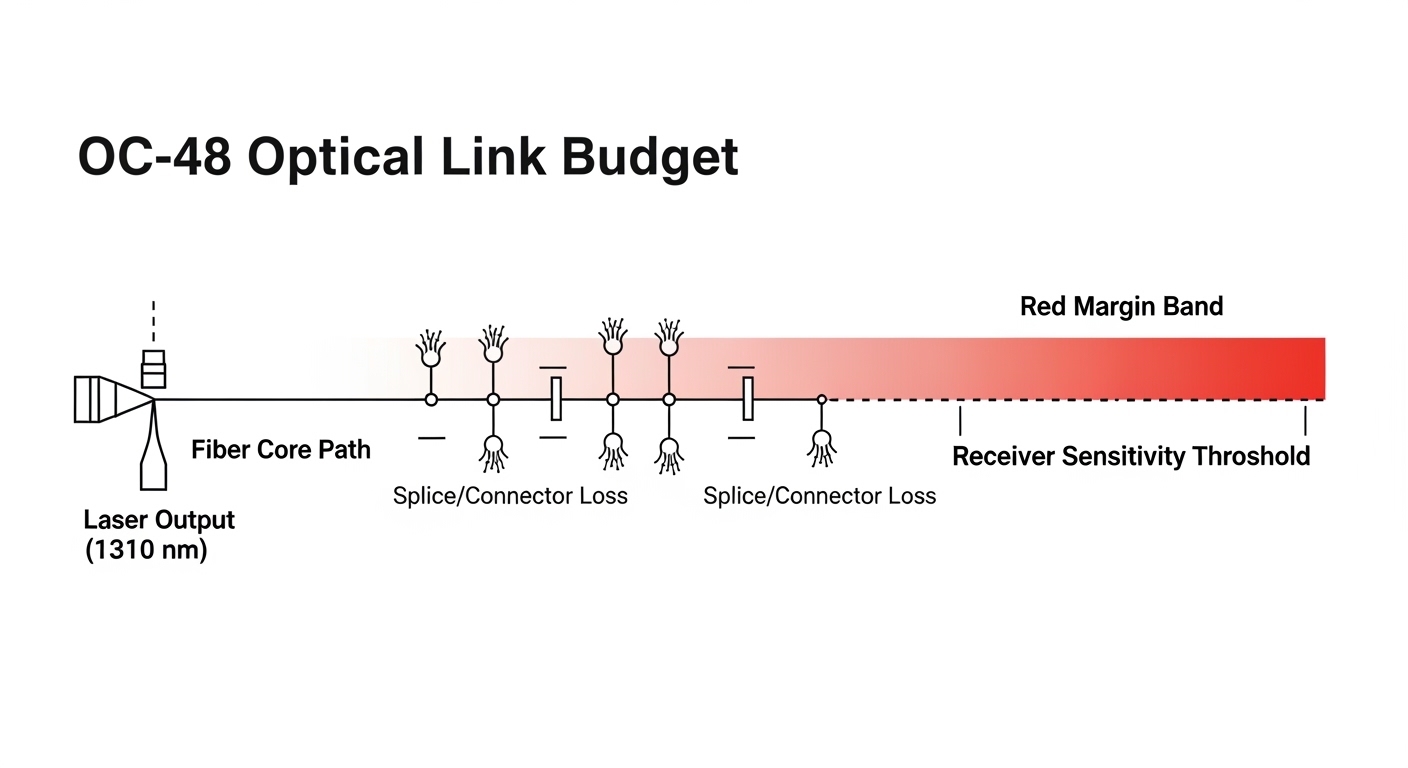
- Distance and optical budget: confirm expected reach, but also compute margin for splice loss, connector insertion loss, and aging. If your fiber plant has multiple splices, assume you need more margin than the nominal “10 km” headline figure.
- Wavelength and fiber type: match the module wavelength to the platform design (for example, 1310 nm for common OC-48 single-mode variants). Confirm single-mode vs multimode.
- Connector and adapter strategy: verify LC vs SC vs other connector types. Avoid extra adapters that add insertion loss and increase contamination risk.
- Switch or mux compatibility: confirm the chassis supports that optical interface class and that the module meets the expected Tx/Rx power and electrical signal format. Some platforms are picky about DOM and alarm thresholds.
- DOM support and alarm behavior: check whether the module provides digital optical monitoring and whether the chassis reads those values correctly. Incompatibility can lead to “module present” but missing diagnostics.
- Operating temperature: compare module temperature range to the actual rack environment. If the transport room runs hot during summer, choose an optics family rated for extended conditions.
- Vendor lock-in risk and warranty: evaluate OEM vs third-party based on return policies and documented compatibility. If you cannot validate in a lab, prioritize a supplier with strong RMA terms.
Common pitfalls and troubleshooting tips in the field
Replacing an OC-48 fiber module is usually straightforward, but legacy gear can be unforgiving. Here are frequent failure modes with root causes and practical solutions.
-
Pitfall 1: Link never comes up (LOS stays active)
Root cause: wavelength mismatch (for example, installing a 1550 nm variant where the chassis expects 1310 nm), or wrong fiber type (multimode vs single-mode).
Solution: verify module wavelength labeling, confirm fiber type in the patch panel documentation, and test with a known-good jumper and an optical power meter if available. -
Pitfall 2: Intermittent framing errors and protection switching
Root cause: marginal optical budget due to dirty connectors, increased splice loss, or a module whose Tx power is at the low end of its range. Aging and temperature can worsen this.
Solution: clean connectors using proper lint-free methods and inspect with a microscope; measure receive power after warm-up; if needed, replace additional jumpers or splices to restore margin. -
Pitfall 3: Module inserts but chassis alarms behave oddly
Root cause: DOM incompatibility, missing or differently scaled alarm thresholds, or a module variant that the chassis partially supports.
Solution: confirm DOM capability in the datasheet and check chassis documentation for supported transceiver types. If diagnostics are unreliable, still validate traffic with BER counters and alarms rather than relying on DOM alone. -
Pitfall 4: “Polarity” confusion across patch panels
Root cause: while many modern single-mode setups use fixed Tx/Rx labeling, field rewiring can swap fibers in a way that results in low or zero received power.
Solution: verify Tx-to-Rx mapping using labels on patch cords, then swap fibers in the patch panel if receive power is near the noise floor.
Cost and ROI: OEM vs third-party optics for OC-48
Pricing varies widely by sourcing channel, but in many markets an OC-48 fiber module replacement typically lands in the tens to low hundreds of dollars range for third-party units, while OEM parts can cost more depending on warranty and platform certification. The real ROI is not just the purchase price; it is the cost of downtime, truck rolls, and the labor time to clean and retest optics.
When you factor TCO, consider failure rates and RMA friction. For legacy SONET/SDH, a “cheaper” module that causes intermittent errors can be more expensive than an OEM unit because it triggers repeat troubleshooting and protection switching events that may impact service-level objectives. If you maintain multiple sites, standardizing on a tested compatible optics family reduces operational variance and accelerates spares rotation.
FAQ: OC-48 fiber module buying and deployment questions
How do I confirm the OC-48 fiber module wavelength matches my chassis?
Check the chassis port documentation and the existing working module label. Then verify the replacement module’s datasheet wavelength specification. If you have a known-good module, measure received optical power at the receiver and compare after swap.
What connector type should I standardize on for OC-48 links?
Many deployments use LC for single-mode pluggables, but legacy platforms can differ. Standardize connector type across spares and patch cords, and minimize adapters to reduce insertion loss and contamination points.
Can I use third-party OC-48 fiber modules in older SONET/SDH equipment?
Often yes, but compatibility depends on the exact electrical interface and how the chassis interprets DOM and alarm thresholds. Confirm support in the vendor datasheet or through a pilot test in a non-critical port before scaling to production.
Why do I see “module present” but still get no traffic?
This usually indicates an optical or framing mismatch: wrong wavelength, wrong fiber type, wrong polarity, or a marginal optical budget. Validate with receive power readings, then run traffic and error counters to distinguish optical-layer issues from higher-layer configuration problems.
How should I handle cleaning and inspection during an OC-48 replacement?
Clean the end faces before insertion and re-clean if the connector touches a contaminated surface. Use a microscope/inspection tool when available; even a small amount of residue can cause enough attenuation to raise BER at 2.48832 Gbps.
What operating temperature range should I require?
Match the module’s rated temperature range to your rack conditions, including expected airflow and seasonal variation. If your transport room exceeds typical commercial limits, prioritize an extended temperature optics variant to avoid intermittent failures.
If you want the fastest path to a safe swap, start with distance and wavelength alignment, then validate optical power and alarms after thermal stabilization. Next, review the related topic on legacy transport optics and interface mapping here: SONET SDH transceiver compatibility.
Author Bio: Field engineer focused on optical transport troubleshooting and optics qualification in legacy SONET/SDH and metro networks. I design repeatable acceptance tests that minimize downtime and protect service continuity.