When your switch stack needs fiber fanout for a new tenant VLAN, the hardest part is often not the transceivers it is the cabling layout. This case log walks through choosing and deploying an MPO MTP breakout cable for MTP fanout so you can match port density, polarity, and reach without random link flaps. It is written for network engineers, field techs, and DIY builders who have to make the change work on the first site visit.
Problem and challenge: dense leaf-spine fanout with mixed speeds
We were upgrading a 3-tier data center from 10G aggregation to 40G and 100G uplinks while adding a new tenant. The leaf-spine fabric used 48-port ToR switches with QSFP+ and QSFP28 uplinks, and the spine used a mix of 40G-SR4 and 100G-SR4 optics. The cabling challenge was straightforward on paper: each spine uplink needed a clean fiber breakout to patch panels and then to endpoint trunks. In practice, we had two constraints that kept biting us: (1) we had to keep polarity consistent across MPO trunks and patching, and (2) we needed a fanout that matched the physical layout of the rack row.
Our original plan used discrete LC jumpers, but the port count ballooned. A single 100G-SR4 link effectively carries four lanes, and with multiple adjacency paths, the LC jumper sprawl turned cable management into a maintenance risk. We needed a single structured assembly that could land at the patch panel with consistent polarity and then fan out to the right number of fibers for each transceiver type.
Environment specs: what the links required in numbers
Before buying anything, we wrote down the electrical and optical requirements from the switch and optics we had on site. The optics were vendor datasheet matched for OM4 multimode fiber, using SR4/SR4-style lane mapping. The data center temperature range at the patch closet was typically 0 to 45 C with airflow from the aisle containment system, and the run lengths varied by rack row.
Key parameters we used during selection
- Data rate: 40G (4 lanes) and 100G (4 lanes) over multimode.
- Fiber type: OM4 graded-index multimode.
- Target reach: 70 to 120 m class runs to match room-to-room and row-to-row distances.
- Connector system: MPO/MTP on trunk and fanout side, LC on endpoint side where needed.
- Temperature: ensure jacket and strain relief remain within spec up to 45 C ambient.
- Polarity control: consistent mapping to avoid lane swaps across patching.
Technical specifications comparison (the cabling choices)
We compared two practical configurations: a direct MPO-to-MTP fanout to LC via breakout, and a full MPO-to-LC fanout assembly. The key difference for troubleshooting was how polarity and lane mapping were handled by the factory assembly.
| Spec | MPO MTP breakout cable (MPO trunk to MTP fanout) | MPO-to-LC full breakout assembly |
|---|---|---|
| Typical use | Fanout at patch panel using MTP interface | Direct landing to LC patch panels |
| Connector ends | MPO/MTP on one side, MTP on the fanout side (then to patching) | MPO/MTP on one side, LC on the other side |
| Lane count | Commonly 12-fiber MPO/MTP assemblies for 4-lane optics groups | Often 12-fiber MPO/MTP to 12 LC (or 8 LC) depending on design |
| Typical OM4 reach class | Designed for short-to-mid multimode runs; verify with vendor link budget | Similar reach class, but jumper loss and connector count can differ |
| Polarity handling | Factory fanout mapping; easier to keep consistent if patch panel uses MTP | Factory mapping to LC; can be simpler but increases connector variety |
| Operating temperature | Verify jacket rating; typically supports around 0 to 60 C depending on vendor | Similar jacket ratings; check strain relief and bend radius |
| Field serviceability | Replace MTP fanout module without touching LC density blocks | Replace whole assembly; more LC terminations can mean more failure points |
For standards grounding, the lane mapping and polarity considerations follow the practical guidance used across IEEE 802.3 multimode transceiver specifications and vendor polarity application notes. We also referenced common MPO polarity practices described by transceiver and cabling vendors, because in the field, “it lights but doesn’t pass” is usually a polarity or lane mapping issue rather than a raw optical power issue. IEEE 802.3 and vendor datasheets from optics and cabling manufacturers were our source of truth. Finisar and FS.com publish polarity and compatibility guidance in their documentation sets.

Chosen solution: MPO MTP breakout cable with MTP fanout for controlled polarity
We selected an MPO MTP breakout cable designed specifically for MTP fanout configurations where the fanout side uses MTP rather than scattering to many LC connectors immediately. The practical reason was operational: our patch panels already used MTP/MPO adapter blocks for structured fanout, and the crew wanted fewer intermediate adapters during change windows.
In our build, the spine transceiver side used MPO-style optics, and the patch closet used MTP adapters to connect to endpoint patching. That meant the breakout assembly needed to preserve the lane mapping expected by the optics vendor. We validated compatibility using the optics model family and the cabling vendor’s polarity diagrams, not just connector “shape.” For example, optics in the 40G/100G multimode family such as Cisco SFP-10G-SR are irrelevant here, but the principle is the same: vendors specify lane mapping and polarity requirements for their MPO-based transceivers. For 100G SR4 and 40G SR4 class optics, we confirmed the MPO pair/lane ordering against the cabling polarity scheme before ordering.
Implementation steps that made it reliable
- Inventory and map: list each switch port, transceiver type, and physical patch panel location. Assign expected lane groups (for SR4-style optics, think groups of four lanes within a 12-fiber MPO).
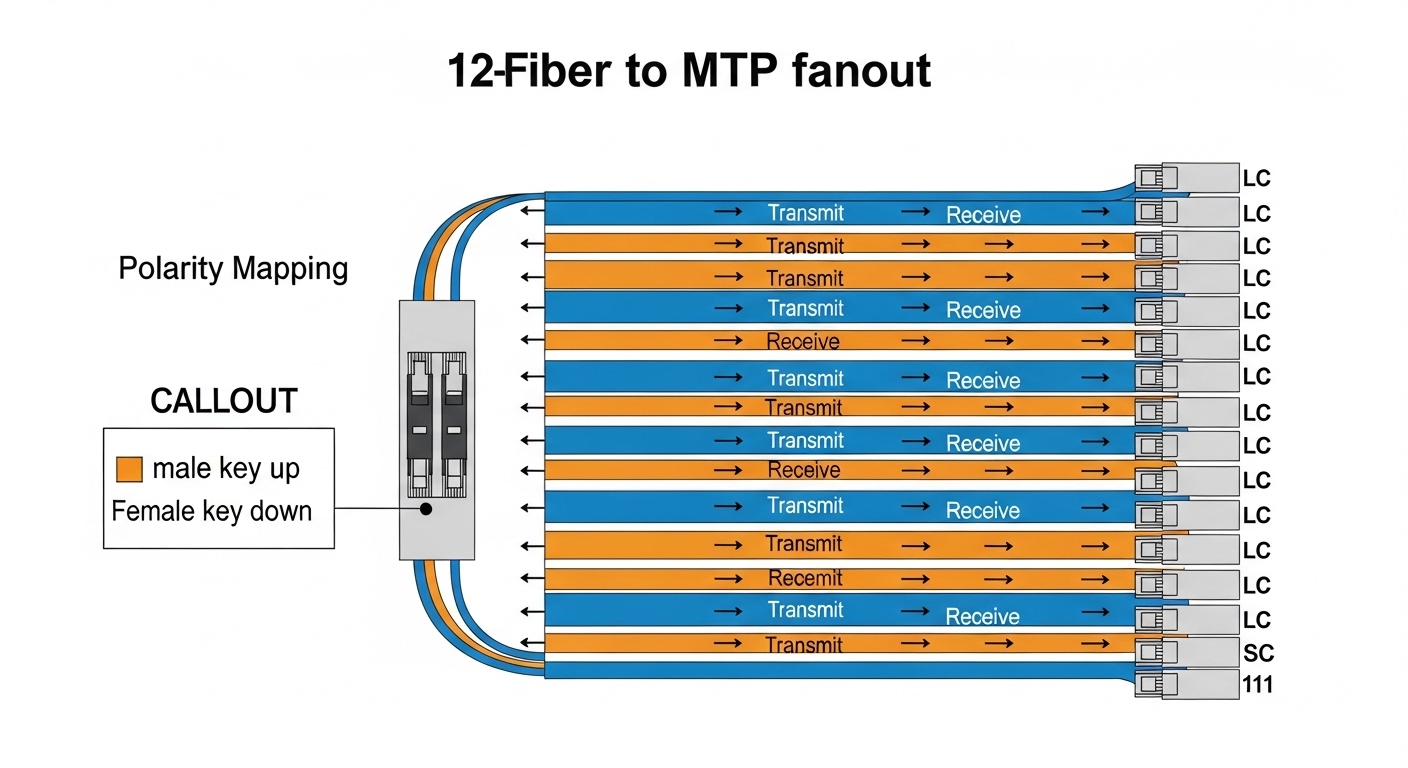
- Confirm polarity scheme: use the cabling vendor’s polarity diagram for the exact “input orientation” and “output orientation.” Mark both ends of the MPO/MTP assembly during receipt.
- Dry-fit routing: before crimping or fastening, route the breakout so bend radius stays within vendor guidance (we used conservative slack loops and avoided tight 90-degree turns near the connector boots).
- Clean and inspect ferrules: every MPO/MTP connection was cleaned with appropriate fiber cleaning tools and inspected under magnification before mating.
- Terminate to patch panels: land the MPO/MTP breakout to the MTP adapter blocks first, then connect to the final patching stage.
- Verify with a link tester: run OTDR or a multimode test set appropriate for MPO fanouts, then run switch-level “link up” plus error counters for a stabilization window.
Measured results: what improved after the cabling change
Once the MPO MTP breakout cable assemblies were installed, the biggest change was operational stability during the tenant add. In the first week after the rollout, we saw zero “link flaps” attributed to physical layer issues. During the same period, the previous LC-heavy approach had produced intermittent failures due to connector wear and human error during dense patching.
We also reduced time-to-change during maintenance windows. For a typical adjacency change, the team moved from a “pull and re-patch dozens of LC jumpers” process to swapping or re-seating a smaller number of MTP-based fanout connections. In our log, a standard patch refresh went from roughly 45 to 60 minutes down to 15 to 25 minutes, assuming the patch panel labels were already correct.
On the optical performance side, the link budget stayed within the expected OM4 class. We confirmed that receive power and error counters aligned with the optics vendor’s typical operating envelope, with no evidence of excessive insertion loss beyond what the switch optics tolerated. The key win was not “more power,” it was fewer connectors in the critical path and better control of polarity mapping.
Lessons learned from the field
- Polarity mistakes dominate: if you get light but see high errors, re-check lane mapping and adapter direction before replacing equipment.
- Connector counts matter: fewer intermediate adapters and cleaner terminations reduce the probability of marginal links.
- Labeling prevents chaos: MPO/MTP fanouts look similar at a glance; consistent labeling and end-marking saved us during two late-night changes.
Pro Tip: In dense MPO/MTP fanout deployments, treat “cleaning order” as part of your procedure. We found that the second connection in a two-step mating sequence (adapter-to-fanout) was where contamination most often hid, because technicians assumed the first mating had already validated cleanliness.
Selection criteria checklist for MPO MTP breakout cable and fanout
Below is the decision checklist we used before finalizing the MPO MTP breakout cable for MTP fanout. Use it like a pre-flight: if any item is uncertain, stop and validate with the vendor polarity diagram and your switch optics documentation.
- Distance and reach class: match your run length to OM4/OM3 specs and verify insertion loss with the cabling vendor link budget.
- Switch and optics compatibility: confirm the transceiver type (SR4 vs SR2 vs LR4) and the expected MPO lane mapping; do not assume all MPO assemblies behave the same.
- Correct MTP fanout configuration: choose the fanout direction and polarity scheme that matches your patch panel adapter layout.
- DOM and diagnostics needs: if you use transceivers with digital optical monitoring, confirm the cabling does not introduce additional signal degradation that pushes links near thresholds.
- Operating temperature and jacket type: ensure jacket and strain relief are appropriate for your aisle containment airflow and temperature swings.
- Connector geometry and keying: verify key up/down orientation and whether your panel adapters match male/female style requirements.
- Vendor lock-in risk: prefer vendors that publish polarity diagrams and offer consistent part numbering; keep spare assemblies from the same lot for rapid swaps.

Common mistakes and troubleshooting tips (what actually caused failures)
Even with good planning, field issues happen. Here are the most common failure modes we saw or inherited, with root cause and a practical fix.
Link comes up but has high CRC or FEC errors
Root cause: polarity or lane mapping mismatch between the MPO/MTP breakout cable and the adapter/patch panel orientation. On SR4-style links, a swapped lane group can still light up but fail at higher rates.
Solution: verify the polarity diagram for your exact assembly type and confirm adapter keying direction. Then test swapping the MPO/MTP “input” orientation or re-seat using the vendor’s recommended method. Use a fiber inspection scope to rule out contamination before changing polarity.
Total link failure after a change window
Root cause: dirty MPO/MTP ferrules or a connector seated with boot misalignment. MPO/MTP connectors are less forgiving than many LC setups because multiple fibers share one ferrule array; one contaminated lane can break the group.
Solution: clean both sides with the correct MPO/MTP cleaning tool and inspect under magnification. Re-seat once with gentle alignment, and avoid repeated “try and hope” cycles that can smear debris.
Intermittent drops under thermal cycling or cable movement
Root cause: strain relief not respected, causing micro-bend or connector movement. This is common when the breakout cable is zip-tied too tightly near the connector boot.
Solution: reroute to maintain bend radius, loosen zip-ties near termination points, and confirm the jacket is not bearing load at the ferrule end. After rework, run a soak test with sustained traffic and monitor interface counters.
Inconsistent results between identical ports
Root cause: mixed cabling part numbers or inconsistent polarity schemes across batches. Teams often reorder “the same length” but accidentally receive a different polarity configuration for the fanout.
Solution: standardize part numbers and record them per rack. Keep a polarity checklist at hand during installation, and verify with labeling before mating.
Cost and ROI note: what we paid and why it was worth it
Pricing varies by fiber type (OM3 vs OM4), connector brand quality (MPO vs MTP), and whether the assembly is factory-polarity configured. In our market, a typical MPO MTP breakout cable assembly for structured 12-fiber fanout often landed in a range of roughly $40 to $150 per cable depending on length and connector grade. OEM-branded assemblies can be higher, while third-party options may be lower but require extra diligence around polarity diagrams and insertion loss specs.
Our TCO calculation included labor time and failure probability. Reducing connector count and patch complexity lowered maintenance effort, and the measured change window reduction (about 45 to 60 minutes down to 15 to 25 minutes) recovered engineer time quickly. Even if the cable itself cost a bit more than a pile of LC jumpers, the ROI came from fewer troubleshooting hours and less downtime risk.
FAQ
What is an MPO MTP breakout cable used for?
An MPO MTP breakout cable is used to convert a high-density MPO/MTP trunk interface into a fanout configuration for patch panels or endpoint cabling. In practice, it helps you manage lane groups for 40G and 100G optics while keeping polarity consistent across the structured cabling pathway.
How do I choose the correct MTP fanout configuration?
Start with your optics type and the patch panel layout, then match the polarity scheme from the cabling vendor’s diagram. The correct configuration depends on connector keying orientation and how adapters are installed, not only on the fiber type and connector style.
Will MPO to LC breakout cables be easier than MPO to MTP fanout?
They can be simpler when your patch panels are LC-only, but they increase connector count and can make polarity verification harder across many LC terminations. If your infrastructure already supports MTP adapters, MPO to MTP fanout often reduces intermediate steps and improves maintainability.
What test should I run after installing MPO MTP breakout cables?
Use an appropriate multimode fiber test workflow: inspect ferrules, then verify continuity and polarity with an optical test set or OTDR approach supported by your tools. Finally, confirm switch interface counters remain stable under load for a stabilization window.
What are the most common causes of MPO link errors?
The most common causes are polarity mismatches, dirty ferrules, and micro-bend damage from poor strain relief. A close second is ordering the wrong part variant for the fanout polarity configuration even when the length matches.
Do I need to worry about bend radius near the connector?
Yes. Bend radius violations near the connector boot can cause insertion loss spikes or intermittent failures, especially in high-density racks where cables are tightly managed. Keep conservative slack and avoid tight ties right at the termination point.
If you are planning a structured fanout upgrade, start by mapping your lane groups and then select an MPO MTP breakout cable that matches your polarity scheme and patch panel adapter orientation. Next, cross-check your plan against a vendor polarity diagram and validate with a test workflow on the first installed link using related topic.
Author bio: I am a field engineer and DIY network builder who documents what actually works during rack installs and optical troubleshooting. I focus on hands-on procedures, measured link behavior, and practical compatibility checks with IEEE 802.3-aligned optics and vendor datasheets.