In many enterprises, transceivers fail quietly: intermittent link drops, rising BER, or a slow inventory mismatch that forces last-minute part swaps. This article lays out management strategies for transceiver lifecycle management that help network teams reduce downtime, tighten spare planning, and improve optics reliability across Cisco-style pluggables and third-party modules. It is written for field engineers and data center operators who manage SFP/SFP+/QSFP/QSFP28 optics daily and need actionable controls, not vague policy statements.
Lifecycle management strategies: what to control and why it matters
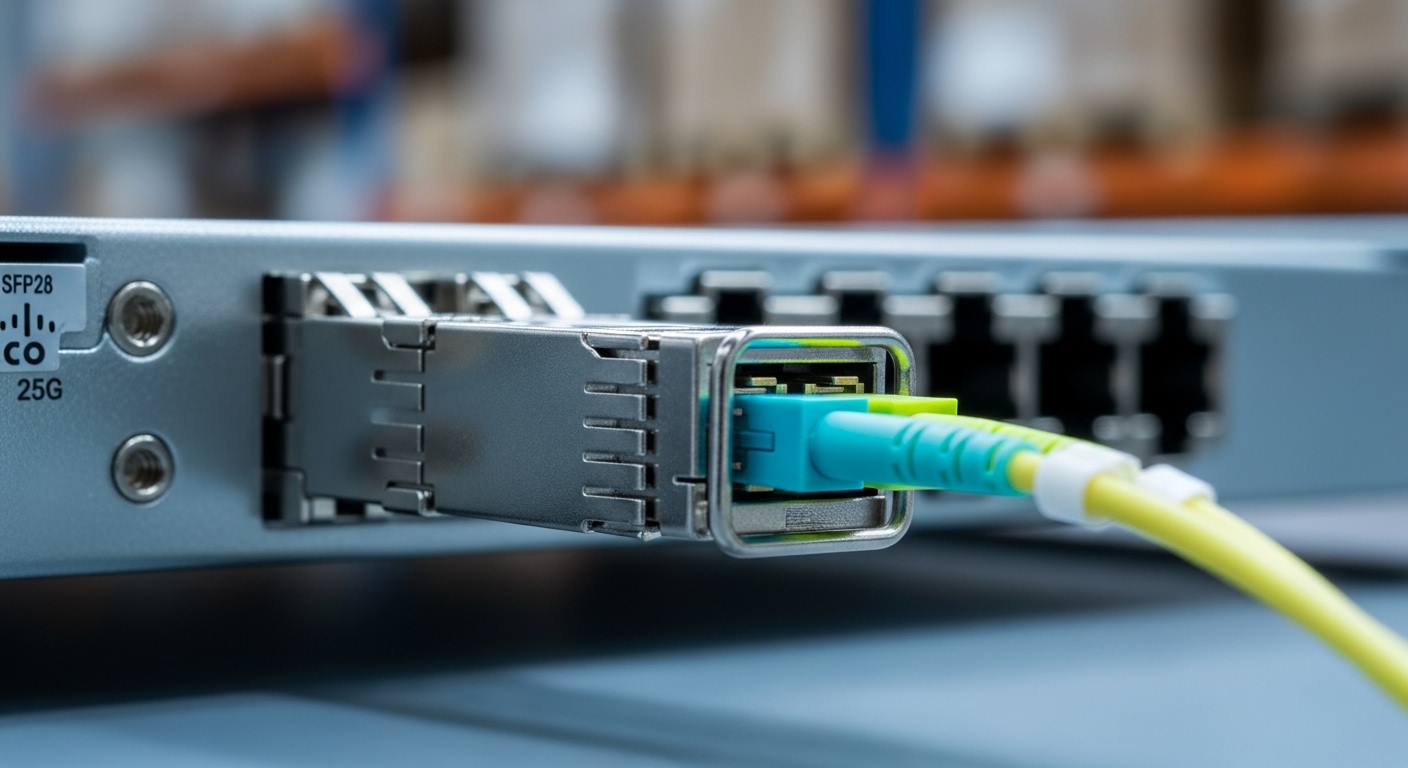
Transceivers are small but they sit at the center of link health, because they convert electrical signaling to optical wavelengths and back. Lifecycle management strategies typically focus on optical performance stability, firmware and EEPROM integrity, and operational temperature margin. The practical goal is to prevent “unknown unknowns” by treating each module like a monitored asset with predictable replacement triggers.
In real networks, I’ve seen plants of 10G and 25G links where the symptom looked like congestion, but the root cause was optics aged beyond spec: a rise in laser bias current and temperature drift that increased error counts. Standard Ethernet behavior hides this until the link flaps or throughput collapses. By managing lifecycle states—receive, validate, track, monitor, and decommission—you turn optics reliability into an engineering metric.
Define lifecycle states that match how optics actually fail
Use a simple state model aligned to operational reality:
- Procurement & qualification: vendor and lot acceptance criteria, DOM sanity checks.
- Provisioning: compatibility validation, speed and optics mode locking.
- Active monitoring: DOM thresholds, interface error counters, temperature trends.
- Requalification: periodic checks after firmware or switch upgrades.
- Retirement & spares refresh: remove modules that cross risk thresholds.
Pro Tip: Many teams monitor “link up/down” only. In practice, you get earlier warning by correlating DOM temperature and laser bias current trends with interface FCS/CRC errors; a slow drift often precedes complete failure by weeks.
Performance vs reach: SFP/SFP+/QSFP choices that shape your lifecycle plan
Choosing the right transceiver is the first lifecycle decision, because distance and fiber conditions directly affect how hard the optics work. For example, 10G SR modules (850 nm multimode) have different thermal and power behavior than 10G LR (1310 nm single-mode), and QSFP28 25G SR behaves differently than 40G SR4 in multi-lane designs.
Below is a practical comparison of common enterprise optics categories. Use it to understand what you are committing to in monitoring, spare strategy, and expected operating margin.
| Transceiver type (examples) | Wavelength | Typical reach | Fiber type | Connector | Data rate | DOM support | Operating temperature (typ.) |
|---|---|---|---|---|---|---|---|
| SFP-10G-SR (e.g., Cisco SFP-10G-SR) | 850 nm | Up to 300 m (OM3), up to 400 m (OM4) | Multimode | LC | 10G | Yes (temperature, TX/RX power, bias) | 0 to 70 C or extended variants |
| SFP-10G-LR (e.g., Cisco-compatible LR) | 1310 nm | Up to 10 km | Single-mode | LC | 10G | Yes (DOM) | -10 to 70 C typical |
| FS.com SFP-10GSR-85 (high-temp / variant-dependent) | 850 nm | Up to 300 m class | Multimode | LC | 10G | Yes (varies by SKU) | Variant-dependent; verify datasheet |
| QSFP28-25G-SR (e.g., Cisco QSFP28 SR) | 850 nm | Up to 100 m (common OM4 class; depends on link loss budget) | Multimode | MT-style MPO (8-fiber in SR) | 25G | Yes (DOM) | 0 to 70 C typical |
For standards context, Ethernet optics generally align with IEEE 802.3 physical layer requirements, while transceiver management uses the SFF-8472 family for SFP/SFP+ and the QSFP management conventions defined by the relevant SFF specifications. For enterprise deployments, also check vendor transceiver compatibility guidance in the switch datasheet and transceiver matrix.
Sources: [Source: IEEE 802.3 Ethernet Physical Layer specifications], [Source: Cisco transceiver compatibility documentation], [Source: Finisar/Viavi-style SFP/SFF-8472 DOM behavior references]
Compatibility and governance: avoiding “it works today” failures
Lifecycle management strategies fail when governance is weak. The most expensive optics failures are not the dead modules; they are the “it links at 10G instead of 25G” cases, the “works in lab but not in production” vendor quirks, and the silent drift after switch firmware updates. Your governance must cover both electrical/optical compatibility and management-plane acceptance.
Lock down speed, optics mode, and DOM policy
Field-tested governance steps:
- Speed pinning: configure interfaces for the correct speed/encoding mode when supported; avoid auto-negotiation surprises on optics variants.
- Transceiver model allowlist: maintain an approved list per switch model and line card.
- DOM validation: require that DOM fields (temperature, TX power, RX power, bias current where available) fall within expected ranges at plug-in.
- Firmware-change audit: after switch upgrades, re-run optics health baselines and confirm no DOM parser changes break monitoring.
Vendor lock-in risk: manage it with measurable controls
Third-party optics can reduce CapEx, but they can also introduce variability in DOM scaling, alarm thresholds, and link margin. To reduce risk, define acceptance tests: optical power at known temperatures, link error rate under load, and DOM consistency. For example, when deploying Finisar FTLX8571D3BCL-style optics in multi-vendor environments, validate that the switch reads DOM data correctly and that the alarms you rely on are meaningful.
Sources: [Source: SFF-8472 Digital Diagnostic Monitoring Interface], [Source: Vendor datasheets for DOM scaling and alarm behavior], [Source: ANSI/TIA fiber cabling documentation for link loss practices]
Selection criteria checklist: management strategies that scale across racks
Engineers usually choose optics quickly, but lifecycle management strategies require a repeatable decision process. Use this ordered checklist to make selection fast and defensible.
- Distance and link loss budget: confirm fiber type (OM3/OM4 vs OS1/OS2), connector quality, and measured attenuation. Don’t rely on “rated reach” alone.
- Power and thermal margin: check whether the module supports the expected ambient temperature near the switch and whether it uses adequate airflow.
- Switch compatibility: verify the module is supported for your exact switch model, line card, and OS version.
- DOM fields and thresholds: ensure the switch platform reads the DOM fields you monitor; confirm alarm thresholds match your operational model.
- Operating temperature range: prefer modules with extended temperature if optics are near hot aisle boundaries or in restricted airflow.
- Failure mode history: consider vendor and lot reputation; track DOA rate and field returns by lot number.
- Spare strategy fit: choose common part numbers per site so spares are interchangeable and technicians can swap quickly.
- Vendor lock-in risk: mitigate with acceptance testing and DOM validation, not promises.
Decision matrix (quick scoring)
Use a simple matrix to compare options in a real procurement meeting.
| Option | Upfront cost | Compatibility certainty | Monitoring quality (DOM) | Spare interchangeability | Lifecycle risk |
|---|---|---|---|---|---|
| OEM optics (switch vendor) | High | High | High | High within OEM ecosystem | Lower |
| Approved third-party optics | Medium to lower | Medium (depends on validation) | Medium to high (verify DOM mapping) | Medium (part-number alignment required) | Medium |
| Unvalidated “market” optics | Low | Low | Low to unpredictable | Low | Higher |
Common pitfalls and troubleshooting tips (root cause first)
Even with strong management strategies, optics issues happen. The difference is whether you diagnose fast and prevent repeat failures.
Pitfall 1: “It’s a fiber problem” when it is actually a DOM or threshold issue
Root cause: DOM alarms or monitoring thresholds are misinterpreted, or DOM scaling differs between vendors, causing false confidence that power levels are healthy.
Solution: at plug-in, record baseline DOM values (temperature, TX power, RX power, bias current if present) and compare against the expected operating window from the module datasheet. Then correlate with interface CRC/FCS error counters under load.
Pitfall 2: Link flaps after a switch OS upgrade
Root cause: platform firmware changes how it handles optics management, including DOM parsing or alarm behavior, or it changes default interface settings.
Solution: run a post-upgrade verification script per site: confirm speed, optics type detection, DOM readout, and error counters at steady state. If you use third-party optics, revalidate compatibility on the upgraded OS version.
Pitfall 3: Overheating transceivers in high-density cabinets
Root cause: airflow changes (new servers, blocked vents) push optics temperature beyond the module’s intended thermal range, accelerating aging and increasing error rates.
Solution: measure cage inlet temps and compare to the module operating range; adjust airflow baffles, verify fan health, and ensure patch panel cable strain does not impede module cooling.
Pitfall 4: MPO polarity mistakes on QSFP28 SR
Root cause: incorrect MPO polarity or mismatched fiber mapping leads to low received power even though the link “comes up” intermittently.
Solution: verify polarity using an MPO polarity tester or documented polarity scheme; confirm correct fiber mapping and clean connectors before swapping modules.
Cost and ROI: budgeting management strategies that don’t break finance
Optics spend is not just purchase price; it is downtime risk, truck rolls, and repeat failures. OEM optics often cost more, but they typically offer higher compatibility certainty and predictable DOM behavior. Third-party optics can reduce CapEx, but you must budget for acceptance testing and monitoring maturity to avoid higher operational cost.
In many enterprise environments, realistic pricing ranges (varies by volume and speed) look like: OEM 10G SR modules often land in the mid to high tens of dollars each, while third-party equivalents can be meaningfully lower. Higher-speed optics like QSFP28 SR and long-reach variants can cost substantially more, especially in extended temperature classes. The ROI improves when management strategies reduce repeat failures: fewer maintenance windows, fewer emergency replacements, and better spare forecasting.
For TCO, include labor hours for validation, the cost of spares inventory (carrying cost), and the probability-weighted cost of downtime. A practical approach is to standardize on fewer part numbers per site, then use lifecycle monitoring to retire modules before they become outage drivers.
Sources: [Source: Vendor pricing catalogs and typical enterprise procurement quotes], [Source: Field reliability discussions in reputable tech media such as Network World and similar industry outlets]
Which option should you choose? (clear recommendations by reader type)
Pick a management strategy based on your risk tolerance, staffing, and upgrade cadence. The table below summarizes what I would recommend in common enterprise scenarios.
| Reader type | Recommended optics posture | Management strategies emphasis | Why this fits |
|---|---|---|---|
| Small team managing one or two switch stacks | OEM or tightly approved third-party | Compatibility allowlist + DOM baselines + conservative spares | Reduces troubleshooting time and prevents unexpected OS interaction issues. |
| Large data center with multiple sites and strong NOC processes | Approved third-party at scale with acceptance testing | Automated DOM monitoring + fleet-level drift analytics + lot tracking | Lower cost with controlled risk; you can catch anomalies early across fleets. |
| High-change environments (frequent OS upgrades and hardware refresh) | OEM for critical links; third-party for non-critical tiers | Post-upgrade requalification + interface setting verification | Minimizes “it changed behavior” outages during maintenance windows. |
| Budget-constrained network with limited monitoring maturity | Standardize fewer module types; avoid unvalidated optics | Basic DOM validation + clean fiber practices + strict spare compatibility | Prevents recurring failures when monitoring and governance are not yet mature. |
FAQ
Q: What management strategies should I implement first for transceivers?
Start with a lifecycle state model and a plug-in validation step that records DOM baselines and interface speed. Then implement monitoring thresholds tied to error counters, not just link state. This gives immediate value without needing a full automation overhaul.
Q: Are Cisco SFP-10G-SR modules and third-party 10G SR optics interchangeable?
They can be functionally compatible, but interchangeability depends on switch model, OS version, and DOM behavior. Always verify the vendor’s transceiver compatibility matrix and run acceptance tests for DOM readout and stable error rates under load.
Q: How do I use DOM data effectively for lifecycle decisions?
Track trends over time: temperature drift, TX/RX power changes, and bias current where available. Correlate these with interface CRC/FCS errors to set retirement triggers before catastrophic failures occur. Baselines matter more than single readings.
Q: What is the fastest troubleshooting workflow when a link is unstable?
First confirm fiber polarity and connector cleanliness, especially for MPO-based QSFP SR. Next check DOM values for abnormal temperature or power, then review interface error counters and speed negotiation settings. Finally, swap with a known-good module from the same part family to isolate module vs. channel issues.
Q: Does extended temperature optics reduce failure rates?
It can, especially in cabinets with constrained airflow or high ambient conditions. However, it does not fix poor airflow design or damaged fiber. Use extended temperature as part of a broader thermal and fiber hygiene program.
Q: How should I budget spares under management strategies?
Budget spares based on active fleet count, replacement lead times, and historical failure rates by module type and lot. Standardize part numbers per site so spares are truly interchangeable, and keep a small buffer for high-impact links rather than overstocking everything.
Transceiver lifecycle management succeeds when management strategies combine governance, measurable DOM baselines, and field-proven troubleshooting discipline. Next, map these controls into your internal playbooks using transceiver monitoring best practices so every swap and upgrade follows the same engineering logic.
Author bio: I’m an electronics and hardware specialist who has deployed and troubleshot SFP/SFP+/QSFP optics in enterprise switching, validating DOM telemetry against real link error behavior. I write field-focused guidance grounded in vendor datasheets, IEEE 802.3 expectations, and on-site measurement workflows.