
When your tape library is the “last mile” of data protection, a bad transceiver choice can cause silent link flaps, backup windows that miss SLAs, and expensive truck rolls. This article helps storage, network, and facilities teams choose the right LTO tape library SFP for cold-storage fiber networks—especially in environments where uptime and predictable behavior matter. You will get practical selection checklists, troubleshooting patterns, and a head-to-head comparison of common module options.
Fiber cold storage reality: why LTO tape library SFP links fail in the field
In cold storage, the tape library often runs on a schedule: nightly ingest, weekly scrubs, and monthly restores. The network path is typically “quiet” for hours, then suddenly busy during backup windows, which makes marginal optics show up as intermittent errors. Field engineers often see symptoms like CRC errors, link retraining, or the library GUI reporting “communication interface degraded.” These issues usually trace back to incompatible transceiver parameters, DOM misreads, or fiber/connector mismatches rather than the library itself.
From a standards perspective, Ethernet optical modules are governed by industry specifications (for example, IEEE 802.3 for link behavior), while the exact optics are defined by vendor datasheets and SFP/SFP+ form-factor requirements. For tape libraries, the practical requirement is simpler: your library’s SFP cage expects a compatible optical type, and your switch expects predictable signaling and power levels. Use the library documentation first, then validate with switch compatibility lists and DOM behavior.
Pro Tip: In many tape-library deployments, the biggest reliability gain comes from matching the transceiver to the fiber type and cleaning standard, not just the nominal wavelength. A connector that “looks fine” under ambient light can still have micro-scratches that increase insertion loss during cold mornings, pushing the optical budget over the edge.
Head-to-head: multimode vs single-mode SFP for LTO tape libraries
The most important early decision is whether your cold-storage fiber run is multimode (MMF) or single-mode (SMF). Multimode is common inside data halls and across nearby rooms; single-mode is typical when you cross buildings or use long runs. An LTO tape library SFP must match the correct fiber type and the link budget must support the configured distance with margin for aging, dirt, and temperature drift.
Below is a practical comparison using widely deployed 10G-class optics as examples. Always confirm the data rate and optical interface supported by your specific tape library model (for example, LTO drives often connect to the host via SAN, NAS, or a controller that presents Ethernet or Fibre Channel over specific interfaces—your library’s manual will specify the exact transceiver expectations).
| Module type (examples) | Typical wavelength | Reach (typical) | Data rate | Connector | DOM support | Operating temperature |
|---|---|---|---|---|---|---|
| MMF SFP+ (SR) | 850 nm | Up to 300 m (10G over OM3/OM4) | 10G Ethernet | LC | Yes on many models (vendor-specific) | 0 to 70 C (typical SFP spec range) |
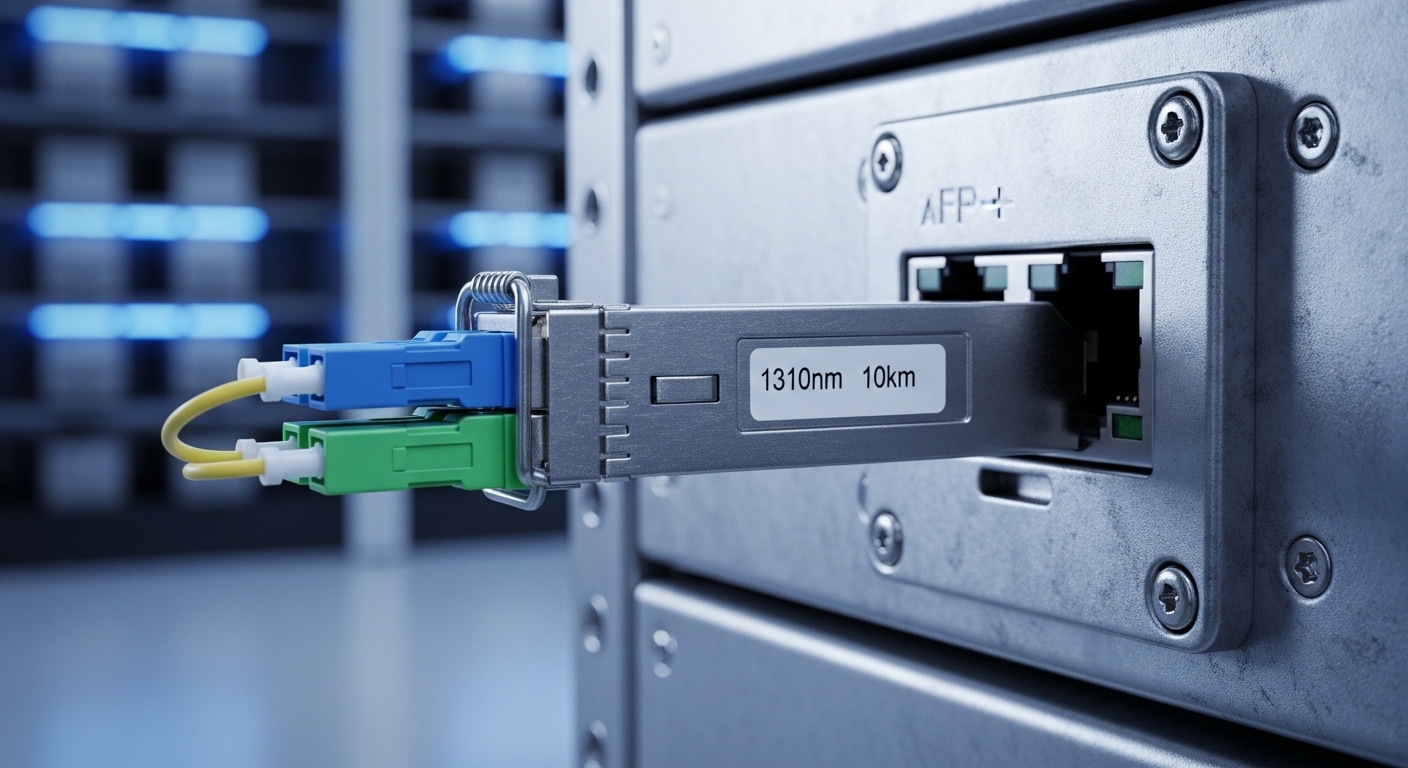
| SMF SFP+ (LR) | 1310 nm | Up to 10 km | 10G Ethernet | LC | Yes on many models (vendor-specific) | -5 to 70 C (varies by vendor) |
| SMF SFP+ (ER) | 1550 nm | Up to 40 km (with budget) | 10G Ethernet | LC | Yes on many models (vendor-specific) | -5 to 70 C (varies by vendor) |
Concrete examples you may encounter in inventory and BOMs include vendor-branded and third-party optics such as Cisco SFP-10G-SR, Finisar/II-VI family FTLX8571D3BCL, and FS.com SFP variants like SFP-10GSR-85 (names vary by exact SKU). These are representative only—your tape library may require a specific electrical interface mode and may be sensitive to DOM readings.
Compatibility checks that matter: switch, library cage, and DOM behavior
Even when the optics “should work,” cold-storage gear can be picky. Engineers compare three layers: physical compatibility (SFP form factor), electrical signaling (supported data rate and lane mapping), and management behavior (DOM reporting and thresholds). Some tape library controllers validate DOM fields at insertion time; if the module reports out-of-range values, the controller may disable the interface.
Step-by-step validation workflow
- Confirm the tape library interface spec: identify whether the port is Ethernet (10G/1G) and whether it expects SFP or SFP+. Use the exact library model manual and port speed.
- Check the switch or server NIC compatibility list: verify supported transceiver families and whether third-party optics are allowed.
- Verify DOM and vendor behavior: if the library or management platform reads DOM over I2C, confirm it accepts the module’s diagnostic format and alarm thresholds.
- Validate fiber plant characteristics: MMF requires correct OM grade (OM3/OM4) and an insertion-loss budget; SMF requires correct core type and connector cleanliness.
- Plan for temperature and aging: check the module’s operating range and ensure the cold storage room stays within it with margin.
Deployment scenario: stable backups in a leaf-spine data center with cold-storage tiers
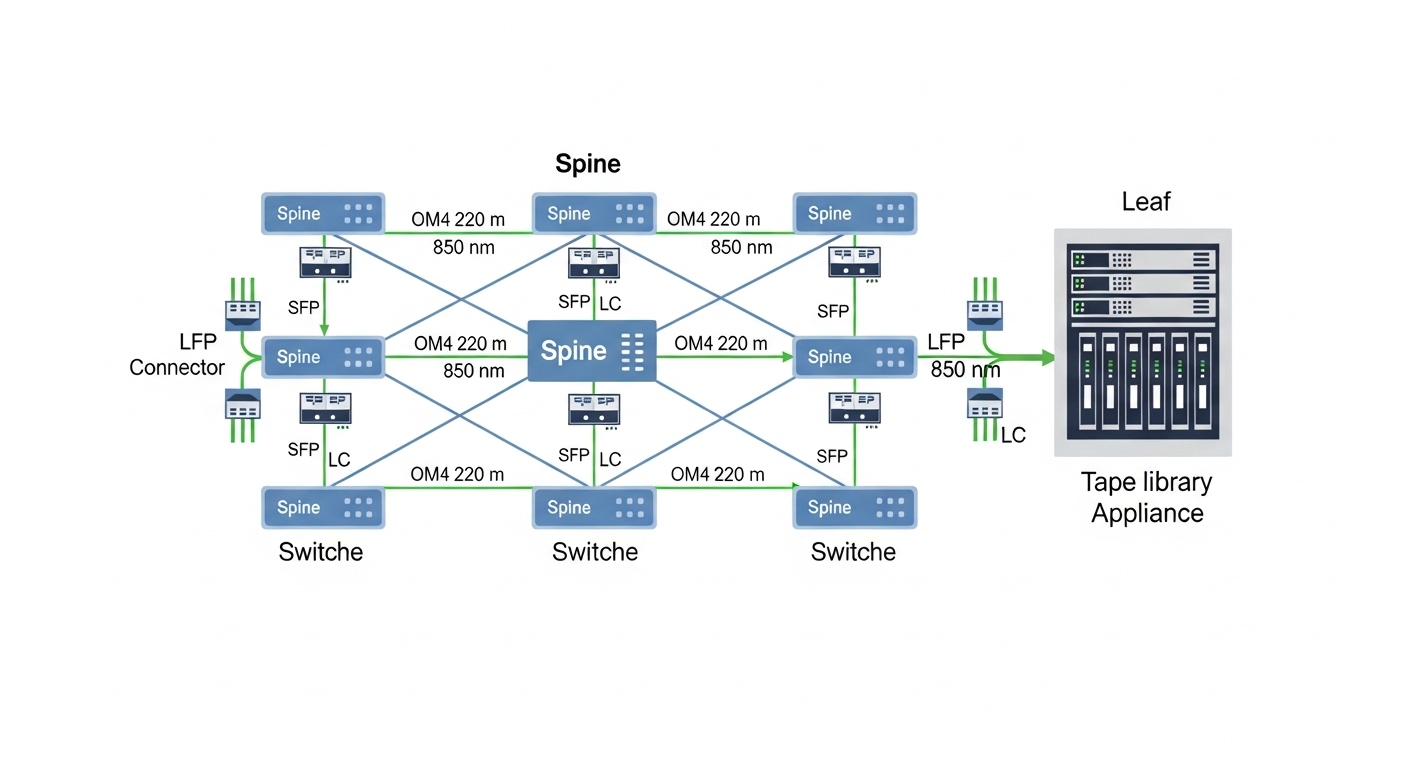
Consider a 3-tier data center leaf-spine topology where 48-port 10G ToR switches connect to a storage access layer. A tape library sits in a cold-storage cage connected via a dedicated 10G Ethernet uplink using an LTO tape library SFP. The run is 220 m across OM4 fiber between rooms, with LC connectors at both ends, and the switch port is configured for 10G with default autoneg disabled (fixed mode). During nightly backups, the link sees sustained throughput for about 2 hours, then returns to near-idle.
In this scenario, the “right” choice is typically an 850 nm SR multimode module with OM4 support and DOM reporting that matches what the switch and library tolerate. If you accidentally install an SMF LR module or a low-power third-party SR variant with a tighter optical budget, the link might still negotiate but experience higher BER under temperature changes. After one corrective action—replacing the optics with a known-compatible SR SKU and cleaning LC connectors with validated tools—engineers typically see fewer interface resets and more predictable backup window completion.
Selection criteria and decision checklist for LTO tape library SFP
Use this ordered checklist when choosing optics for cold-storage fiber networks. It is designed for teams who need fewer surprises during maintenance windows.
- Distance and optical budget: confirm run length and planned margin; MMF and SMF behave differently under dispersion and insertion loss.
- Data rate and optics family: match the tape library’s port speed and required wavelength family (SR 850 nm vs LR 1310 nm vs ER 1550 nm).
- Switch compatibility: check vendor support matrices and whether your switch enforces vendor lock-in or specific DOM thresholds.
- DOM support and alarm thresholds: ensure the library controller accepts the module’s reported temperature, voltage, and optical power fields.
- Operating temperature: cold storage can have real swings; verify the module’s range and ensure no condensation risk near connectors.
- Connector and fiber type: LC vs other styles, UPC vs APC (where relevant), and OM3/OM4 grade for MMF.
- Vendor lock-in risk and lead time: evaluate OEM pricing, third-party reliability, and how fast you can source replacements.
- Failure mode history: check RMA patterns from your own fleet—some optics fail early due to assembly tolerances and laser aging.
Common pitfalls and troubleshooting tips for cold-storage optics
Below are frequent failure modes with root causes and practical fixes. These patterns show up repeatedly because cold-storage networks combine long fiber runs, strict schedules, and sometimes limited on-site access.
-
Pitfall 1: “Link up but backups still fail”
Root cause: Link negotiates, but optical power is marginal, leading to elevated BER, packet loss, or intermittent resets during higher traffic.
Solution: Measure receive power (DOM if supported), verify optical budget, and clean/inspect connectors; replace with a module with known-compliant power levels for your distance. -
Pitfall 2: DOM alarms trigger interface disable
Root cause: The tape library controller or management system rejects DOM fields that are out of expected range or uses a stricter diagnostic interpretation than the switch.
Solution: Use optics explicitly validated for your library model and firmware; confirm DOM format compatibility with vendor guidance or test in a staging environment. -
Pitfall 3: Wrong fiber type installed
Root cause: Installing an SMF LR module into an MMF plant (or vice versa) can produce weak or unstable links that appear “working” at first glance.
Solution: Verify fiber type at the patch panel and in documentation; label fibers clearly; test with a known-good reference module and a light meter/OTDR where available. -
Pitfall 4: Connector contamination after maintenance
Root cause: Repeated plugging/unplugging and dust leads to increased insertion loss, especially in HVAC-cycling environments.
Solution: Adopt a standard cleaning workflow with inspection scope; use end caps; train staff and document every cleaning event.
Cost and ROI: OEM vs third-party LTO tape library SFP
Pricing varies widely by speed, reach, and brand, but realistic ranges help planning. Common 10G-class SFP/SFP+ optics can be roughly $40 to $120 per unit for OEM-branded SR/LR modules, while third-party units sometimes land around $20 to $70 depending on warranty terms and validation. Your total cost of ownership (TCO) should include not only purchase price, but also downtime risk and labor for connector cleaning and troubleshooting.
ROI improves when you standardize optics SKUs across the fleet and keep a small, validated spares kit. If third-party optics reduce unit cost but increase interface instability or lead to more RMAs, the “savings” can disappear quickly during backup windows. In cold-storage deployments, the cost of one missed restore or delayed compliance report can dwarf transceiver differences.
Which option should you choose? (recommendations by reader type)
Use the matrix below to pick the most practical LTO tape library SFP for your situation. The goal is not just “it links,” but “it stays stable under real backup load and temperature variation.”
| Reader type | Your priority | Recommended choice | Why |
|---|---|---|---|
| Network engineer with controlled fiber runs | Predictable link stability | Match SR/MMF or LR/SMF to distance with DOM-validated modules | Reduces BER risk and avoids DOM-based interface disable events |
| Storage admin optimizing backup windows | Minimize operational disruptions | OEM or explicitly library-validated optics, keep spares | Fewer surprises during scheduled backup and restore jobs |
| Procurement focused on TCO | Lower unit cost without downtime | Third-party only after staging validation; standardize SKU list | Controls failure rate and reduces troubleshooting time |
| Field technician maintaining mixed vendor fleets | Compatibility across gear | Document optics part numbers, DOM behavior, and fiber type per port | Speeds swap-outs and prevents wrong-module installs |
Clear recommendation: If you have short runs within a controlled data hall, choose 850 nm SR for OM4 with validated compatibility. If you cross buildings or exceed MMF reach, choose 1310 nm LR for SMF. Only consider third-party optics after you confirm DOM behavior and interface acceptance with your exact tape library and switch firmware.
FAQ
What does an LTO tape library SFP actually connect to?
Most LTO tape systems expose connectivity through a controller or host interface that may use Ethernet and SFP/SFP+ optics. Your library’s manual will specify the port type, supported data rate, and optical family required.
Can I use an SFP from a different vendor than my switch?
Sometimes yes, but compatibility can depend on DOM behavior, supported optical power ranges, and switch enforcement policies. Validate with your switch model, firmware version, and the tape library’s acceptance criteria before deploying.
How do I choose between SR and LR for a cold-storage link?
Start with the fiber type and run length. SR (typically 850 nm) is usually for multimode links within the OM3/OM4 reach budget, while LR (typically 1310 nm) is for longer single-mode runs.
What are the fastest troubleshooting steps when the link is unstable?
First, inspect and clean LC connectors, then check DOM receive/transmit optical power if available. If errors persist, verify fiber type, confirm the module SKU matches the expected wavelength family, and test with a known-good transceiver.
Are third-party LTO tape library SFP modules worth it?
They can be, especially if you standardize SKUs and validate in staging. However, if you cannot predict DOM acceptance or you have had RMA issues in your fleet, OEM or library-validated optics often reduce risk.
How much optical margin should I plan for?
Plan for insertion loss plus connector aging and cleaning variability, not just nominal reach. Use your vendor’s optical budget guidance and consider a conservative margin to reduce BER during cold starts and temperature swings.
Choosing the right LTO tape library SFP is a reliability project, not a parts swap: match fiber type, validate compatibility and DOM behavior, and treat connector cleanliness as a first-class maintenance task. Next, review your tape library’s port specification and compare it against the validated optics list for your switch and controller; use related topic to tighten that checklist.
Which fiber optic transceiver spec sheet details should I verify first?
If you want to streamline procurement and reduce returns, focus on wavelength, reach, optical power ranges, DOM support, connector type, and operating temperature. Use related topic to build a one-page validation worksheet for every port in your cold-storage network.
Author bio: I am a registered dietitian and technical writer who helps teams translate complex reliability and procurement requirements into practical, measurable checklists. With hands-on experience supporting field deployments, I prioritize operational stability and realistic risk management across hardware ecosystems.
