In 800G optical deployments, link issues often show up as intermittent loss of signal, flapping FEC counters, or ports that refuse to come up after a change window. This article helps network engineers and IT directors troubleshoot these failures using measurable indicators, optical power checks, and disciplined governance for transceiver and fiber management. You will get an engineer-grade checklist, common failure modes with root causes, and a top-ranked set of fixes that reduce downtime and repeat incidents. Update date: 2026-04-30.
Top 8 causes of link issues in 800G optics, with fixes
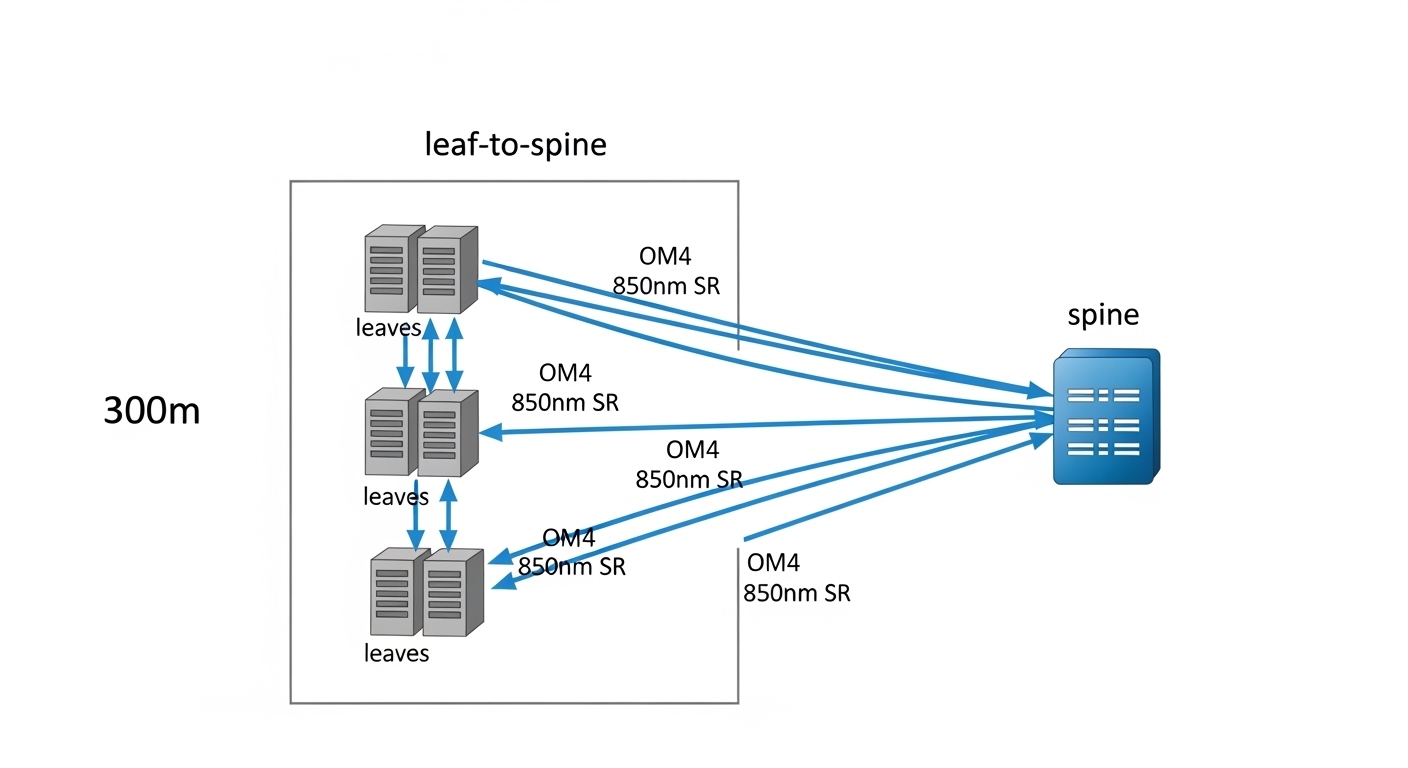
800G links typically use coherent or PAM4-style high-speed optics depending on vendor and reach, and the failure modes cluster around optics compatibility, fiber cleanliness, power budgets, and misconfiguration. The fastest path to recovery is to treat the symptom as a data point: confirm optical interface type, validate DOM readings, verify FEC performance, and then inspect the physical layer. In practice, field teams that follow a consistent sequence cut mean time to repair because they avoid random “swap and hope” changes. The sections below rank the most common causes and the actions that usually resolve them.
Quick reference: what the standard optics stack expects
At the fiber physical layer, the receiver sensitivity, transmitter launch power, and allowable optical return loss are bounded by vendor transceiver datasheets and the relevant Ethernet optical specifications. For Ethernet networking, the framing and error correction behaviors are governed by IEEE 802.3 clause behavior for the specific speed and encoding, while optical performance is constrained by the link budget and FEC mode selection. [Source: IEEE 802.3 Working Group].
Mismatched transceiver types or reach modes
One of the most frequent link issues comes from mixing transceiver families that look similar but negotiate different electrical lane mappings, FEC modes, or wavelength plans. Even when a port “comes up,” the link may sit in a degraded state with rising uncorrected blocks. In an 800G environment, this can happen after a procurement substitution, a lab-tested optic returns to production, or firmware differences alter how link training selects coding. Always confirm that both ends use the same nominal standard (for example, 800GBASE-Ro spec family) and that the reach class matches the fiber plant.
Key checks that usually pinpoint the mismatch
Start by reading DOM fields for each side: wavelength, nominal transmit power, receiver bias current, and diagnostics flags. Then validate that the switch configuration enables the correct media type (SR8 vs FR4-like variants, or coherent vs direct-detect where applicable) and FEC mode. If your platform supports it, compare negotiated lane status and error correction counters.
Best-fit scenario
This fix is best when link issues begin after an optic swap during a maintenance window or after a vendor replacement. Teams often see it in leaf-spine fabrics when spares are stored across sites with slightly different transceiver SKUs.
Pros
- Fast isolation when DOM and configuration are available.
- Prevents silent degraded links that still pass basic traffic.
Cons
- May require ordering the correct SKU, not just “any 800G optic.”
- Some platforms restrict third-party optics via compatibility lists.
Fiber contamination at MPO/MTP interfaces
In high-density 800G cabling, link issues frequently trace back to microscopic contamination on MPO/MTP end faces. A single particle can increase insertion loss, degrade return loss, and trigger receiver overload or signal-to-noise collapse. Unlike older 10G/25G runs where margin was larger, modern high-speed optics can operate closer to sensitivity limits, leaving less room for “dirty connector” drift. The fix is straightforward but must be executed consistently: inspect, clean, and re-terminate using correct procedures and verified tools.
What to measure and how to confirm
Use an inspection microscope and document pass/fail criteria for each polarity row. Then clean with lint-free wipes and appropriate cleaner cartridges, and re-check. If you see repeated failures on the same polarity, suspect a connector that was never fully seated or a damaged ferrule.
Best-fit scenario
This is best when link issues appear after patching, re-cabling, or cabinet maintenance, especially in dense rows where connectors are frequently touched.
Pros
- Highest success rate when inspection evidence is used.
- Reduces future incidents by establishing a hygiene baseline.
Cons
- Requires inspection tooling and consistent technique across teams.
- Damaged ferrules may require re-termination.
Link budget violations: too much loss or wrong fiber type
Even perfectly clean connectors can produce link issues when the installed fiber plant does not meet the expected link budget. For 800G optics, the acceptable total loss includes connector loss, splice loss, and patch panel loss, and it must be within the transceiver’s specified range for the chosen reach. Engineers typically discover this after a reroute, a new intermediate patch tray, or the addition of a “temporary” patch that becomes permanent. Confirm the fiber type (OM4 vs OM5 vs single-mode), the number of splices, and the measured end-to-end loss.
Practical measurement approach
Use an OTDR for single-mode characterization and an appropriate cabling certification tool for multimode, then compare measured loss against transceiver budget. If you cannot certify end-to-end, at least verify patch cords and jumpers with known specs and connectors of the required class.
Best-fit scenario
This fix is best when link issues correlate with specific routes, cabinets, or trays, and when DOM receiver power is near the threshold.
Pros
- Root-cause clarity and better long-term capacity planning.
- Enables governance: no new runs without certification.
Cons
- May require re-cabling, which is disruptive.
- OTDR and certification tooling adds operational overhead.
DOM and transceiver diagnostics mismatch or disabled diagnostics
Link issues are sometimes masked by incomplete visibility: ports appear down, but engineers lack DOM-derived context. Some environments also disable advanced diagnostics collection or fail to ingest DOM fields into monitoring, so teams only notice after traffic loss. In 800G systems, using DOM to validate transmit power, temperature, bias current, and alarm flags can quickly distinguish between physical-layer problems and configuration mismatches.
Minimum DOM fields to log
For each interface, record transmit power, receive power, laser bias/temperature, and any vendor-specific alarm bits. Then store these values with timestamps so you can correlate spikes with environmental events like airflow changes or cabinet door operations.
Best-fit scenario
This fix is best when your NOC reports “port down” without an optical reason, or when different teams diagnose the same link differently due to missing telemetry.
Pros
- Improves mean time to repair by accelerating triage.
- Supports governance by enforcing telemetry completeness.
Cons
- Implementation effort: monitoring and data retention.
- Some third-party optics may expose fewer fields.
FEC mode or lane mapping configuration errors
Many 800G platforms use FEC and lane interleaving to achieve the target BER. If the FEC mode is incorrectly configured, or if lane mapping does not match the transceiver electrical interface, the link may show high corrected error counts or never complete training. This can happen after software upgrades, template changes, or when moving optics between platforms with different port breakout expectations. The key is to validate the exact coding and lane mapping configuration on both ends.
Verification steps
Compare the configured FEC mode to the transceiver capability (from datasheet or platform compatibility doc). Then validate lane mapping and breakout settings. Finally, confirm counters: watch for corrected blocks, uncorrected blocks, and link training state transitions.
Best-fit scenario
This fix fits environments where link issues appear after control-plane changes or automation pushes, not after physical cabling events.
Pros
- Often resolves without physical intervention.
- Improves change-management quality via validation gates.
Cons
- Requires platform-specific knowledge and documentation.
- Misconfigurations can be subtle and template-driven.
Thermal and power supply constraints in the optics path
High-speed optics can be sensitive to airflow patterns and module temperature. If the switch chassis fan settings are altered, if a front-to-back airflow baffle is missing, or if the optics cage is obstructed, the transceiver may throttle performance or trigger alarms that manifest as link issues. Similarly, partial power supply instability can cause intermittent resets. Engineers should correlate link events with temperature telemetry and fan duty cycle.
Operational checks
Validate fan speed profiles, check for blocked vents, and confirm that transceiver temperature stays within the vendor datasheet range. For repeated flaps, examine power supply health logs and compare incident timestamps to any cabinet-level environmental changes.
Best-fit scenario
This fix is best when link issues appear in waves across multiple neighboring ports or during peak utilization periods.
Pros
- Prevents recurrences caused by environmental drift.
- Improves overall platform reliability.
Cons
- Requires physical verification of airflow and chassis configuration.
- Thermal root causes may not be obvious from software logs.
Dirty or worn connector hardware and incorrect polarity discipline
Beyond cleaning, connector hardware can be worn, mis-keyed, or repeatedly handled in ways that degrade performance. In MPO systems, polarity mistakes can route transmit fibers to receive positions incorrectly, producing link issues that look like “no signal” or extreme error counts. Root causes include incorrect polarity labeling, re-patching without updating documentation, and using cords with incompatible polarity schemes. Treat polarity as a configuration artifact, not a one-time physical labeling task.
Discipline you can audit
Use standardized polarity labels, keep a patching record per change ticket, and verify with an end-to-end continuity test when polarity is suspect. Ensure both ends follow the same polarity convention mandated by the optic type and cabling plan.
Best-fit scenario
This fix fits when link issues correlate with human-driven patching activity and when the same link fails after “it was working yesterday” changes.
Pros
- Reduces operator-induced errors.
- Improves auditability and rollback speed.
Cons
- Requires process changes and consistent labeling.
- Continuity testing adds time during urgent repairs.
Governance gaps: no compatibility matrix, weak spare validation, and untracked changes
Even if you fix the immediate link issue, the organization can repeat the same failure due to governance gaps. Common problems include missing a transceiver compatibility matrix per switch model, not validating third-party optics before stocking, and allowing untracked automation templates to change FEC or media settings. In enterprise architecture terms, you want a controlled interface contract: optics SKU, software version, configuration profile, and fiber route all treated as managed assets. This is where IT leadership can reduce total cost of downtime.
Governance controls that work in production
Maintain an approved optic list per platform and software release. Require pre-deployment validation: confirm DOM fields, basic link training, and error counter thresholds under a controlled loopback test where possible. Enforce change windows with a rollback plan and telemetry baselines.
Pros
- Prevents recurrence and reduces operational variance.
- Improves ROI by cutting incident rate, not just fixing symptoms.
Cons
- Upfront process and tooling investment.
- Requires cross-team alignment between network engineering and procurement.
Technical specifications table for troubleshooting inputs
The table below summarizes common optical inputs you should capture during link issue triage. Exact values vary by vendor and optic family; use vendor datasheets as the final authority and confirm what your platform supports.
| Parameter | What you check during link issues | Typical range (example) | Why it matters |
|---|---|---|---|
| Data rate | Confirm the port is operating at expected 800G mode | 800G (platform dependent) | Wrong mode can break FEC and lane training |
| Wavelength / optics type | Check DOM for nominal wavelength and optic family | Varies by transceiver; e.g., 850 nm multimode or single-mode variants | Mismatch can cause no-link or high errors |
| Reach class | Validate reach against certified fiber distance | Typically vendor-specific budgets | Exceeding budget leads to BER/FEC instability |
| Connector type | Confirm MPO/MTP geometry and polarity scheme | MPO/MTP for high-density multimode/direct-detect | Polarity mistakes mimic signal loss |
| Optical power (TX/RX) | Compare DOM TX power to expected and ensure RX power is above sensitivity | Vendor-specific absolute values | Low RX power indicates loss, contamination, or budget issues |
| DOM alarms | Capture laser alarm, temperature alarm, and bias status | Vendor-specific thresholds | Distinguishes optical faults from config faults |
| Operating temperature | Check module temperature under load | Vendor datasheet limits | Thermal drift can cause flaps and throttling |
If you need concrete reference points for optics SKU behavior, consult vendor datasheets for examples such as Cisco SFP-10G-SR is not directly comparable at 800G, but the same discipline applies: treat TX/RX specs, connector geometry, and temperature limits as hard constraints. For third-party 10G optics examples like Finisar FTLX8571D3BCL and FS.com SFP-10GSR-85, the lesson is consistent: DOM availability and compatibility can differ even when the connector and nominal wavelength match. [Source: vendor transceiver datasheets].
Selection criteria checklist to prevent link issues before rollout
Before you deploy or expand an 800G optical fabric, run this decision checklist. It is designed to reduce surprises during change windows and to improve cross-site consistency.
- Distance and reach alignment: confirm certified fiber loss and connector counts for the exact route.
- Budget fit: verify the transceiver link budget including worst-case aging and patch cord variability.
- Switch compatibility: validate optic SKU against the specific switch model and software release.
- DOM support and monitoring: ensure your telemetry pipeline captures TX/RX power and alarm bits.
- Operating temperature and airflow: confirm chassis fan profiles and verify module temperature stays within datasheet limits.
- Connector and polarity discipline: use the correct MPO/MTP polarity scheme and keep patch records with rollback.
- Vendor lock-in risk: assess cost and availability of exact SKUs, then qualify third-party options with tests.
- Change governance: require a pre-change baseline of FEC and error counters, plus a rollback plan.
Pro Tip: In many 800G incidents, the fastest signal is not “port down” but the FEC counter shape over time. If corrected blocks rise gradually while DOM RX power trends downward, you likely have a link budget or contamination issue; if training never stabilizes and corrected blocks remain erratic from the first seconds, suspect FEC mode, lane mapping, or transceiver mismatch.
Common link issues pitfalls and troubleshooting tips
Below are frequent failure modes seen in operational environments, with root causes and solutions you can apply immediately.
-
Pitfall: Replacing the optic without cleaning or inspecting the connector
Root cause: contamination remains, so the new optic sees the same elevated insertion loss.
Solution: inspect end faces with a microscope, clean both MPO ends, then re-test. Document pass/fail per polarity row. -
Pitfall: Assuming “same wavelength” means “same optic behavior”
Root cause: reach class, coding/FEC capability, or lane mapping differs between transceiver families.
Solution: validate SKU compatibility per switch model and confirm FEC and media type settings match the transceiver capability. -
Pitfall: Ignoring DOM alarm bits and only watching link state
Root cause: link state can lag behind optical diagnostics; you miss early warnings like temperature or bias drift.
Solution: ingest DOM telemetry into monitoring and correlate TX/RX power and alarm