
Law firms treat network downtime and data exposure as risk events, not inconveniences. This article compares SFP transceiver options for legal IT fiber secure networks, focusing on the real constraints you face: court-adjacent uptime expectations, strict change windows, and optics that must work across mixed switch fleets. It helps IT managers, field engineers, and procurement teams choose reliably between vendor-branded and third-party modules.
Secure performance: 10G/1G SFP reach vs signal budget
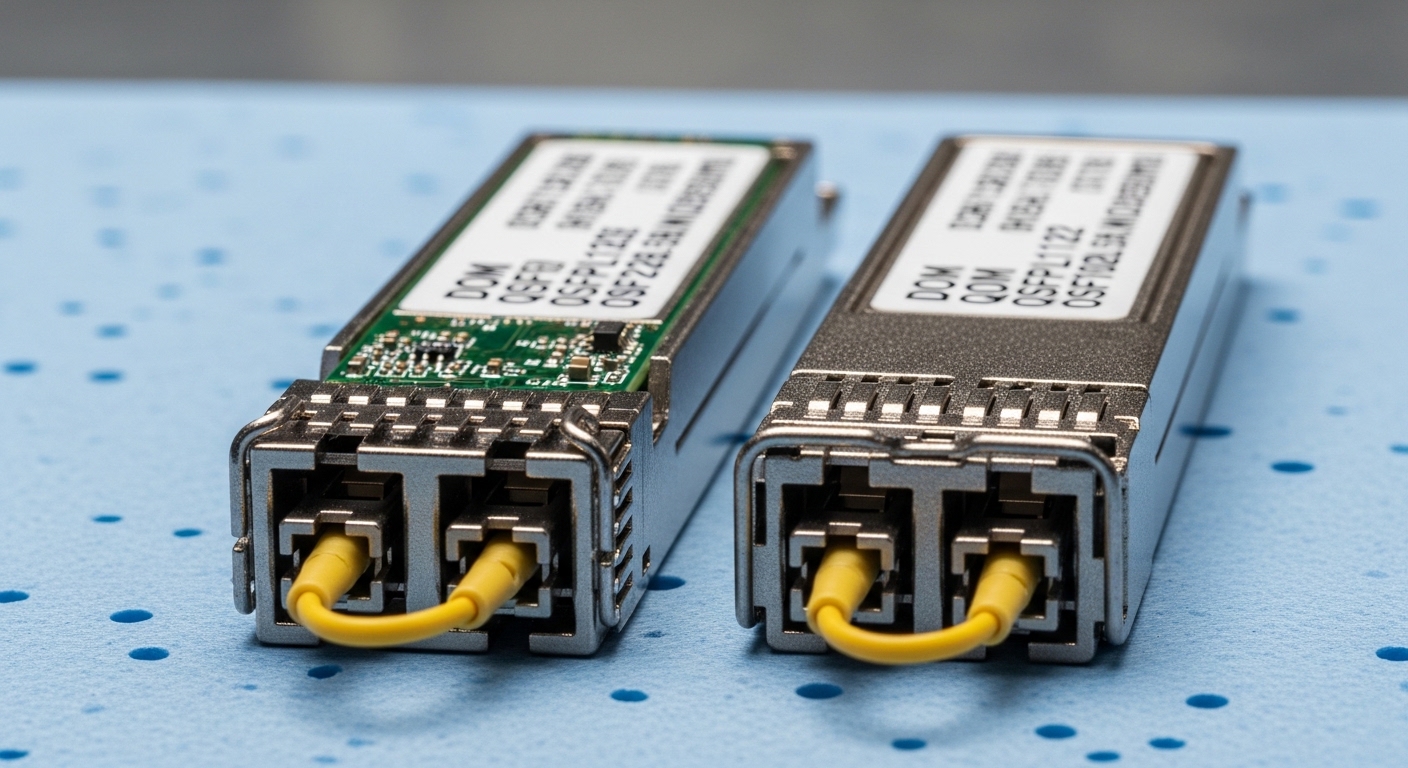
In legal IT fiber deployments, the main question is rarely “can it link?” It is whether your optics margin survives real-world loss: patch panel dirt, aged fiber, and temperature swings inside MDF/IDF closets. For SFP-based links, you select wavelength and reach based on the IEEE 802.3 physical layer and your measured link loss, then validate with link diagnostics (DOM where available).
Most law firm secure networks use small-form transceivers for server uplinks and access switches. Common patterns include 1G SFP for legacy aggregation and 10G SFP+ for hypervisor traffic. When you standardize on single-mode 1310 nm for longer runs or 850 nm multimode for short-to-mid links, you reduce the number of optics SKUs and lower operational risk.
| Key spec | 1G SFP (MMF) | 10G SFP+ (MMF) | 10G SFP+ (SMF) |
|---|---|---|---|
| Typical wavelength | 850 nm | 850 nm | 1310 nm |
| Reach (typical) | Up to 550 m | Up to 300 m (OM3/OM4 depends) | Up to 10 km |
| Connector | LC | LC | LC |
| DOM support | Often available | Common | Common |
| Tx optical power / Rx sensitivity | Vendor-specific | Vendor-specific | Vendor-specific |
| Operating temp | 0 to 70 C (typical) | 0 to 70 C (typical) | -40 to 85 C (available) |
| Relevant standards | IEEE 802.3z | IEEE 802.3ae | IEEE 802.3ae |
For authority on the physical-layer requirements, see [Source: IEEE 802.3-2022] and vendor transceiver compliance notes via switch vendor compatibility guides. For practical optics behavior and link budgeting, consult [Source: ANSI/TIA-568.3-D] for structured cabling test practices.
Pro Tip: If you can, measure end-to-end loss with an optical power meter and verify polarity at the patch field. Many “bad SFP” incidents in legal IT fiber are actually connector contamination or swapped Tx/Rx polarity, which DOM will not detect.
Cost and TCO: OEM-branded vs third-party SFP modules
In law firm environments, total cost of ownership includes truck rolls, change control overhead, and time spent proving compatibility for auditors. OEM SFPs often cost more, but they reduce the probability of switch compatibility checks failing and simplify procurement documentation. Third-party SFPs can be economical, yet you must validate DOM behavior and ensure the vendor supports your specific switch model.
Typical street pricing varies by speed and reach. As a ballpark: 1G SFP 850 nm modules may cost under the price of a single service visit, while 10G SFP+ 1310 nm SMF can run higher due to laser complexity. Field experience suggests that the “cheap module” problem shows up later as intermittent link flaps during temperature swings, which increases operational risk even if the initial purchase saved money.
When building a TCO model, include spares strategy: keep a small pool of known-good optics per speed and reach class. This is especially valuable for secure law firm networks where emergency replacements must be validated quickly without broad configuration changes.
Compatibility and security: DOM, vendor checks, and change control
Most modern access and aggregation switches support digital optical monitoring (DOM) for alarms like laser bias current and received power. For secure networks, operators care because DOM alerts can trigger proactive maintenance before a link degrades. However, compatibility varies: some switches enforce strict vendor and part-number whitelists, which can block non-OEM optics.
In practice, you should plan a compatibility matrix per switch model and transceiver type. For example, a Cisco deployment may require testing with modules such as Cisco-branded optics or carefully validated third-party equivalents, while other vendors behave differently. Real modules you might encounter include Cisco SFP-10G-SR, Finisar FTLX8571D3BCL, and FS.com SFP-10GSR-85 (verify exact part behavior with your switch). For DOM and compliance expectations, consult the switch vendor’s optics compatibility and the module datasheet.
For secure operations, align optics change windows with incident response. If you rotate optics to reduce risk exposure, document the exact part numbers used, the measured optical link budget, and the DOM thresholds observed during burn-in.
Use-case comparison: where each option fits law firm networks
Consider a typical 3-tier legal IT fiber design: two MDFs and four IDFs, with server virtualization in the core and user access at the edges. In a leaf-spine-like access design using 48-port 10G ToR switches, you might run 850 nm multimode for ToR-to-aggregation links within 150 to 300 m, while using 1310 nm single-mode between MDFs across 2 to 8 km dark fiber.
In that scenario, 10G SFP+ multimode reduces cost and cabling complexity for shorter runs, while 10G SFP+ single-mode improves distance coverage and centralizes spares for inter-building links. For legal secure networks with strict uptime targets, you also want transceivers with stable behavior across office temperature ranges and a DOM that your monitoring stack can interpret.
Selection guide: decision checklist for legal IT fiber SFP procurement
- Distance and fiber type: pick MMF vs SMF, then confirm wavelength (850 nm vs 1310 nm) against your measured link loss.
- Switch compatibility: verify OS version behavior and whether the switch enforces optic part-number validation.
- DOM support: ensure your module exposes standard DOM fields your monitoring tool can ingest.
- Operating temperature: choose -40 to 85 C if closets lack HVAC control or sit near heat sources.
- Budget and spares: plan a small pool of known-good optics per class; do not rely on “one spare fits all.”
- Vendor lock-in risk: mitigate by pre-testing third-party modules and keeping documentation for audits.
Common mistakes / troubleshooting: what breaks in the field
1) Wrong fiber type assumptions. Root cause: selecting 850 nm multimode optics for a run that is actually single-mode (or vice versa), or using an incorrect OM grade. Solution: verify fiber type and test loss using TIA test procedures; label patch fields and confirm continuity.
2) Polarity and connector contamination. Root cause: swapped Tx/Rx polarity or dirty LC ends causing high attenuation. Solution: clean connectors with approved methods, confirm polarity mapping, and re-test optical power levels before replacing optics.
3) DOM mismatch and monitoring blind spots. Root cause: third-party modules that report DOM fields differently, causing monitoring to miss thresholds. Solution: validate DOM telemetry in a staging environment and compare alarm behavior under controlled load.
4) Marginal link budget under temperature. Root cause: links that barely meet specs at install time but fail during seasonal HVAC changes. Solution: include safety margin in link budget; prefer modules with stronger Rx sensitivity and validate with continuous link monitoring.
Decision matrix: match the option to your constraints
| Option | Best for | Strengths | Limitations | Risk level |
|---|---|---|---|---|
| 1G SFP (MMF) | Legacy access and short runs | Low cost, widely supported | Shorter reach; MMF aging | Low |
| 10G SFP+ (MMF) | ToR-to-aggregation within facilities | Cost-effective for 100 to 300 m | Requires correct OM grade | Medium |
| 10G SFP+ (SMF) | MDF-to-MDF and inter-building links | Long reach, more consistent distance | Higher module cost | Low to Medium |
| OEM modules | Strict change control environments | Compatibility confidence | Higher unit price | Low |
| Validated third-party modules | Budget-sensitive scaling | Lower unit cost | Needs per-switch testing | Medium |
Which Option Should You Choose?
If you run a mixed switch fleet with strict operational controls, choose SMF 10G SFP+ for longer runs and MMF 10G SFP+ for in-building links, then start with OEM optics for first deployment and document compatibility. If you are standardizing for multi-site growth, validate a single third-party vendor for each speed and wavelength, then keep spares aligned to that validated SKU set.
Next step: audit your current optics inventory and link loss records, then run a short compatibility test plan with DOM telemetry. For broader secure-network cabling guidance, see structured cabling for secure legal networks.
FAQ
What does “legal IT fiber” mean in optics planning?
It means you plan for confidentiality, uptime, and auditability alongside pure bandwidth. Practically, it pushes you toward predictable optics behavior, documented part numbers, and measurable link budgets using standard test methods.
