Industrial fiber links for PLC and SCADA often fail in the field due to mismatched optics, temperature margins, or connector and DOM handling issues. This reference helps automation engineers and reliability teams select an industrial SFP that survives cabinet heat, meets distance targets, and stays compatible with switch or media converters. You will get quick selection steps, troubleshooting patterns, and realistic TCO guidance.
Where industrial SFP modules fit in PLC and SCADA fiber design
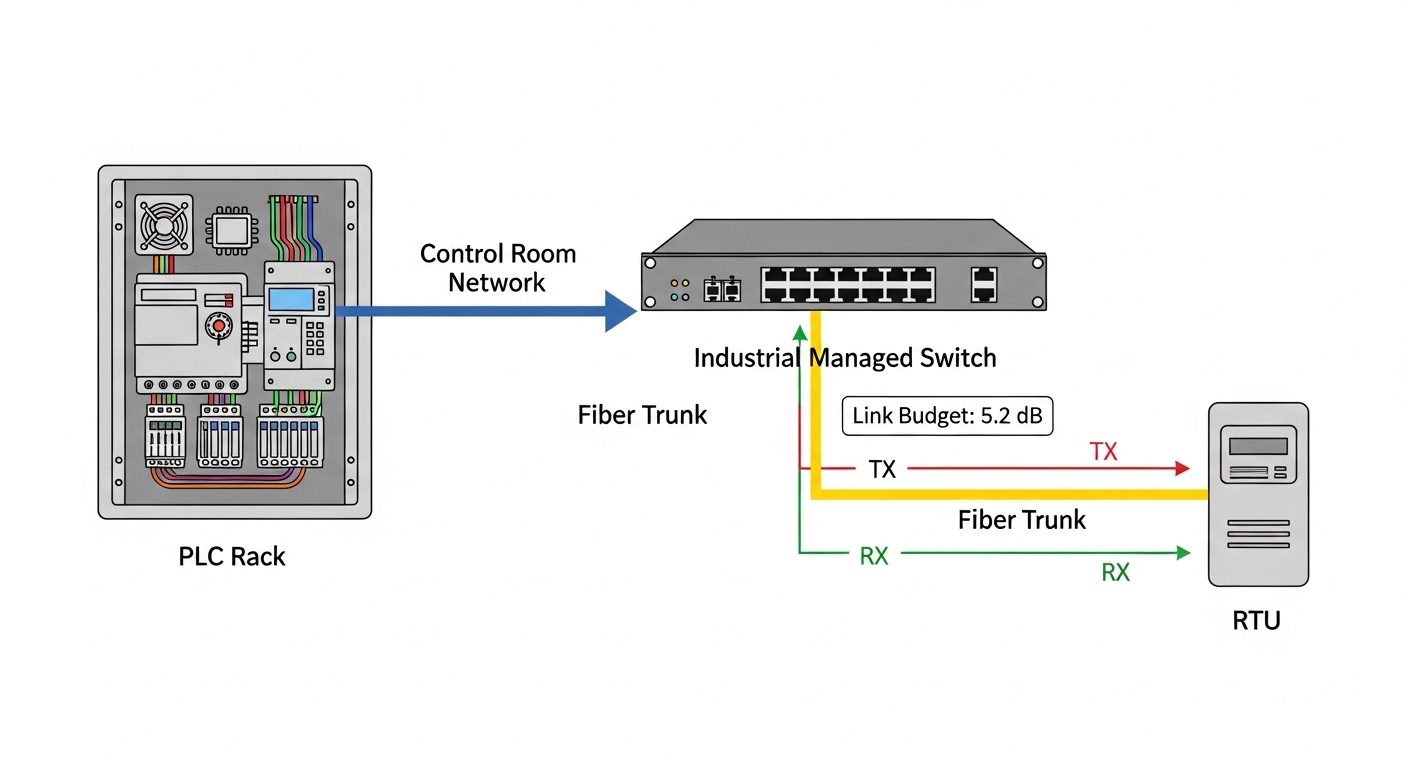
In automation networks, PLCs and RTUs typically connect to an industrial Ethernet switch or a fiber media converter that aggregates traffic toward SCADA servers. For fiber runs in plants, SFP is common because it scales port density while allowing per-link optics and budgeting. The key reliability goal is stable optical power and deterministic link behavior across temperature swings, vibration, and frequent cabinet door cycling.
For example, a control room may use managed switches with SFP uplinks, while remote I/O islands use smaller switches or gateways. Engineers often target 10G or 1G Ethernet depending on control loop requirements and vendor stack limits. IEEE 802.3 governs Ethernet PHY behavior; vendor datasheets govern the optical and electrical thresholds your link must stay within. anchor-text: IEEE 802.3 standard portal
Core specs that decide compatibility and link budget
Before buying, confirm that the module is electrically and optically compatible with the host. For SFP, the host reads identification data (commonly via SFP “serial ID” and diagnostics if DOM is supported), then applies power and timing expectations. If the host rejects the module or misreports DOM, you can see link flaps even when light levels appear adequate.
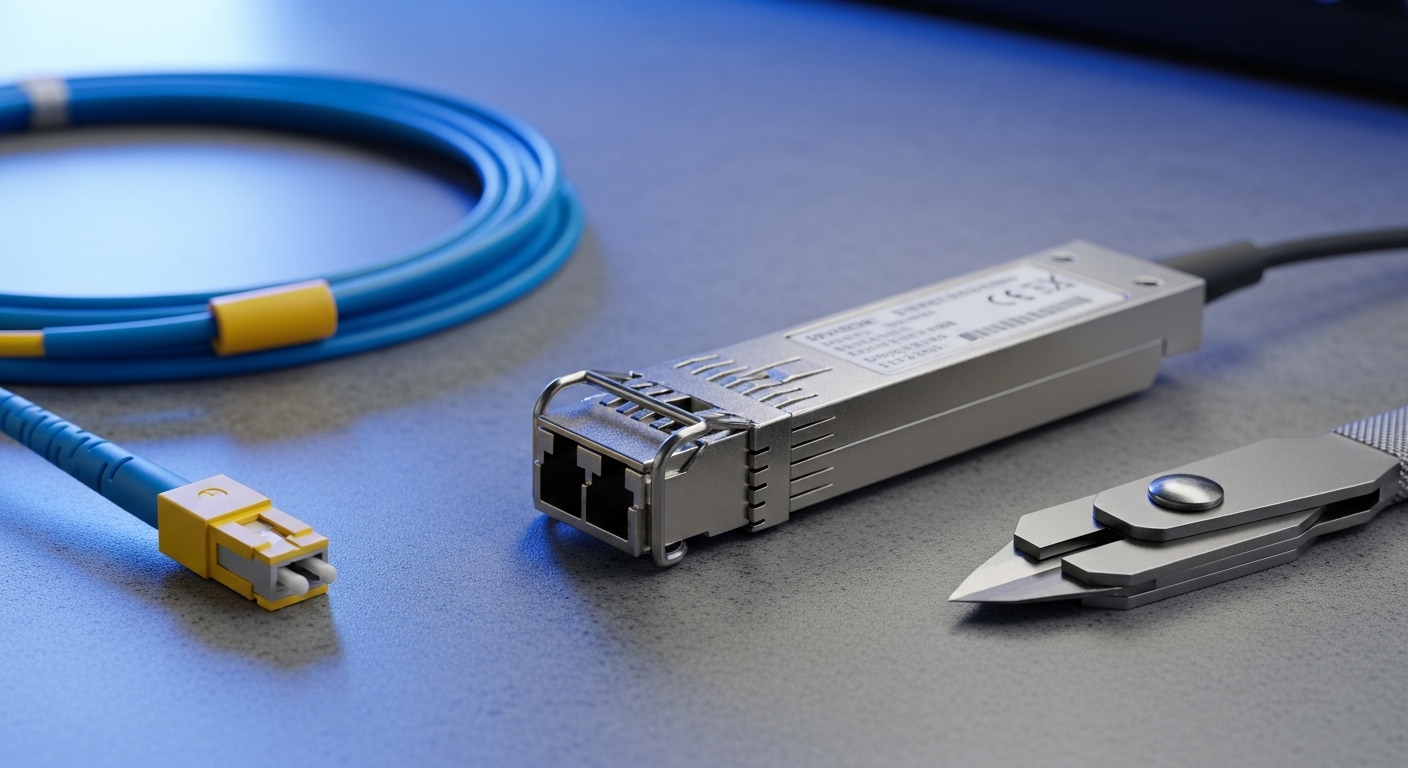
The most field-relevant specs are wavelength, reach class, optical power range, receiver sensitivity, fiber type/connector, DOM availability, and temperature range. Industrial vendors may extend temperature to support control cabinets near heaters or sunlight-exposed enclosures. Always match your fiber plant type (single-mode vs multi-mode) and connector style (LC is typical for SFP optics).
| Spec | What to verify | Example industrial SFP targets |
|---|---|---|
| Data rate | Host port speed and Ethernet PHY mode | 1G or 10G SFP |
| Wavelength | Matches fiber type and budget | 1310 nm (SM/OM), 1550 nm (SM long reach) |
| Reach (typical) | Budget against fiber attenuation + connectors + splices | Up to 10 km (SM), 300 m (OM3 for 10G-class) |
| Connector | LC/SC adapter plan and mounting constraints | LC duplex (common) |
| TX power & RX sensitivity | Optical link margin in dB | Vendor datasheet ranges; ensure margin for aging |
| DOM | Diagnostics support and host polling behavior | Digital optical monitoring via I2C/SFP DOM |
| Operating temp | Cabinet and ambient extremes | -40 to +85 C (industrial typical) |
| Compliance notes | EMI and safety approvals for industrial enclosures | Vendor-specific certifications in datasheet |
Pro Tip: Field failures often come from “almost compatible” optics: the module meets a reach headline, but your installed link margin is thin after patch cords, angled physical contact adapters, and re-terminated splices. Build a link budget using vendor TX/RX specs and measure actual attenuation with an OTDR before assuming the SFP is wrong.
Industrial SFP selection checklist for automation teams
Use this ordered checklist during procurement and pre-install validation. It reduces returns and reduces downtime during commissioning windows.
- Distance and fiber type: confirm single-mode vs multi-mode, core size (OM2/OM3/OM4), and planned route length including patch cords.
- Wavelength and reach class: pick 1310 nm (common for 1G/10G SM) or 850 nm (common for MM reach) based on your plant fiber.
- Switch compatibility: verify host support and known interoperability. Some hosts enforce optical power thresholds or reject non-vendor DOM behavior.
- DOM and alarm thresholds: ensure the host reads DOM correctly; confirm whether alarms will trigger maintenance workflows.
- Operating temperature: verify the module’s rated range matches cabinet ambient, not just room temperature. Include sun load and heater cycling.
- Connector and patching: plan LC duplex cleanliness, adapter types, and labeling to avoid cross-connection between Tx/Rx.
- Vendor lock-in risk: evaluate OEM vs third-party. Keep one compatible spare per site and validate during a staged rollout.
- Reliability evidence: request mean time between failures approach or accelerated test summaries from vendor documentation when available.
When you need concrete part examples, teams often compare OEM and third-party optics such as Cisco SFP-10G-SR, Finisar FTLX8571D3BCL, or FS.com SFP-10GSR-85. Treat each as a reference point, not a guarantee: always confirm wavelength, DOM support, and temperature rating against your exact host and fiber plant.
Real deployment scenario: 10G uplinks from a remote I O island
In a 3-tier plant network, a remote I/O island feeds a control room via fiber. Assume 10G uplinks from a remote switch to a site aggregation switch: 1.8 km single-mode fiber, LC duplex patching at both ends, and 6 dB connector/splice loss budget after OTDR confirmation. You select an industrial SFP at 1310 nm for the host’s 10G SR/SR-like capability is irrelevant; you must match single-mode optics. With vendor TX power and receiver sensitivity published, you verify at least 3 to 6 dB margin for aging, then test link stability across cabinet ambient from -10 C to +70 C during commissioning.
During acceptance, engineers monitor link counters for CRC errors, observe DOM optical power trends, and confirm that the host does not disable the port due to diagnostic mismatch. If the port flaps during temperature ramp, suspect DOM polling timing, host firmware quirks, or marginal optical power caused by dirty connectors. This is where pre-cleaning and a quick swap test with a known-good spare saves hours.

Common mistakes and troubleshooting patterns
Most industrial SFP issues are systematic. These are the recurring failure modes teams see in PLC/SCADA environments.
- Mistake: Installing a multi-mode SFP into single-mode fiber (or vice versa).
Root cause: Wavelength and modal assumptions do not match the plant fiber; receiver sensitivity effectively collapses.
Solution: Verify fiber type at the patch panel and confirm wavelength class before powering the link. - Mistake: Assuming “reach” equals “it will work on my route.”
Root cause: Underestimated patch cord losses, dirty adapters, and extra splices reduce optical margin.
Solution: Use OTDR or fiber test results to compute link budget; clean connectors and re-test. - Mistake: Ignoring temperature rating differences between OEM and third-party modules.
Root cause: Some modules are rated for commercial ranges and drift under hot cabinet conditions, causing rising BER and link resets.
Solution: Confirm the module operating temperature rating and validate with a short thermal soak during commissioning. - Mistake: DOM mismatch causing host alarm storms or port disable behavior.
Root cause: Host expects specific DOM register ranges or interprets diagnostics differently.
Solution: Confirm DOM compatibility with the host firmware version; test in a staging rack before site deployment. - Mistake: Reversed Tx/Rx or mixed duplex orientation at the patch panel.
Root cause: Duplex LC connectors can be cross-connected during maintenance.
Solution: Label fibers, verify polarity with a known-good continuity check, and document the correct mapping.
Cost and ROI note for industrial SFP procurement
Typical street pricing varies by vendor, reach, and DOM support. As a practical range, common 1G industrial SFP optics may be a few tens of dollars each, while 10G industrial SFP modules can be roughly in the USD 80 to 250 range depending on reach and temperature rating. OEM modules often cost more but can reduce integration risk, especially when hosts enforce strict DOM behavior.
ROI comes from fewer truck rolls and faster restoration. If a link failure causes even 2 to 4 hours of downtime across a SCADA maintenance window, the labor and production impact can dwarf module cost. TCO improves when you stock one validated spare per site, enforce connector cleaning discipline, and standardize on optics that match your fiber plant families.
FAQ
Q: What makes an SFP “industrial” for PLC and SCADA use?
An industrial SFP typically has an extended operating temperature rating (often around -40 to +85 C), and it is validated for harsher enclosure conditions. Confirm the exact temperature range in the vendor datasheet and validate DOM and alarm behavior with your host firmware. anchor-text: IEEE 802 overview
Q: Can I use third-party industrial SFP modules in managed switches?
Often yes, but compatibility depends on host firmware, DOM support, and optical power thresholds. Do a staging test with the same switch model and version, and verify that the port stays up without alarm storms. Keep a vendor spare to isolate host versus module issues quickly.
Q: How do I choose between 1310 nm and 850 nm for my plant?
Use 1310 nm for single-mode links and longer distances; use 850 nm for multi-mode when your fiber plant and reach class support it. Always build a link budget using real installed loss (splices, connectors, patch cords) rather than relying on marketing reach.
Q: What diagnostic metrics should I watch during commissioning?
If DOM is supported, watch transmit power, receive power, and any threshold alarms. On the host, monitor interface CRC errors, link up/down counts, and error counters during thermal cycling. A stable DOM trend with low error counters is a strong acceptance signal.
Q: What is the fastest troubleshooting workflow when a fiber link stays down?
First, verify the correct SFP type and wavelength for the fiber type. Then clean and reseat LC connectors, confirm polarity (Tx to Rx), and run a quick swap with a known-good module. If still down, check optical power with DOM and validate the fiber attenuation using test records or on-site measurement.
Q: Do I need to worry about MTBF for SFP modules?
MTBF is useful for planning spares, but definitions vary by vendor and test method. Focus on documented reliability testing, appropriate temperature rating, and your own site failure history; combine that with a spare strategy to control downtime risk.
Industrial SFP selection is mostly about disciplined compatibility checks, accurate link budgets, and temperature-aware validation for PLC and SCADA environments. Next step: align your fiber plant records with the module checklist using industrial fiber optics link budget basics.
Author bio: I work as a reliability engineer validating optical link stability in industrial networks, including thermal soak and DOM-based failure analysis. I also review vendor datasheets against host compatibility and field test data to reduce commissioning risk.