
If your switches light up the port but the link never comes up, the problem is often not cabling alone. This article helps field engineers and network DIYers choose an IEEE 802.3 transceiver that matches the Ethernet physical-layer requirements, so compatibility issues show up in your selection process instead of during rollout. You will see how the standard relates to optics types, wavelength, reach, power, temperature behavior, and DOM data.
Top 7 IEEE 802.3 transceiver picks by optics type and use-case
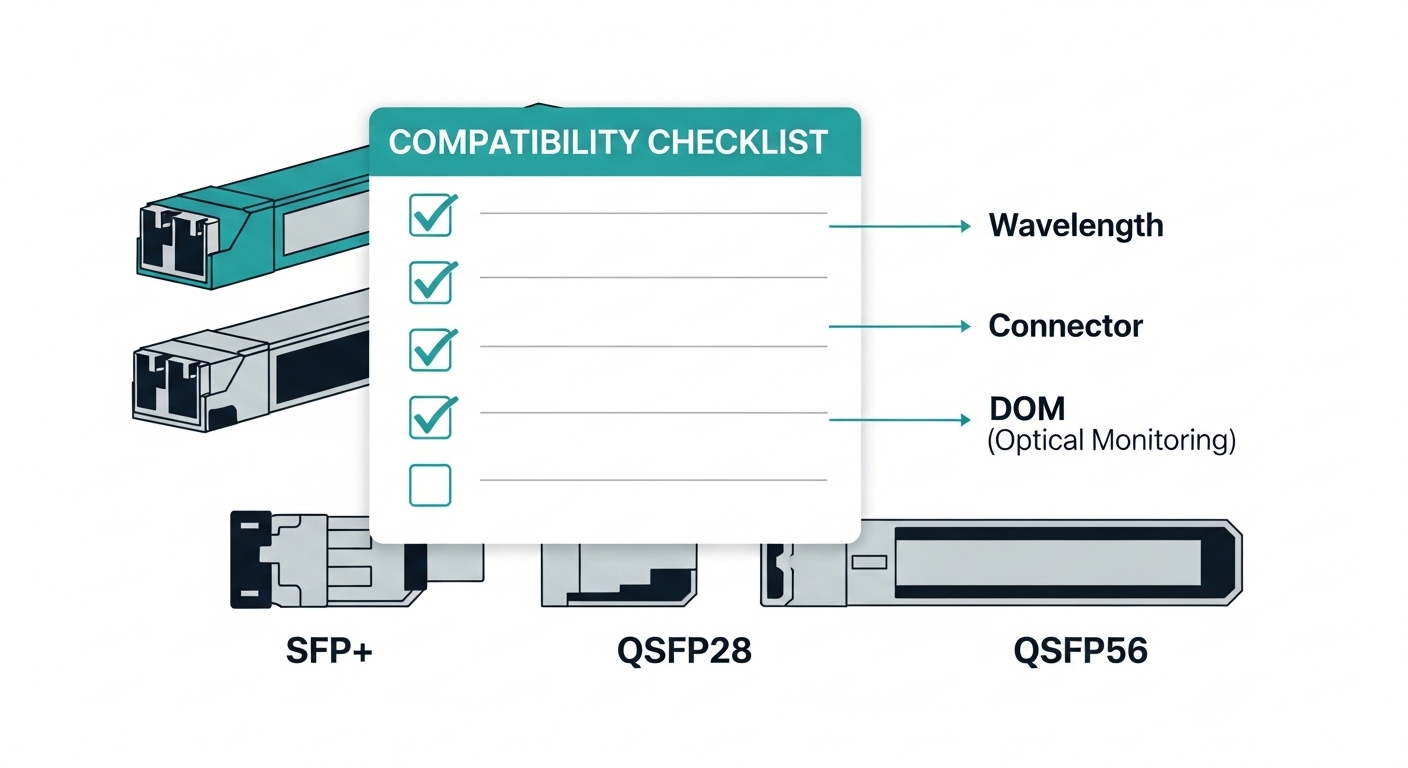
IEEE 802.3 defines the Ethernet physical-layer behavior, while the transceiver form factor and optics determine how that behavior is realized over fiber. In practice, you pick an optics “personality” first (SR, LR, ER, DR, ZR, etc.), then you verify the transceiver meets the specific electrical and optical parameters for the target data rate. Below are the most common module choices I see in lab-to-field moves, with pros and cons that matter for day-to-day operations.
10GBase-SR: multimode-friendly for short runs
Key specs you’ll see: 850 nm nominal wavelength, typical reach up to 300 m over OM3 and up to 400 m over OM4 at 10G, depending on the exact IEEE clause and link budget assumptions. SR modules are the usual “it just works” choice inside a building for ToR-to-endpoint patching. For DIY deployments, this is the optics family that most often avoids surprises because multimode links are forgiving when connector polishing is good.
Best-fit scenario: A small data closet with 10G uplinks from access switches to a distribution switch where fiber runs are under 150 m and you control patch cord quality. I have used Cisco SFP-10G-SR compatible optics and FS.com SFP-10GSR-85 style parts in these environments after verifying DOM output and power draw, with consistent link stability.
- Pros: Lowest cost per port for short distances; widely available; easy to troubleshoot with standard optical power meters.
- Cons: Not valid for long-distance; performance depends heavily on multimode fiber quality and connector cleanliness.
10GBase-LR: singlemode 1310 nm for campus runs
Key specs you’ll see: 1310 nm wavelength, typical reach up to 10 km on singlemode fiber for the IEEE 10GBase-LR class. LR is common when you are moving between buildings or across a larger campus where pulling new fiber is expensive. In the field, the biggest win is reducing the number of intermediate patch panels and splices that add loss and reflection risk.
Best-fit scenario: Leaf-spine style campus aggregation where the “spine” sits in a central suite and the “leaf” closets are 2–6 km away over singlemode. I usually budget for additional margin by measuring received power at the far end and keeping at least 3 dB headroom above the vendor’s minimum sensitivity.
- Pros: Longer reach without expensive long-wave optics; stable over singlemode.
- Cons: Requires singlemode; chromatic dispersion and connector cleanliness still matter.
25GBase-SR: the modern multimode upgrade path
Key specs you’ll see: 25G at 850 nm with typical reach targets like 70 m on OM3 and up to 100 m on OM4, depending on the IEEE clause and the vendor’s supported fiber class. This is where many networks “feel” the most pain when they assume OM3 distances that used to work at 10G SR. If you have legacy multimode, you must validate the fiber plant, not just the presence of multimode.
Best-fit scenario: Upgrading a 10G access layer to 25G uplinks while keeping existing patch infrastructure. In one rollout I supported, we tested OM3 links with an OTDR and found multiple sections over the loss budget; replacing only the worst patch cords restored link margin without re-cabling everything.
- Pros: High capacity while staying on 850 nm multimode; good for predictable short-haul inside buildings.
- Cons: Distance is much tighter than 10G SR; OM3 often becomes marginal.
40GBase-SR4: parallel optics for 40G over multimode
Key specs you’ll see: 40G using four lanes (SR4) around 850 nm over multimode, with reach targets like 100 m on OM3 and 150 m on OM4, again clause and transceiver-dependent. SR4 uses multiple fibers/lane mapping, so a single dirty connector on one lane can break the aggregate link. This is why I treat cleaning and inspection as “part of the optics install,” not a separate chore.
Best-fit scenario: Data center aggregation where 40G uplinks connect top-of-rack switches to leaf/distribution switches using existing multimode trunks. When the fiber was properly terminated and labeled, SR4 modules were reliable, and rollbacks were rare.
- Pros: Efficient 40G over multimode; good fit when you cannot justify singlemode conversion.
- Cons: More failure points than single-lane optics; lane mapping and polarity must be correct.
40GBase-LR4 and 100GBase-LR4: singlemode long-haul with lane aggregation
Key specs you’ll see: LR4 and LR4-like profiles use multiple wavelengths or lanes to achieve 40G or 100G over singlemode. Typical reach targets include 10 km for the 40GBase-LR4 family and 10 km or more for 100GBase-LR4 depending on the IEEE variant and vendor implementation. These modules are common when you need higher capacity without moving to coherent optics.
Best-fit scenario: Inter-rack or inter-building 40G/100G uplinks on existing singlemode trunks, where you have stable patch panels and predictable loss. I often pair this with disciplined DOM monitoring so we can catch laser aging trends before they become link flaps.
- Pros: Works over singlemode for longer distances; fewer multimode plant concerns.
- Cons: More expensive; wavelength-dependent optics can expose marginal link budgets.
100GBase-SR10: high-density multimode fan-out
Key specs you’ll see: 100G using ten lanes (SR10) at 850 nm over multimode, with reach targets often aligned to OM4 class performance (vendor-specific). If you are deploying 100G in a data center with high fiber density, SR10 can be attractive because it leverages multimode economics. However, lane count means you must be extremely consistent about polarity, labeling, and cleaning.
Best-fit scenario: Pod-level spine uplinks where you can keep runs short and manage polarity across high port counts. In a deployment with dozens of 100G ports, the biggest time sink was not the optics itself; it was verifying polarity mapping across multiple patch panels.
- Pros: High bandwidth without singlemode conversion.
- Cons: Requires meticulous field hygiene; any systematic polarity error can cause widespread outages.
100GBase-ZR/ER: singlemode long reach (where applicable)
Key specs you’ll see: ZR/ER-style modules are designed for long reach on singlemode, often beyond the 10 km class depending on the IEEE and vendor. These are typically chosen when you cannot deploy new fiber and you need long distance while staying in an optics module rather than coherent systems. I treat these as “optics + optics management” projects: verify compatibility, check DOM/alarms, and confirm that your switch supports the module profile.
Best-fit scenario: Cross-campus fiber where you already have singlemode but link budgets are tight because of aging infrastructure and additional splice points. In that case, we measured end-to-end loss and verified the vendor’s minimum received power at temperature extremes.
- Pros: Long reach; fewer intermediate sites.
- Cons: Higher cost; tighter compatibility rules; may be sensitive to connector cleanliness and power budgets.
How IEEE 802.3 transceiver compliance maps to real link parameters
IEEE 802.3 compliance is not just marketing; it is the set of physical-layer behaviors that enable interoperability. When a transceiver is designed for a specific Ethernet PHY type, it must meet electrical signaling requirements, optical output characteristics, and timing behaviors that the host expects. In field troubleshooting, I use this mapping to decide whether to suspect the optics, the host port, or the fiber plant.
What to verify beyond “it is an SFP/SFP+/QSFP”
Even when the form factor matches, you can still fail link bring-up if the module does not meet the exact optical profile or if the host port expects a particular lane/polarity mapping. Check for vendor datasheet statements about the supported IEEE PHY type (for example, 10GBase-SR or 25GBase-SR) and ensure the transceiver’s wavelength and reach align to your fiber class. Also confirm the host supports that module type and data rate without needing special configuration.
Technical specifications snapshot (common optics families)
Use this table as a quick reality check. Your exact numbers depend on the IEEE clause and the vendor datasheet, so always confirm with the module specification and the switch interoperability list.
| IEEE 802.3 PHY type | Nominal wavelength | Typical reach | Fiber type | Form factor examples | Operating temperature (typ.) |
|---|---|---|---|---|---|
| 10GBase-SR | 850 nm | Up to 300 m (OM3) / 400 m (OM4) | Multimode | SFP+ | -5 to 70 C (varies by vendor) |
| 10GBase-LR | 1310 nm | Up to 10 km | Singlemode | SFP+ | -5 to 70 C (varies by vendor) |
| 25GBase-SR | 850 nm | ~70 m (OM3) / ~100 m (OM4) | Multimode | SFP28 | -5 to 70 C (varies by vendor) |
| 40GBase-SR4 | 850 nm | ~100 m (OM3) / ~150 m (OM4) | Multimode | QSFP+ | -5 to 70 C (varies by vendor) |
| 40GBase-LR4 | 1310 nm band (4 lanes) | Up to 10 km | Singlemode | QSFP+ | -5 to 70 C (varies by vendor) |
| 100GBase-LR4 | 1310 nm band (4 lanes) | Up to 10 km (varies) | Singlemode | QSFP28 (varies) | -5 to 70 C (varies) |
Field note: DOM behavior is often the earliest sign of mismatch. If your switch reads DOM but shows abnormal bias current, high temperature, or low received optical power, treat it as a link budget and cleanliness problem first, not a “random bad module” problem.
Pro Tip: When a link fails after swapping a transceiver, pull the optics and inspect the fiber endfaces with magnification. Even a “looks clean” ferrule can hide micro-scratches that increase loss enough to break the IEEE 802.3 PHY margin, especially for 25G SR and 100G SR lane-heavy optics.
Selection criteria: an engineer’s checklist for IEEE 802.3 transceiver compatibility
When you choose an IEEE 802.3 transceiver, you are aligning three systems: the host port PHY expectations, the optics module’s electrical/optical parameters, and the fiber plant’s measured loss and reflection profile. Below is the order I use in real work so we reduce “late discovery” failures during cutover windows.
- Distance and fiber class: Confirm the IEEE reach target for your PHY type and your actual fiber class (OM3, OM4, OS2). Use OTDR or at least verified insertion loss for patch cords and trunks.
- Budget and power margin: Compare vendor transmit power and receiver sensitivity at the expected wavelength. Keep a practical margin (often 3 dB or more depending on your environment and aging).
- Switch compatibility: Validate that your switch model supports that transceiver type and data rate. Many platforms maintain an optics compatibility matrix.
- DOM support and alarms: Ensure the host reads DOM (temperature, laser bias, TX power, RX power). Some third-party modules can be “DOM compatible” yet not expose the same alarm thresholds.
- Operating temperature: Check the transceiver temperature range. If you operate in a dusty cabinet with poor airflow, consider extended-temperature variants and verify switch thermal conditions.
- Vendor lock-in risk: OEM optics can be reliable but expensive. Third-party options exist (for example, Finisar/FS-branded compatible optics), but you must test them against your specific switch and firmware.
- Connector and polarity plan: For SR4/SR10 and LR4-style optics, confirm polarity mapping (especially MPO/MTP). Label patch panels before you touch anything.
Authority references for baseline PHY expectations include IEEE Ethernet physical layer definitions and vendor datasheets for the specific module part number. For standards-level context, see IEEE 802.3 standard portal. For optics implementation details, use the transceiver datasheet for the exact model number you plan to deploy.
Common mistakes and troubleshooting that cost the most time
Most optics problems fall into a small set of repeatable failure modes. If you treat these as “first checks,” you can cut downtime during installation and reduce repeat truck rolls.
Choosing SR for a distance that only works on better OM4
Root cause: You picked a 25GBase-SR or 40GBase-SR4 optics reach assumption that does not match your actual multimode fiber quality (OM3 vs OM4) or your measured loss. Solution: Measure with OTDR or validated link loss, then select the appropriate PHY (or move to LR/LR4 on singlemode). Always re-check patch cords and endface quality.
Polarity and lane mapping errors on MPO or multi-lane optics
Root cause: SR4/SR10 and LR4 modules require correct lane-to-lane mapping; a swapped polarity or wrong breakout orientation can cause one or more lanes to fail, resulting in link training timeouts. Solution: Confirm MPO/MTP polarity method (commonly “Type A” or “Type B” depending on the system) and physically verify the patch cord orientation at both ends.
Dirty connectors that increase loss just enough to break margin
Root cause: Contamination on LC or MPO endfaces increases attenuation and can cause intermittent link flaps. This is especially punishing for higher-speed optics where the link budget is tighter. Solution: Clean with approved methods and inspect with magnification. Replace any scratched ferrules and retest with a known-good transceiver.
Ignoring DOM temperature or laser bias anomalies
Root cause: Some deployments show link stability at first, then degrade as the cabinet heats up or as a marginal optics batch ages. Solution: Log DOM over time and compare to vendor thresholds. If TX power is low or bias current is high at stable temperature, treat it as an optics health issue and initiate a module swap.
For additional troubleshooting principles, vendor diagnostic guides and switch CLI documentation are often more actionable than generic checklists. When in doubt, capture DOM readings and port counters before you swap anything so you can correlate changes.
Cost and ROI reality: OEM vs third-party IEEE 802.3 transceivers
In most budgets, the purchase price is only part of the total cost. Transceivers also affect downtime risk, spares strategy, and power/thermal behavior in dense chassis. OEM modules often cost more per unit but can reduce friction with compatibility matrices, while third-party modules can cut cost when you validate them properly.
Typical price ranges (rough field experience, varies by speed and vendor): 10G SFP+ SR modules often land in the tens of dollars; 25G SFP28 SR modules commonly cost more; 40G QSFP+ and 100G QSFP28 modules can be several hundred dollars per port depending on reach and optics type. The ROI comes from avoiding failures: a single failed cutover can erase the savings from dozens of cheaper optics.
- TCO drivers: module cost, spares inventory, labor for swaps, and the operational impact of link flaps.
- Power savings: Higher-density 25G/100G optics can have different power draw profiles; measure your switch chassis power budget if you are operating near thermal limits.
- Failure rate considerations: Use vendor MTBF claims carefully; in practice, cleanliness and handling contribute heavily to early-life failures.
Summary ranking: which IEEE 802.3 transceiver choice wins for most teams
Below is a practical ranking based on common deployment constraints: distance, fiber plant uncertainty, compatibility risk, and operational tolerance for mistakes. Treat it as a starting point, then validate with your switch compatibility list and measured fiber loss.
