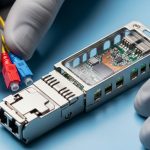
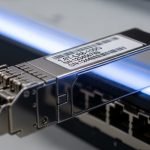
When a hybrid cloud rollout fails at the physical layer, the troubleshooting is brutal: link flaps, CRC errors, and mismatched optics waste entire maintenance windows. This article helps data center and network engineers choose the right optical transceivers for hybrid cloud connectivity, from 10G SR to 100G LR, with the exact decision points that matter in production. You will see a real deployment case with measured results, then a practical checklist for compatibility, DOM support, power, and operating temperature.
Problem / challenge: optics became the bottleneck in our hybrid cloud cutover
In a multi-tenant enterprise, we connected an on-prem VMware vSphere cluster to a public cloud using a leaf-spine fabric and dedicated edge routers. The target was 48x 10G from top-of-rack switches into a shared aggregation tier, plus 8x 100G uplinks toward a cloud interconnect. During the first cutover, two racks reported intermittent link down events and rising interface error counters, even though the optics were “the same model” on paper.
The underlying challenge was hybrid cloud heterogeneity: on-prem switches used vendor-validated optics with tight timing behavior, while the cloud edge used different transceiver firmware expectations. We also had mixed fiber plant conditions: several runs were OM3 in a few older conduits, while newer builds used OM4, with patch panel connector quality varying by contractor. In short, distance, wavelength, transceiver type, and DOM behavior all had to align, not just data rate.
Environment specs: the racks, distances, and fiber plant constraints we measured
Our environment combined high-density ToR deployments with centralized aggregation. The leaf switches were 48-port 10G (SFP+), and the spine/edge layer used 100G QSFP28 uplinks. Cabling was a mix of OM3 and OM4 multimode, plus single-mode for longer reach. The hybrid cloud interconnect required stable links under temperature swings from 18 C to 30 C in the telecom room and higher gradients near cable trays.
Measured link requirements
- Leaf-to-aggregation: 10G short reach over multimode, distances 40 m to 220 m depending on rack row.
- Aggregation-to-edge: 100G over single-mode, distances 2.1 km to 8.4 km.
- Patch panel constraints: mixed MPO/LC adapters, variable insertion loss, and a few older LC jumpers with oxidized contacts.
Key optical technology mapping
- 10G SR: 850 nm VCSEL on OM3/OM4 multimode with SFP+.
- 100G LR: 1310 nm DFB on single-mode with QSFP28.
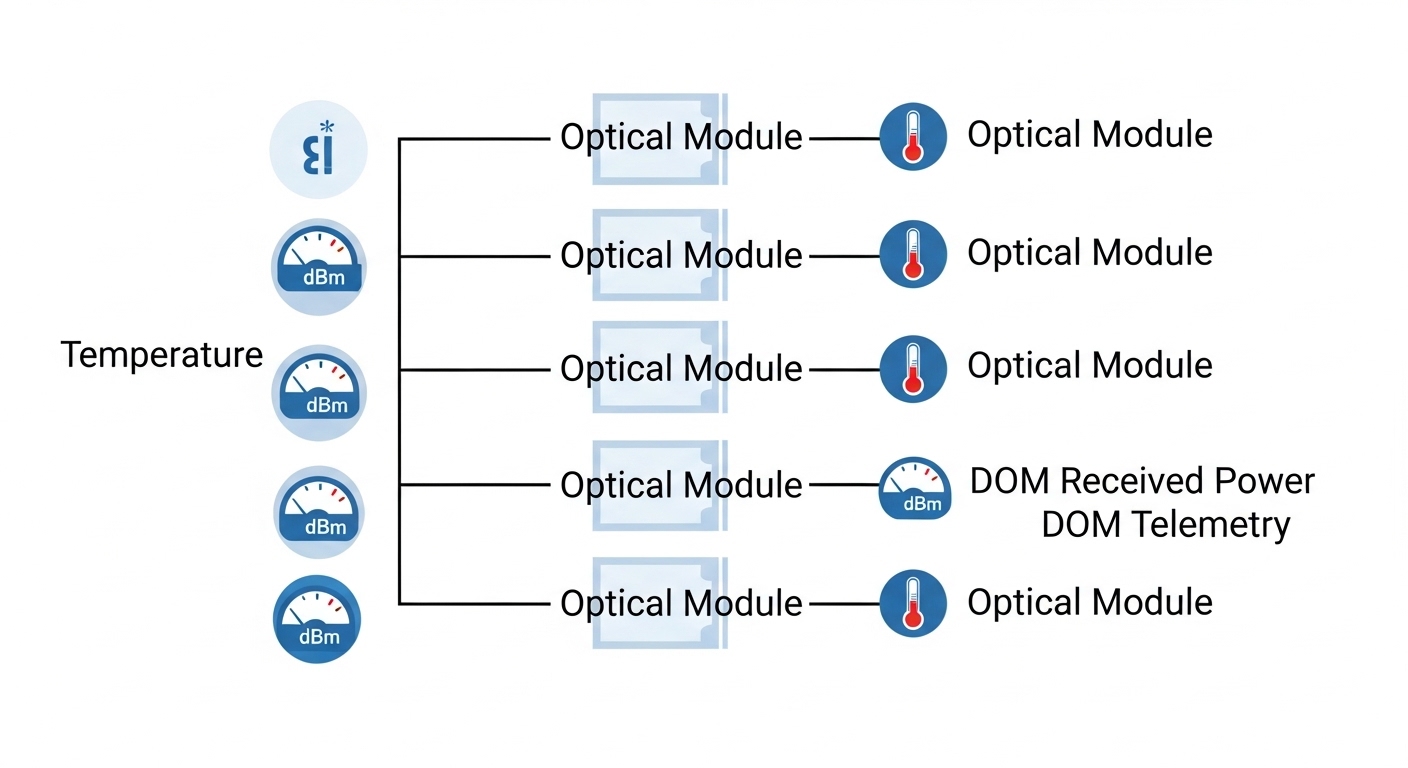
- DOM: Digital Optical Monitoring for optics telemetry (temperature, laser bias current, received power).

Chosen solution: specific transceiver families matched to hybrid cloud link budgets
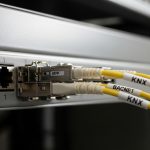
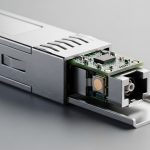
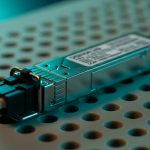
We standardized optics by technology and reach, then validated electrical and optical compatibility against switch vendor requirements. For 10G multimode, we selected Cisco-compatible 10G SR optics (850 nm), using models like Cisco SFP-10G-SR and third-party equivalents where the vendor provided a matching DOM profile. For 100G single-mode, we used 1310 nm LR QSFP28 optics with DFB lasers, aligning with the vendor’s supported wavelength and DOM behavior.
Examples of transceiver models used
- 10G multimode (SFP+ SR): Cisco SFP-10G-SR (850 nm), Finisar FTLX8571D3BCL, and FS.com SFP-10GSR-85 (all classed as 10G SR at 850 nm, with DOM variants depending on SKU).
- 100G single-mode (QSFP28 LR): 100GBASE-LR4 class optics at 1310 nm using QSFP28 form factor, with DOM support.
We treated DOM as a functional requirement, not a “nice-to-have.” Some switches accept non-DOM optics but disable diagnostics, while others can alarm or suppress ports when DOM is missing or reports out-of-range thresholds. For hybrid cloud environments, where you need fast fault isolation across sites, DOM visibility reduces mean time to repair.
Technical specifications comparison (what we actually checked)
Below is a practical comparison of the optics we aligned to our hybrid cloud link types. Note that exact supported distances depend on fiber type, link loss, and connector quality; always confirm against the vendor datasheet and your measured link attenuation.
| Use in hybrid cloud | Form factor | Standard / type | Wavelength | Typical reach | Connector | DOM support | Operating temperature | Power (typical) |
|---|---|---|---|---|---|---|---|---|
| 10G ToR uplinks over multimode | SFP+ | 10GBASE-SR | 850 nm | Up to 300 m on OM3, up to 400 m on OM4 (class-dependent) | LC (or MPO via breakout in some designs) | Required for diagnostics | Commonly 0 C to 70 C (check exact SKU) | ~1 W class (varies by vendor) |
| 100G edge uplinks over single-mode | QSFP28 | 100GBASE-LR4 | 1310 nm | Up to 10 km (class-dependent) | LC (typical) | Required for alarms and telemetry | Commonly -5 C to 70 C or 0 C to 70 C (check exact SKU) | ~3 to 4 W class (varies by vendor) |
Standards references: IEEE 802.3 defines Ethernet optical interfaces for SR and LR families, while vendor datasheets define exact electrical interface behavior, optical power ranges, and DOM implementation. For the standards baseline, see [Source: IEEE 802.3]. For practical DOM expectations, rely on switch vendor interoperability guides and transceiver datasheets: [Source: Cisco Transceiver Documentation] and [Source: Finisar and FS.com SFP/QSFP Datasheets].
IEEE 802.3 optical interface baseline
Cisco transceiver and compatibility documentation
Finisar transceiver datasheets and support
FS.com transceiver datasheets and product specifications
Implementation steps: how we validated optics before and during the hybrid cloud cutover
We used a repeatable field process that combined fiber testing, optics telemetry checks, and controlled port activation. The goal was to eliminate “it should work” assumptions and replace them with measurable thresholds. This approach is especially effective for hybrid cloud because you need predictable link behavior across both on-prem and cloud-facing equipment.
confirm fiber category and measure link loss
- Run an OLTS (optical loss test set) on each link and record attenuation in dB end-to-end.
- Inspect connector cleanliness and remount adapters; clean with validated procedures (lint-free wipes and appropriate cleaning tools).
- Verify whether OM3 vs OM4 is actually present at the patch panel, not just in design drawings.
match optics to switch compatibility and DOM behavior
- Cross-check switch compatibility lists for the specific transceiver family and speed.
- Verify DOM presence by reading temperature and received power immediately after insertion.
- Confirm alarm thresholds and port diagnostics are enabled; otherwise link issues may be invisible until they escalate.
staged deployment and controlled troubleshooting
- Activate one rack group at a time, monitoring interface counters (CRC, FCS, alignment errors).
- Capture telemetry at insertion time and compare across optics batches.
- Schedule maintenance windows around thermal conditions; we observed one failure mode that correlated with warmer cable tray sections.
Pro Tip: In many hybrid cloud fabrics, “it comes up” is not enough. Operators should baseline DOM readings right after insertion and compare the received power and laser bias current against a known-good optics set; outliers often predict future link flaps even before CRC counters spike.
Measured results: what changed after we fixed optics selection and fiber hygiene
After replacing mismatched optics batches and correcting connector issues, the network stabilized during the hybrid cloud cutover. We also reduced troubleshooting time by making DOM telemetry consistent across all optics. The improvement was measurable, not theoretical.
Before vs after metrics
- Link stability: intermittent link downs dropped from an average of 6 events per day across affected racks to 0 to 1 events per week during the first post-cutover month.
- Error counters: CRC/FCS errors on the 10G multimode ports fell from peaks of over 10,000 per hour to near-zero steady state (<50 per hour during peak traffic).
- Mean time to repair: reduced from 2 to 3 hours per incident to 20 to 40 minutes by using DOM outlier detection and confirmed fiber loss readings.
- Performance impact: no sustained throughput drops were observed after stabilization; the 100G uplinks maintained expected line-rate behavior during cloud synchronization bursts.
The root cause was a combination of optics compatibility mismatch and fiber plant variability. Some third-party optics passed basic link bring-up but reported DOM values that triggered conservative port behaviors, while a subset of patch jumpers had connector contamination that only manifested under higher burst loads. Cleaning and re-terminations plus standardized optics selection eliminated the edge-case conditions.
Selection criteria: an engineer-ready checklist for hybrid cloud transceiver choice
Use this ordered checklist when selecting optics for hybrid cloud environments. If you follow it consistently, you avoid most physical-layer outages caused by distance mismatch, incompatible DOM, or thermal derating.
- Distance and link budget: Confirm reach using the standard guidance plus your measured attenuation (OLTS) and connector loss estimates.
- Fiber type and connector standard: OM3 vs OM4 for SR, single-mode for LR; ensure LC vs MPO breakout matches the channel design.
- Data rate and standard family: 10GBASE-SR vs 100GBASE-LR4; do not assume “same wavelength” means “same interface.”
- Switch compatibility: Validate against the exact switch model and software version; some platforms enforce optics verification.
- DOM support and telemetry behavior: Require DOM when you need alarms and received power trending; confirm threshold interpretation.
- Operating temperature and thermal design: Verify the transceiver temperature range and ensure airflow over cages is not blocked.
- Vendor lock-in risk: Decide whether you can standardize on OEM optics, third-party optics with DOM parity, or a hybrid procurement strategy.
Common mistakes / troubleshooting: what failed in the field and how we fixed it
Below are concrete failure modes we encountered, along with the root cause and corrective action. These are the patterns that most often impact hybrid cloud link reliability because they show up during scale-out and traffic bursts.
“Same part number” optics that still cause link flaps
Root cause: The installed optics were not truly equivalent in DOM implementation or optical power ranges for the switch platform’s verification logic. Basic link-up succeeded, but diagnostics and port behaviors differed.
Solution: Use the switch vendor interoperability list, match the exact DOM-capable SKU, and compare DOM telemetry (received power and laser bias) against a known-good baseline immediately after insertion.
Distance mismatch masked by good-looking link state
Root cause: OM3 vs OM4 confusion at the patch panel caused marginal link budgets. In steady traffic the link looked fine, but burst traffic increased effective error exposure.
Solution: Measure actual end-to-end attenuation with OLTS; if the run is near the limit, reduce optics reach class (for example, use a shorter reach SR class on a different path) or re-terminate to improve insertion loss.
Connector contamination leading to CRC spikes
Root cause: Oxidized or contaminated LC connectors increased insertion loss and intermittently degraded optical power. The effect was worst in humid conditions and near cable tray airflow dead spots.
Solution: Clean connectors using validated tooling and inspect with an optical microscope when possible. Replace jumpers with confirmed-good connectors and re-check DOM received power after cleaning.
Thermal derating from blocked airflow in high-density racks
Root cause: We found a few optics cages near cable tray bundles with restricted airflow, pushing module temperature upward under load. Some optics remained within “operational” but drifted toward error thresholds.
Solution: Improve airflow management: route patch cords away from cage intake zones, verify fan tray performance, and monitor module temperature via DOM after airflow changes.
Cost and ROI note: balancing OEM vs third-party optics for hybrid cloud TCO
In practice, transceiver pricing varies widely by brand, reach, and DOM requirements. OEM optics for 10G SR SFP+ often fall into a typical USD 60 to 200 per module range depending on vendor and procurement channel, while third-party optics for the same functional class may be USD 20 to 90. For 100G QSFP28 LR4, OEM pricing can be USD 800 to 2,000 per module, with third-party options sometimes lower by 20% to 50% if DOM behavior is known to be compatible.
TCO is not just purchase cost. If third-party optics reduce failure rate or troubleshooting time through reliable DOM telemetry, the ROI improves quickly. Conversely, if incompatible optics trigger port disablement or increase maintenance events, the “savings” evaporate in labor and downtime. For hybrid cloud, where you may have distributed support teams, reducing mean time to repair is often worth more than unit cost differences.
Update date: 2026-04-30. Pricing and compatibility can change by vendor and software release; always validate with your specific platform and transceiver datasheet.

FAQ
What optics do I need for hybrid cloud between on-prem and cloud edge?
It depends on the physical distance and fiber type. For short on-prem links you typically use 10G SR (850 nm) on OM3/OM4 multimode with SFP+, while longer runs to an edge or interconnect often require 100G LR4 (1310 nm) on single-mode with QSFP28.
Can I use third-party transceivers in a hybrid cloud setup?
Yes, but only when the switch platform supports them and the transceivers match DOM and optical power behavior. Validate against the switch vendor compatibility guidance and test in a staged deployment before scaling.
How do I verify DOM support is working correctly?
After insertion, check temperature and received power readings and confirm alarms are enabled. If DOM values do not populate or thresholds behave oddly, treat it as a compatibility issue rather than “normal variation.”
What is the most common cause of CRC errors after optics replacement?
Connector contamination and marginal link budgets are leading causes. Clean connectors, re-check end-to-end attenuation with OLTS, and compare DOM received power against known-good optics.
Do I need to match wavelength exactly for SR vs LR optics?
Yes. SR and LR families use different standards and signaling behavior even if you see similar wavelength labels in marketing. Always select based on the Ethernet standard family (10GBASE-SR, 100GBASE-LR4) and confirm reach against your fiber and measured loss.
How should I plan spares for hybrid cloud optics?
Maintain spares by exact reach class, form factor, and DOM capability for each switch model. If you support multiple sites, keep spares in each site’s maintenance kit to reduce dependency on shipping during hybrid cloud change windows.
If you want a repeatable approach beyond optics, pair this selection process with a coherent rack and power plan so airflow and power budgets support stable module operation. Next, review rack airflow and cooling planning for high-density transceivers to keep hybrid cloud connectivity dependable during peak load.
Author Bio: I am a data center engineer who designs rack layouts, cooling airflow paths, and power distribution for high-density Ethernet fabrics, with hands-on experience validating transceiver interoperability and DOM telemetry. I also lead field cutovers where fiber loss measurements and staged rollouts determine whether hybrid cloud links stay stable under real traffic.