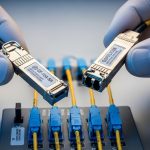
Data center teams get stuck between today’s port speeds and tomorrow’s traffic growth. This article helps network engineers and field technicians select future-proof optical transceivers—using adaptive-ready optics, solid diagnostics, and upgrade paths that reduce forklift risk. You will also get practical troubleshooting patterns from real deployments, plus an ROI view that accounts for uptime and optics failures.
Why “adaptive” matters for future-proof optical in real networks
Most optical decisions fail later, not during install. The root cause is usually mismatch between optical reach needs, speed migration plans, and transceiver diagnostics expectations (DOM, alarms, and vendor-specific behaviors). Adaptive optical transceiver solutions aim to reduce that risk by supporting multiple operating modes, tighter power and bias monitoring, and predictable behavior across temperature swings. The result is fewer “unknown optics” events during moves, adds, and upgrades.
From an engineering standpoint, you should evaluate how the module handles link training, forward error correction assumptions, and power control loops. Many deployments also rely on standardized electrical interfaces over the host: IEEE 802.3 defines optical link requirements across 10G, 25G, 40G, 100G, and beyond, while host switch implementations define whether the optics are treated as standard SFP/SFP+/QSFP devices. For diagnostics, you will want DMI/DOM support and predictable alarm thresholds.
Pro Tip: In the field, “works on day one” is not the bar—watch what happens after a thermal cycle. Modules can pass link bring-up in a bench test yet fail intermittently in a high-heat aisle because laser bias and receiver sensitivity drift across temperature. Always validate with the switch’s optics diagnostics and confirm thresholds under your worst-case ambient conditions.
Core specs that decide reach, compatibility, and upgrade safety
Before you compare part numbers, align on the optical budget and connector ecosystem. For short-reach and cost-sensitive links, data centers often standardize on 850 nm multimode (MMF) or 1310 nm/1550 nm single-mode (SMF), depending on distance and upgrade plans. For each candidate module, confirm wavelength, reach class, fiber type, and whether the host switch actually supports that optics family.
Below is a practical comparison of commonly deployed transceiver types. Exact values vary by vendor and speed bin, so use vendor datasheets as the source of truth.
| Module type | Wavelength | Typical reach | Fiber | Connector | Data rate | Operating temp | Common use |
|---|---|---|---|---|---|---|---|
| Cisco SFP-10G-SR | 850 nm | ~300 m (OM3) | MMF | LC | 10G | 0 to 70 C (varies) | Leaf-spine ToR access |
| Finisar FTLX8571D3BCL | 850 nm | ~400 m (OM4) | MMF | LC | 10G | 0 to 70 C (varies) | High-density 10G MMF |
| FS.com SFP-10GSR-85 | 850 nm | ~550 m (OM4, depends) | MMF | LC | 10G | -5 to 70 C (varies) | Cost-effective short reach |
| 100G QSFP28 SR4 (example family) | ~850 nm | ~100 m (OM3) to ~150 m (OM4, varies) | MMF | LC | 100G | 0 to 70 C (varies) | Aggregation in dense racks |
| 100G LR4 (example family) | ~1310 nm | ~10 km (varies) | SMF | LC | 100G | -5 to 70 C (varies) | Inter-rack or campus |
When you say “future-proof optical,” you are usually trying to minimize two costs: (1) replacing active optics during speed migrations, and (2) downtime from optics incompatibility. That is why you should favor transceivers with robust DOM behavior and clear electrical compliance to host requirements.

Decision checklist for adaptive-ready future-proof optical
Use this ordered checklist during selection. It is designed to prevent the common “we bought the right wavelength but the wrong migration behavior” failure.
- Distance and fiber type: confirm MMF vs SMF, OM3 vs OM4, and real measured fiber loss. Do not rely on cable labels—pull OTDR results.
- Budget and optics margin: include connector loss, patch cord loss, and aging margin. If you are near the limit, expect higher BER sensitivity over time.
- Switch compatibility: validate with the exact switch model and software version. Some hosts enforce vendor/EEPROM policies or have optics quirks.
- DOM and diagnostics: verify DDM/DOM support, alarm thresholds, and whether the switch reads power/temperature correctly. Confirm alert behavior in syslog and telemetry.
- Operating temperature: match your rack ambient and airflow design. If the chassis runs hot, prioritize modules rated for your range and tested for stable bias control.
- Speed migration path: plan whether you will move from 10G to 25G or from 40G to 100G. Choose optics families that reduce re-cabling and re-termination.
- Vendor lock-in risk: OEM optics can be reliable, but third-party options may be cheaper. Assess return policies, firmware compatibility, and your ability to isolate faulty modules quickly.
To anchor this in standards, ensure the link modes you buy align with IEEE 802.3 optical specifications and that your host optics interface is compliant. For deeper verification, reference the module datasheet and the host vendor’s transceiver compatibility list.
Authority references: [Source: IEEE 802.3]. For practical module behavior and specifications, rely on vendor datasheets and switch interoperability guides, such as [Source: Cisco Transceiver Compatibility Information] and [Source: vendor QSFP/SFP datasheets].
Deployment scenario: adaptive optics during a 3-tier data center migration
In a 3-tier data center leaf-spine topology with 48-port 10G ToR switches and 12-port 40G uplinks, the team planned to migrate to 25G on the access layer while keeping spine bandwidth stable. They used 850 nm MMF for ToR-to-aggregation, with OM4 patching, and maintained a reach margin by measuring fiber loss with OTDR and then selecting modules that still met link budgets at worst-case temperatures. During the upgrade, they kept the same rack-side cabling and swapped only transceivers, reducing downtime windows to planned maintenance blocks.
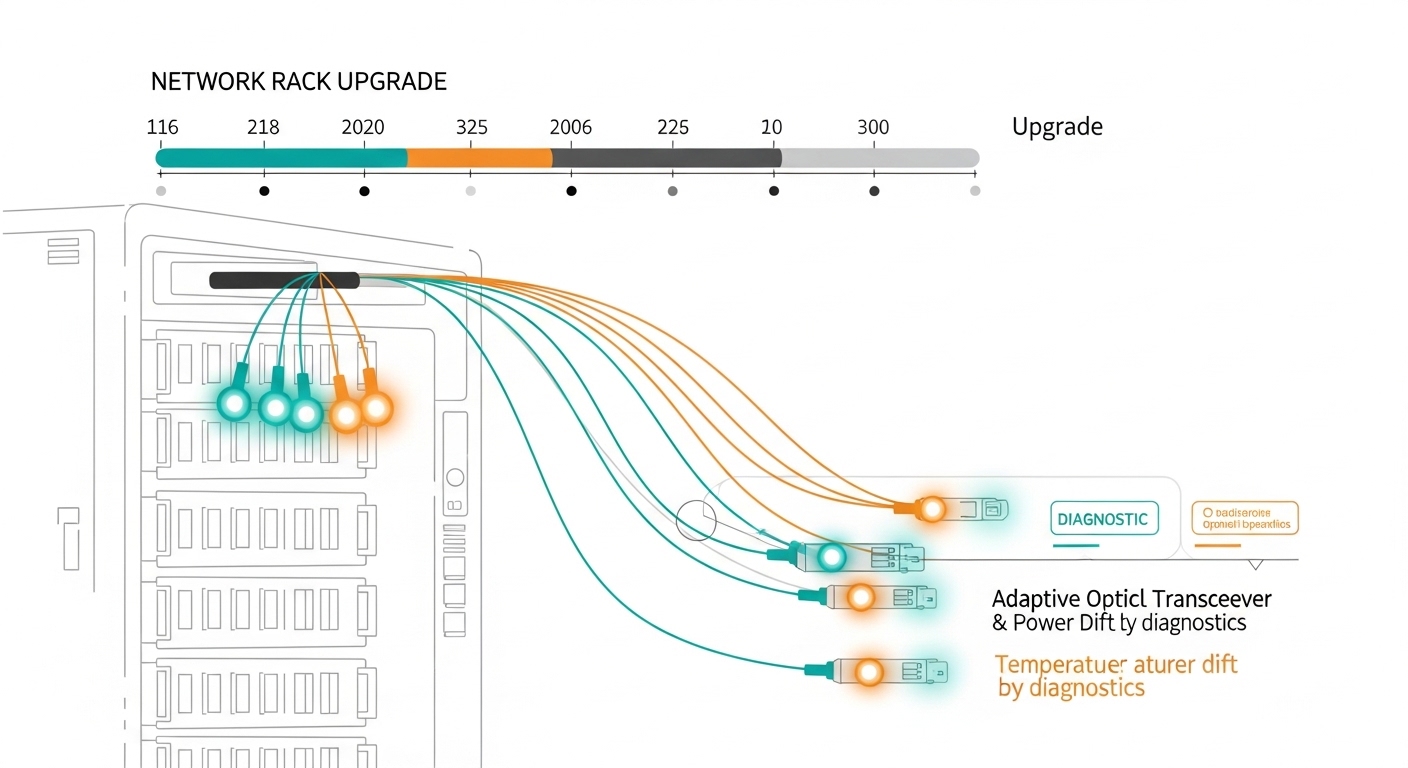
Operationally, they monitored DOM telemetry every 5 minutes via switch telemetry and flagged modules whose receive power moved toward alarm thresholds. After one thermal event in a hot aisle, a small subset of optics showed elevated temperature readings and gradually reduced optical output. The team isolated those ports, replaced modules, and then rebalanced airflow. This is where adaptive-ready behavior and predictable diagnostics prevented silent throughput degradation.
Common pitfalls and troubleshooting patterns for future-proof optical
Even well-chosen optics can fail if the environment and host behavior are ignored. Here are concrete pitfalls I have seen in field rollouts, with root causes and fixes.
-
Pitfall: Link flaps after a thermal cycle
Root cause: laser bias or receiver sensitivity drifting outside safe operating margin due to high rack ambient or airflow blockage.
Solution: check DOM temperature and optical power trends; validate airflow; replace suspect modules; ensure modules meet or exceed the chassis operating range. -
Pitfall: “Compatible optics” still fail on specific ports
Root cause: host switch optics policy or port-level lane mapping differences, sometimes triggered by a software version mismatch.
Solution: test in the same switch and same software build; verify port type (front-panel vs breakout) and lane ordering; consult the vendor compatibility matrix. -
Pitfall: BER rises gradually but alarms look normal
Root cause: marginal fiber plant due to bad patch cords, connector contamination, or aging, causing reduced optical margin.
Solution: clean connectors with proper inspection tools; re-measure with OTDR and confirm end-to-end loss; if available, compare measured receive power against the module’s recommended operating range. -
Pitfall: DOM telemetry reads but thresholds are misleading
Root cause: third-party modules may map diagnostics differently, or the host uses vendor-specific interpretation for alarm levels.
Solution: confirm alarm meaning via vendor docs; during acceptance testing, correlate telemetry with actual link errors and performance counters.
Cost and ROI: balancing OEM reliability with lifecycle risk
Pricing varies by speed and reach, but a realistic budget range helps you avoid surprises. In many enterprise and colocation environments, 10G SR optics often fall in a mid-range per-module cost band, while 25G and 100G optics typically cost more due to higher-speed components and tighter tolerances. OEM modules can cost materially more than third-party, but they may reduce integration time and RMA churn.
ROI usually comes from three levers: (1) fewer maintenance events, (2) reduced chance of speed-migration recabling, and (3) higher mean time to repair by keeping diagnostics consistent. If third-party optics are used, factor in the cost of validation testing, spares stocking strategy, and the time to isolate failures. A practical TCO model should include optics purchase cost, expected failure rate, labor hours for swaps, and the cost of downtime per maintenance window.
Authority reference for general expectations: [Source: ANSI/TIA-568 and fiber installation guidance]. For standards alignment, also rely on [Source: IEEE 802.3] for optical link requirements.

FAQ
What makes optical “future-proof” beyond just buying higher speed?
Future-proof optical is about upgrade tolerance: reach margin, stable DOM diagnostics, and predictable behavior during speed migrations. If the host switch reads telemetry reliably and the optics maintain margin across temperature, you avoid downtime during later changes.
Do I need adaptive optics hardware to get benefits?
You do not always need specialty adaptive optics. Many “adaptive-ready” benefits come from transceivers that support stable power control and clear diagnostics across operating conditions, plus disciplined fiber validation.
How can I confirm compatibility without buying dozens of optics?
Use the switch’s official transceiver compatibility list and validate with a small pilot batch in the exact chassis and software version. Confirm DOM telemetry accuracy and run a controlled traffic test long enough to cover thermal variation.
Is DOM support mandatory for troubleshooting?
DOM is strongly recommended. Without it, you lose the fastest path to root cause when you see BER issues or link flaps, especially when failures correlate with temperature or aging.
Should I choose OEM or third-party optics for ROI?
OEM optics often reduce integration risk and shorten qualification time, which can be valuable for tight maintenance windows. Third-party optics can deliver better unit economics, but you must budget for acceptance testing, compatibility validation, and a robust RMA process.
What fiber validation steps matter most for future-proof optical?
Measure end-to-end loss with OTDR, verify connector cleanliness with an inspection scope, and confirm patch cord quality. Then compare measured receive power against the module’s operating recommendations to ensure margin.
If you want a practical next step, map your current links to IEEE 802.3 modes and build a migration plan that preserves fiber reach and diagnostics behavior using future-proof optical migration planning.
Author bio: Field-tested sales engineer focused on optical interoperability, DOM telemetry validation, and maintenance-window execution. I have supported data center upgrades by correlating switch counters, OTDR results, and transceiver behavior in production.