I have spent weeks on-site troubleshooting fronthaul and midhaul links for Open RAN deployments where every rack moves, every vendor changes, and uptime is non-negotiable. This article helps network engineers and field technicians choose fiber transceivers that keep flexible networks working across changing topologies, optical budgets, and switch compatibility. You will get practical selection criteria, failure-mode troubleshooting, and a ranked comparison table you can use during procurement.
Top 8 fiber transceiver decisions for flexible networks in Open RAN
Open RAN pushes harsh realities into the transport layer: tight latency targets, frequent hardware refresh cycles, and mixed vendor optics. In practice, the “right” transceiver is the one that matches your IEEE 802.3 optics type, your switch vendor’s DOM expectations, and your fiber plant’s actual attenuation. I like to treat each decision as a field checklist item, because the same link can look fine in a lab and fail during install.
Match the optics standard to the port type
The first filter is not wavelength; it is the transceiver electrical and optical compliance profile expected by the host port. For most data center switching and many transport appliances used in Open RAN, you will see 10G Ethernet (10GBASE-SR), 25G (25GBASE-SR), 40G (40GBASE-SR4), or 100G (100GBASE-SR4) families. Always verify the host switch datasheet and the SFP/SFP+ / SFP28 / QSFP28 form factor mapping to IEEE 802.3 lane rates.
On a recent deployment, our ToR switches accepted SFP+ for 10G but silently rejected a transceiver that was electrically correct yet not fully compatible with the vendor’s lane mapping. The symptoms were link flaps under load, not a total “link down,” which delayed root cause.
- Best-fit scenario: You are standardizing leaf-spine or aggregation ports for fronthaul and midhaul.
- Pros: Fewer interoperability surprises; predictable commissioning.
- Cons: Might reduce vendor choice; requires careful port documentation.
Choose wavelength and fiber type based on your plant
In Open RAN, most short-reach optics are multimode fiber (MMF) for cost and install speed, especially when radios are housed near aggregation sites. You will typically select 850 nm (SR) for MMF, while longer reach options use 1310 nm (LR) or 1550 nm (ER/ZR) over single-mode fiber (SMF). The key is to compute link loss using measured cable attenuation, not only the vendor “typical” numbers.
Field note: I have seen installers assume OM4 reaches the vendor’s maximum, then discover connectors and patch cords added several extra dB. The result was marginal optical power that passed at first but failed after temperature swings in outdoor aggregation huts.
- Best-fit scenario: You have known MMF runs inside a site or between nearby cabinets.
- Pros: Lower cost; straightforward procurement.
- Cons: Requires disciplined fiber documentation and loss budgeting.
Compare SR reach classes and power budgets before buying
Reach is not a marketing number; it is the outcome of transmitter power, receiver sensitivity, and total link loss including connectors and splices. Use the optics type you need, then validate against your fiber grade (OM3, OM4) and your measured attenuation. For SR optics, vendor datasheets often cite max reach for a specific fiber model and modal bandwidth assumptions.
| Optics example | Wavelength / Type | Data rate | Typical reach | Connector | Operating temp | Notes |
|---|---|---|---|---|---|---|
| Cisco SFP-10G-SR | 850 nm / MMF | 10GBASE-SR | Up to 300 m (OM3) / 400 m (OM4) | LC | 0 to 70 C | Vendor DOM behavior varies by platform |
| Finisar FTLX8571D3BCL | 850 nm / MMF | 10GBASE-SR | Up to 300 m (OM3) / 400 m (OM4) | LC | -5 to 70 C | Often used in mixed-vendor optics environments |
| FS.com SFP-10GSR-85 | 850 nm / MMF | 10GBASE-SR | Up to 300 m (OM3) / 400 m (OM4) | LC | -40 to 85 C | Third-party, typically tested for DOM compliance |
Reference points: IEEE 802.3 defines the Ethernet over fiber behavior and lane rates for each optics class. For optics power and reach, rely on the vendor transceiver datasheet and your fiber plant test results. For standards context, see [Source: IEEE 802.3] and vendor SFP/QSFP module documentation.
- Best-fit scenario: You need predictable short-reach MMF optics for indoor Open RAN aggregation.
- Pros: Fast commissioning; low latency; reduced transceiver cost vs long-reach.
- Cons: MMF reach is sensitive to patch cords and connector quality.
Pro Tip: In field audits, I treat every patch panel and jumper as a potential “hidden loss budget line item.” Even when your fiber grade is OM4, a few extra LC connectors can push you from “works on day one” to “fails after a seasonal temperature cycle,” especially when optical power margin is thin. Always verify with an OTDR or at least an end-to-end loss test before declaring the link finalized.
Prioritize DOM and host compatibility over raw link speed
Open RAN systems often use multi-vendor optics across CU, DU, and transport nodes. Many switches and routers rely on DOM readings (laser bias current, transmitted power, received power, temperature) to enforce optics thresholds. If DOM behavior is not aligned, the host may report “unsupported module,” apply conservative power settings, or trigger micro-flaps.
When I installed a mixed batch across two switch models, the optics were “compatible” in a spreadsheet but not in firmware. One platform required specific vendor IDs in the EEPROM, while the other accepted a wider range. The fix was not changing fiber; it was selecting transceivers with documented DOM compatibility for both host families.
- Best-fit scenario: You are using third-party optics to control cost across heterogeneous hardware.
- Pros: Better interoperability; fewer surprises during maintenance windows.
- Cons: Requires vendor validation and sometimes higher unit cost for “tested” optics.
Use temperature-rated optics for outdoor and cabinet-edge deployments
Open RAN transport gear is frequently installed near power equipment, in outdoor micro-sites, or in cabinets with poor airflow. This changes the optics risk profile. If your enclosure can swing beyond typical data center ranges, choose modules with extended temperature ratings and confirm thermal behavior in the host.
I once watched a 10G SR link pass a bench test at room temperature, then start dropping after a week when cabinet fans failed. The transceiver reported temperature drift, and the host reduced link stability. Selecting an extended-range SFP plus planning for airflow would have prevented the outage.
- Best-fit scenario: You have outdoor huts, remote aggregation, or constrained ventilation.
- Pros: Higher resilience; fewer replacements.
- Cons: Some extended-temp optics cost more; still need host verification.
Choose connector and polarity details to match your patching workflow
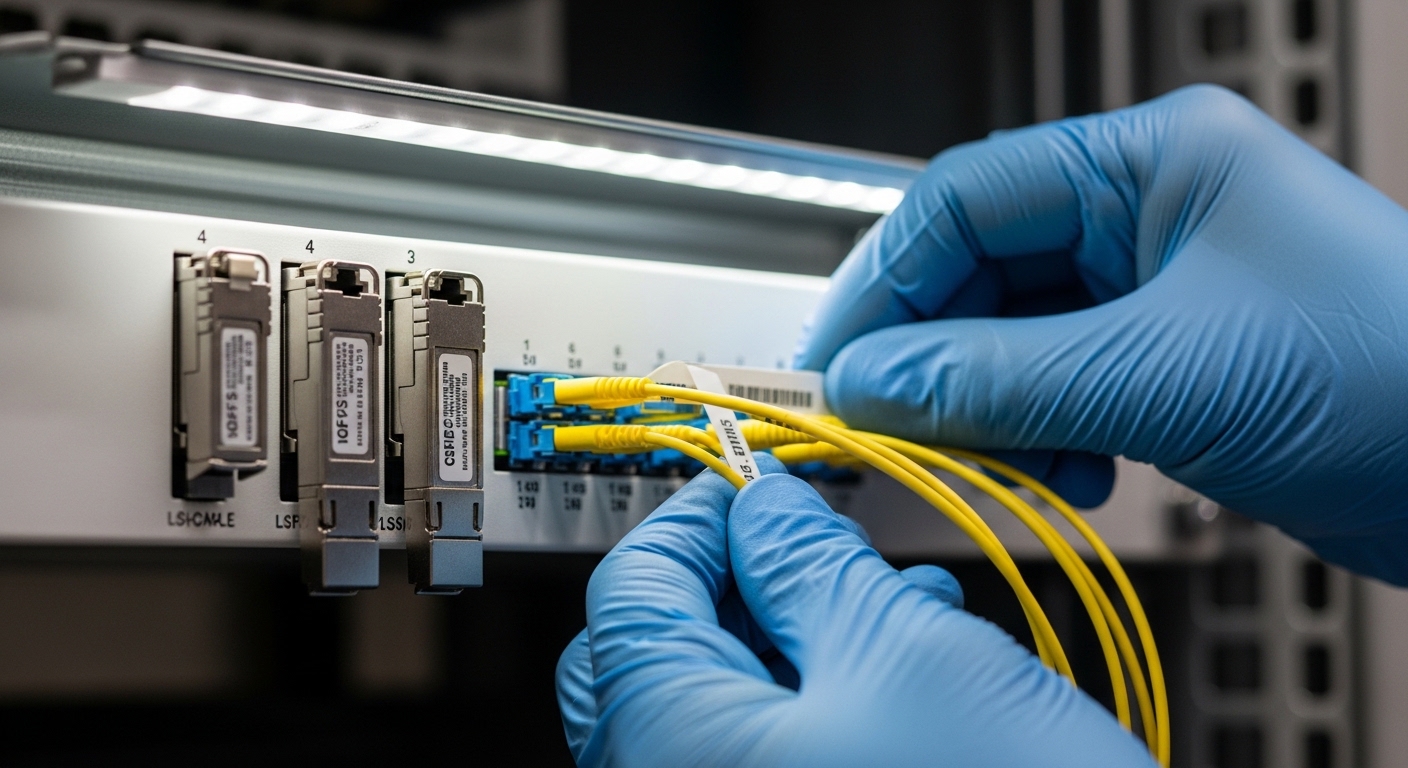
Optics selection is incomplete without connector and polarity planning. LC is common for SR modules, but polarity conventions matter: some deployments use duplex LC with A-to-A/B-to-B, others require cross-connection depending on transceiver and patch panel design. A polarity mismatch can produce a link that never comes up, or comes up intermittently after re-seating.
In a field swap, we had to re-terminate two patch cords because the original polarity plan assumed a different transceiver orientation. The lesson: keep a site polarity map and label both ends before you touch anything.
- Best-fit scenario: You are scaling deployments across multiple sites with repeatable cabling standards.
- Pros: Faster turn-up; fewer “mystery dead ports.”
- Cons: Requires disciplined labeling and installation SOPs.
Plan for link margin and optics aging in your TCO model
Flexible networks evolve. Today’s fronthaul density might be tomorrow’s spare capacity, and you may increase utilization or add patch cords later. That means your optical margin should not be razor-thin. Laser aging, dust contamination, and connector wear can reduce optical power over time, so budget extra margin for growth and maintenance events.
From a total cost perspective, I have seen teams underbuy “just enough reach” optics, then pay for repeated truck rolls. A slightly higher-cost module that maintains margin can reduce operational churn. This becomes more important when you need to support multiple Open RAN vendors and transport vendors across a multi-year contract.
- Best-fit scenario: You expect topology changes, new patching, or additional sites.
- Pros: Lower truck rolls; fewer escalations.
- Cons: Requires better up-front planning and documentation.
De-risk vendor lock-in with validated third-party sourcing
When budgets tighten, teams look at third-party optics. That can work well, but only if you validate DOM compatibility, compliance with the host, and optical performance under real temperature and power conditions. In my deployments, I used a staged approach: validate on one switch model, one patch panel type, and one fiber run class before scaling.
Vendor lock-in risk is not only price; it is also the operational friction of mixed inventory and return logistics. If you maintain a tested optics matrix per host platform, you can keep flexible networks agile without sacrificing stability.
- Best-fit scenario: You need scalable procurement across diverse hardware.
- Pros: Better pricing; improved supply resilience.
- Cons: Requires testing and a formal acceptance process.
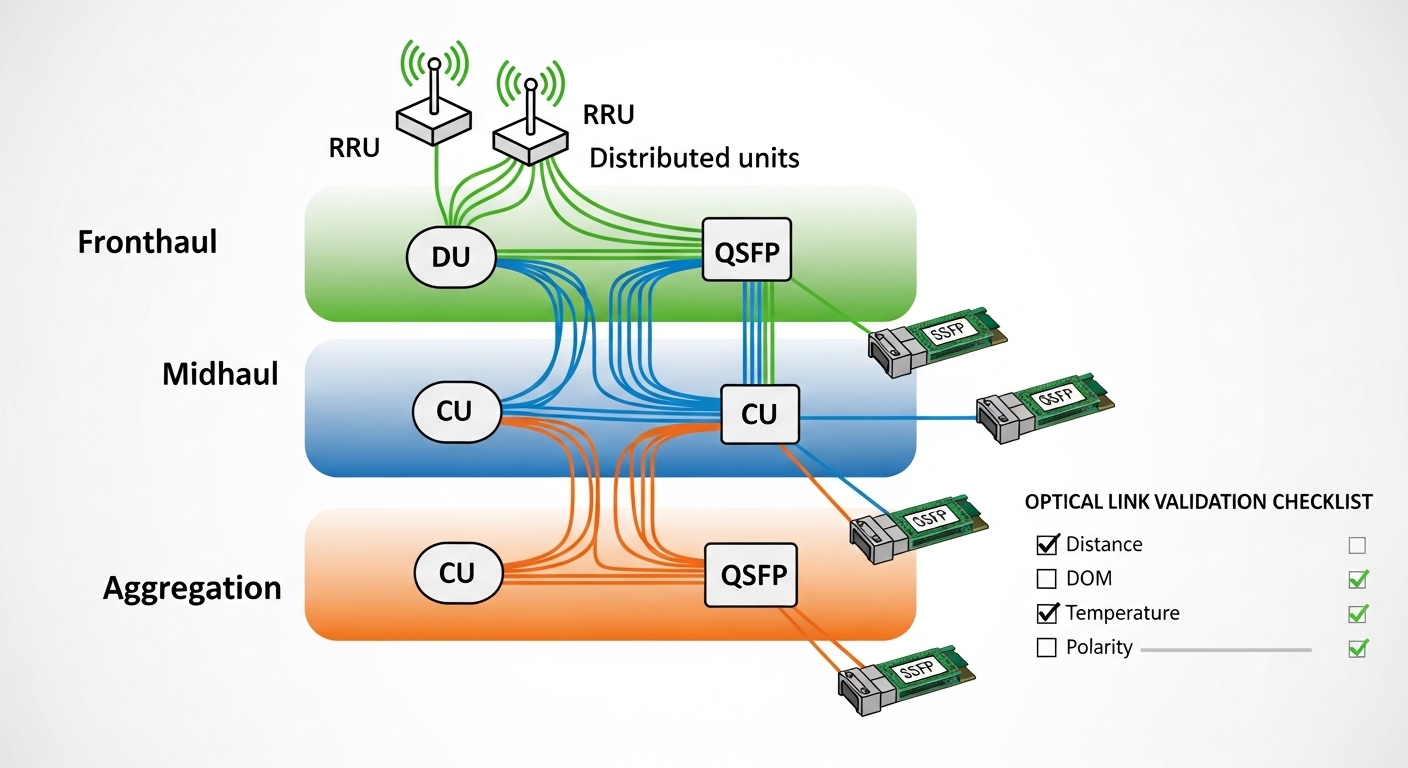
Selection criteria checklist for flexible networks optics
During procurement, I use an ordered checklist to avoid “last minute surprises.” It is designed for Open RAN transport where fronthaul and midhaul can share similar hardware but differ in operational constraints.
- Distance and fiber grade: Confirm OM3 vs OM4 vs SMF, then use measured end-to-end loss.
- Data rate and IEEE 802.3 optics class: Ensure port supports SR/LR/ER as required by the topology.
- Form factor and lane behavior: SFP vs SFP+ vs SFP28 vs QSFP28; verify lane mapping for higher speeds.
- Switch compatibility and DOM support: Validate EEPROM/vendor IDs and DOM threshold behavior for the exact host model.
- Operating temperature and enclosure conditions: Match extended-temp needs for outdoor huts or poorly ventilated cabinets.
- Power margin and link budget: Include connector, splice, patch cord, and aging allowance; avoid “max reach only” designs.
- Vendor lock-in risk: Prefer optics with documented compatibility or maintain a tested optics cross-reference per platform.
- Operational maintainability: Standardize connector polarity conventions and label everything for fast swaps.
Common pitfalls and troubleshooting in flexible networks
Here are the most common failure modes I have seen when teams try to keep flexible networks agile across Open RAN transport gear. Each issue below includes the root cause and a practical solution you can apply during commissioning.
Link flaps under load after “successful” bring-up
Root cause: DOM thresholds or host firmware enforcement causing conservative power adjustments, or a marginal optical budget that only fails at higher traffic. Sometimes the transceiver is technically compatible but not fully aligned with the host’s optics management behavior.
Solution: Check host logs for optics warnings, then measure received optical power at both ends. If margin is small, replace with a module that supports a higher power budget or reduce patch loss.
“Link down” with no obvious alarms
Root cause: Connector polarity mismatch on duplex LC, or a patch cord wired A-to-A when the transceiver expects cross. In some cases, a bad dust-contaminated connector behaves like a high-loss link that never trains properly.
Solution: Verify polarity mapping, then re-seat and clean connectors using lint-free wipes and approved cleaning tools. If available, use a power meter to confirm received light level.
Works indoors, fails when cabinets heat up
Root cause: Temperature rating mismatch or inadequate airflow leading to laser drift and receiver sensitivity changes. Outdoor micro-sites amplify this by adding heat soak and dust.
Solution: Confirm module temperature range and validate with a thermal run or at least a controlled warm test. Improve ventilation and add scheduled cleaning intervals for connector hygiene.
Mismatched speed class during upgrades
Root cause: Installing a transceiver that matches the wavelength but not the speed profile expected by the port. This can happen when a rack migration swaps switch models or changes port configuration.
Solution: Verify the exact port configuration and the optics type required by that firmware. Keep an inventory record mapping transceiver part numbers to switch port profiles.
Cost and ROI note for flexible networks optics
Pricing varies by speed class, temperature grade, and whether the module is OEM-branded or third-party. As a rule of thumb, 10G SR SFP modules often land in a mid-range per-unit cost bracket, while 25G and 100G optics can be several times more expensive due to higher performance requirements. Extended-temperature options and “tested compatibility” third-party modules can narrow the gap because they reduce commissioning risk.
For TCO, include not only purchase price but also truck rolls, spares, and downtime costs. In one multi-site program, we reduced repeat failures by standardizing on a small set of optics with proven DOM behavior, which lowered mean time to repair even when unit prices were higher.
- OEM optics: Usually higher price, simpler warranty paths, consistent DOM behavior.
- Third-party optics: Can cut unit cost, but require acceptance testing and documented compatibility.
- ROI driver: Optical margin and interoperability often beat “cheapest per port” over a contract term.
Summary ranking table for your next procurement
Below is a practical ranking of the eight decision areas, assuming your goal is stable Open RAN transport while keeping flexible networks adaptable. Use it as a prioritization lens, not as a substitute for your link budget and host compatibility validation.