When an SFP uplink drops from 10G to intermittent errors, the fastest path to truth is often not swapping optics first, but performing fiber fault location with an Optical Time-Domain Reflectometer (OTDR). This article helps field engineers and network leads validate whether the problem is in the SFP link, the fiber plant, or the patching path—before you burn hours on guesswork. You will get a head-to-head comparison of practical OTDR approaches, a specs checklist for SFP-compatible testing, and troubleshooting steps that map to real deployment constraints.
OTDR vs “swap optics”: what actually finds fiber fault location?
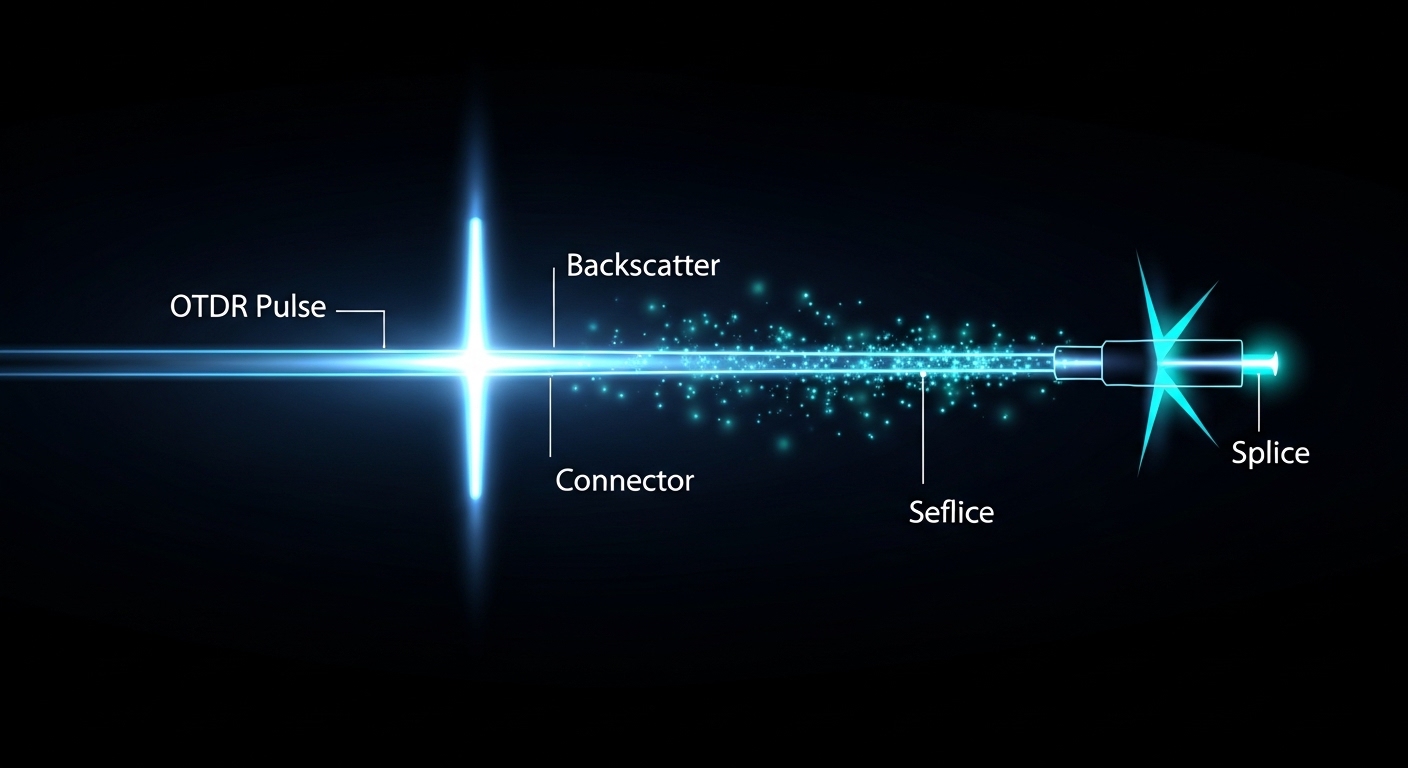
In many operations, “link down” triggers an optics swap because it feels deterministic. But optics swapping only proves the transceiver side; it does not localize the physical cause inside the fiber span. OTDR, by contrast, measures backscatter and reflections along the fiber to estimate event type and distance, which is the core of fiber fault location. In SFP-based testing, you can use OTDR to isolate whether the culprit is a macrobend, a patch-cord defect, a connector reflection, or a fiber break.
How OTDR produces a location estimate
OTDR launches optical pulses into the fiber and records the returned Rayleigh backscatter and discrete reflections. A strong reflection often indicates a connector, splice, or mechanical event; a sudden loss or end-of-fiber indicates a break. OTDR then converts time-of-flight to distance using the fiber’s group index (or a set value you enter). Your accuracy depends on pulse width, wavelength, and how well you match the test wavelength to the fiber transmission characteristics.
Where OTDR fits in an SFP link workflow
For an SFP link, a common flow is: confirm interface counters (CRC, FEC if applicable), confirm optics compatibility, then test the fiber path with OTDR. If OTDR shows a high-reflection event near the patch panel, you do not need to guess whether the SFP is “bad.” If OTDR shows an end-of-fiber, you can stop chasing transceiver settings and focus on physical restoration. Vendors’ documentation typically recommend cleaning and verifying fiber polarity before re-termination, because OTDR will also reveal connector-related issues.
Pro Tip: If your OTDR trace shows a “ghost” reflection pattern that shifts slightly between tests, it is often not the fiber itself—it is inconsistent launch conditions caused by patch-cord strain, dirty connectors, or a connector that is not fully seated. Fix the launch geometry and cleaning first, then re-test for stable event positions.
Wavelength, reach, and connector reality: OTDR settings for SFP links
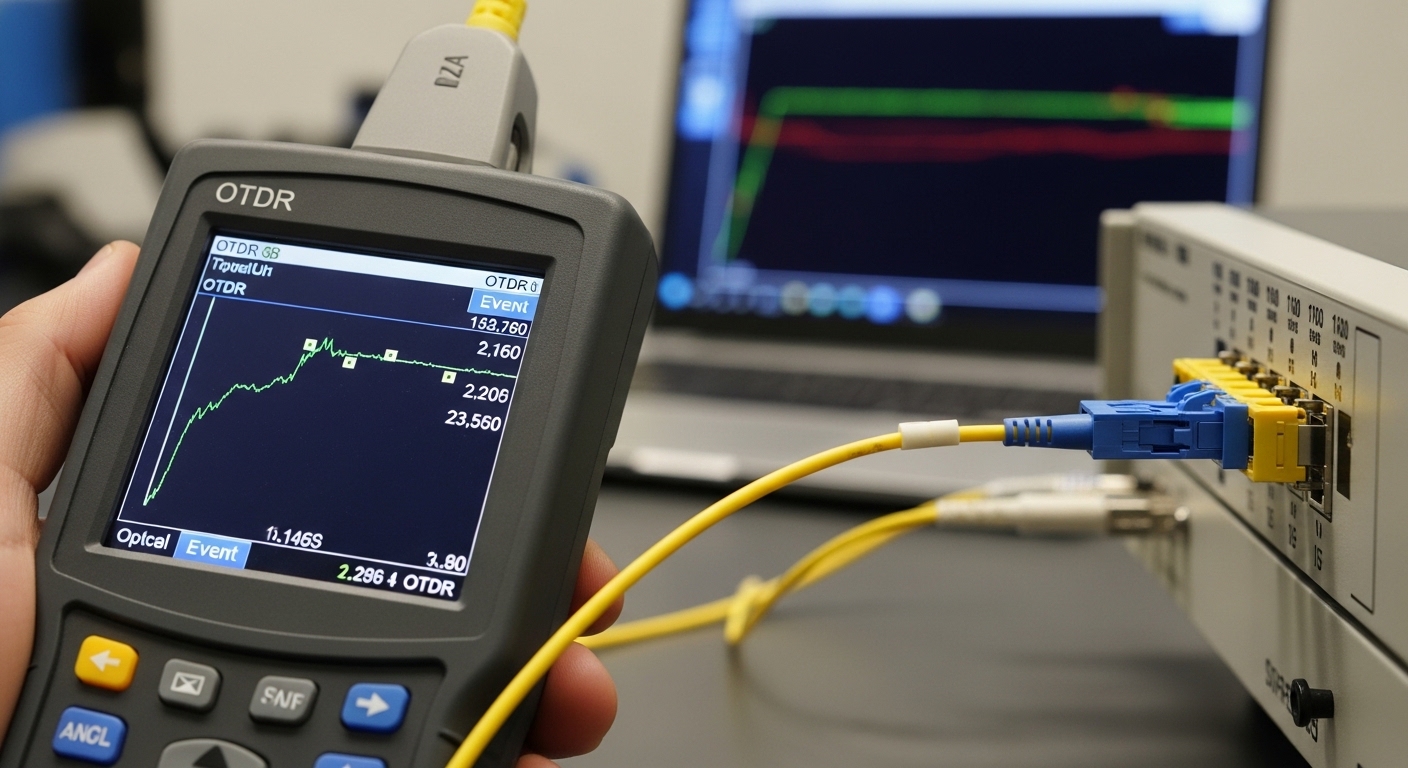
OTDR is not “one size fits all.” For SFP links, you must align the OTDR wavelength and dynamic range with your fiber type and the optical budget of the link you are troubleshooting. Even if your SFP is 10G-SR or 1310 nm class, your OTDR test plan may require a wavelength that matches the fiber’s backscatter behavior. Field practice often uses 1310 nm for single-mode fiber (SMF) fault isolation and 1550 nm for longer spans, but exact settings depend on your OTDR model and the fiber type.
Key OTDR parameters engineers actually touch
- Wavelength: Choose a wavelength that the OTDR supports and that gives usable backscatter for your fiber.
- Pulse width: Short pulses improve near-end resolution; longer pulses improve sensitivity to far events.
- Range: Set the distance window so the event you care about is inside the displayed trace with margin.
- Index of refraction (group index): Enter correct fiber parameters for distance accuracy.
- Launch/receive configuration: Use a stable launch lead and minimize mechanical stress on patch cords.
Spec table: typical transceiver and OTDR considerations
Below is a practical comparison of common SFP optics classes and the OTDR-relevant considerations you should plan for. This is not a substitute for your OTDR datasheet; treat it as a decision aid for test planning.
| Parameter | 10G SR SFP (MMF) | 10G LR SFP (SMF) | OTDR planning note |
|---|---|---|---|
| Typical wavelength | 850 nm | 1310 nm | Choose OTDR wavelength that provides stable backscatter for your fiber type |
| Typical reach class | ~300 m (OM3/OM4 dependent) | ~10 km (budget dependent) | Longer spans need higher dynamic range and often longer pulse widths |
| Connector style | LC common in data centers | LC common in many plants | Connector reflections are key “events” on OTDR traces |
| Fiber type | MMF (OM3/OM4) | SMF (often OS2) | OTDR behavior differs; MMF traces can show different backscatter patterns |
| Temperature range | Commercial often 0 to 70 C | Industrial variants may extend lower/higher | Field testing should note conditions; cold fibers can affect connector seating |
| Power / budget | Short reach, margin can be tight with bad patch cords | Budget sensitive to splices and bends | OTDR cannot “measure BER”; it locates loss/reflection events for budget repair |
Compatibility caveats with SFP link testing
OTDR tests the fiber plant regardless of the transceiver’s modulation. However, your physical patching still matters: if your SFP uses the wrong polarity pair or a different fiber strand than the one you OTDR-test, you may “find” nothing. Ensure you label strands and confirm fiber mapping at the patch panel before interpreting traces. Also note that some network vendors use proprietary diagnostics over the SFP interface; OTDR will not replace those tools, but it will confirm whether the underlying physical path is damaged.
Head-to-head: OTDR approaches for fast fiber fault location on live sites
Not every OTDR workflow is equal. In a busy facility, the “best” approach balances speed, measurement confidence, and the ability to act on findings without rework. Below is a head-to-head comparison of three common approaches field teams use for fiber fault location on SFP-based links: handheld OTDR with short lead, launch-and-terminate OTDR with patch cords, and bidirectional verification.
Approach A: Handheld OTDR with short launch lead
This is the fastest option for identifying gross failures on a known fiber route. You connect directly to the patch panel with a short, stable patch cord and run a trace over the expected distance window. It works well for “is there a break near the rack?” cases, but accuracy can degrade if launch conditions vary between runs.
Approach B: Launch-and-terminate configuration (patch cord characterization)
Here, you account for the patch cord and coupler effects by using a known reference method and consistent launch/receive setup. This improves event distance repeatability, which matters when you need to re-terminate within a few meters. For splices and connectors in a dense patch bay, this approach reduces ambiguity when two events are close together.
Approach C: Bidirectional verification (A-to-B and B-to-A)
Bidirectional tests help confirm whether a reflection is “real” or an artifact of launch geometry. If the event location shifts significantly between directions, you may have a setup inconsistency or a connector seating problem. For critical links where downtime costs are high, bidirectional verification is often worth the extra time.
Decision matrix: which OTDR approach fits your situation?
| Factor | Approach A: Handheld | Approach B: Launch-and-terminate | Approach C: Bidirectional |
|---|---|---|---|
| Speed to first answer | High | Medium | Medium to low |
| Near-end resolution | Good to variable | Good | Good |
| Distance repeatability | Lower | Higher | Higher (with consistency) |
| Best for | Breaks, obvious loss, quick triage | Patch panel rework decisions | High-stakes links and confirmation |
| Operational complexity | Low | Medium | Higher |
Selection criteria checklist: choosing optics and OTDR settings together
Engineers often treat OTDR setup as a separate activity from transceiver selection. In practice, you can reduce rework by selecting OTDR settings and optics expectations together, because your expected wavelength and fiber type determine what you should see on the trace. Use this ordered checklist when planning fiber fault location on SFP links:
- Distance: Estimate span length and patch cord lead length. Set OTDR range with at least 10 percent headroom.
- Fiber type and wavelength: Confirm MMF vs SMF and choose OTDR wavelength accordingly (commonly 1310/1550 for SMF; 850 for MMF if supported).
- Switch and SFP compatibility: Validate the switch’s supported optical standards and DOM behavior (digital optical monitoring) so you do not chase a transceiver compatibility issue.
- DOM support and diagnostics: If the SFP supports digital diagnostics, record TX power and temperature before and after the physical test. DOM helps correlate physical findings with optical power drift.
- Operating temperature: If the facility is outdoors or near HVAC vents, note temperature swings; connector seating and fiber stress can change with conditions.
- Vendor lock-in risk: If you rely on a specific transceiver vendor for DOM calibration, ensure your OTDR workflow does not depend on transceiver-specific assumptions.
- Documentation: Keep a trace archive per fiber ID. Your future self will thank you during repeat incidents.
Common pitfalls and troubleshooting tips during fiber fault location
OTDR is powerful, but failures often come from interpretation errors or inconsistent test setup. Here are common mistakes field teams make when trying to pinpoint fiber fault location on SFP links, along with root causes and fixes.
Pitfall 1: Testing the wrong strand or polarity pair
Root cause: Patch panel labeling drift, reversed LC duplex mapping, or a technician testing the strand that is not connected to the SFP pair. The OTDR trace may look “fine,” while the actual SFP traffic path is damaged.
Solution: Confirm fiber mapping end-to-end: label the duplex pair, verify transmit/receive direction at the patch panel, and run OTDR on the exact fiber strand connected to the SFP. Use a continuity test if available, then capture OTDR traces for the correct strand.
Pitfall 2: Dirty connectors causing unstable reflections
Root cause: Contamination on LC endfaces or partially seated connectors increases insertion loss and can create misleading reflection events. The trace may show variable connector peaks between runs.
Solution: Clean with a validated fiber cleaning method and inspect with a microscope/visual fault locator. Re-seat the connectors with consistent pressure and repeat OTDR measurements until event markers stabilize.
Pitfall 3: Incorrect group index leading to distance error
Root cause: Using a default group index for a different fiber type causes systematic distance mis-estimation. You may “re-terminate” at the wrong location by a few meters.
Solution: Set OTDR group index based on the fiber specification from the as-built documentation or vendor data. If unknown, bracket the uncertainty by performing bidirectional tests and comparing event positions.
Pitfall 4: Pulse width mismatch hiding the event
Root cause: Too short a pulse can mask far events due to insufficient dynamic range; too long a pulse can blur near-end events. The result is a trace that looks clean even when a problem exists.
Solution: Run two settings: one favoring near-end resolution and one favoring far-end sensitivity. Confirm event visibility around expected splice/connector regions.
Cost and ROI: what OTDR plus correct SFP practice tends to save
Handheld OTDR units range widely depending on dynamic range and wavelength coverage, but a realistic budget for a capable tool often lands in the low five figures for a single-wavelength unit and higher for multi-wavelength models, plus accessories. Third-party or lower-cost optics can reduce purchase price, but they can increase operational risk if they do not match the switch’s compatibility expectations or if DOM readings are inconsistent. In contrast, OTDR-focused workflows can reduce truck rolls and repeat visits by quickly confirming whether the fiber plant is the root cause.
From a TCO perspective, consider downtime cost, labor hours, and the failure rate of connector handling. In many environments, a single misdiagnosis can consume 4 to 8 engineer-hours plus delayed restoration. If OTDR traces prevent even one unnecessary optics swap or re-termination, the ROI can be immediate.
For authority on OTDR principles and fiber event interpretation, review vendor application notes and standards references like [Source: IEEE 802.3] for Ethernet optical link expectations and [Source: ITU-T G.652] for common SMF parameters. For OTDR testing methodology, also consult your OTDR manufacturer’s user guide and application notes (the exact waveform settings matter).
Which Option Should You Choose?
If you are a small team handling frequent patch-panel incidents, choose Approach A for fast triage and always follow with connector cleaning and mapping verification. If you must decide whether to re-terminate at a specific connector location within a few meters, choose Approach B because it improves repeatability under real patch cord conditions. If the link is business-critical and downtime costs are high, choose Approach C for confirmation—especially when multiple technicians might have touched the patching path.
For most SFP link outages in data centers, the best pattern is: handheld OTDR for initial fiber fault location, then confirm with launch-and-terminate or bidirectional verification when the trace indicates multiple close events.
FAQ
What does fiber fault location mean in an SFP troubleshooting context?
It means identifying where along the fiber path the problem event occurred—such as a break, a high-loss section, a bad splice, or a connector reflection. For SFP links, this helps you determine whether the optical transceiver is likely fine and the fault is in the fiber plant or patching.
Can I use OTDR to test any SFP module type?
OTDR tests the fiber itself, not the SFP’s electronics. However, you still need correct wavelength assumptions and correct fiber strand mapping to interpret the trace relative to the SFP link you are troubleshooting.
Why do my OTDR event distances change between tests?
Most commonly, the launch conditions change: patch cord strain, connector seating pressure, or dirty endfaces. Clean and re-seat connectors, keep the launch lead stable, and repeat the measurement to confirm whether the event position is truly fixed.
Is bidirectional OTDR testing required?
It is not always required for quick triage, but it is valuable when you have ambiguous events or when the facility has frequent patching changes. Bidirectional testing can confirm whether a reflection is consistent or an artifact of setup.
What is the fastest workflow to restore an SFP link?
Check interface counters, verify the SFP and DOM readings, confirm correct polarity and strand mapping, then run OTDR for fiber fault location. If OTDR indicates a connector or patch-panel issue, clean and re-seat first before replacing optics.
Where can I find reliable OTDR and optical link guidance?
Start with your OTDR vendor’s user manual and application notes because settings vary by model. For Ethernet optical expectations, reference [Source: IEEE 802.3], and for fiber characteristics, consult ITU-T recommendations such as [Source: ITU-T G.652].
By combining disciplined SFP link checks with repeatable OTDR procedures, you can turn “mystery link flaps” into actionable fiber repairs. Next step: review OTDR trace interpretation to learn how to read event markers and distinguish loss, reflections, and end-of-fiber signatures.
Author bio: I have deployed OTDR-based fault location workflows in data centers and telecom field projects, including patch-panel migrations and live incident triage. I write from hands-on measurements, connector handling realities, and the operational limits that show up after the first outage report.