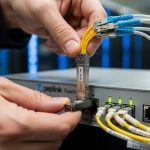
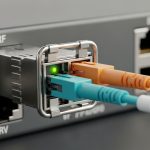
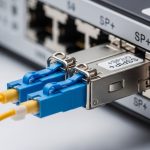
Digital out-of-home deployments fail in predictable ways: link flaps at cold mornings, vendor firmware mismatches, and “it worked in the lab” optics that cannot survive field loss budgets. This article helps network and field engineering teams choose the right DOOH network transceiver for digital signage backhaul and edge connectivity, with concrete compatibility and operational criteria. You will get a spec comparison table, a deployment scenario with real numbers, an engineer-grade selection checklist, troubleshooting pitfalls, and ROI guidance.
[[IMAGE:Close-up macro photography of a pluggable fiber transceiver module seated halfway into a ruggedized media converter inside an outdoor digital signage cabinet; visible LC duplex connector and dust cap; shallow depth of field; cool dawn lighting; high detail metal texture; photorealistic style; no brand logos.]
Why a DOOH network transceiver is different from “data center optics”
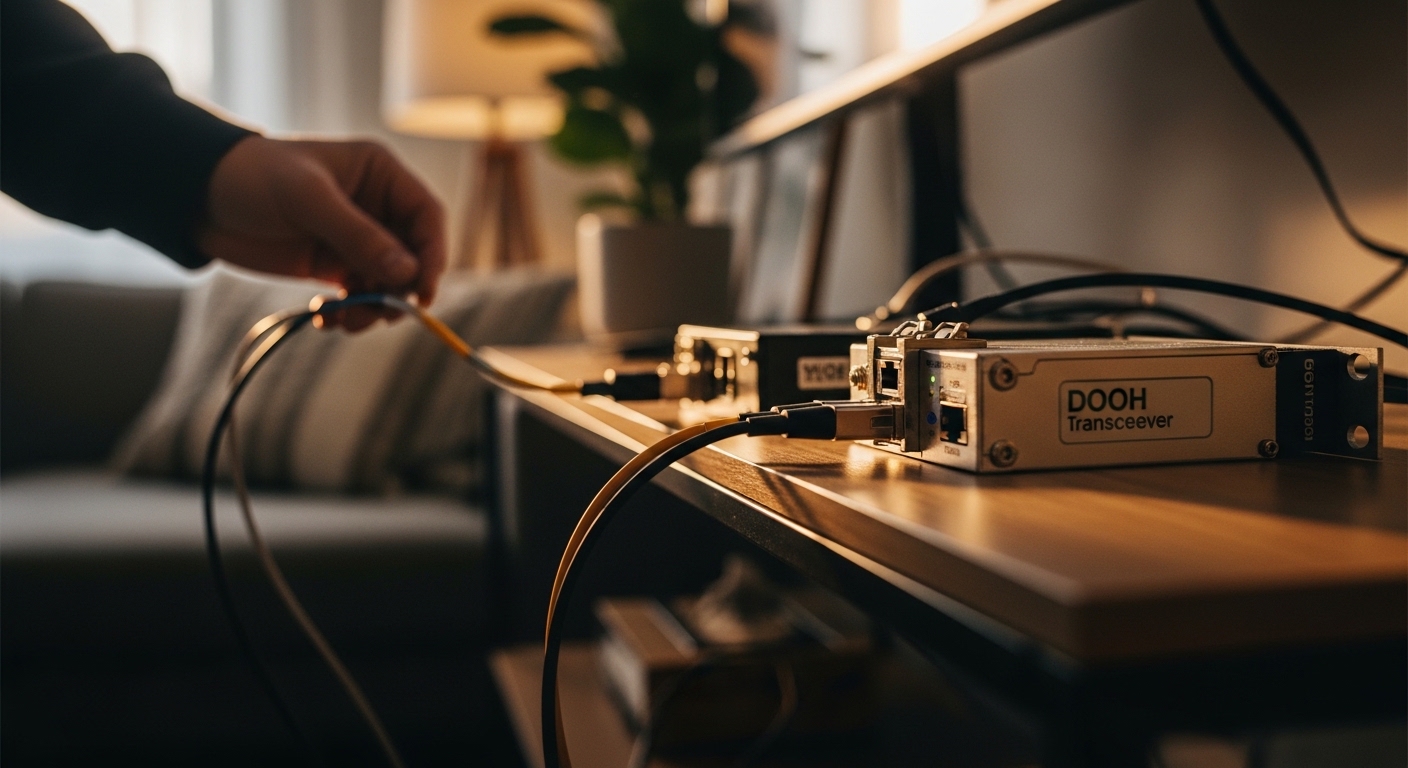
A DOOH network transceiver is not just a fiber-to-Ethernet pluggable; it is a field component that must tolerate temperature cycling, vibration, lightning-induced surges, and imperfect fiber plant conditions that are common in mixed-use deployments. Digital signage networks often combine edge switches, cellular failover, PoE cameras, and sometimes wireless bridges, so optics must interoperate with a broader set of PHY behaviors than a homogeneous data center. In practice, teams choose between short-reach multimode (MMF), single-mode (SMF), and sometimes extended-reach variants depending on distance, splitter loss, and connector cleanliness.
At the standards layer, most Ethernet optics align with IEEE 802.3 link requirements for the relevant speed and PCS/PMA behavior, while pluggability and electrical interfaces follow vendor implementations of the pluggable standards (SFP/SFP+/QSFP families). For safety and operational transparency, engineers also rely on DOM (Digital Optical Monitoring) support so they can read received power and optical bias current during maintenance windows. When DOM is absent or non-standard, troubleshooting becomes guesswork, especially under intermittent attenuation from dirt or microbends.
For DOOH, the most consequential differences are environmental derating and link margin management. Many signage cabinets see wide swings from hot sun load to cold night conditions, and the transceiver must stay within its specified operating temperature and power budget. If you budget close to the sensitivity limit, a transceiver that is “within spec” on paper can still fail under worst-case aging, dirty connectors, or seasonal fiber changes.
Key transceiver specs that determine whether the link survives field conditions
Engineers typically start with the Ethernet speed (10G, 25G, 40G, or 100G), then select the optical format (MMF vs SMF) and wavelength (850 nm, 1310 nm, 1550 nm) based on reach and installed fiber. For digital signage backhaul, 1G/10G are common at the edge, while 25G and 40G appear in high-density hub sites. The correct selection hinges on link budget: transmitter power, fiber attenuation, connector and splice loss, and receiver sensitivity.
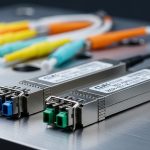
Below is a practical comparison of commonly deployed modules for signage-to-hub connectivity. Values vary by vendor and exact part number, so always validate with the vendor datasheet for the specific SKU and DOM behavior.
| Module type (examples) | Data rate | Wavelength | Typical reach | Connector | Power class / typical | Operating temperature | DOM | Best-fit DOOH use |
|---|---|---|---|---|---|---|---|---|
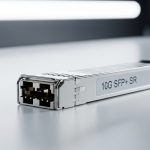
| 10GBASE-SR SFP+ (Cisco SFP-10G-SR, Finisar FTLX8571D3BCL, FS.com SFP-10GSR-85) | 10G | 850 nm | Up to 300 m on OM3 / 400 m on OM4 (system-dependent) | LC duplex | Low power class (vendor-specific) | Often 0 to 70 C commercial; some extended variants exist | Yes on most modern optics | Short in-building or cabinet-to-hub runs |
| 10GBASE-LR SFP+ (1310 nm) | 10G | 1310 nm | Up to 10 km (system-dependent) | LC duplex | Low to moderate power (vendor-specific) | Often -5 to 70 C or wider for some SKUs | Yes | SMF backhaul where fiber plant is available |
| 25GBASE-SR SFP28 (MMF) | 25G | 850 nm | Up to 70-100 m on OM4 (varies by vendor) | LC duplex | Moderate power (vendor-specific) | Commonly 0 to 70 C; extended options exist | Yes | High-density indoor signage clusters |
| 25GBASE-LR SFP28 (SMF) | 25G | 1310 nm | Up to 10 km (system-dependent) | LC duplex | Moderate power | Often -5 to 70 C or wider | Yes | Hub backhaul with spare optics margin |
Two practical notes for DOOH: first, reach is not a single number. The “max reach” in a datasheet assumes specific fiber type, patch cord lengths, and a connector/splice loss model; field installations often exceed those assumptions. Second, temperature range impacts both optical output stability and receiver sensitivity; if you are near limits, you want extended temperature SKUs and a conservative link budget that preserves margin after aging.
Pro Tip: In DOOH field ops, the fastest way to stop truck-rolls is to require DOM telemetry that your NMS can poll (or export). Track received optical power and transmit bias trends over months; a slow bias increase with constant received power often indicates connector contamination, while a simultaneous received power drop suggests fiber damage or connector loosening.
Deployment scenario: signage edge cabinet to hub switch with 10G fiber
Consider a multi-site rollout where each venue has an outdoor signage cabinet containing an edge switch, a PoE controller for cameras, and a media gateway. In a leaf-spine-adjacent design at the venue, each cabinet uplinks to a nearby aggregation hut using a dedicated fiber pair. The operator uses 10GBASE-LR optics over SMF to span 2.8 km from the cabinet to the hut, with 0.35 dB average splice loss and 3.0 dB total connector/patch cord loss across the run.
Engineering performs a conservative link budget: assume transmitter launch power of -2 dBm, receiver sensitivity of -14.4 dBm for the targeted 10G LR class, and allocate 3 dB for aging and operational uncertainty. With SMF attenuation of 0.35 dB/km, fiber loss is 0.98 dB for 2.8 km. Total estimated loss is therefore 0.98 + 3.0 + 0.35 (splice count dependent) plus margin; this still leaves a working margin above sensitivity so the link remains stable during temperature swings from winter nights to summer afternoons. That budget discipline is what prevents “works on day one, fails after connector cleaning delays.”
[[IMAGE:Illustrative cutaway diagram in a clean vector style showing an outdoor signage cabinet interior with a small Ethernet switch and a fiber transceiver; arrows indicate DOM telemetry to an NMS, a link budget callout with dB losses, and labeled wavelengths 1310 nm and 850 nm; bright technical color palette; flat design.]
Selection criteria checklist for engineers buying DOOH network transceivers
Start with the physical plant and operational constraints, then verify electrical and management compatibility. The checklist below is the same sequence used in field acceptance for signage networks where downtime is expensive and fiber plant quality is inconsistent.
- Distance and fiber type: Measure actual run length and confirm MMF vs SMF. If you have OM3/OM4, validate modal bandwidth assumptions; if you have SMF, validate the fiber attenuation spec and splice counts.
- Speed and optics format: Match the transceiver to switch port capability (10G SFP+, 25G SFP28, etc.). Avoid mixed-rate surprises where the switch negotiates down unexpectedly.
- Link budget margin: Use vendor launch power, receiver sensitivity, and your measured connector/splice losses. Keep a conservative margin for aging and contamination; DOOH deployments often require more margin than data center patching.
- Switch compatibility and vendor lock-in risk: Some enterprise switches enforce compatibility matrices; verify that the optics are “supported” or at least functionally tested. If the platform blocks non-approved optics, you will see port disable events.
- DOM support and telemetry behavior: Confirm DOM registers are readable and correctly interpreted by your monitoring stack. Ensure your NMS can poll thresholds for alarm and warning levels.
- Operating temperature and derating: Choose extended temperature SKUs when cabinets experience wide swings. Verify that both the transceiver and any associated media converters are within their specified ranges.
- Connector strategy: Prefer LC duplex with robust strain relief. Confirm you can maintain end-face cleanliness with field-safe cleaning kits.
- Power and thermal constraints: In dense signage hubs, multiple optics can elevate thermal load. Check the switch’s total power and airflow assumptions, not only the optics module power.
Where teams go wrong is skipping the compatibility step. Even if a transceiver meets IEEE 802.3 signaling requirements, a platform may still block it due to EEPROM identification, threshold calibration differences, or DOM parsing quirks. For DOOH, that translates directly into truck-rolls because the port may remain down until the “approved” optic is installed.
Common pitfalls and troubleshooting for DOOH fiber links
Most DOOH optics failures are not “hardware death”; they are predictable root causes linked to optics identification, fiber cleanliness, and budget miscalculation. Below are concrete failure modes and what to do in the field.
Pitfall 1: Link flaps only in cold mornings
Root cause: The transceiver is operating near its temperature limits, causing optical output power drift and receiver sensitivity changes. Another common cause is a marginal link budget that tolerates warm conditions but fails when output stability worsens.
Solution: Verify the module’s operating temperature range in the datasheet and compare to the cabinet minimum. If possible, switch to an extended temperature SKU and re-measure receive power via DOM. Also inspect fiber end faces and confirm stable connector seating with strain relief.
Pitfall 2: Port comes up, then errors spike after a few days
Root cause: Connector contamination or microbending after installation. Outdoor vibration can loosen patch cord couplers; contamination increases attenuation, which raises BER until the link eventually degrades.
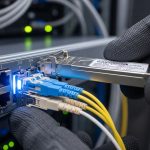
Solution: Use field cleaning kits designed for LC end faces, then re-test with an optical power meter. If you have access to OTDR, validate that no event is introduced after maintenance. Confirm that patch cords are routed with bend radius compliance.
Pitfall 3: “Unsupported transceiver” or port disable on the switch
Root cause: Switch platform enforces a compatibility policy based on the optic’s EEPROM identifiers. Some third-party optics are electrically compatible but fail the platform’s allowlist.
Solution: Check the switch vendor’s supported optics list and validate with a staged acceptance test. If you must use third-party modules, procure from suppliers that provide compatibility documentation for your exact switch model and firmware revision.
Pitfall 4: You chose MMF optics but used a mixed fiber plant
Root cause: Mislabeling of fiber runs (OM1 vs OM3 vs OM4) or using SMF with an MMF transceiver. This often passes short bench tests but fails over the actual venue run or under higher temperature.
Solution: Verify fiber type using certification results or a lab test with appropriate instruments. For DOOH, require fiber certification reports during handover, including attenuation and connector loss values.

Cost, TCO, and ROI for DOOH network transceivers
Pricing depends heavily on speed class, reach, temperature rating, and whether you buy OEM or third-party. For many enterprise signage deployments, 10GBASE-SR SFP+ modules typically fall in a mid-range bracket (often tens of dollars for third-party, higher for OEM), while 10GBASE-LR and extended temperature variants cost more due to tighter optical component specs. For 25G SFP28, unit cost increases further, and the premium for extended temperature SKUs can be material.
TCO is usually dominated by truck-rolls, downtime penalties, and maintenance labor rather than the module purchase price. If a transceiver fails intermittently due to marginal link margin or temperature drift, the ROI of a cheaper module disappears quickly. Conversely, investing in extended temperature optics and enforcing link-budget discipline can reduce maintenance events enough to justify higher unit costs.
Operationally, treat the transceiver as a monitored asset. If you can read DOM telemetry and integrate alarms into your NMS, you can replace optics proactively before they drop below sensitivity. That shifts failure handling from reactive swapping to scheduled maintenance windows, improving uptime and reducing exposure to venue business hours.
[[IMAGE:Concept art style scene of a nighttime city street with digital signage billboards; a technician holds a fiber cleaning kit and a handheld optical power meter; holographic overlay shows link budget dB values and DOM thresholds; cinematic lighting; high contrast; stylized but technically accurate.]
FAQ
What fiber type should I use for a DOOH network transceiver at 2 to 5 km?
For 2 to 5 km, most teams use SMF with 1310 nm LR-style optics (for example, 10GBASE-LR or 25GBASE-LR depending on port speed). MMF can work only for short runs with OM3/OM4 and strict reach assumptions, so SMF is the safer choice for outdoor backhaul.
How do I confirm DOM support works with my monitoring stack?
Validate by reading transceiver DOM values directly from the switch CLI or via your telemetry agent, then map alarms to your NMS thresholds. Confirm that the DOM fields you rely on (received power, bias current, temperature) are present and stable under steady load.
Can I mix OEM and third-party DOOH network transceivers in the same switch?
Often yes at the physical layer, but compatibility policies can vary by switch model and firmware. If the platform enforces an allowlist, non-approved optics may be blocked even if they meet the Ethernet standard.
What are the minimum link-budget practices for signage networks?
Use measured connector and splice losses from certification, not only estimated values. Add conservative margin for aging and contamination, and ensure the received optical power remains comfortably above the receiver sensitivity across temperature extremes.
Why does the link work during installation but fail months later?
The most common causes are connector contamination, patch cord movement, and microbends introduced during later site work. DOM trends can reveal gradual degradation, while OTDR can pinpoint new events if you run it after a failure.
Should I prioritize extended temperature optics for outdoor cabinets?
If cabinets experience wide seasonal swings, prioritize extended temperature SKUs and validate the module’s rated range against your site minima and maxima. Extended temperature optics reduce the likelihood of drift-induced BER spikes and improve long-term reliability.
Choosing the right DOOH network transceiver is a systems problem: speed, optics format, link budget, switch compatibility, and field maintainability must be aligned. Next, map your signage topology to the correct optics class using fiber optic link budget so your procurement and acceptance tests match real operational constraints.
Author bio: I have deployed and audited fiber transceiver and switch interoperability in field networks for digital signage, including DOM telemetry integration and link-budget acceptance testing. I write from hands-on troubleshooting experience with measurable optical power, connector loss, and switch port compatibility behaviors.