Hybrid cloud connectivity fails in the real world for boring reasons: mismatched optics, wrong fiber type, and vendor firmware tantrums. This article helps network engineers and field technicians choose cost-effective transceivers that actually interoperate in leaf-spine data centers, metro WAN edge, and on-prem aggregation. You will get an implementation-style, step-by-step plan, plus a practical troubleshooting section and a spec comparison table so you can stop guessing and start shipping.
Prerequisites for cost-effective hybrid cloud transceivers
Before you touch a transceiver, collect the “inputs that matter” or you will pay for mistakes twice: once in downtime and again in replacement optics. This checklist is written for common 10G, 25G, and 100G deployments using SFP/SFP+ (1G/10G), SFP28 (25G), and QSFP28/QSFP56 (100G/200G) optics. If you are planning cloud connectivity between on-prem and public cloud, confirm whether the provider expects standard Ethernet (IEEE 802.3) optics and whether your switch vendor enforces DOM and vendor-validated optics.
What to verify in your inventory
- Switch models and optic cages: Example: Cisco Nexus 9K/5K, Arista 7050/7280, Juniper QFX, or vendor-specific platforms with documented transceiver compatibility lists.
- Fiber plant details: core type (OM3 vs OM4 vs OS2), connector type (LC/SC), and measured link loss budget (dB).
- Interface rate and encoding: 10GBASE-SR, 25GBASE-SR, or 100GBASE-SR4; confirm whether you need LR/LR4 for longer reach.
- Monitoring requirements: Digital Optical Monitoring (DOM) support and whether your NOC expects alarms from vendor-specific thresholds.
- Temperature and airflow: especially in top-of-rack (ToR) and aggregation rows where module temperature can exceed safe margins.
Legal-ish disclaimer: This is engineering guidance, not legal advice. But if you break an SLA, your legal team will become very interested in your choices.
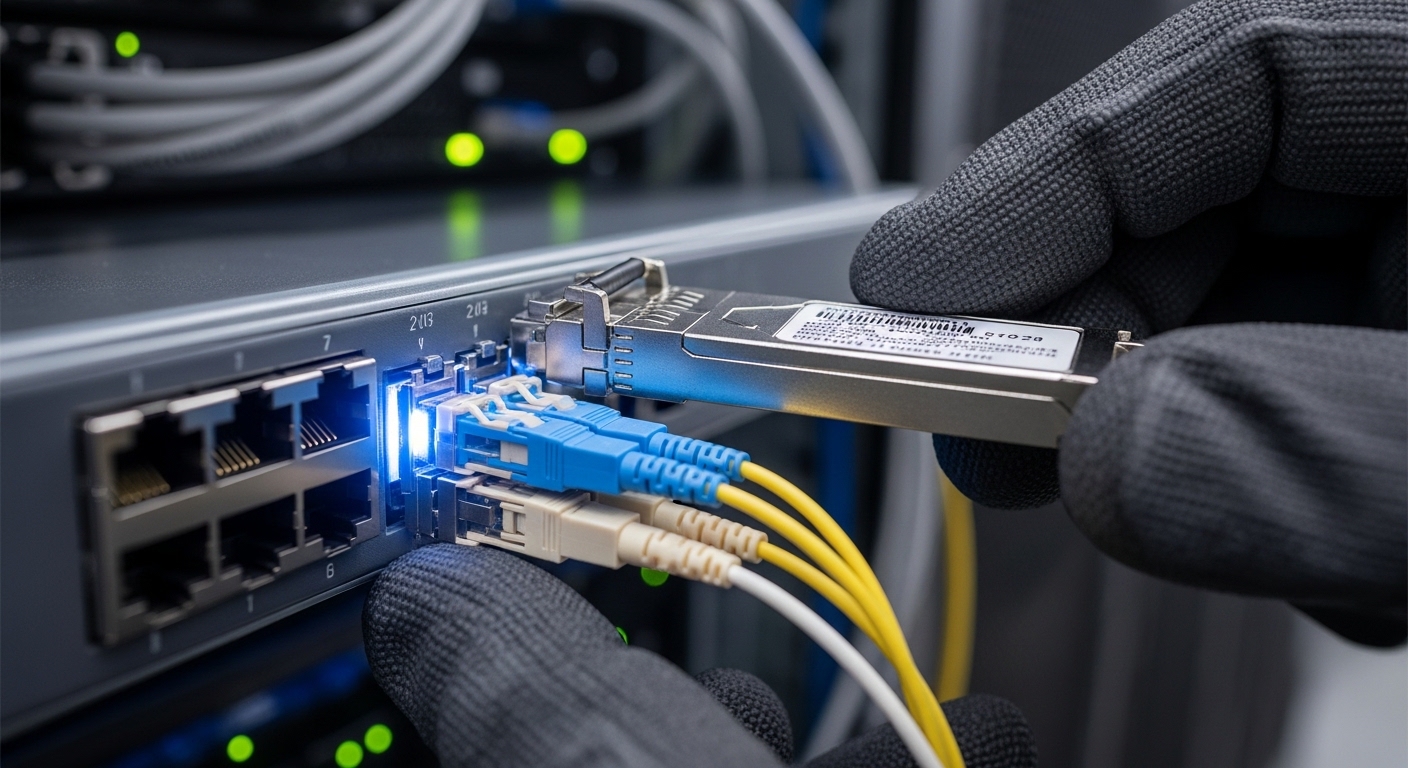
Step-by-step: selecting transceivers that support hybrid cloud connectivity
Use this numbered plan to pick transceivers that are cost-effective without turning your cloud connectivity into a science experiment. The core idea: match Ethernet standard, optical reach, and fiber type, then validate DOM behavior and switch compatibility. When those three align, third-party optics usually behave. When they do not, you will get link flaps, “unsupported transceiver” alarms, or CRC errors that mysteriously vanish after a reboot.
Map each link by distance, fiber type, and required data rate
For each interface, record: distance (meters), fiber type (OM3/OM4/OS2), and expected standard (SR, LR, LR4, ER). For example, in a typical hybrid cloud architecture, you might have 25G inside the data center (SR over multimode) and 100G from an on-prem aggregation router to a metro handoff (LR4 over single-mode). The fastest way to avoid expensive returns is a simple link budget check using published vendor specs plus your measured fiber attenuation.
Expected outcome: A per-port worksheet listing each link as “25GBASE-SR on OM4, 300m” or “100GBASE-LR4 on OS2, 10km,” with connector type and expected polarity.
Choose the optical standard and transceiver family
Pick optics by the Ethernet PHY standard, not by marketing reach. IEEE Ethernet optics are commonly described as BASE-SR (short reach), BASE-LR (long reach), and BASE-ER (extended reach). For 25G you will often use SFP28 SR (multimode) or SFP28 LR (single-mode). For 100G over multimode you typically look at QSFP28 SR4; for longer single-mode distances you use QSFP28 LR4.
Compare key specs before you compare prices
Cost-effective transceivers usually win on unit price, but you still need to verify wavelength, reach, connector, and DOM support. Below is a practical comparison of common module types used for cloud connectivity in hybrid deployments.
| Module type | Ethernet standard | Wavelength | Typical reach | Connector | Data rate | DOM | Operating temp |
|---|---|---|---|---|---|---|---|
| SFP+ SR | 10GBASE-SR | 850 nm | 300 m (OM3) / 400 m (OM4) | LC | 10 Gbps | Often supported; verify | 0 to 70 C (typical) |
| SFP28 SR | 25GBASE-SR | 850 nm | 100 m (OM3) / 150 m (OM4) | LC | 25 Gbps | Often supported; verify | 0 to 70 C (typical) |
| QSFP28 SR4 | 100GBASE-SR4 | 850 nm (4 lanes) | 100 m (OM3) / 150 m (OM4) | LC | 100 Gbps | Often supported; verify | 0 to 70 C (typical) |
| QSFP28 LR4 | 100GBASE-LR4 | ~1310 nm (4 wavelengths) | 10 km typical on OS2 | LC | 100 Gbps | Often supported; verify | -5 to 85 C (many variants) |
Source for standards context: IEEE 802.3 Ethernet optical PHY specifications are the baseline for SR/LR behavior and interface expectations. [Source: IEEE 802.3 Working Group overview, IEEE 802.3 Ethernet specifications]
Validate DOM and switch compatibility (the part vendors do not brag about)
Switch vendors may enforce transceiver qualification. In practice, you want to confirm DOM telemetry compatibility (temperature, voltage, bias current, received power) and whether the switch requires a specific memory map. Field reality: some third-party optics work flawlessly for link but trigger “unsupported transceiver” syslog messages or fail to report accurate RX power thresholds. That can still be acceptable if your monitoring pipeline tolerates it, but it can also mask failing optics until your error counters explode.
Expected outcome: A short list of optics that are known to work with your exact switch models, including DOM behavior and alarm handling.
Pro Tip: If your switch supports “DOM threshold alarms,” compare the RX power telemetry units and scaling between your current known-good module and the new low-cost option. In one hybrid cloud migration, the optics were electrically fine but the monitoring thresholds were effectively wrong, so aging links were not flagged until after CRC errors surged.
Choose specific part numbers that match your link types
To keep this concrete, here are examples of commonly deployed optics families you can use as reference points when matching your requirements. For 10GBASE-SR, Cisco’s common reference includes Cisco SFP-10G-SR style modules (exact ordering varies by platform). For third-party equivalents, you may see Finisar optics such as FTLX8571D3BCL for 10G SR; for 25G SR, you might reference Finisar or other vendors’ SFP28 850 nm SR modules. For 25G and 100G, many teams also use reputable third-party modules such as FS.com SFP-10GSR-85 and comparable SR variants, but you must still validate compatibility with your switch and DOM expectations.
Limitation disclaimer: Part numbers and compatibility can vary by hardware revision and firmware. Always validate using your vendor’s optics compatibility guide or a lab test before rolling into production.
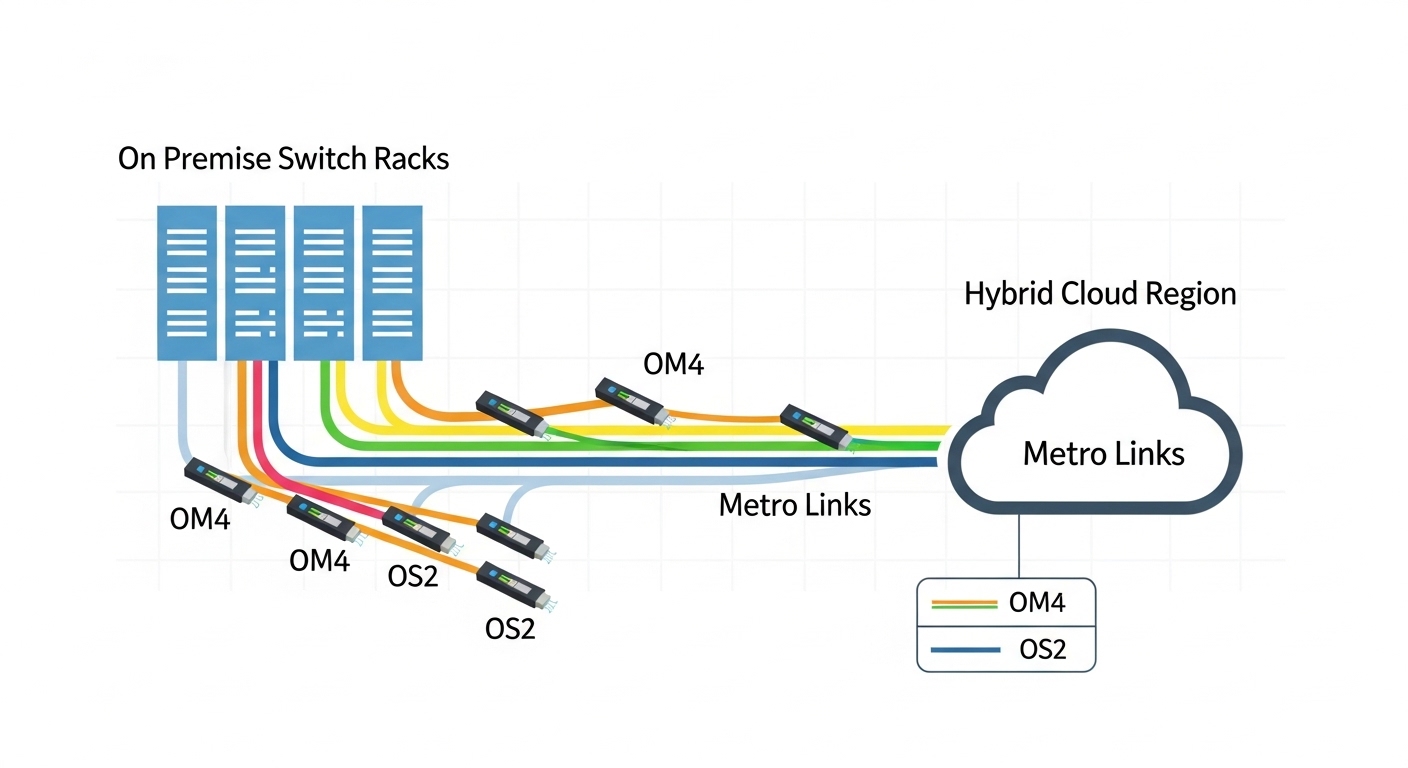
Plan a controlled rollout with measurable acceptance tests
Cloud connectivity is a system property, not a transceiver property. Roll out in batches: move a single uplink group from old optics to new optics, then run acceptance checks. Use interface counters and optics telemetry: verify link up, low CRC/FCS errors, stable RX power, and absence of transceiver alarms. In many data centers, teams run tests for at least 30 to 60 minutes under typical traffic load, then extend to 24 hours for “canary” uplinks.
Expected outcome: A pass/fail record showing the optics behave under real traffic and monitoring conditions, not just during link bring-up.
Common mistakes and troubleshooting for hybrid optics failures
If you want fewer 2 a.m. tickets, avoid these failure modes. They are common because the symptoms look similar: link flaps, high error counters, or switch alarms about unsupported optics. The root cause is usually one of the bullets below.
Pitfall 1: Wrong fiber type for SR reach (OM3 vs OM4 vs OS2)
Root cause: SR optics assume multimode and specific modal bandwidth. Using OM3 with a module spec that expects OM4 can shorten reach and increase attenuation margin issues. Symptoms: link comes up, then degrades, or never stabilizes under temperature changes. Solution: confirm fiber type in the patch panel with documentation or OTDR, then re-check reach versus measured loss. If you must extend distance, switch to LR4 on OS2.
Pitfall 2: Connector polarity and lane mapping errors
Root cause: LC polarity and MPO/MTP lane mapping mistakes are classic when moving from old patch cords or redesigning fiber routing. Symptoms: link stays down or comes up with severe errors. Solution: validate polarity with a known-good continuity tester; for MPO-based SR4, confirm the correct polarity method (e.g., “Method B” in many data center practices) and ensure the correct orientation on both ends.
Pitfall 3: DOM telemetry mismatch causing false alarms or missed failures
Root cause: third-party optics may report RX power or temperature in a way that interacts poorly with switch thresholds, or the switch may not fully support the module’s memory map. Symptoms: syslog shows “unsupported transceiver,” RX power readings look off, or monitoring fails to alert on aging. Solution: compare telemetry from a known-good module, adjust thresholds if your platform allows, and confirm that alarms route correctly to your monitoring system.
Top 3 failure points: quick triage order
- Electrical/link state: confirm admin state, speed/auto-negotiation settings where applicable, and that the switch reports the interface as up.
- Optics and fiber: check DOM values (RX power within spec), inspect connectors, and re-verify fiber type and polarity.
- Error counters: look for CRC/FCS spikes, then correlate with time, temperature, or specific patch segments.

Cost and ROI: how “cheap” optics affect total ownership
Transceivers can look like a commodity—until you total up downtime, truck rolls, and performance monitoring surprises. In many enterprise and colocation environments, third-party optics price points can be significantly lower than OEM modules, but the savings depend on compatibility risk and failure rates. A realistic budgeting approach is to compare unit price plus expected replacements over your warranty and your operational tolerance for alarms.
Typical market ranges vary by speed and reach. As a rough planning baseline: 10G SR optics are often cheaper than 25G SR, and 100G LR4 tends to be the most expensive per module. OEM modules may cost meaningfully more, but they often reduce compatibility friction and simplify procurement. Third-party modules can be cost-effective if you have a tested vendor list, a lab validation process, and clear return policies.
ROI lens for cloud connectivity: In hybrid cloud architectures, stable optics reduce packet loss events that can trigger retransmissions, increased latency, and noisy application behavior. If your monitoring catches aging early, you save on both downtime and the “mystery meat” time spent investigating.
Source for general compatibility and optics behavior: Vendor datasheets and transceiver standards references, plus practical field testing guidance from major tech publications. [Source: Cisco and Arista optics documentation pages; IEEE 802.3; reputable transceiver vendor datasheets]
Selection criteria checklist for budget-friendly hybrid links
Use this ordered list when choosing transceivers for cloud connectivity. Treat it like a pre-flight checklist before the plane leaves the hangar and your CFO starts timing you.
- Distance vs reach: pick SR/LR/LR4 based on meters and measured attenuation, not wishful thinking.
- Fiber type: OM3/OM4 for SR, OS2 for LR/LR4; confirm patch cord specs.
- Switch compatibility: verify with the switch vendor’s optics compatibility guidance and firmware expectations.
- DOM support and monitoring: confirm telemetry availability and whether alarms integrate cleanly with your NMS.
- Operating temperature and airflow: ensure the module’s rated range matches your enclosure and thermal profile.
- Vendor lock-in risk: decide whether you accept warnings for cost savings or pay OEM for reduced friction.
- Return and warranty terms: ensure you can replace quickly if a specific optic fails compatibility tests.
- Power and thermal overhead: consider the cumulative thermal load in high-density cages, especially with multiple optics moving at once.
FAQ: cost-effective transceivers for hybrid cloud connectivity
What optics work best for cloud connectivity inside a data center?
Most teams use SR optics (850 nm) for short reach inside the data center, such as 10GBASE-SR and 25GBASE-SR on OM3/OM4 multimode fiber. If your distances approach the limit or patching is messy, consider moving to a single-mode LR/LR4 design to buy yourself more margin. Always verify reach against measured loss, not just the nominal spec.
Will third-party transceivers work with OEM switches?
Often yes, but not always. Compatibility depends on your switch model, firmware, optics memory map, and how DOM thresholds are enforced. The safe approach is to validate in a lab or with a small canary rollout and confirm both link stability and monitoring visibility.
How do I check DOM support and avoid monitoring surprises?
Compare telemetry from a known-good module: temperature, voltage, bias current, and RX power. Then confirm your NMS or switch CLI shows reasonable values and that alarm thresholds behave as expected. If you see odd scaling, adjust thresholds if your platform allows or stick with a validated optics vendor list.
What is the most common cause of link flaps after swapping optics?
Fiber polarity issues and connector problems top the list, followed by incorrect fiber type for the assumed reach. Less often, it is a DOM/compatibility enforcement behavior that causes the switch to cycle the interface. Triage by checking link state, then DOM RX power, then fiber continuity and polarity.
When should I stop chasing SR and move to LR4?
If you need distances beyond SR margins, have high attenuation variability, or want fewer dependence-on-patching headaches, LR4 on OS2 is often the pragmatic choice. LR4 also tends to simplify future upgrades when you extend rack-to-rack or rack-to-aggregation distances. The tradeoff is higher module cost and the need for single-mode infrastructure.
How long should I test new transceivers before full rollout?
Minimum: validate link stability and error counters for at least 30 to 60 minutes under representative traffic. For canary uplinks, many teams run 24 hours to catch temperature and traffic pattern effects. If you are in a regulated or high-availability environment, align with your change management and incident response policies.
In hybrid cloud connectivity, the cheapest transceiver is the one that stays compatible under real conditions: correct fiber, correct standard, and predictable DOM behavior. Next step: review your current optics inventory and generate a per-port worksheet using the checklist above, then validate with a canary rollout via related topic: transceiver compatibility and DOM validation.
Author bio: I deploy and troubleshoot fiber and Ethernet optics in production networks, including canary migrations and DOM telemetry audits under real load. Disclaimer: This article is practical engineering guidance, not legal advice, and you should validate against your switch and transceiver vendors before production use.