Dense fiber environments fail in predictable ways: patching chaos, intermittent link drops, and rising labor costs during moves and adds. This article helps network and facilities engineers design cable management that stays reliable as port density climbs. You will get a practical head-to-head comparison of routing, labeling, and patching strategies, plus field-tested troubleshooting steps and ROI considerations.

Routing and bend performance: organized pathways vs “as-you-go” installs
In dense fiber, the physical plant is the first performance bottleneck. Proper cable management protects optical link budgets by controlling bend radius and preventing micro-crush at tray edges. In practice, engineers choose between managed ladder routing (with defined bend controls) and flexible “free-run” routing that looks fast during installation but accumulates risk. The future-proof approach is to treat pathway geometry as part of the network design, not a cosmetic step.
Head-to-head: engineered pathways vs free-run cabling
- Engineered pathways use cable trays, tie-down points, and bend radius guides aligned with rack elevations. This reduces stress on connectors and improves repeatability during maintenance.
- Free-run cabling relies on ad hoc routing and loose slack. It often creates tight bends near rack doors, leading to higher insertion loss variation and intermittent faults.
What to measure in the field
During acceptance testing, confirm link stability with OTDR (for plant) and optical power measurements at the patching endpoints. Field teams commonly record received power and verify it stays within transceiver vendor tolerances for the specific interface (for example, IEEE 802.3-aligned Ethernet optics). If you see frequent fluctuations after touch-ups, the root cause is often mechanical stress from tray edges, not optics.
Pro Tip: When you re-seat patch cords, watch the “first touch” behavior. If received power jumps only after you slightly rotate or re-route the cord, you likely have a hidden bend or connector strain point—fix the pathway before you blame the transceiver.
Labeling and documentation: machine-readable consistency vs human-only chaos
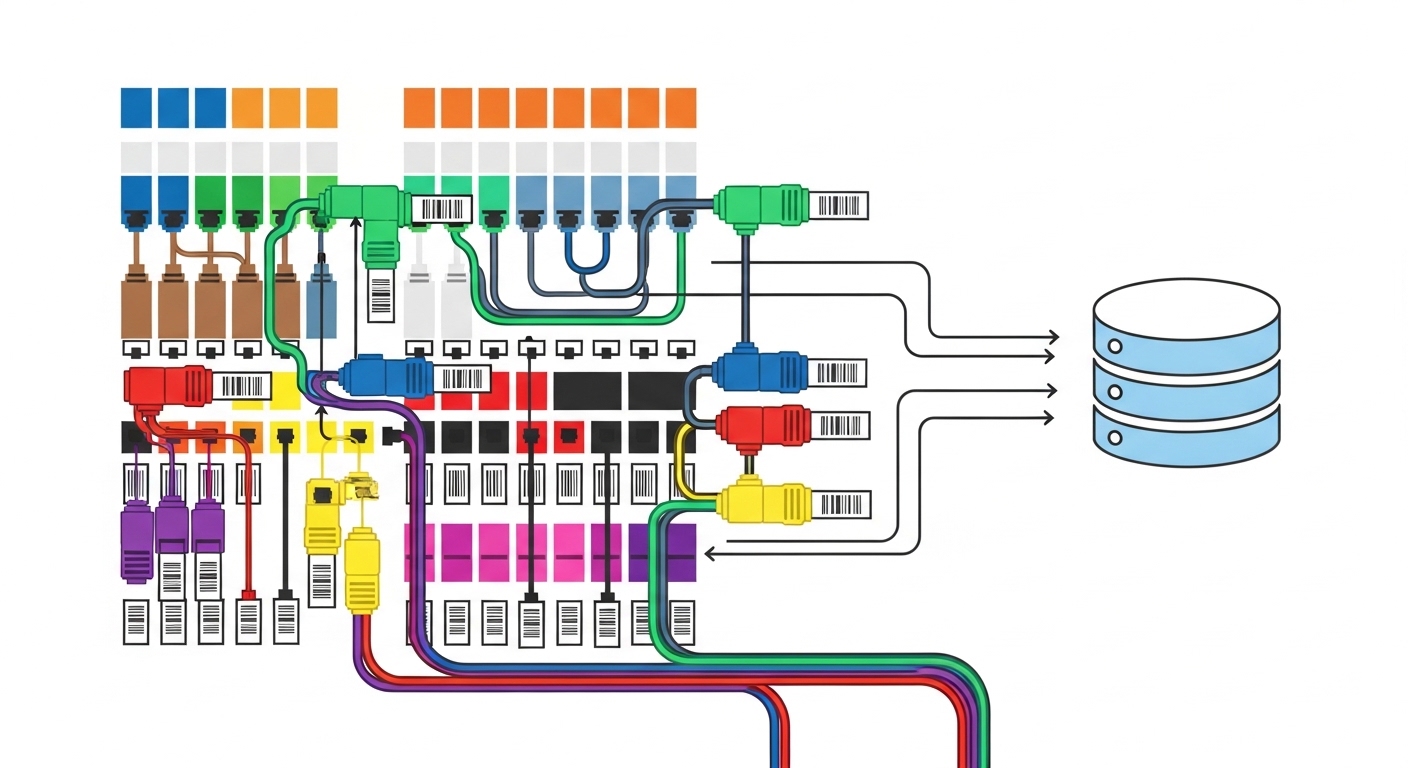
Future cable management depends on information quality as much as physical routing. In dense fiber, labels must survive maintenance cycles, migrations, and vendor swaps. Teams typically compare two extremes: human-only labeling (easy to write, hard to search) versus machine-readable labeling (barcodes/QR plus a disciplined database).
Head-to-head: human-only vs machine-readable labeling
- Human-only labels are quick initially but become ambiguous when multiple cords share similar numbering patterns across floors or rows.
- Machine-readable labels pair each cord and port with a unique identifier in a CMDB or fiber management system. This enables faster tracing and safer change control.
Field workflow that holds up
Use a consistent scheme: rack-row-bay-panel-port for endpoints, and cord ID for patch cords. Then store cross-references so a single cord ID maps to both ends. In audits, this prevents “orphaned” patch cords that technicians cannot trace without guesswork.
Patch strategy: cassette and trunking vs loose patch cords
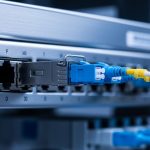
Dense fiber environments often expand faster than teams can rework panels. Cable management strategies that compartmentalize change—like cassette-based patching and trunking—reduce handling time and protect bend geometry. Loose patch cords can be workable in small deployments, but they tend to multiply during scaling events and create a maintenance bottleneck.
Head-to-head: cassette/trunking vs loose patch cords
- Cassette and trunking concentrates fibers into predictable modules. It simplifies reconfiguration and reduces repeated connector mating cycles.
- Loose patch cords increase manual routing variability. Each move adds opportunities for connector contamination and micro-bending.
Compatibility with modern optics
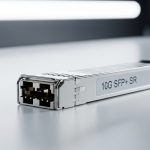
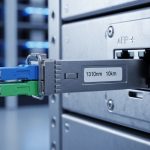
As you move toward higher-speed optics and higher port counts, connector cleanliness and consistent handling matter more. Whether you use SFP-10G-SR style short-reach optics or higher-density QSFP variants, the patching method influences how often technicians touch connectors. Follow vendor datasheets for cleaning procedures and dust-protection practices, and align with cabling guidelines referenced by [Source: IEEE 802.3].
Spec and reach comparison: OM4/OM5 and connector choices that affect cable management
Selection mistakes often appear “optical,” but they originate in cabling decisions. Fiber type, wavelength, and connector ecosystem determine how much slack you need, how tight you can route trays, and how robust your plant is under future upgrades. Engineers comparing options should consider not only reach but also connector density and whether the patching hardware supports predictable bend control.
Key specs comparison for common dense fiber patterns
| Fiber / Interface Pattern | Typical Wavelength | Reach (typical) | Connector / Patch Reality | Optical Power Budget Impact | Operating Temperature |
|---|---|---|---|---|---|
| OM4 multimode (10G / 25G SR) | 850 nm | ~100 m at 10G SR (varies by transceiver) | LC duplex common; supports dense panels with cassettes | Moderate sensitivity to additional loss from tight bends | Transceiver-dependent; often around -5 C to +70 C |
| OM5 multimode (WDM-capable) | ~850 to 953 nm range | Similar multimode reach; higher spectral flexibility | LC duplex or MPO/MTP depending on design | Benefits from clean, stable patching; supports future upgrades | Transceiver-dependent; follow vendor spec sheets |
| Single-mode (LR/ER style) | 1310 / 1550 nm | Up to kilometers (transceiver-dependent) | Often LC; supports long-haul and less sensitive to multimode overuse | Less affected by multimode modal effects; still sensitive to mechanical stress | Transceiver-dependent; follow vendor spec sheets |
For concrete hardware examples, many teams deploy vendor optics such as Cisco SFP-10G-SR, Finisar FTLX8571D3BCL, or FS.com SFP-10GSR-85 in OM4-based short-reach designs. Always verify the exact transceiver part number against your switch model and the fiber type in the field documentation. When a mismatch occurs, cable management can’t rescue the link—compatibility and optics specs still govern performance.

Decision checklist: how engineers choose cable management future-proofing
Use this ordered checklist during design reviews and staging. It is built around what field teams actually verify before mass termination and after change windows.
- Distance and reach: confirm fiber type and expected link distances, then verify transceiver reach and power budget with measured optical levels.
- Change rate: if you expect frequent moves/adds, prioritize cassette-based patching and machine-readable labeling.
- Switch and transceiver compatibility: verify the switch vendor’s supported optics list and DOM/diagnostics behavior. A managed patching plan reduces rework.
- DOM support and monitoring: choose optics that expose temperature and bias diagnostics so you can correlate issues with plant changes.
- Operating temperature and airflow: ensure patch panels and trays do not trap heat near transceivers; follow vendor thermal guidance.
- Connector ecosystem: decide LC vs MPO/MTP based on density targets and whether you can maintain cleanliness with your team’s process.
- Vendor lock-in risk: favor standardized patch hardware and labeling schemes that work across vendors and patch panel revisions.
Common mistakes and troubleshooting: what fails first in dense fiber cable management
Even good designs degrade when execution slips. Here are concrete failure modes you can recognize quickly.
Tight bend near rack exit or tray edge
Root cause: cords routed over sharp tray lips create micro-bending and higher insertion loss. Symptom: intermittent link drops that correlate with door movement or technician presence. Solution: add bend radius guides, re-route to a defined tray path, and re-test with optical power measurements at both ends.
Label reuse or ambiguous numbering
Root cause: multiple cords share similar IDs during expansions, especially when panels are swapped or reused. Symptom: “wrong end” connections after maintenance, leading to consistent mislinks rather than random faults. Solution: enforce unique cord IDs, require scanning during patching, and update documentation in the same change ticket.
Connector contamination after repeated re-seating
Root cause: dusty connectors and insufficient cleaning discipline. Every re-seat increases the chance of residue. Symptom: sudden power drop, increased error counters, or links that fail only after maintenance. Solution: implement a cleaning station, inspect with scope tools, and follow vendor cleaning guidance before reconnecting.
Patch panel overcrowding and constrained airflow
Root cause: cable bundles compress airflow and elevate local temperature near transceivers and splices. Symptom: higher transceiver temperatures and occasional thermal-related link instability. Solution: use structured patch management (cassettes, slack management rings) and maintain airflow clearances.
Cost and ROI: what “better cable management” really costs
Budget debates are common, so here is a realistic view. Cassette-based hardware and machine-readable labeling typically add upfront cost, often roughly 10% to 30% over minimal patching materials depending on panel density and labeling scope. However, field teams often recover that cost through reduced troubleshooting time, fewer incorrect patches, and faster change windows during expansions.
For optics, third-party transceivers can reduce unit cost, but the TCO depends on compatibility, failure rates, and how well DOM diagnostics integrate with your operations. If your organization frequently replaces optics, buy from sources with strong documentation and predictable performance. In practice, the biggest ROI often comes from fewer outages caused by mechanical stress and fewer “mispatch” incidents, not from the optics themselves.
Decision matrix: pick a cable management approach by your priority
| Priority | Best-fit Approach | Trade-off | Typical Best For |
|---|---|---|---|
| Maximum uptime during frequent changes | Cassette/trunking + machine-readable labels | Higher upfront design and process overhead | Cloud and colocation environments |
| Lowest installation labor time | Engineered trays but simpler patch panels | May need later refactoring as density grows | Short-lived staging builds |
| Highest mechanical reliability | Defined pathways with bend radius control | Requires careful rack and tray layout | High-density enterprise core rows |
| Future upgrade flexibility (mixed optics) | Standardized patch hardware + consistent labeling scheme | Requires governance for documentation updates | Enterprises with multi-year roadmaps |
Which Option Should You Choose?
If you run a dense data center with frequent moves, adds, and optics swaps, choose engineered pathways plus cassette/trunking and machine-readable labeling. This combination minimizes mechanical stress events and reduces mispatch risk, which are the two biggest operational killers.
If you are building a smaller lab or a temporary deployment, you can start simpler, but still enforce bend radius control and unique endpoint IDs from day one. For long-term scalability, plan the pathway and documentation so that future upgrades do not require rework of the physical plant; that is where cable management becomes truly future-proof.
FAQ
Q: What does cable management affect most in dense fiber networks?
A: It most directly affects mechanical stress, connector cleanliness during maintenance, and the speed/accuracy of patching. Those factors show up as optical power variation, intermittent link behavior, and increased change failure rates.
Q: Should we standardize on OM4 or OM5 for future-proofing?
A: OM4 is widely supported for short-reach multimode and is common in many deployments. OM5 can add spectral flexibility for certain WDM-capable designs, but you must align transceiver and patch hardware choices with your upgrade roadmap.
Q: Are machine-readable labels worth the extra cost?
A: In environments with frequent changes, yes. They reduce mispatch incidents by enabling scanning workflows and tighter documentation control, which often outweighs the upfront material cost.
Q: What is the fastest way to troubleshoot a link drop after a cabling change?
A: First verify connector seating and inspect/clean endpoints, then check for bend stress at tray edges and rack exits. Finally, measure optical power at both ends to confirm whether the issue is mechanical loss or compatibility/diagnostics.
Q: Can we mix third-party optics with vendor switches safely?
A: Sometimes, but you must verify the exact switch model compatibility and expected DOM behavior. If you cannot validate performance in your environment, treat it as a controlled rollout with measured acceptance tests.
Q: Where should cable management documentation live?
A: Store it in the same operational system your team uses for change control, typically linked to CMDB and ticketing. The key is single-source-of-truth updates whenever patch cords or panels change.
For more on designing structured fiber pathways and operational practices, see cable labeling best practices. With disciplined routing, consistent documentation, and measurement-driven acceptance, dense fiber networks become easier to scale and safer to maintain.
Author bio: I have deployed and troubleshot high-density fiber plants in data centers and campus backbones, using OTDR, optical power testing, and DOM diagnostics to pinpoint root causes quickly. I focus on practical cable management that survives real maintenance cycles, not just first-install checklists.