
Enterprise edge teams often discover too late that their WAN SFP transceiver choice affects link stability, optics budget, and even upgrade timelines. This article helps network engineers and field technicians select the right SFP optics for router WAN interfaces, with practical checks for wavelength, reach, DOM, and power draw. You will also get troubleshooting patterns from real deployments, plus a decision checklist you can apply during change windows.
What “WAN SFP transceiver” really means on router edge links
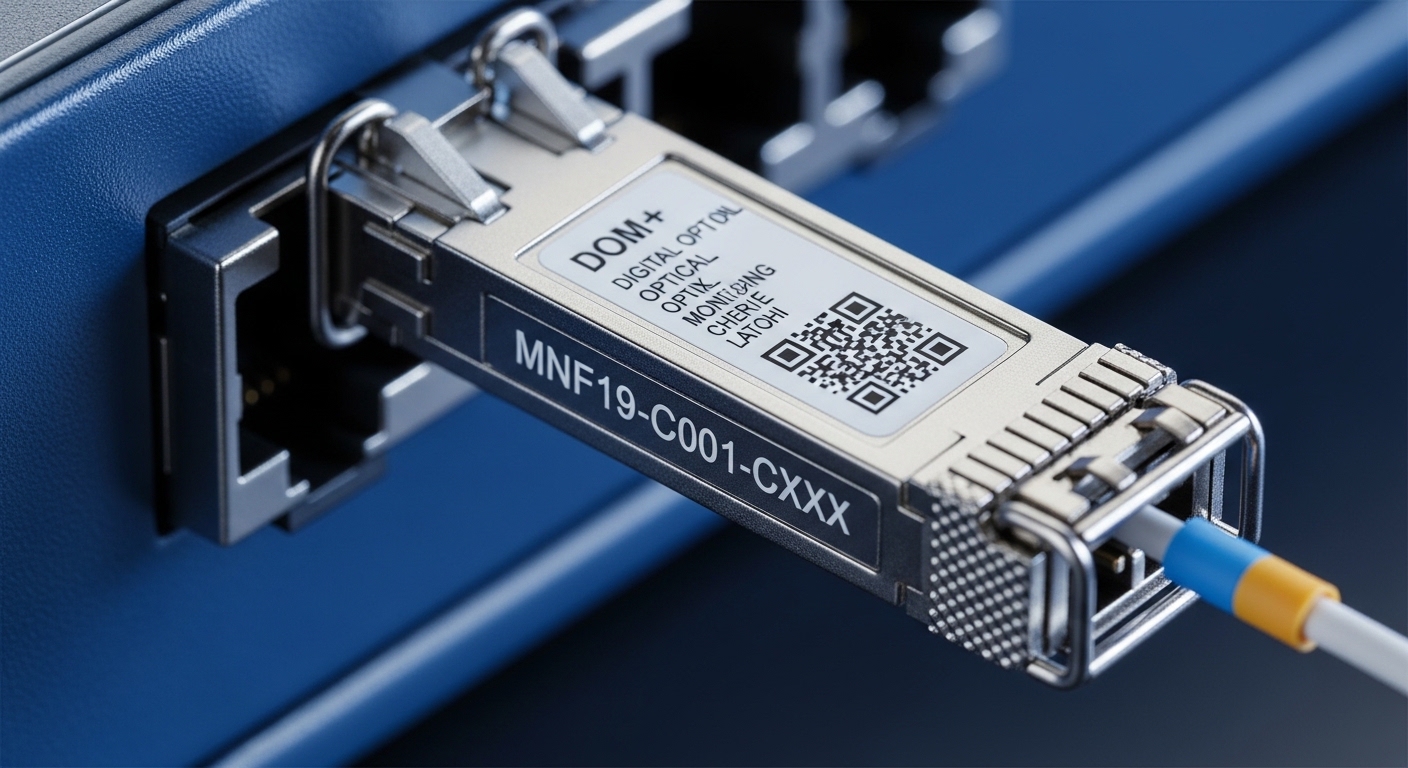
On paper, “WAN SFP transceiver” refers to a pluggable optical module used in a router or aggregation device to carry traffic over fiber. In practice, the module must match the router’s optical interface expectations, including lane speed, coding, transmitter power, receiver sensitivity, and supported diagnostics. For enterprise edge routers, WAN handoffs are commonly 1G/10G Ethernet over single-mode fiber (SMF) using LC connectors, but some sites run short-haul multimode (MMF) for metro or campus extension. The selection is not only “wavelength and distance”; it is also optics budgets, temperature behavior, and vendor-specific compatibility quirks.
5W1H snapshot: where the failures start
Who: field engineers integrating optics into Cisco, Juniper, Arista, or carrier-grade routers. What: a WAN SFP transceiver that does not negotiate reliably or shows high error rates. When: during cutover, after a change window, or when temperature swings after installation. Where: at the edge between the router WAN interface and a handoff device or transport mux. Why: mismatched optics parameters, unsupported DOM/EEPROM behavior, or fiber plant issues. How: RX power too low, TX too high (overload), wrong fiber type, or connector contamination causing intermittent loss.
Pro Tip: Before you blame the router, measure the actual receive power at the far end using an optical power meter or the link partner’s diagnostics. Many “bad SFP” incidents are really a marginal fiber plant or a connector contamination issue that only surfaces when temperature shifts.
Key specs that must match: wavelength, reach, DOM, and power
A WAN SFP transceiver is typically defined by the SFP physical format plus the optical specification. Most enterprise WAN links use 10GBASE-LR (1310 nm) for up to 10 km and 10GBASE-ER (1550 nm) for up to 40 km, but exact support depends on vendor and link budget. If your router uses SFP+ cages, you must select SFP+ optics (not legacy SFP for 1G) and confirm the port speed and encoding options. Also verify DOM support if you rely on monitoring for proactive maintenance.
Reference standards and interoperability notes
Ethernet optical behavior is standardized by IEEE 802.3 for the underlying Ethernet physical layer. For example, 10GBASE-LR and 10GBASE-ER are defined in IEEE 802.3 specifications, while the pluggable form factor and electrical interfaces are governed by multi-source agreements for SFP/SFP+. On the operational side, always cross-check the router vendor optics compatibility list and confirm whether third-party modules require a firmware or configuration setting to enable diagnostics.
For authoritative baselines, consult the IEEE 802.3 Ethernet PHY definitions and vendor datasheets for module power levels and DOM behavior. If you need a quick compatibility reference, start with the router’s supported optics matrix and then validate the optics parameters against link budget requirements.
Example modules and typical parameters (for planning)
Below are representative WAN-oriented optics that engineers commonly deploy. Exact reach and power depend on the specific module grade (industrial vs commercial), temperature range, and whether you buy “compatible” or OEM optics.
| Parameter | 10GBASE-LR (1310 nm) | 10GBASE-ER (1550 nm) | Common WAN Use |
|---|---|---|---|
| Data rate | 10.3125 Gbps (10G Ethernet) | 10.3125 Gbps (10G Ethernet) | Router WAN uplinks |
| Wavelength | 1310 nm | 1550 nm | Metro vs long-haul over SMF |
| Reach (typical) | Up to 10 km on SMF | Up to 40 km on SMF | Based on link budget |
| Connector | LC (most common) | LC (most common) | Edge patch panels |
| DOM | Often available; verify support | Often available; verify support | Monitoring and alarms |
| Temperature range | Commercial or industrial; confirm | Commercial or industrial; confirm | Edge cabinets with HVAC drift |
| Power class | Low power; verify TX/RX budget | Low power; verify TX/RX budget | Prevents RX overload |
When you choose a specific part, confirm the exact optics type and vendor-grade. Examples of widely referenced module families include Cisco-branded optics and third-party equivalents such as Finisar and FS.com models (always validate against your router model). For concrete part numbers you may encounter in the field: Cisco SFP-10G-LR, Finisar FTLX8571D3BCL, and FS.com SFP-10GSR-85 (note: that one is typically short-reach and may not fit WAN SMF requirements). Use the part number only as a starting point; your router’s compatibility list and your fiber plant measurements are the deciding factors.
Compatibility workflow: from router port to optics budget
Engineers succeed when they treat optics selection as a two-layer compatibility problem: electrical/firmware support at the router, and optical power budget at the fiber link. The router layer answers, “Will it light up and report diagnostics correctly?” The fiber layer answers, “Will the received optical power stay within receiver sensitivity across aging and temperature?” A WAN SFP transceiver that passes the first test can still fail the second if the link budget is marginal or the fiber connectors are dirty.
confirm port type and speed
Check the router model, port type (SFP vs SFP+), and supported Ethernet PHY. Some edge routers have SFP+ cages that accept only 10G optical modules, while other models support a mixed set with specific restrictions. If your router is set for 10G, do not assume that a 1G SFP will work; it will often either refuse link or negotiate incorrectly.
match fiber type and connector geometry
Confirm whether the WAN run is SMF or MMF. Many WAN edge deployments are SMF because it supports longer reach with lower attenuation at 1310 and 1550 nm. Also verify the connector type: LC is common, but you may encounter SC in legacy patch panels. Even if the connector physically fits, adapter loss or connector geometry mismatch can degrade the link budget.
compute a link budget using measured values
Use measured fiber attenuation and connector loss from your test results (OTDR or at least insertion loss readings). Your target is to keep received power above sensitivity while avoiding overload. A typical operational approach is to budget for aging (for example, conservative margin of several dB beyond measured loss) and include patch panel and splice losses. If you do not have measurements, you can still proceed, but you should plan a post-install verification and be ready for a fiber cleanup or re-termination cycle.
validate DOM behavior and operational monitoring
If your operations team uses platform telemetry for optics health, confirm that the WAN SFP transceiver’s DOM is supported by your router software version. Some third-party modules provide DOM fields that are compatible, while others present values that are interpreted differently. The result can be false alarms or missing temperature/bias warnings, which delays maintenance and can increase outage risk.
Selection criteria checklist for WAN SFP transceivers
When you are ordering optics for edge deployments, avoid “one-size-fits-all.” Use this ordered checklist during procurement and staging so you do not scramble during cutover.
- Distance and fiber type: SMF vs MMF; confirm whether the run is within LR (1310 nm) or requires ER (1550 nm) class optics.
- Router compatibility: verify the exact router model and port supports the optics type; check vendor optics compatibility lists.
- Data rate and coding: ensure the module matches the configured speed (e.g., 10GBASE-LR vs 10GBASE-ER expectations).
- DOM and monitoring needs: confirm DOM support for temperature, bias, laser power, and alarms; align with your monitoring tooling.
- Operating temperature range: choose industrial-grade if the edge cabinet experiences HVAC drift, sun load, or frequent power cycling.
- Link budget and margins: use measured attenuation; include patch panel and splice losses; confirm you are not near receiver overload.
- Vendor lock-in and risk: weigh OEM optics versus third-party. If you depend on exact DOM mapping, OEM may reduce integration risk.
- Spare strategy: keep at least one tested spare per link type and stage modules in the same temperature environment if possible.
Pro Tip: If your monitoring shows “link up but packet errors rising,” suspect receiver overload or marginal RX power before suspecting the Ethernet config. In practice, a few dB of connector contamination or an unexpected patch loss can push the optics into a non-linear error region.
Common pitfalls and troubleshooting patterns
Optics failures are rarely random. They follow repeatable patterns tied to compatibility, fiber plant condition, and environmental stress. Below are field-tested mistakes, with root causes and practical fixes.
Wrong optics family for the distance class
Symptom: Link flaps at install, high CRC errors, or intermittent loss after temperature changes. Root cause: selecting LR optics for a link that actually needs ER class reach, leaving insufficient receiver margin. Solution: re-check measured attenuation, patch/splice loss, and update the module type. If the far end is near the sensitivity limit, increase margin by choosing the correct wavelength class and grade.
DOM mismatch or unsupported diagnostics
Symptom: Router reports “unsupported transceiver” or telemetry fields show impossible values (for example, temperature readings that jump abruptly). Root cause: third-party module EEPROM/DOM fields not interpreted as expected by your router software version. Solution: confirm support in the router’s optics list, update router OS if vendor notes compatibility improvements, and validate DOM fields using a known-good reference module.
Dirty connectors and patch panel contamination
Symptom: Link comes up briefly, then degrades; optical power readings swing; dust visible on connector end faces. Root cause: connector contamination causing elevated insertion loss and intermittent reflections. Solution: clean connectors with lint-free wipes and approved cleaning tools, inspect end faces with a scope, and re-seat with correct torque and alignment. In many WAN sites, this resolves the issue without swapping optics.
RX overload due to excessive transmit power
Symptom: Link remains up but error counters climb; receiver alarms show abnormal levels. Root cause: too much TX power into a short fiber run or misconfigured patch path, exceeding receiver linear range. Solution: verify the intended fiber path, measure received power, and if needed insert an attenuator or choose a lower-power module variant.
Cost and ROI: OEM vs third-party optics at the edge
Pricing varies by speed, reach, and sourcing channel, but realistic planning helps. OEM optics for common 10G WAN distances often land in a range of roughly $80 to $250 per module, while reputable third-party optics can be lower, sometimes $40 to $150 depending on warranty terms and DOM compatibility. TCO is not just the module price: include failure handling, maintenance time, and the cost of a disrupted change window. If third-party optics cause repeated troubleshooting due to DOM interpretation or marginal thresholds, the savings can evaporate.
Field ROI is strongest when you standardize on a small set of verified part numbers, keep spares, and validate modules before deployment. For edge routers where downtime is expensive, the ROI often favors optics that are known-good for that router model and software version. Also consider power and cooling: SFP optics are low power, but repeated port flaps and additional truck rolls can be far more costly than the watt-level difference.
FAQ: WAN SFP transceiver buying questions from edge teams
What is the difference between a WAN SFP transceiver and other SFP types?
A WAN SFP transceiver is selected for router WAN physical-layer needs, typically longer reach over SMF and specific wavelength classes like 1310 nm (LR) or 1550 nm (ER). Other SFP types may target short reach over MMF or different speeds (for example, 1G vs 10G). Always confirm the router port type and the target Ethernet PHY expectation.
Can I use third-party optics instead of OEM?
Often yes, but compatibility is not guaranteed. Validate against the router optics compatibility list, confirm DOM support with your OS version, and test in staging before cutting over. If you rely on optics telemetry for alarms, prioritize modules that are known to map DOM fields correctly.
How do I choose between LR (1310 nm) and ER (1550 nm)?
Use fiber measurements and link budget calculations. If the run approaches the LR reach limit with limited margin, ER may provide the additional receiver power margin you need. Also consider whether the far-end equipment expects a specific class, because mismatched optics can prevent stable negotiation.
What should I check after installing a new WAN SFP transceiver?
Verify link stability, check CRC or error counters, and read optics diagnostics (TX power, RX power, temperature, laser bias) if available. Then validate with a quick traffic test for at least several minutes to catch intermittent connector or threshold issues. If errors persist, inspect and clean connectors before swapping optics again.
Why does the link come up but performance is poor?
Common causes include marginal RX power, connector contamination, or an optics family mismatch to the expected PHY. Less often, RX overload from a short run can cause elevated error rates. Measure received power at the relevant side and compare it to the module’s specified operating range.
Do I need to match DOM between the transceiver and the router?
You need compatibility, not identical brands. DOM support depends on the router software interpreting the module’s EEPROM fields and diagnostic interface. If DOM is unsupported, the link can still work, but monitoring and alarms may be incomplete or misleading.
Choosing a WAN SFP transceiver for enterprise edge routers is a disciplined process: match the optical class and reach, validate router compatibility and DOM behavior, and confirm the fiber link budget with measurements. If you want the next step, review fiber optic link budget to turn your OTDR results into a reliable acceptance test before cutover.
Author bio: A field-focused network reporter who has supported router edge cutovers involving 10G optics, DOM telemetry, and fiber plant validation. I write with an engineer’s lens on operational risk, measured thresholds, and verification steps.
