
In leaf-spine networks, a single mismatched optics module can stall deployment: ports stay down, FEC negotiation never stabilizes, or DOM readings look wrong. This article helps network engineers and field technicians validate an Arista compatible transceiver from third-party vendors before you commit to rack-scale rollout. You will get a step-by-step implementation checklist, a specs comparison table, and practical troubleshooting rooted in common EOS optics behaviors.
Prerequisites: what you must confirm before ordering
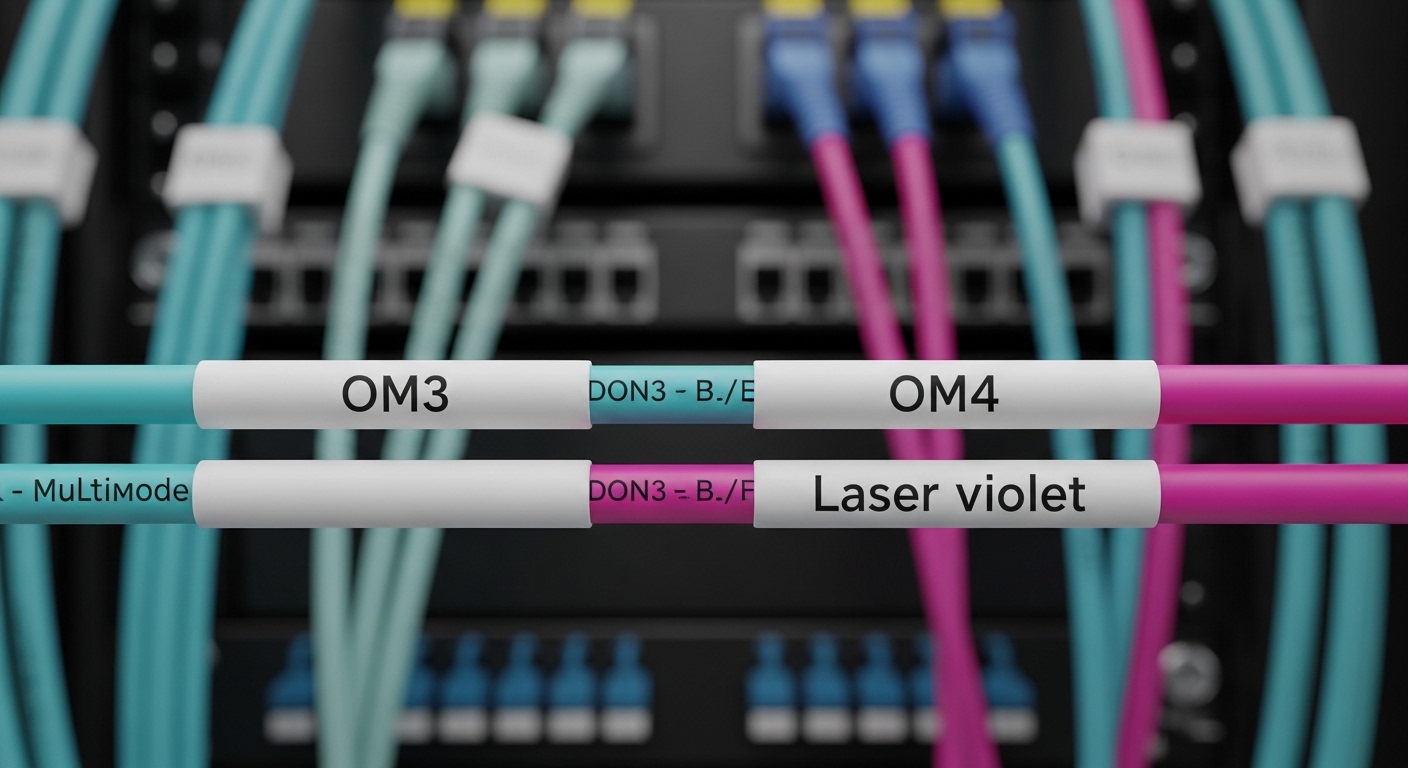
Before you buy any optics, capture the exact platform requirements and environmental constraints. In practice, the fastest path is to align the optics type (SFP+/QSFP+/QSFP28/CFP2), optics standard (SR/LR/ER/ZR), and speed to the port profile you will use. Also confirm whether you need DOM (Digital Optical Monitoring) and whether your operations require vendor-specific diagnostic thresholds.
Gather platform and port details
Start by listing each switch model and the exact interface naming you plan to populate. For example, Arista leaf switches often run 10G/25G/40G/100G optics on specific port groups with defined breakout modes. Record the optics type the platform expects (e.g., 10GBASE-SR on SFP+ at 850 nm) and ensure your fiber plant matches the expected wavelength and link budget.
Collect fiber and reach assumptions
Third-party optics compatibility fails most often due to link budget issues, not “brand lock.” Validate MMF vs SMF, connector type (LC/SC), and end-to-end loss including patch cords and splices. A typical field approach is to measure MPO/MTP or LC channel loss with an OTDR or insertion loss tester, then compare against the optics vendor’s minimum receiver sensitivity and typical launch power.
Step-by-step implementation: validate third-party optics on Arista
The goal is to prove that the module is electrically compatible, optics diagnostics are readable, and link behavior matches IEEE 802.3 expectations for your speed and lane mapping. Follow these steps in a staging rack first, then scale after you pass the acceptance tests.
Identify the exact optics standard and connector
Choose modules that match the physical and electrical interface: SFP+ for 10G, QSFP+ for 40G, QSFP28 for 25G/100G, etc. Match the transceiver to the required optical standard, such as 10GBASE-SR (850 nm MMF) or 100GBASE-LR4 (1310 nm SMF with four lanes). If you use breakout (for example, 100G to 4x25G), confirm the mapping your platform uses and whether the optics must be native QSFP28.
Expected outcome: You have a one-to-one mapping from each switch port to an optics part number class (speed + reach + wavelength + connector).
Select an Arista compatible transceiver candidate with DOM support
In third-party sourcing, prioritize modules with verified DOM support. DOM is typically delivered via the SFP/QSFP management interface and exposes temperature, supply voltage, bias current, and optical power. Many field incidents happen when a module reports zeros or out-of-range values, causing operational alarms or preventing automation from trusting readings.
Examples of commonly used third-party part families include modules from vendors that publish IEEE-compliant characteristics and DOM behavior, such as Finisar-compatible optics (e.g., FTLX8571D3BCL for 10GBASE-SR-class devices) and reputable distributors that provide traceable test reports. If you are targeting a specific Arista platform, validate the exact vendor module line item rather than assuming “SR means SR.”
Expected outcome: Each selected optics model includes DOM diagnostics and has documentation showing the same interface standard as your target port.
Confirm optical budget against measured fiber loss
Use measured channel loss rather than “spec sheet miles.” For SR MMF, verify that the installed multimode fiber and patch cords support the required modal bandwidth and reach. For LR/ER/ZR SMF, confirm end-to-end attenuation plus connector losses, and ensure the optics’ launch power and receiver sensitivity are compatible with your worst-case temperature drift.
Expected outcome: You can demonstrate margin using real insertion loss measurements, not assumptions.
Stage test in a spare port group before wide rollout
Install the module into a non-critical port group that uses the same speed profile and breakout mode as production. Enable link-level logging and watch for optical alarms, CRC errors, and link flaps. In EOS-based environments, you typically want to confirm link up, stable FEC behavior (if applicable), and normal traffic counters after a short transmit test.
Expected outcome: The link comes up cleanly and stays up under light and then moderate load.
Validate DOM values and alarm thresholds
Poll DOM readings and compare them to expected ranges for the module class. Temperature is often the easiest early indicator: if DOM temperature jumps or saturates, the module may be counterfeit, damaged during handling, or incompatible with the cage power profile. Verify transmit and receive power values are non-zero and within reasonable operating ranges for the transceiver type.
Expected outcome: DOM readings are stable over time and match the module’s published operating characteristics.
Run traffic and error-rate acceptance tests
Generate traffic that matches your production patterns (for example, steady 64-byte frames for stress on small packet paths, or line-rate bursts for congestion scenarios). Then validate error counters over an interval long enough to capture transient issues—at least several minutes for link stability, longer if you see rare flaps. If you have optics that support higher-order modulation or FEC, verify that counters do not show persistent correction overload.
Expected outcome: No sustained CRC/FCS errors, no excessive link renegotiations, and acceptable error-rate baselines.
Key specs comparison: common third-party Arista compatible transceiver classes
Third-party modules often vary in reach, optical power class, and DOM implementation details. Use the table below to align the transceiver class with your port speed and fiber type before you test. Note that exact values differ by manufacturer and module SKU, so treat this as a selection baseline rather than a guarantee.
| Transceiver class (example) | Wavelength | Typical reach | Data rate / interface | Connector | DOM | Operating temp (typical) |
|---|---|---|---|---|---|---|
| 10GBASE-SR (SFP+) | 850 nm | Up to 300 m MMF (OM3 class varies) | 10.3125 Gbps, SFP+ | LC | Required for many ops workflows | 0 to 70 C (commercial) or -40 to 85 C (extended) |
| 25GBASE-SR (SFP28) | 850 nm | Up to 100 m MMF (OM4 class varies) | 25.78125 Gbps, SFP28 | LC | Commonly supported | 0 to 70 C / -40 to 85 C |
| 100GBASE-LR4 (QSFP28) | 1310 nm (4-lane) | Up to 10 km SMF | 103.125 Gbps, QSFP28 | LC | Commonly supported | 0 to 70 C / -40 to 85 C |
Reference points: IEEE 802.3 defines electrical and optical interface expectations per PHY type, while vendor datasheets define launch power, receiver sensitivity, and DOM behavior. See [Source: IEEE 802.3] for PHY requirements and [Source: Arista EOS documentation] for optics and interface behavior.
Pro Tip: In field rollouts, the fastest compatibility signal is not “link up,” but DOM stability after link establishment. If temperature, bias current, or optical power readings oscillate or clamp immediately after insertion, you are likely dealing with a marginal module (or a cage power/ESD issue) that will later manifest as CRC spikes or intermittent flaps under load.
Selection criteria checklist for Arista compatibility with third-party optics
Engineers often treat “Arista compatible transceiver” as a marketing phrase. In practice, compatibility is a stack: PHY standard compliance, cage electrical behavior, DOM correctness, and link budget. Use the ordered checklist below to reduce trial-and-error and protect uptime during migration windows.
- Distance and fiber type: MMF vs SMF, OM grade or measured insertion loss, connector cleanliness, and patch cord length.
- Budget and optics class: ensure launch power / receiver sensitivity margin at worst-case temperature; confirm the module is rated for your temperature range.
- Switch compatibility and port profile: confirm speed, breakout mode, and lane mapping; avoid mixing QSFP vs SFP form factors.
- DOM support and monitoring: validate that DOM fields populate correctly and that alarms behave as expected in your monitoring system.
- FEC and error behavior: for higher-speed links, confirm expected FEC mode and verify no persistent correction overload.
- Vendor lock-in risk: prefer vendors that provide datasheets, test reports, and consistent part numbering; keep spares from the same lot for homogeneity.
- Operational workflow: confirm your automation stack can ingest DOM; decide whether to enforce a DOM sanity check before enabling production traffic.
Common mistakes and troubleshooting: top failure modes
Below are three high-frequency failure points I have seen in real deployments. Each includes root cause and a concrete remediation path you can apply during a maintenance window.
Pitfall 1: Fiber type mismatch masked by “it looks like the right connector”
Root cause: LC connector shape matches, but the fiber is not the expected MMF/SMF type, or the installed MMF bandwidth is insufficient for SR/25GBASE-SR reach. The link may come up briefly but errors rise quickly under traffic.
Solution: confirm fiber type at the MPO/MTP or patch panels, then measure insertion loss and verify OM grade. Swap to a known-good fiber patch or reduce reach by using shorter patch cords to validate optics health.
Pitfall 2: DOM readings are present but out of expected operating ranges
Root cause: third-party module DOM implementation can differ; some modules report optical power in units or scaling that your monitoring expects differently, or the module is defective and clamps bias current. In some cases, the monitoring system triggers alarms that lead to automation actions (like interface shutdown).
Solution: compare DOM readings to the module datasheet ranges; temporarily disable strict automation thresholds during validation, then re-enable with corrected thresholds after you confirm stable behavior. Replace the module if temperature or power values saturate.
Pitfall 3: Lane mapping or breakout mode mismatch on high-speed ports
Root cause: using a transceiver type that is electrically correct but not aligned with the port’s breakout configuration can lead to link instability or “up but no traffic.” This is common when migrating from 100G to 4x25G or when changing interface profiles across reboots.
Solution: verify the port breakout mode in your EOS configuration before installing optics. After changes, restart the interface (or follow your change-control procedure) and validate counters after enabling traffic. Keep a known-good optics SKU for each breakout profile.
Cost and ROI note: when third-party optics pay off (and when they do not)
Pricing varies widely by wavelength and reach. As a realistic benchmark, many 10GBASE-SR SFP+ third-party modules can be significantly cheaper than OEM equivalents, sometimes by 20% to 45% depending on volume and whether you require extended temperature and strict test verification. However, TCO depends on failure rate, spares logistics, and the engineering time required for validation.
Operationally, if your environment has strict uptime requirements, you may accept a smaller unit cost advantage in exchange for consistent DOM behavior and lower field swap frequency. A practical ROI model includes: module cost, labor for staged testing, mean time to replace, and downtime cost during maintenance windows. If your validation pipeline is weak, the “cheap” module can become expensive quickly.
FAQ
How do I confirm an Arista compatible transceiver will work before deploying to production?
Run staged tests in a spare port group that matches your intended speed and breakout mode. Validate link stability, then confirm DOM fields populate and remain stable, and finally run a short traffic load while watching error counters.
Do I need DOM for Arista optics monitoring with third-party modules?
Many monitoring workflows rely on DOM temperature and optical power to detect early failure. Even if the link comes up without DOM, your operations team may still require DOM for alarms, capacity planning, and automation safety checks.
What fiber measurements matter most for SR and LR optics?
Insertion loss across the channel, connector cleanliness, and patch cord length are key. For MMF SR, also validate the installed OM grade and the effective bandwidth; for SMF LR, confirm end-to-end attenuation and splice losses.
Will third-party optics always negotiate FEC correctly on higher-speed links?
Not always. You should validate the specific PHY mode your platform uses and confirm that error counters remain stable under load. If you see persistent correction overload or link flaps, replace with a known-good SKU and re-check port profile settings.
Can I mix optics vendors on the same switch?
Technically you can, but operationally it can complicate troubleshooting and monitoring thresholds. For best reliability, standardize on a single module SKU per link type, and keep spare modules from the same vendor line item and lot if possible.
Where should I look for authoritative compatibility guidance?
Start with IEEE 802.3 for PHY requirements and your vendor datasheets for launch power, receiver sensitivity, and operating temperature. For platform-specific behaviors, consult [Source: Arista EOS documentation] and any optics compatibility notes published by the switch vendor.
By following the staged validation workflow—port profile alignment, DOM stability checks, fiber budget validation, and traffic acceptance—you can deploy an Arista compatible transceiver from third-party sources with fewer surprises and clearer rollback criteria. If you want the next step, review optics validation and DOM monitoring best practices.
Author bio: I have deployed and troubleshot multi-vendor optical transceiver fleets across leaf-spine data centers for over a decade, focusing on PHY compliance, DOM observability, and link-budget engineering. I write field-tested validation checklists that reduce downtime during migrations and optics refresh cycles.
Update date: 2026-04-29
