
If your datacenter or campus links keep flapping, you do not need more prayer; you need better signal management. This article helps network engineers, field techs, and NOC teams understand TX disable SFP behavior and how it interacts with RX LOS so you can stabilize optics without turning every maintenance window into a soap opera. We will cover practical selection criteria, real troubleshooting patterns, and compatibility gotchas based on IEEE Ethernet optics behavior and vendor datasheets. Update date: 2026-04-29.
Why TX disable SFP exists: stopping bad light from causing chaos
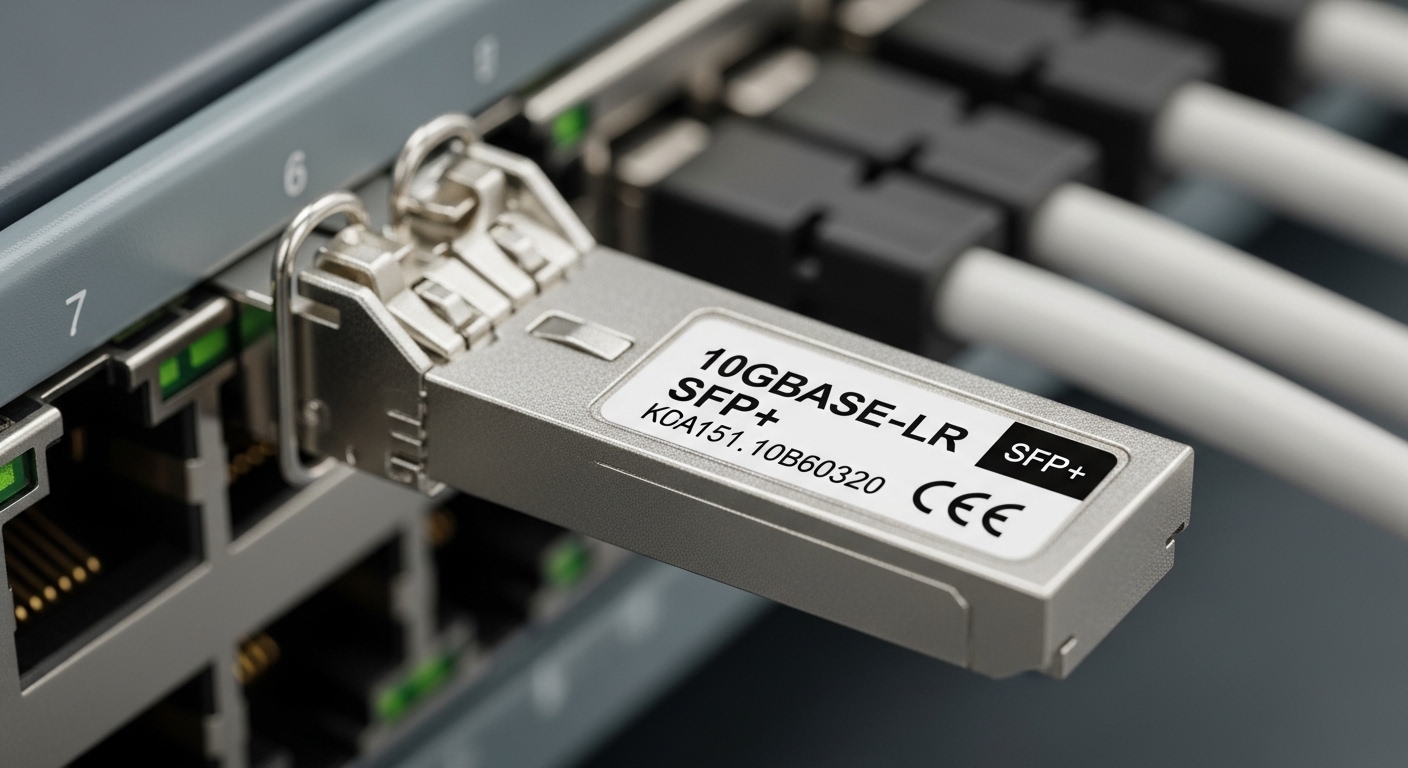
In most SFP transceivers, the laser transmitter (TX) can be turned off while the receiver (RX) remains active. Operators use TX disable SFP to prevent an optical transmitter from emitting when a link is known to be unsafe (for example, fiber not connected, wrong patching, or a suspected fault). When TX is disabled, the peer may see loss of signal and declare a link down, but the system avoids continuous errant signaling and reduces stress on optics.
Operationally, the goal is not “keep everything up at all costs,” but “keep the network predictable.” IEEE 802.3 Ethernet PHYs generally rely on optical power detection and signal presence; when RX sees no valid signal, RX LOS typically asserts and the PHY drops link. Standards also cover how link states react to optical loss, but the exact control pin behavior (and whether it is honored) depends on the switch vendor and the module implementation. [Source: IEEE 802.3, Optical PHY behavior in transceiver link detection]
How RX LOS and TX disable interact in real life
Think of TX disable as “I stop emitting.” RX LOS is “I do not detect your light.” If you disable TX on one side, the other side’s RX LOS will often assert after a short detection interval, then the link will go down. That is expected. The tricky part is when TX disable is used as a safety lever during patching, but the switch has alarms configured to treat transient LOS as a fault storm.
Pro Tip: In many switch platforms, RX LOS alarms are triggered by LOS thresholds and debounce timers, not just a binary signal. If you disable TX during live patching, coordinate the timing so the LOS debounce does not repeatedly trip monitoring alerts. Field teams often fix this by aligning maintenance action windows with the platform’s alarm debounce configuration (documented in vendor CLI guides) rather than by guessing at optics behavior.
Specifications that matter: selecting TX disable SFP modules that your switch will actually honor
Not all SFPs implement TX disable in the same way, and not all switches drive or interpret the control signaling identically. Before buying, confirm that the module supports TX disable (often via a control input such as TX_DISABLE / MOD_DEF2-related mechanisms in the SFP/SFF ecosystem) and that your platform supports it. Also verify optical class, wavelength, and connector type to avoid the classic “it fits, therefore it works” trap.
| Key Spec | Typical Values (10G SFP+ SR) | Typical Values (10G SFP+ LR) | What to Check for TX disable SFP |
|---|---|---|---|
| Data rate | 10.3125 Gb/s | 10.3125 Gb/s | Confirm your PHY speed mode (10G vs forced/auto) |
| Wavelength | 850 nm | 1310 nm | Match the switch’s optics profile and reach class |
| Reach | ~300 m over OM3/OM4 (varies) | ~10 km over SMF (varies) | Reach mismatch can look like “LOS,” causing repeated alarms |
| Connector | LC duplex (common) | LC duplex (common) | Verify patch panel and polarity cleanliness |
| TX disable behavior | Laser off; RX may remain active | Laser off; RX may remain active | Confirm control support in your switch datasheet |
| Temperature range | Commercial: ~0 to 70 C | Commercial or industrial options | Use the module grade supported by the enclosure airflow |
Examples of commonly deployed optics (for reference, not a guarantee of TX disable compatibility) include Cisco SFP-10G-SR, Finisar FTLX8571D3BCL, and FS.com SFP-10GSR-85. Always verify with the specific switch model’s supported transceiver list or interoperability notes. [Source: Vendor datasheets for SFP/SFP+ transceiver control and optical parameters]
Deployment scenario: leaf-spine with controlled TX disable during patching
In a 3-tier data center leaf-spine topology with 48-port 10G ToR switches, a team manages fiber patching for a migration from one VLAN set to another. During live re-cabling, they use TX disable SFP on the outgoing link to prevent accidental transmit into an unready patch path. The process is scheduled so that RX LOS alarms do not trigger every few seconds due to debounce behavior; they temporarily quiet the alert group for the specific interface range, then re-enable TX after confirming patch polarity and continuity with an optical power meter.
In one real-world pattern, they observed that RX LOS asserted for roughly the time it took the platform PHY to re-evaluate signal presence (often seconds, not milliseconds), after which the interface settled to link up. The win was operational stability: fewer “mystery flaps,” fewer automated reroutes, and reduced risk of blasting the wrong fiber during chaotic hands-on moments. If the module does not truly honor TX disable, you will see immediate peer RX activity even during supposed disable windows, and the patch can become a blame magnet.
Decision checklist: how engineers choose TX disable SFP without creating new problems
Use this ordered list during procurement and pre-deployment validation. The goal is to reduce surprises after optics land in a hot rack.
- Distance and fiber type: pick SR vs LR based on OM3/OM4 multimode or SMF requirements; verify expected optical budget.
- Switch compatibility: confirm the switch model supports the module family and honors TX disable behavior; check vendor compatibility lists and release notes. TX disable SFP compatibility checklist
- DOM support and monitoring: ensure the platform reads diagnostics (DOM) cleanly so you can correlate TX power and RX power to RX LOS events. [Source: SFF-8472 / DOM monitoring concepts]
- Operating temperature and airflow: confirm module grade matches enclosure conditions; cold optics can behave differently than warmed optics.
- Operating mode expectations: confirm forced vs auto negotiation behavior on the PHY and how link state changes on LOS.
- Vendor lock-in risk: compare OEM vs third-party total cost of ownership; third-party can work well, but plan for validation time and RMA patterns.
- Alarm policy tuning: if your monitoring treats any LOS as critical, coordinate maintenance windows or adjust debounce thresholds.
Common pitfalls and troubleshooting: when TX disable SFP goes sideways
Here are field-tested failure modes, with root causes and what to do next. If you have ever stared at a flapping interface while the coffee cools, you are already qualified.
“TX disable” is asserted, but the peer still sees light
Root cause: Switch platform may not drive the TX disable control pin as expected, or the module may not implement the control behavior in a way the platform recognizes. Some “compatible” optics work for basic link but ignore control semantics. Solution: Validate TX disable behavior using RX optical power readings on the far end (or via DOM “TX power” reporting). Confirm with the switch vendor’s transceiver interoperability notes.
RX LOS flaps due to polarity or bad patching
Root cause: LC duplex polarity reversed or contaminated connectors. This often masquerades as “wrong optics” when it is actually dirty glass. Solution: Clean connectors, verify polarity, and use an optical power meter or a fiber continuity tester. Replace patch cords if the connector end-face is scratched or oxidized.
Alarm storms during maintenance windows
Root cause: Monitoring triggers on transient LOS events and the platform debounce timer causes repeated assertions while the PHY retrains. Solution: Temporarily suppress or rate-limit LOS alarms for the interface(s), then perform TX disable/enable steps in a controlled sequence. Document the observed LOS-to-link-up timing so future runs match reality.
Temperature mismatch causing intermittent diagnostics gaps
Root cause: Using a commercial-grade module in an enclosure with airflow swings outside its spec can cause DOM read instability and marginal optical output. Solution: Ensure module temperature grade and validate in-situ temperature with the same airflow conditions as production. If your racks run hot, prefer industrial/extended-temp models where supported.
Cost and ROI note: what TX disable SFP changes in your TCO
Price varies by speed and reach, but 10G SFP+ optics often land in the rough range of $20 to $80 per module for common SR/LR variants, with OEM typically higher than third-party. TX disable features do not always cost extra, but the practical ROI comes from fewer incidents, reduced downtime during patching, and lower RMA churn when you buy the right compatible modules.
In a typical environment, the “cost” is not just the optics purchase; it is the labor time for validation, the risk of mispatch-induced outages, and the monitoring noise that trains teams to ignore alerts. If TX disable reduces maintenance-induced link flaps by even a small percentage, it can pay back quickly because outage minutes are expensive in both downtime and incident response time. [Source: Industry TCO discussions in reputable IT operations publications; vendor support policies]
FAQ: TX disable SFP and RX LOS, answered like you are on-site
Does TX disable SFP keep the link up?
Usually no. When TX is disabled, the far end’s RX typically detects loss and the PHY drops link, so you should expect link down until TX is re-enabled. The operational win is preventing uncontrolled optical transmission during unsafe states.
Why do I still get RX LOS after disabling TX?
RX LOS indicates the receiver is not seeing valid optical input. That is expected when the peer’s TX is off. If RX LOS persists after you re-enable TX, check polarity, fiber continuity, and whether the module truly honors TX disable on your switch platform.
Will third-party TX disable SFP modules work with all switches?
Not automatically. Many third-party optics are interoperable for basic link, but control semantics like TX disable can vary by platform implementation. Always validate against your switch model’s documented compatibility guidance and test DOM readings.
How can I confirm TX disable is actually working?
Use DOM if available to monitor TX power and verify it drops to near-zero when disable is asserted. For deeper validation, measure received optical power at the far end or observe RX LOS transitions with a controlled test patch cord.
What is the safest way to use TX disable during live patching?
Schedule a maintenance window, confirm port mapping and polarity before disabling/enabling, and suppress noisy LOS alarms during the expected debounce interval. Then re-enable TX only after verifying fiber continuity and connector cleanliness.
Do I need to worry about eye safety?
Laser safety matters for any active optics. TX disable helps reduce emission during patching, but you should still follow your site’s laser safety procedures, including using proper inspection and cleaning practices and treating fibers as potentially live until confirmed otherwise.
If you want fewer flaps and calmer maintenance, treat TX disable SFP as a controlled operational tool, not a magic wand, and pair it with disciplined fiber hygiene and switch-specific validation. Next step: review TX disable SFP compatibility checklist to align optics, DOM behavior, and alarm policies before the next patch window.
Author bio: I have deployed and troubleshot SFP/SFP+ and QSFP links in field environments, including controlled patching workflows with DOM-based verification and alarm tuning. I write from hands-on incidents, citing vendor datasheets and IEEE-era PHY behavior to keep your network stable and your sanity intact.
