
In dense data centers, optical link failures often look like “random” CRC errors or link flaps, but the root cause can be transceiver thermal cooling limits. This article helps network engineers and field technicians choose optics and cooling approaches that keep high-speed transceivers within safe operating margins. You will get a practical head-to-head comparison of cooling strategies, a decision checklist, and troubleshooting steps grounded in real deployments.
Cooling-path physics: why transceiver thermal cooling drives link stability
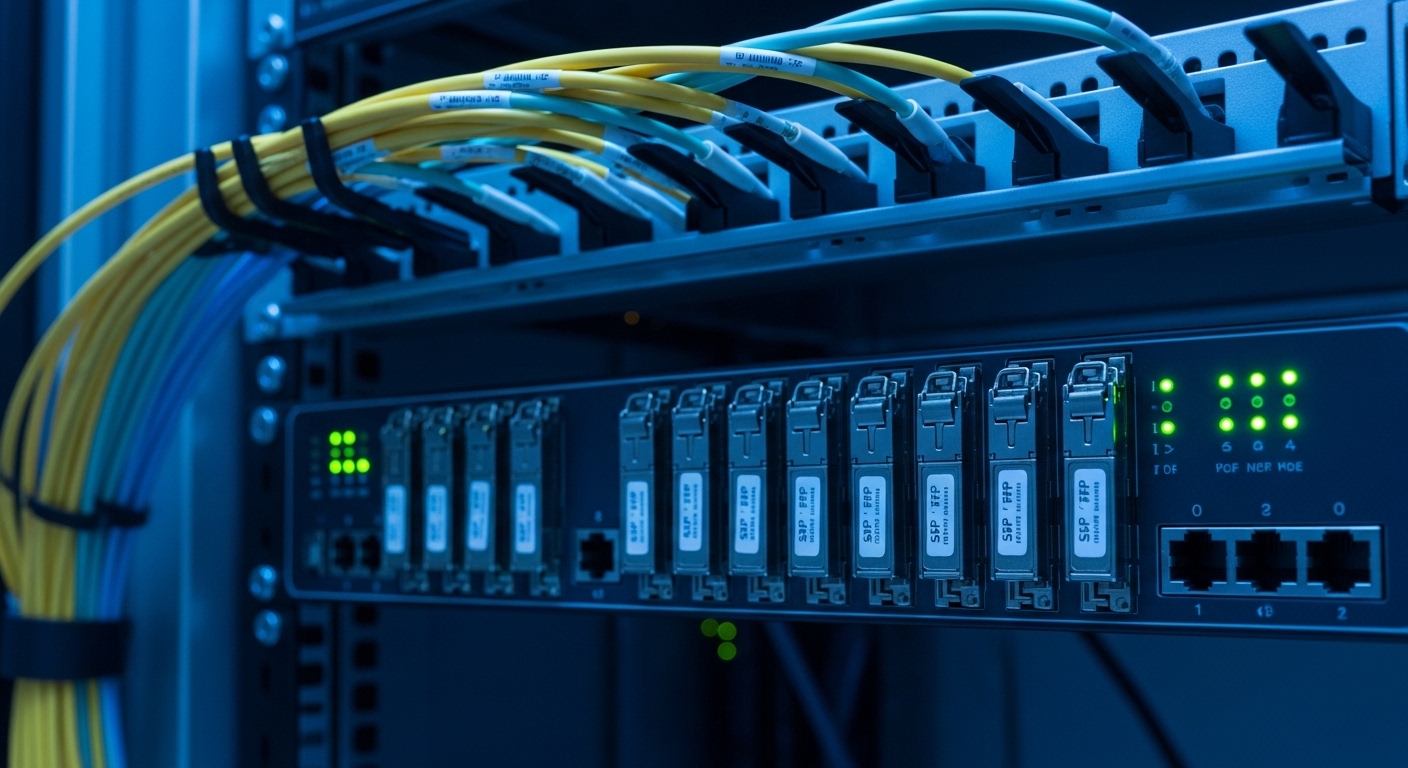
High-speed optical transceivers convert electrical power into optical power using laser drivers and photodiodes, generating heat inside the module and at the cage interface. If the internal junction temperature rises above the vendor’s specification, you can see increased laser bias current, degraded eye opening, and more bit errors even when optical power still “looks fine.” In standards terms, Ethernet PHY layers (per IEEE 802.3 families) assume stable optical performance; thermal excursions effectively shift the physical-layer margins.
Field reality: technicians frequently discover that an otherwise compatible module fails only in specific switch ports or racks where airflow pattern differs. The module heatsink, cage contact resistance, and the presence of a pluggable airflow baffle can change the effective thermal resistance from the module case to ambient. As a result, two identical transceivers can behave differently depending on whether the switch uses front-to-back forced air, side exhaust, or partially blocked intake filters.
What “good” cooling means for optics
Most vendor datasheets define a case temperature or ambient limit and specify the operating temperature range of the transceiver (for example, industrial grade often extends beyond standard commercial limits). Practically, you want to keep the module case temperature comfortably below the maximum so that laser aging and thermal drift do not erode margin. For many SFP/SFP+ and QSFP form factors, thermal design assumes a specific airflow velocity across the module cage; deviating from that airflow can make “maximum temperature” effectively unreachable.
Pro Tip: If your switch supports DOM alarms, watch for temperature rising patterns that correlate with port flaps. A slow temperature creep across minutes is often a cooling-path issue (blocked baffle, fan curve mismatch, or clogged filters), while abrupt spikes suggest intermittent airflow obstruction or a partially seated module.
Head-to-head: passive module heatsinks vs switch airflow vs aftermarket cooling
Thermal management approaches generally fall into three buckets: (1) the module’s own thermal design with standard heatsink-to-cage contact, (2) the host switch’s forced airflow designed for the module type, and (3) supplemental or aftermarket cooling (cage airflow accessories, baffles, or certified “cooling kits”). Engineers typically assume the module spec alone is enough, but the system-level airflow is the dominant factor in high-density deployments.
Below is a comparison using common optics families and representative vendor behaviors. Exact values vary by manufacturer and module generation, but the cooling principles are consistent across 10G to 400G classes.
| Option | Typical module types | Primary cooling mechanism | Connector/cage interface impact | Operating temperature range (typical) | Key advantages | Main limitation |
|---|---|---|---|---|---|---|
| Passive heatsink in module | SFP, SFP+, QSFP, QSFP28 | Conduction to cage + convection to airflow | High: contact resistance and seating matter | 0 to 70 C (some variants extend) | Low complexity; no extra parts | Fails if airflow is below datasheet assumptions |
| Host switch airflow design | Same as above; often in ToR/leaf-spine | Forced front-to-back or side-to-side convection | Medium: cage design and baffle alignment matter | 0 to 70 C (host dependent) | Most predictable when airflow is within spec | Susceptible to blocked filters, fan derating, wrong fan profiles |
| Certified supplemental cooling | Modules deployed in dense or thermally constrained racks | Improved airflow routing and reduced recirculation | Low to medium: can restore intended flow across cages | System-specific (validated with host) | Can recover margin without replacing optics | Requires compatibility validation and sometimes service approval |
Where this shows up in the field (measured symptoms)
In one real leaf-spine deployment, a 48-port 10G ToR switch populated with SFP+ SR optics began showing intermittent link resets during peak afternoon load. DOM reported transceiver temperature trending upward from roughly 58 C to 72 C over 20 minutes, while optical receive power remained within normal bounds. After technicians cleaned intake filters and restored the intended fan profile, the temperature stabilized near 61 C and the flaps stopped.
This pattern is consistent with transceiver thermal cooling: the module survived electrically, but thermal drift reduced receiver margin and increased error bursts. The host’s airflow became the limiting factor, not the optical budget.
Compatibility and DOM support: cooling performance depends on the whole chain
Thermal behavior is tightly coupled to compatibility. Even if a transceiver’s optical wavelength and reach match (for example, 850 nm for 10G SR), the mechanical fit, cage pressure, and electrical interface can differ. Many switch vendors validate specific optics part numbers, and DOM implementations can vary in how temperature is reported and alarm thresholds are interpreted.
For practical selection, confirm at least these items: (1) module form factor and keying match (SFP vs SFP+ vs QSFP28), (2) the switch firmware supports the DOM temperature and whether it enforces thresholds, and (3) the module is rated for the expected ambient conditions inside the rack. If you deploy third-party optics, ensure they have been verified for the same host model and that DOM temperature readings track realistically (not just “within range”).
Concrete examples you can verify
Engineers often encounter mixed ecosystems: a Cisco SFP-10G-SR style slot type paired with compatible 10G SR optics such as a Finisar FTLX8571D3BCL or FS.com SFP-10GSR-85-class modules (exact naming depends on vendor catalog). The key is not the brand name; it is whether the host switch cage airflow, DOM alarm handling, and mechanical seating align with the module’s thermal design assumptions.
When DOM is supported, log temperature, laser bias current, and optical power over time. If one optics batch consistently runs hotter than another under identical ports and airflow, you likely have a thermal resistance mismatch from heatsink-to-cage contact or a slightly different module thermal design.
Selection criteria checklist: choosing transceiver thermal cooling strategy
Use this ordered checklist to minimize thermal risk without overspending. The goal is to ensure the module operates within its specified thermal envelope under your actual rack airflow, not under ideal lab conditions.
- Distance and link class: choose the correct optical reach (for example, 850 nm multimode SR for short reach; single-mode for longer spans) so you do not over-drive lasers and create unnecessary thermal load.
- Host switch compatibility: validate the module type and DOM support for your specific switch model and software version. Use vendor compatibility matrices when available.
- Thermal environment: measure rack inlet and outlet temperatures; confirm whether the switch is derating fans or throttling airflow under load.
- Operating temperature rating: confirm the module’s specified operating range and whether it matches your ambient worst-case. Treat “maximum” as a hard ceiling, not a target.
- Airflow velocity assumptions: check whether the host requires a minimum airflow rate across cages; confirm baffle presence and filter condition.
- DOM alarms and monitoring: ensure you can read temperature and receive meaningful thresholds; plan alerting for temperature trend, not just absolute limits.
- DOM and thermal reporting accuracy: if using third-party modules, validate temperature telemetry against at least one known-good baseline module.
- Vendor lock-in risk: weigh the cost of OEM optics versus third-party modules against expected failure rates and supportability requirements.
Common mistakes and troubleshooting tips for thermal cooling failures
Thermal cooling issues are rarely “mysterious.” They usually trace back to predictable mechanical, airflow, or telemetry mistakes.
“Optics are fine because optical power looks normal”
Root cause: thermal drift can degrade receiver sensitivity and increase BER before optical power alarms trigger. Many operators only monitor receive power, not error counters or temperature trend.
Solution: enable and poll PHY/port error counters and DOM temperature alarms. Correlate link flaps with temperature changes over 10–30 minute windows.
Blocked or misaligned airflow baffles
Root cause: intake filter clogging, missing baffles, or mis-seated cages can reduce local airflow velocity across the transceiver. This increases module case temperature and accelerates thermal aging.
Solution: inspect baffles, confirm module is fully seated, and verify fan profile settings. After cleaning filters, re-check temperature telemetry and error counters.
Mixing module types across adjacent ports without validating thermal assumptions
Root cause: different optical families can have different heat dissipation profiles even within the same nominal data rate. For example, some long-reach optics may run hotter due to different laser biasing and driver power.
Solution: compare DOM temperatures across adjacent ports under identical load. If one module family runs consistently higher, rebalance which ports are populated or apply supplemental cooling validated for the host.
Treating “temperature within range” as proof of adequate cooling
Root cause: modules may operate within spec but too close to the upper limit for your real-life operating margin. Small airflow reductions during summer or after maintenance can push you into failure territory.
Solution: set alert thresholds well below the maximum rated temperature (for example, alert at a margin that gives you at least 10 C headroom, based on your vendor’s guidance and your historical telemetry).
Cost and ROI: what thermal cooling changes in your TCO
OEM optics typically cost more per module than third-party alternatives, but thermal reliability and supportability can reduce downtime. In many environments, an OEM 10G SR SFP+ module might be priced in the higher tens to low hundreds of dollars depending on vendor and contract, while third-party modules often land cheaper. The real TCO driver is not purchase price alone; it is the cost of outages, labor for swaps, and the likelihood of repeat failures driven by marginal cooling.
Supplemental cooling accessories can add installation labor, but they often pay back quickly in thermally constrained racks because they prevent repeated module replacements. A practical ROI approach is to model the cost of a single incident: technician time, change windows, and the business impact of a brief outage. If your monitoring shows transceiver temperatures trending toward maximum under peak load, investing in airflow restoration or validated supplemental cooling typically reduces the probability of failure more effectively than buying cheaper optics.
Decision matrix: map your situation to the safest cooling option
Use the matrix below to choose the cooling approach that best fits your operational constraints.
| Your condition | Recommended cooling approach | Why this works | What to verify |
|---|---|---|---|
| Switch airflow is known good; temperatures stable | Passive module heatsink + standard host airflow | System is already meeting datasheet assumptions | DOM temperature stays below your alert threshold |
| Temperature trending upward during peak load | Restore airflow first (filters, baffles, fan profiles) | Local convection is the dominant thermal path | Temperature slope decreases after correction |
| Thermally constrained rack or high density | Host airflow + validated supplemental cooling | Improves airflow routing across cages | Compatibility with host; re-validate with DOM and errors |
| Third-party optics used; intermittent flaps on some ports | DOM and mechanical seating audit; consider OEM for affected ports | Thermal contact and DOM threshold behavior may differ | Compare temperature and error counters across optics batches |
Which option should you choose?
If you run a typical leaf-spine or ToR environment with healthy airflow and validated optics, choose passive module heatsink relying on correct host transceiver thermal cooling. If your telemetry shows temperature drift toward the top of the operating range under load, prioritize airflow restoration (filters, baffles, fan profiles) before replacing optics. If you must operate at extreme density or in thermally constrained racks, select validated supplemental cooling so you can preserve margin without blind optics swapping.
Next step: audit your current transceiver temperature trends and correlate them with error counters using your switch telemetry stack, then follow the selection checklist in transceiver thermal cooling monitoring to set actionable alerts.
FAQ
Q: What is transceiver thermal cooling, in practical terms?
A: It is the combined conduction and convection path that removes heat from the transceiver module case to the surrounding air and chassis. Practically, it depends on module design, cage contact, airflow velocity, and baffle alignment. When cooling is inadequate, BER and link flaps can increase even if optical power remains within range.
Q: Do DOM temperature readings reliably indicate cooling problems?
A: They are usually the first indicator because temperature rises faster than many optical power metrics. However, you should validate telemetry behavior by comparing across ports and batches under identical airflow. Set alerts based on trend and margin, not only the absolute maximum.
Q: Should I replace third-party optics with OEM to fix thermal cooling issues?
A: Not automatically. First fix airflow and mechanical seating, because thermal management failures are often system-level. If temperature and error counters still correlate with specific third-party batches or ports, then targeted OEM replacement can be a pragmatic mitigation while you validate compatibility.
Q: How can I tell whether the problem is airflow versus optical budget?
A: Correlate link events with DOM temperature and error counters over time. Airflow problems often show a temperature slope during peak load and recover after cleaning or fan profile changes. Optical budget issues typically correlate more with receive power, dispersion, or higher errors without consistent temperature trend.
Q: What operating temperature should I design for?
A: Use the vendor’s specified operating range as a ceiling and design for margin below it. In practice, teams set alert thresholds around the mid-to-upper portion of the range and validate under worst-case ambient. The exact threshold should be derived from historical telemetry in your environment.
Q: Are supplemental cooling accessories worth it?
A: They can be, especially in high-density racks where airflow is constrained or recirculation occurs. The key is to use accessories validated for your host and then re-measure DOM temperatures and error counters after installation. If you cannot validate compatibility, prioritize airflow restoration first.
References: IEEE 802.3; [[EXT:https://www.finisar
