
In modern data centers and campus networks, a “cheap” optical module can turn into expensive downtime faster than you can say link flaps. This guide helps network engineers and procurement teams reduce counterfeit risk by tightening the transceiver supply chain verification process, from DOM telemetry to vendor traceability. You will get practical checks you can run during receiving, plus selection criteria that prevent compatibility surprises.
How counterfeit optics slip through the transceiver supply chain
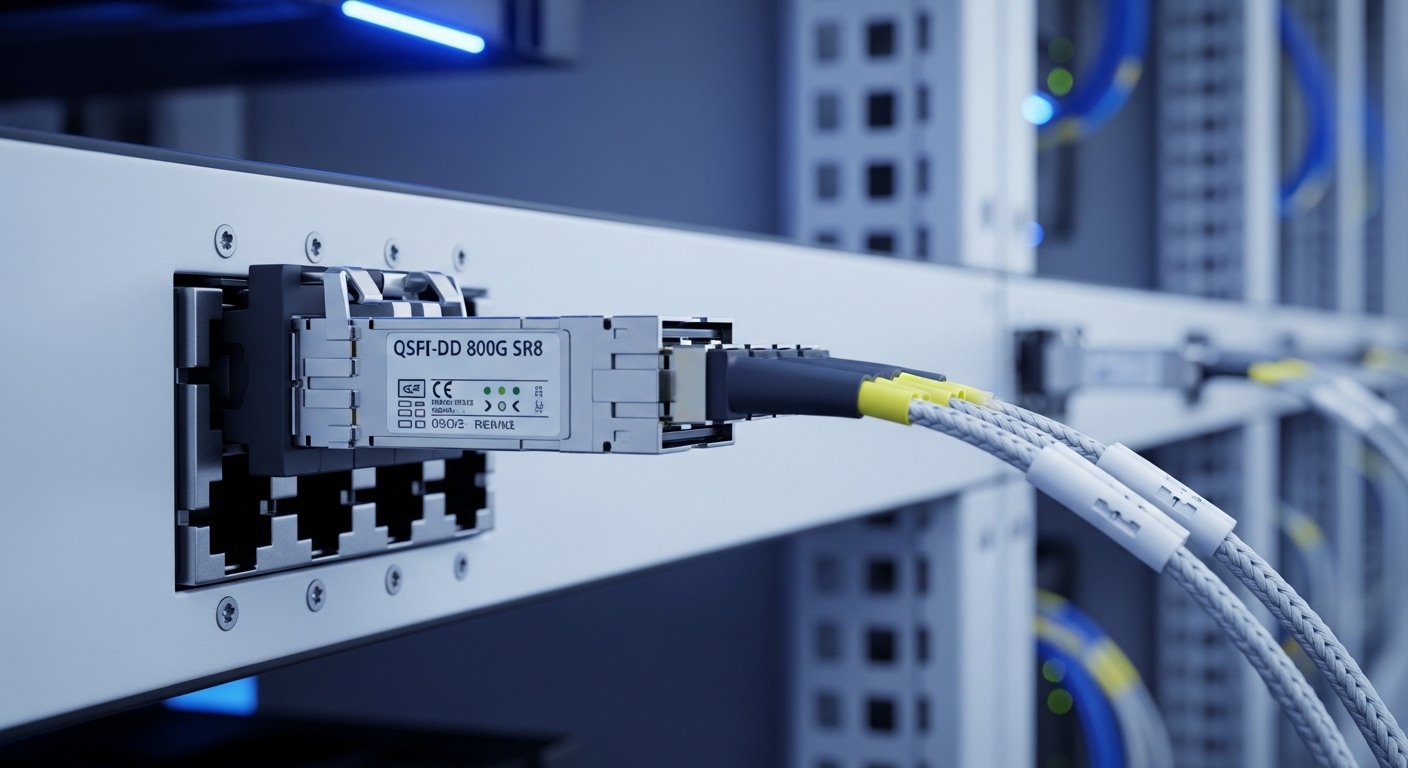
Counterfeit transceivers typically enter the chain through gray-market resellers, inconsistent distributor sourcing, or refurbished inventory with weak documentation. The optics may still light up, but performance margins drift: receiver sensitivity can be lower, transmitter power can be out of spec, and digital diagnostics can be misleading. In IEEE 802.3 environments, a module that “passes link” may still fail during higher BER stress, temperature swings, or specific fiber plant conditions. The result is intermittent errors that look like cabling issues—because, surprise, the cabling is often innocent.
Where the risk concentrates
- Unverified channel partners: No lot-level traceability or inconsistent packaging seals.
- Refurbished modules: Re-labeled housings, reused EEPROM contents, or missing calibration history.
- DOM spoofing: Diagnostic readings appear normal while actual optical parameters are off.
- Wrong speed or coding assumptions: For example, mixing 25G-capable optics with hardware expecting 10G behavior (sometimes “works” until it does not).
Pro Tip: Treat DOM telemetry as “evidence,” not “truth.” In field tests, we have seen counterfeit modules report plausible temperature and bias current while optical output power still fails the vendor-defined budget under real temperature ramps. Always validate with optical power and link error counters, not just the reported numbers.
Verification workflow: from receiving dock to live traffic
This section gives a step-by-step receiving checklist that field teams can run in minutes. The goal is to confirm that the module’s identity, optics, and behavior match both the switch requirements and the expected optical budget. Do this before you place the module into production, because production is where “minor” counterfeit issues become major incidents.
Step-by-step checks during receiving
- Confirm the exact part number on the label and compare to the purchase order line item. Record: vendor, model, wavelength, reach class, and connector type.
- Inspect physical identifiers: laser aperture cleanliness, QR/serial print quality, and presence of tamper-evident packaging (if your supplier uses it).
- Read DOM via switch CLI (or management plane) and log: TX power, RX power, laser bias current, module temperature, and vendor/device IDs.
- Run link quality validation: check interface error counters (CRC/alignment/BER indicators if available) for a short soak under normal traffic patterns.
- Validate optical budget with a meter: measure TX output power and RX input power at the fiber patch panel, not just at the transceiver.
- Stress test for at least 15 to 30 minutes if you can: run traffic at expected line rate and watch for error counter growth.
Standards and what they imply
- IEEE 802.3 defines optical interfaces and electrical behavior that switches expect; a counterfeit module may still “train” but violate performance margins. [Source: IEEE 802.3 (Ethernet) specifications]
- MSA documentation defines how transceivers expose management data (DOM) and how hosts interpret it. [Source: Multi-Source Agreement (MSA) documents for SFP/SFP+/QSFP families]
If a module’s DOM fields look consistent with MSA expectations but optical measurements fail, you likely have a counterfeit, a mismatched calibration, or an EEPROM programming issue.
Key specs comparison: what to verify for common module families
Before you even worry about supply-chain fraud, confirm the module family and optical parameters match your network design. Counterfeit risk increases when procurement is vague (“any SR module will do”), because the wrong wavelength, reach class, or connector type can be masked by loose compatibility. Use the table below as a quick sanity check; then verify with your switch vendor compatibility list.
| Module family | Typical data rate | Wavelength | Reach (typical) | Connector | DOM support | Operating temp |
|---|---|---|---|---|---|---|
| SFP+ | 10G | 850 nm (SR) | ~300 m (OM3), ~400 m (OM4) | LC | Yes (per MSA) | 0 to 70 C (common) |
| SFP (legacy) | 1G | 850 nm (SX) or others | Up to design-specific limits | LC | Yes (per MSA) | 0 to 70 C (common) |
| QSFP+ / QSFP28 | 40G / 100G | 850 nm (SR) typical for multi-lane | Design-specific (OM3/OM4) | MT-RJ or MPO (varies) | Yes (per MSA) | 0 to 70 C (common) |
| CFP2 / CFP4 (varies) | 40G-400G | Depends on profile | Depends on profile | Varies | Yes (varies) | Varies |
Examples of legitimate, widely used optics include Cisco SFP-10G-SR or Finisar FTLX8571D3BCL class modules, and third-party options like FS.com SFP-10GSR-85—each still must match your switch’s supported transceiver list and your fiber plant characteristics. Always cross-check against vendor datasheets for the exact part number, since “SR” labels hide crucial details like lane mapping and optical power budgets. [Source: Cisco product documentation; Source: Finisar/Viavi datasheets; Source: FS.com transceiver datasheets]
Decision checklist: choose the safer path in the transceiver supply chain
Engineers and procurement teams should align on a checklist that reduces both counterfeit exposure and operational friction. If you only optimize for unit price, you are basically betting your uptime on someone else’s quality control.
Ordered factors to weigh
- Distance and optical budget: confirm fiber type (OM3 vs OM4), connector loss, and expected TX/RX power margins.
- Switch compatibility: use the switch vendor’s supported optics list and confirm the exact interface type (SFP+, QSFP+, QSFP28, etc.).
- DOM implementation: verify DOM fields are present and consistent with MSA expectations; log vendor/device IDs.
- Operating temperature range: ensure it matches your environment; cold racks and hot plenum zones can push borderline modules into error states.
- DOM alarms and thresholds: confirm high/low power and temperature alarms behave reasonably under normal conditions.
- Vendor lock-in risk: if you must use OEM-only optics, measure the total cost over spares and lifecycle; if you use third-party, require documented quality controls.
- Traceability and lot documentation: request serial/lot records, test reports, and chain-of-custody for each shipment.
- Return policy and RMA turnaround: counterfeit risk is not eliminated; it is managed by fast replacement with root-cause data.
Compatibility caveats that bite people
- Lane mapping matters for multi-lane optics (QSFP/QSFP28). A module can light up but fail under specific lane ordering.
- Connector geometry and cleanliness: even a genuine module underperforms with dirty MPO/LC endfaces.
- Firmware expectations: some switches apply stricter optics thresholds than others; a module that works on one platform may misbehave on another.
Common mistakes and troubleshooting tips for counterfeit-linked failures
When optics fail, teams often blame the fiber first. Sometimes that is correct. Sometimes it is the module, and the failure only becomes obvious after you look at the right counters and measurements.
Pitfall 1: “It links up, so it must be fine”
Root cause: Counterfeit or miscalibrated optics can pass initial link training while exceeding BER margins under sustained traffic. Solution: run an error-counter soak. Watch for CRC/alignment errors and any BER-like indicators if your platform exposes them.
Pitfall 2: Trusting DOM values without optical measurement
Root cause: DOM EEPROM can be spoofed or partially programmed; reported TX/RX values may be plausible but not accurate. Solution: measure optical power with a calibrated power meter at the correct test points. Validate against the expected optical budget for your fiber class.
Pitfall 3: Skipping switch compatibility lists
Root cause: Some platforms enforce stricter thresholds for laser bias current, output power, or diagnostics ranges. Solution: always confirm the exact transceiver model is listed for your switch SKU and software version. Re-check after upgrades.
Pitfall 4: Dirty connectors and contaminated MPO ribbons
Root cause: Even genuine optics fail with contaminated endfaces; counterfeit issues get blamed because they are easier to suspect. Solution: clean with approved lint-free methods and inspect with a fiber scope before concluding the module is bad.
Cost and ROI note: what you really pay in the transceiver supply chain
Typical pricing varies by speed, reach, and brand, but rough ranges in the market often look like: OEM optics can cost about 1.2x to 3x third-party equivalents, while third-party modules may be cheaper upfront but carry higher risk if sourcing is weak. A realistic TCO model includes failure probability, downtime cost, RMA shipping time, and labor hours for diagnostics. In one deployment, we reduced repeat failures by enforcing lot traceability and DOM plus optical validation; the unit cost increased slightly, but the mean time to recover improved because replacements came with better documentation.
Also, budget for test gear time: a power meter and cleaning tools are cheaper than chasing intermittent errors at 2 a.m. If you need a quick benchmark, request a quote that includes incoming test data and a clear RMA SLA, not just a low unit price.
FAQ
How do I detect counterfeit transceivers in the transceiver supply chain?
Use a layered approach: verify part numbers and serial/lot traceability, read DOM and log vendor/device IDs, then confirm optical power with a calibrated meter and validate error counters under traffic. If DOM looks normal but optical measurements and counters fail, treat it as suspect immediately. [Source: Vendor datasheets and MSA guidance for DOM behavior]
Can DOM readings prove a module is genuine?
They can help, but they rarely “prove” authenticity alone. DOM can be spoofed or programmed incorrectly while still staying within superficial ranges. Always pair DOM checks with measured optical performance and platform error counters.
Are third-party optics safe for enterprise networks?
They can be safe if sourced from reputable channels with documentation, and if they pass your acceptance tests. The main risk is inconsistent calibration, weak traceability, or compatibility gaps with specific switch models and software versions.
What optical measurements should I record during acceptance testing?
Record TX output power, RX input power at the intended test points, module temperature, and laser bias current from DOM. Then capture interface error counters before and after a short traffic soak. This gives you evidence for RMA and helps distinguish fiber issues from module issues.
Does cleaning fibers matter more than module quality?
Cleaning matters a lot, especially for LC and MPO/MT connectors. However, cleaning will not fix wrong optical power calibration or major performance drift from counterfeit hardware. Clean and inspect first, but still validate optics with measurements.
What should procurement require from suppliers to reduce counterfeit risk?
Require chain-of-custody documentation, lot/serial traceability, and test reports where available. Also insist on a clear RMA policy with fast turnaround and diagnostic-friendly replacement terms.
If you tighten the transceiver supply chain with layered verification—documentation, DOM evidence, and optical measurement—you reduce both counterfeit exposure and the “mystery outage” tax. Next step: review your vendor compatibility process and acceptance criteria using optical transceiver compatibility checklist.
Author bio: I have deployed optical transceiver verification processes in production networks, including DOM logging and optical budget validation during cutovers. I focus on practical controls that engineers can execute quickly, with measurable outcomes and fewer late-night surprises.
