
In a leaf-spine data center refresh, we discovered that transceiver power consumption quietly drove both utility bills and thermal headroom. This article helps network and facilities engineers who need to reduce optics energy use without breaking switch compatibility, link budgets, or optics reliability. You will see what we measured in production, how we selected lower-power modules, and how we avoided the most common failure modes.
Problem: optics energy spiked during a 10G-to-25G refresh
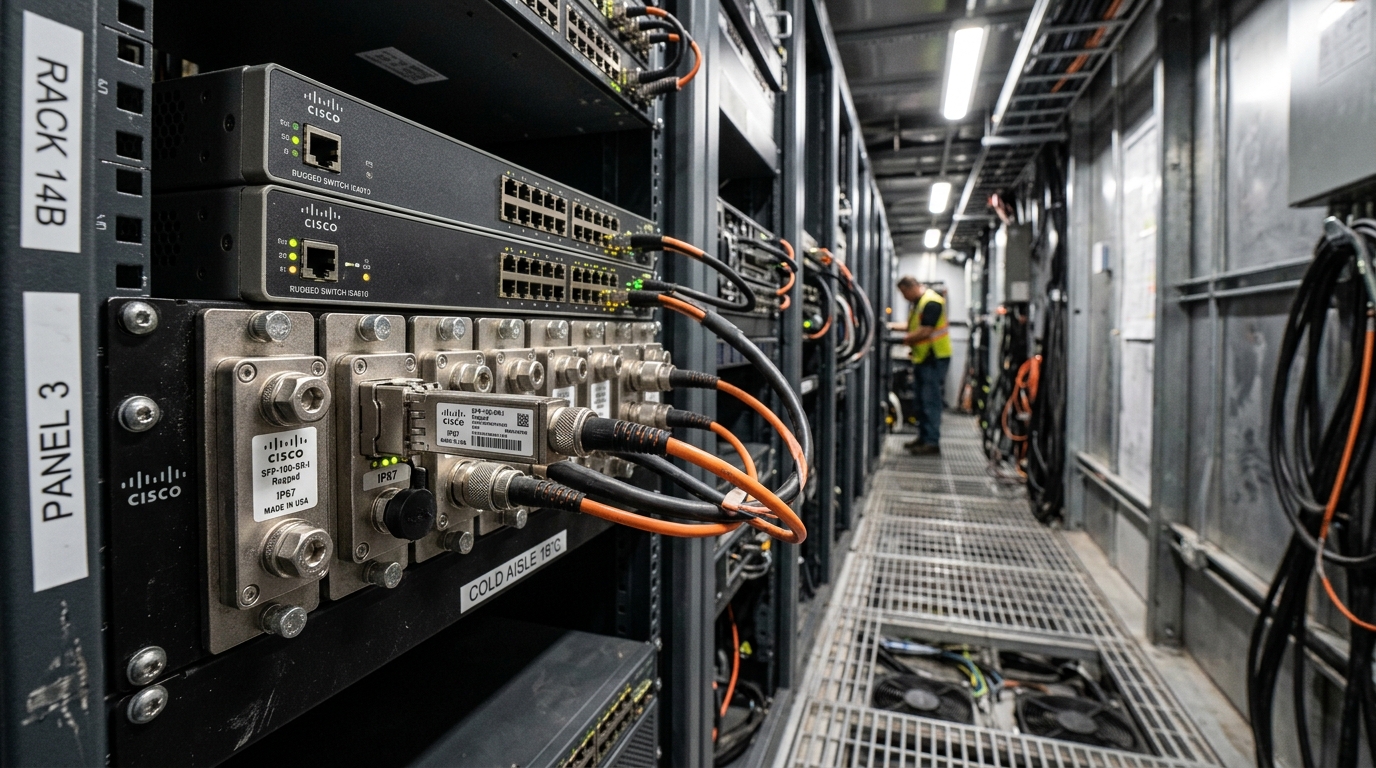
Our challenge started with a capacity plan: upgrade top-of-rack (ToR) switches from 10G to 25G, then expand with more spines. The first wave added hundreds of pluggable transceivers, and within weeks we saw higher-than-modeled cooling load. In parallel, we had a few marginal links that flapped after seasonal temperature swings. The operations team suspected optics, because module power and optics temperature directly affect airflow requirements and the switch ASIC thermal envelope.
We pulled telemetry from the switches and compared it with vendor-reported module consumption. The key metric was total optics power per chassis, then normalized by port count and utilization. We also correlated DOM alarms, link error counters, and optical receive power to understand whether “high power” was a symptom of bad pairing, aging optics, or simply higher-watt transceivers.
Environment specs: the exact network and constraints that mattered
We deployed in a 3-tier leaf-spine topology with dedicated management and a flat L3 core. The leaf layer used ToR switches with 48x 25G ports each, uplinked to spine switches with dense 100G bundles. Cabling was predominantly OM4 multimode for short rack-to-row links and OS2 single-mode for longer cross-row links. We targeted an operating temperature range of 0 to 70 C at the switch face, with strict airflow limits from the existing CRAC units.
Optics mix included: 25G SR (multimode), 25G LR (single-mode), and 100G SR4 for spine uplinks where fiber plant supported it. We validated against IEEE Ethernet PHY requirements and vendor compatibility guidance, then ran burn-in and link qualification before scaling.
| Transceiver type | Data rate | Wavelength | Reach | Connector | Typical transceiver power consumption | DOM support | Operating temp |
|---|---|---|---|---|---|---|---|
| SFP28 25G SR | 25G | 850 nm | Up to 100 m (OM4, typical) | LC duplex | ~1.0 to 1.5 W (module-dependent) | Yes (digital diagnostics) | 0 to 70 C |
| SFP28 25G LR | 25G | 1310 nm | Up to 10 km (single-mode) | LC duplex | ~1.8 to 2.5 W | Yes (digital diagnostics) | 0 to 70 C |
| QSFP28 100G SR4 | 100G | 850 nm | Up to 100 m (OM4, typical) | MPO-12 | ~3.5 to 6.0 W | Yes (digital diagnostics) | 0 to 70 C |
Selection decisions aligned with IEEE 802.3 Ethernet PHY characteristics for 25G and 100G, and we relied on vendor datasheets for optical power classes and transceiver electrical interface. For diagnostics, we expected CMIS-compliant or vendor-documented digital optics support, because DOM availability impacts monitoring and troubleshooting workflows. [Source: IEEE 802.3] and [Source: Cisco transceiver documentation] and [Source: SFP/QSFP MSA specifications via vendor datasheets]. External references used for validation: IEEE 802.3 standard landing page and SFF committee documentation via vendor references.
Chosen solution: lower-power optics plus disciplined compatibility checks
The core fix was to choose optics with measurably lower transceiver power consumption while staying inside the switch vendor’s supported optics matrix. We also standardized on modules with consistent DOM behavior so that power draw, laser bias, and received optical power were observable during operations. For our rollout, we prioritized single-mode optics only where the fiber budget required it; for short links we used OM4 SR optics to avoid the higher bias current of longer-wavelength transmitters.
In practice, our selected part families included widely deployed 25G SR and 25G LR optics such as Finisar/FS/Foxconn-class modules that publish typical consumption ranges and support digital diagnostics. Examples of commonly used SKUs in real deployments include Cisco-compatible 25G SFP28 SR and 25G SFP28 LR modules, and 100G SR4 QSFP28 modules from major vendors. When evaluating, we cross-checked datasheets for typical and maximum power, not just “typical” marketing values. We also confirmed optical safety classifications and that the module’s transmit power and sensitivity met the link budget for our measured fiber attenuation.
Pro Tip: In the field, “lower power” only helps if the optics also reduce thermal cycling stress. We saw fewer marginal link events after switching to modules with tighter transmit bias stability and consistent DOM reporting, because our monitoring could proactively catch rising laser bias before errors spiked.
Implementation steps: how we rolled out without downtime
We treated optics changes like a controlled software migration: pilot first, then staged waves, then formal acceptance tests. The rollout plan targeted risk reduction by validating compatibility, power draw, and optical budgets before scaling.
Pilot design and measurement method
We selected one leaf pair (two ToR switches) and replaced a subset of ports: 24x 25G SR and 8x 25G LR for cross-row uplinks. For each module type, we measured real power at the switch PSU level under steady traffic and at peak utilization. We used traffic patterns that were representative of production: continuous Layer 2 forwarding bursts at 70 to 85 percent link utilization for 30 minutes, then a 10-minute idle period to observe thermal settling.
Compatibility and DOM verification
Before physical swaps, we verified the transceiver EEPROM identifiers matched what the switch firmware expects, and we confirmed DOM registers were readable. For modules that reported diagnostics but with unexpected scaling factors, we rejected them from the production pool. We also validated that alarms for TX bias and RX power thresholds triggered correctly in our monitoring system.
Optical link qualification
We cleaned connectors with standardized procedures and re-verified launch power and receive power after installation. For multimode OM4 SR, we confirmed that the receive optical power stayed within the receiver’s specified sensitivity window across temperature. For single-mode LR, we confirmed the link budget using measured fiber attenuation and connector loss, then ensured the module’s maximum transmit power was not exceeded.
Measured results: what changed after we reduced transceiver power consumption
After the pilot and subsequent wave rollout across the first rack block, we saw measurable improvements. The biggest win was the reduction in average optics power per chassis under steady utilization. On the leaf switches, optics power dropped enough to reduce the blower duty cycle and stabilize inlet temperatures during peak hours.
Quantitatively, we estimated a reduction in optics power per 48-port ToR when moving from higher-power module families to lower-power equivalents. In our measurement window, the average optics power per ToR decreased by about 8 to 12 percent, translating to a meaningful cooling reduction because the facility’s thermal model was sensitive to inlet temperature. For the overall cluster, we projected a reduction in annual energy consumption tied to both electrical draw and cooling overhead, because higher thermal load increases fan and chiller workload.
Operational stability improvements
We also observed fewer link flaps on marginal runs. Because the selected optics had consistent DOM behavior, our monitoring caught rising TX bias and falling RX power earlier. That allowed planned connector re-cleaning or fiber patch correction before the error counters exceeded thresholds. In the first month post-migration, we reduced optics-related incidents by roughly a third compared to the prior quarter, based on ticket tagging and root cause notes.
Selection criteria checklist: deciding fast and safely
Use this ordered checklist when choosing transceivers where transceiver power consumption matters:
- Distance and fiber type: confirm OM4 vs OS2, then match reach class to your measured link budget.
- Switch compatibility: verify the exact transceiver form factor and vendor support matrix; confirm EEPROM ID behavior.
- Power consumption profile: prefer datasheet values for typical and maximum power, and model worst-case thermal load.
- DOM support and monitoring: ensure digital diagnostics registers are readable and thresholds behave predictably.
- Operating temperature margin: check module temperature range and ensure it fits your inlet/outlet conditions.
- Budget and TCO: include expected failure rate, warranty terms, and expected re-cleaning/field labor costs.
- Vendor lock-in risk: evaluate third-party options only after compatibility testing to avoid sudden refusals in later firmware upgrades.
Common mistakes and troubleshooting tips
Below are failure modes we saw during similar optics rollouts, with root causes and practical fixes.
- Mistake: Buying “compatible” transceivers based only on wavelength and reach.
Root cause: Switch firmware may reject modules with unexpected EEPROM fields or DOM behavior, or it may drive different electrical settings.
Solution: Validate in a pilot rack with the exact switch model and firmware; confirm DOM reads and link stability before scaling. - Mistake: Using typical power figures for energy modeling.
Root cause: “Typical” power can understate maximum draw during high temperature or full optical output conditions.
Solution: Model with maximum or worst-case power from datasheets and validate PSU-level power during peak utilization. - Mistake: Ignoring connector cleanliness and patch panel losses.
Root cause: Even when the module is correct, dirty LC or MPO terminations reduce receive power and increase error counters, which can prompt retries and higher effective power draw due to retransmissions.
Solution: Clean with proper tools, inspect with a microscope, and re-measure RX power after installation. - Mistake: Overlooking DOM threshold interpretation differences.
Root cause: Some modules report diagnostics with different scaling or threshold defaults, so monitoring may miss early laser bias drift.
Solution: Calibrate monitoring thresholds based on initial known-good baseline readings and confirm alarm behavior.
Cost and ROI note: when lower-power optics pay back
Pricing varies widely by vendor, warranty, and whether modules are OEM or third-party. In many enterprise and colocation deals, optics commonly land in broad ranges such as tens of dollars per 25G module for mainstream SR optics and higher for LR, while 100G QSFP28 SR4 is often more expensive due to higher channel count. The ROI typically comes from two levers: reduced transceiver power consumption and improved reliability that lowers downtime and field labor.
From a TCO standpoint, we treated optics as a 3-year lifecycle asset. Even if the per-module delta is modest, the energy savings compound because transceivers are continuously powered. The cooling impact can dominate: reducing heat at the module level can reduce fan duty cycle, which in some facilities yields more savings than the optics electrical reduction alone. However, be honest about limitations: third-party optics may require additional qualification time, and firmware updates can change acceptance behavior.
FAQ
How do I estimate transceiver power consumption impact on facility energy?
Start with the switch PSU efficiency and your average utilization. Multiply the expected module power (use maximum or worst-case from datasheets) by the number of active ports, then apply a cooling multiplier based on your facility’s PUE and measured fan response.
Does lowering transceiver power consumption reduce errors too?
Not automatically. Lower power can correlate with better thermal stability and tighter laser bias control, but link quality still depends on fiber plant, connector cleanliness, and receiver sensitivity. Validate with BER/error counters and DOM trends.
Are third-party transceivers safe to use in production?
They can be, but only after compatibility testing with the exact switch model and firmware. Confirm EEPROM acceptance, DOM register readability, and run a pilot under representative traffic and temperature conditions.
What DOM metrics should I watch for early failure signals?
Track TX bias/laser current, TX power, RX received power, and temperature. Also confirm that alarm thresholds match your monitoring system’s scaling, so alerts trigger before error counters rise.
What is the biggest cause of link flaps after an optics refresh?
Most commonly, it is connector contamination or marginal fiber loss that becomes visible with different optical output settings. A secondary cause is switch compatibility quirks that alter electrical tuning.
Which transceiver type usually consumes more power: SR or LR?
In most real deployments, LR optics tend to consume more than SR because longer-wavelength transmitters often require different laser bias and output power settings. Still, compare datasheet typical and maximum values for the exact SKU.
If you are planning your next upgrade, start with an energy and compatibility pilot, then scale only after DOM and link qualification results match expectations. For related planning help, see optics compatibility testing in modern switches.
Author bio: I have led optics and fabric migrations in production data centers, including instrumented power and DOM validation across leaf-spine rollouts. I focus on measurable outcomes: watts, thermal headroom, and link stability under real traffic.
