
If you have ever swapped an optics module and watched a link stay down, you already know the pain: the switch may support the form factor, but not the exact transceiver behavior. This article helps network engineers and IT operators validate TP-Link switch optics compatibility for TP-Link JetStream switches, including common DOM and power constraints. You will get a practical selection checklist, a comparison table of key optical specs, and troubleshooting steps that mirror what field teams use during outages.
How JetStream port types determine which TP-Link switch optics will work
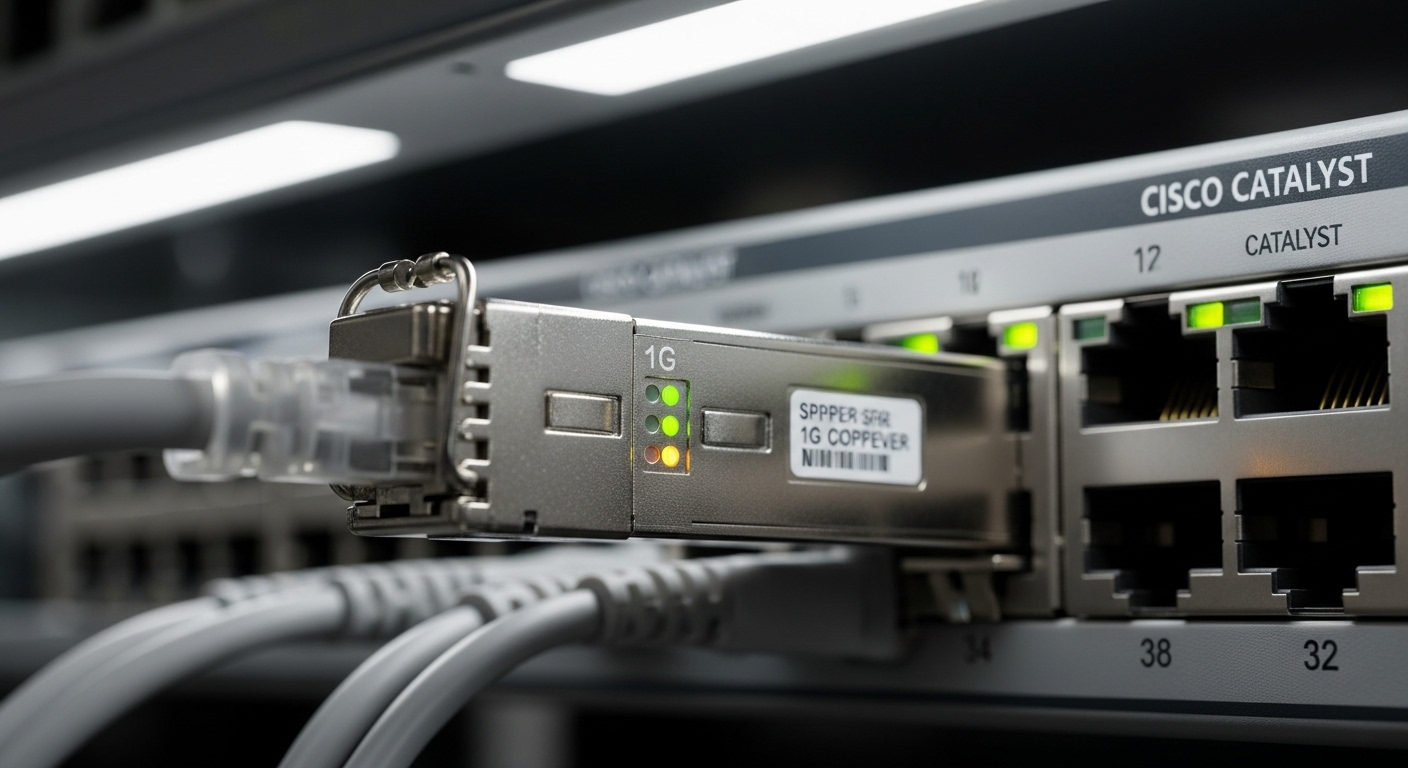
JetStream switches typically expose optics in two ways: fixed fiber uplink ports (SFP/SFP+) and modular high-speed uplink ports (SFP+/SFP28/QSFP+, depending on model). Compatibility is not only about wavelength and distance; it is also about the electrical interface the switch expects (including signal detect behavior and DOM interrogation). Before buying optics, confirm the exact switch model and port type, then match module form factor and speed grade.
Identify the exact port and speed class
Start with the switch model number and the port label near the transceiver cage. For example, a JetStream 10G SFP+ port will not accept a 1G SFP module even if the connector shape looks similar. Conversely, a 25G SFP28 port will require an SFP28 module; using an SFP+ module will generally fail link bring-up. In practice, teams verify this using the switch web UI or CLI to view transceiver diagnostics and supported media types.
Match fiber type and wavelength to the optics budget
Most data center and campus deployments with multimode fiber use 850 nm optics, while longer reach and single-mode deployments use 1310 nm or 1550 nm depending on the transceiver family. JetStream behavior hinges on the transceiver’s optical power and receiver sensitivity budget, not just the marketing “reach.” Always check the vendor datasheet for minimum launched power and minimum receiver sensitivity, and ensure your link loss fits the budget after patch cords and splices.
Compatibility matrix: what to check before you install optics
JetStream optics compatibility is usually stable when you match the correct form factor and speed, but field failures often come from DOM, power class, or mismatched transceiver generation. The simplest way to avoid downtime is to verify five items: data rate, connector type, wavelength, DOM support, and temperature class. If any of these are off, you can see symptoms like “link up but no traffic,” “link down,” or repeated link flaps.
Key optical/spec fields that drive compatibility
Use the table below as a quick reference for the most common JetStream optics categories. Values vary by exact vendor model, so treat this as a decision scaffold and confirm the specific transceiver datasheet before purchase.
| Module type | Typical wavelength | Connector | Common reach class | DOM | Operating temperature |
|---|---|---|---|---|---|
| SFP (1G) | 850 nm or 1310 nm | LC | Up to ~550 m (MM, 850 nm) | Often supported | 0 to 70 C (typical) |
| SFP+ (10G) | 850 nm or 1310 nm | LC | Up to ~300 m (MM, 850 nm) | Common; verify | -40 to 85 C (some variants) |
| SFP28 (25G) | 850 nm or 1310 nm | LC | Up to ~100 m (MM, 850 nm) | Verify | -40 to 85 C (some variants) |
| QSFP+ (40G) | 850 nm or 1310 nm | LC MPO | Up to ~100 m (MM, 850 nm) | Verify | -40 to 85 C (some variants) |
Pro Tip
Field insight: Many optics “compatibility failures” are actually DOM interrogation mismatches. If the JetStream switch expects a specific DOM data format or threshold behavior, a third-party module can physically fit, but the switch may still refuse to bring up the link. When possible, test with a known-good module from the same speed class first, then swap optics while watching link state and transceiver diagnostics.
Real-world JetStream deployment scenario: avoiding uplink outages
Consider a 3-tier data center leaf-spine topology using 48-port ToR switches and 100G spine uplinks, where the ToR layer uses 10G SFP+ for server access. A team populates 32 server uplinks over OM3 multimode fiber using 850 nm SFP+ optics rated for up to 300 m class reach. During a maintenance window, they replace two failed transceivers with new third-party optics to keep the schedule. The first swap shows “link down” immediately, while a second swap shows “link up” but drops traffic every 30 to 60 minutes.
In the postmortem, the root cause is split: the first optics were the wrong speed grade (SFP+ vs SFP), and the second optics had DOM reporting that triggered a conservative threshold behavior. The fix was to standardize on optics with matching speed class and validated DOM behavior, then confirm optical budget using measured link attenuation from the patch panel to the server NIC. With the corrected optics, the team reduced mean time to repair from about 45 minutes to 12 minutes because they eliminated guesswork and kept spare modules from the same compatibility set.
Decision checklist: selecting TP-Link switch optics that JetStream ports accept
Before procurement, run this ordered checklist. It is intentionally strict because the cost of wrong optics is not just money; it is downtime and return shipping. Engineers often use this list during change control to document why a module is approved.
- Port speed and form factor: Confirm the switch port is SFP, SFP+, SFP28, or QSFP+ and match the module exactly.
- Wavelength and fiber type: For example, use 850 nm for typical MMF short reach and 1310 nm for longer or SMF links; verify OM3/OM4 assumptions.
- Connector and cabling standard: Check LC vs MPO/MTP; ensure patch cords match the optics connector geometry.
- Distance vs optical budget: Validate against datasheet transmit power and receiver sensitivity; include patch cord and splice loss.
- DOM behavior: Prefer modules with DOM support that aligns with the switch’s diagnostics; confirm if the switch exposes temperature, voltage, and bias.
- Operating temperature class: Match the transceiver’s temperature range to the enclosure environment; avoid “consumer indoor” modules in hot aisles.
- Switch compatibility and vendor lock-in risk: If you must use third-party optics, procure from a source with strong compatibility documentation and test in a staging rack.
Standards and why they matter
Transceiver electrical and optical behaviors are governed by industry standards such as IEEE 802.3 for Ethernet physical layer requirements and SFF (Small Form-factor) specifications for module interfaces. DOM is commonly supported via standardized management interfaces, but exact threshold behaviors can differ by vendor implementation. For baseline requirements, reference [Source: IEEE 802.3] and vendor datasheets for the specific module model number.
For example, common 10G short-reach optics often align with IEEE 802.3 10GBASE-SR expectations, while 25GBASE-SR aligns with IEEE 802.3 25GBASE-SR. Even when standards match, the DOM and compliance test results may still differ across vendors. Use [Source: IEEE 802.3] and the optics manufacturer datasheets to confirm compliance claims.
IEEE 802.3 Ethernet physical layer standards
Common mistakes and troubleshooting tips for JetStream optics
Most failures are repeatable and diagnosable with disciplined checks. If you see link issues, avoid random swaps and instead narrow down whether the problem is physical layer speed mismatch, optical budget, or DOM/management behavior.
Pitfall 1: Wrong speed grade in the same cage family
Root cause: Using an SFP module in an SFP+ port, or an SFP+ module in an SFP28 port. The connector fits, but the switch expects different line rates and electrical signaling.
Solution: Verify the port speed from the JetStream model documentation, then re-stage optics with the correct speed grade. Keep a labeled spare set and record module model numbers.
Pitfall 2: Distance works in the lab but fails in the rack
Root cause: Overlooked patch cord length, additional patching at the top of rack, or higher-than-expected attenuation due to fiber aging or poor terminations.
Solution: Measure end-to-end attenuation with a light source and power meter, then compare to the transceiver optical budget. If you cannot measure, reduce patch cord lengths and reroute to minimize splices and connectors.
Pitfall 3: DOM alarms cause link flaps or “link down”
Root cause: Third-party DOM values or threshold behavior not matching what the switch expects, leading to the switch disabling the port or reporting transceiver failure.
Solution: First test with a known-good compatible module from the same speed class. If third-party optics are required, validate in staging and confirm that DOM sensors (temperature, Vcc, bias current, received power) remain within expected ranges.
Pitfall 4: Temperature mismatch in hot enclosures
Root cause: Installing optics with limited operating temperature range into a high-heat rack where ambient rises above spec.
Solution: Align transceiver temperature class to enclosure conditions. Add airflow verification and confirm the rack’s measured ambient temperature during peak load.
Cost and ROI: what compatibility costs in real operations
Pricing varies by region and exact model, but typical street ranges for common optics are roughly: OEM-compatible 10G SR SFP+ modules often land around $40 to $120 each, while third-party modules may be $20 to $80. The total cost of ownership depends heavily on failure rate, return logistics, and time-to-repair during outages. If you operate at scale, downtime can dwarf the optics delta; reducing mean time to repair by even 30 minutes on critical links can justify a more conservative procurement strategy.
OEM optics can reduce compatibility risk, but they may increase unit cost and lead to vendor lock-in. Third-party optics can be cost-effective when you standardize module models, validate DOM behavior, and keep spares with matching specs. A practical ROI approach is to run a staging test for each third-party SKU, then purchase in small batches and monitor link stability with transceiver diagnostics.
When evaluating specific modules, always compare datasheet parameters and DOM support. Examples of widely used optics families include Cisco-branded and Finisar/FS-branded equivalents, but the correct selection still depends on the JetStream port expectations and optical budget. For a compliance baseline, consult [Source: IEEE 802.3] and the individual optics datasheet pages.
FAQ: TP-Link switch optics compatibility for JetStream users
Which TP-Link switch optics are safe to use on JetStream SFP+ ports?
Use optics that match the port speed grade exactly (SFP+ for SFP+ ports) and align wavelength and distance to your fiber type. If you need DOM visibility, prefer modules whose datasheet explicitly states DOM support and validated compatibility. Test one module in staging before mass deployment when using third-party SKUs.
Can I use 850 nm optics on OM3 and OM4 multimode fiber?
Often yes for short reach, but you must still confirm the transceiver’s rated reach for the specific multimode fiber type. OM4 generally supports equal or longer reach than OM3 under typical assumptions, yet real link loss from patching can erase that margin. Measure or compute end-to-end loss including connectors and splices.
Why does the link stay down even though the module is detected?
Common causes include speed grade mismatch, incorrect wavelength/fiber type, or DOM-related port disable behavior. Check transceiver diagnostics in the JetStream interface and confirm that the port negotiated state and received optical power are within expected ranges. If possible, swap in a known-good module from the same speed class.
Will DOM support always work with third-party optics?
Not always. Third-party modules may support DOM electrically but report values or threshold behavior differently, which can trigger alarms or conservative port behavior. The correct approach is to validate in staging, observe DOM sensor stability, and document the exact tested module model numbers.
What is the biggest cause of optics failures in rack deployments?
Environmental mismatch and physical layer loss are leading causes: high ambient temperatures, excessive patch cord length, dirty connectors, and poor terminations. Add airflow checks, clean fiber connectors with appropriate procedures, and verify attenuation with a meter when a link underperforms.
Do I need to buy OEM optics for reliability?
OEM optics can reduce compatibility risk, but reliability comes from matching specs and validating behavior, not from brand alone. If you standardize module SKUs, test in staging, and maintain spares, third-party optics can be a viable cost optimization. The key is disciplined compatibility verification for each transceiver model.
For further guidance on media planning and optics selection, see How to calculate optical budget for SFP and SFP+ links. If you want the fastest path to fewer outages, start by locking down speed grade and wavelength match, then validate DOM behavior and optical budget in a staging rack.
Author bio: I have deployed and troubleshot SFP and SFP+ optics in multi-vendor enterprise and data center environments, including DOM-driven link diagnostics under change windows. I write field-oriented compatibility guidance grounded in IEEE physical layer requirements and vendor datasheet constraints.
