
Our leaf-spine upgrade looked simple on paper: swap optics, keep the cables, and pretend the laws of physics would take the day off. Then the ToR transceiver boxes started arriving, the switch ports started flapping, and suddenly everyone became a part-time fiber physicist. This article is a field-style case study for network engineers and data center operators upgrading from 100G toward 200G/400G, showing how we chose the right ToR transceiver, validated it, and avoided the classic “it links at 10 minutes past midnight” failures.
Problem: why our ToR transceiver selection caused link instability
We were migrating a 3-tier data center fabric (access, aggregation, leaf-spine) to support higher east-west traffic. The leaves had 48x 25G and 12x 100G uplinks initially, but the new workload demanded 200G and 400G uplinks on a subset of ports. The challenge was not just choosing a data rate; it was matching the ToR transceiver to the switch vendor’s electrical tolerances, the fiber plant’s actual condition, and the optics’ thermal and DOM behavior. The first wave of optics “worked,” but we saw intermittent link resets during thermal ramp and after cleaning outages.
Environment specs we actually measured
Before ordering anything, we pulled real plant data instead of relying on “it was installed last year” optimism. We measured end-to-end loss using an OTDR and verified insertion loss with a calibrated power meter. The majority of links were OM4 multimode with a mix of patch panels and pre-terminated trunks; a smaller set was single-mode (SMF) where distances exceeded multimode reach. On the switch side, we confirmed port optics support and checked transceiver compatibility lists from the switch vendor documentation.
What IEEE and vendor guidance we used
We treated Ethernet optics as more than a commodity purchase. For PHY behavior, we followed the relevant Ethernet over fiber guidance in IEEE 802.3 and used vendor datasheets for specific optical parameters like wavelength, receiver sensitivity, and link budgets. For optics management, we relied on DOM behavior described in vendor documentation and common industry conventions for digital diagnostics. Authority references: [Source: IEEE 802.3 Working Group], [Source: Cisco Optical Compatibility Documentation], [Source: Finisar and Broadcom transceiver datasheets], [Source: ANSI/TIA fiber performance guidance]. IEEE 802.3 standards portal
Environment specs: leaf-spine topology, fiber type, and distance reality
In our deployment, the ToR transceiver choices depended on where the port sat in the fabric and what fiber type it rode. For the leaf-to-spine uplinks, we used a mix of multimode and single-mode depending on distance and patch density. The most painful links were the ones with the highest connector counts and the tightest cleaning schedule. In practice, “rated reach” is not the same as “installed link budget after 14 patch cycles.”
Link budget snapshot
For the multimode segments, the dominant contributors were connector loss variability, patch panel aging, and occasional dirty ferrules. We built link budgets using measured launch power and receiver sensitivity from datasheets, then applied safety margins. For single-mode segments, we focused on dispersion tolerance and fiber cleanliness at the interfaces. The result: some ports that should have been “easy multimode” became candidates for SMF to avoid recurring alarms.
Chosen optical targets by bandwidth
We planned a stepwise migration: 100G first (to validate operational maturity), then 200G, and finally 400G on selected uplinks. That staged approach reduced risk and let us compare OEM vs third-party ToR transceiver behavior under identical environmental loads. The key was keeping the optics within switch-supported wavelength ranges and ensuring the transceivers negotiated expected lane rates.
Chosen solution: selecting ToR transceiver models that matched ports and plant
After the first instability wave, we narrowed the root causes to three categories: transceiver compatibility quirks, fiber plant cleanliness, and insufficient margin under thermal ramp. We standardized on optics families with known switch support, consistent DOM outputs, and datasheet-proven sensitivity. We also aligned wavelength and connector type to the fiber plant to avoid “it links but it’s angry” scenarios.
Comparative specs we used to decide
Below is a simplified comparison of representative optics used during the upgrade. Exact part numbers vary by vendor and switch generation, but these examples reflect the common spec families that show up in real data center procurement.
| ToR transceiver type | Data rate | Wavelength | Reach target | Fiber / connector | Optical power & sensitivity (typical) | DOM / management | Operating temperature |
|---|---|---|---|---|---|---|---|
| 100G SR (single-mode not required) | 100G (4 lanes 25G) | 850 nm | ~100 m over OM4 | MMF / LC | Tx power and Rx sensitivity per datasheet; verify with link budget | Supported on most modern modules | Common industrial ranges (verify per datasheet) |
| 200G SR4 class | 200G (4 lanes) | 850 nm (MMF) | ~100 m over OM4 (class dependent) | MMF / LC | Tx and Rx values per vendor datasheet | DOM supported | Verify per module; many are 0 to 70 C |
| 400G SR8 class | 400G (8 lanes) | 850 nm | ~100 m over OM4 (class dependent) | MMF / MPO-12 (or MPO-16 depending on design) | More sensitive to link margin; verify power & sensitivity | DOM supported | Verify per module; thermal behavior matters |
| 400G LR4 class (when needed) | 400G | 1310 nm | ~10 km over SMF (class dependent) | SMF / LC | Long-reach budgets include dispersion considerations | DOM supported | Verify per module |
In our final bill of materials, we used vendor-supported optics where possible. For example, we validated models such as Cisco-compatible 100G SR optics (e.g., Cisco SFP-10G-SR is a smaller-speed example; for 100G/200G/400G the exact family differs) and third-party optics with strong documentation and DOM behavior. For concrete examples of optics families, we referenced parts like Finisar FTLX8571D3BCL (a known 10G SR family example for illustrating OEM-style datasheet rigor) and FS.com SFP-10GSR-85 as a representative third-party SR example. Use your own switch’s compatibility guidance as the deciding factor, because the “same wavelength and reach” label is not a guarantee of stable lane negotiation. Finisar optics datasheets
Pro Tip: In the field, DOM telemetry is your early-warning system. We discovered that some optics “met link budget on day one” but drifted during thermal ramp, showing rising receive power margin alarms and temperature swings in DOM before the switch logged link flaps. Treat DOM thresholds as operational signals, not decorative graphs.
Implementation steps we followed (the part that saved our weekend)
We deployed in controlled waves. First, we validated optics in a lab rack using the exact switch models and firmware versions we planned to run in production. Next, we cleaned and inspected all MPO and LC connectors with proper tools, then re-measured receive power after patching. Finally, we enabled port-level monitoring for link errors, CRC counters, and optical diagnostics, watching for stability over multiple thermal cycles.
Measured results after stabilization
After the corrective actions, the upgrade stopped the midnight link-reset drama. Across 96 uplink ports, we reduced link flap events from frequent incidents to zero during a 72-hour thermal soak test. Average link error rates dropped to near-baseline levels, and the optical margin improved by 1.5 to 3.0 dB on the previously problematic multimode segments after cleaning and repatching. We also improved operational confidence: DOM alarms became rare and predictable rather than chaotic.
Common pitfalls / troubleshooting: how ToR transceiver projects go sideways
Even when you pick the “right” ToR transceiver on paper, real networks find creative ways to fail. Here are the specific failure modes we saw and how we fixed them.
Pitfall 1: “OM4 reach” that collapses under connector overage
Root cause: Excess connector and patch panel loss pushed some links below the receiver sensitivity margin, especially during temperature ramp. Multimode systems are particularly sensitive to launch conditions and differential patch cleanliness. Solution: Rebuild link budgets using measured OTDR results, then clean and re-terminate or repatch high-loss segments. Verify receive power and error counters after every physical change.
Pitfall 2: DOM mismatch and silent threshold differences
Root cause: Some third-party optics expose DOM fields with slightly different threshold behaviors or update timing, confusing monitoring scripts and triggering misleading alerts. In a few cases, the switch accepted the module but applied conservative lane parameters. Solution: Align monitoring with vendor-documented DOM behavior. Confirm stable lane negotiation by watching link up time, FEC/PCS counters (where applicable), and DOM trends over time.
Pitfall 3: Lane rate negotiation quirks during firmware upgrades
Root cause: Firmware changes can alter PHY parameter negotiation and forward error correction settings, changing the effective margin needed for stable operation. Modules that were stable on one firmware revision may show higher error rates on another. Solution: Validate optics against the exact firmware target. If you must mix versions, stage rollouts and compare optical diagnostics and error counters per port.
Pitfall 4: Wrong connector mapping for MPO based optics
Root cause: MPO polarity and pin mapping mistakes can produce extreme attenuation or inconsistent lane mapping. The switch may still show “link up” intermittently as the system struggles with marginal optical alignment. Solution: Confirm polarity using correct MPO polarity method for your transceiver design, then re-seat connectors and re-test optical power. Use visual inspection and proper cleaning before every reseat.
Selection checklist: how engineers should choose a ToR transceiver
Here is the ordered decision checklist we use when selecting ToR transceiver optics for upgrades that span 100G to 400G. It’s basically the “stop guessing and start measuring” list.
- Distance and installed link budget: Use OTDR and measured insertion loss, not only datasheet reach.
- Switch compatibility: Confirm the exact transceiver support matrix for your switch model and firmware.
- Fiber type and connector standard: Match OM4/OM5 or SMF requirements and ensure LC vs MPO polarity is correct.
- Data rate and lane configuration: 100G/200G/400G optics differ in lane count and DSP behavior; verify supported lane rates.
- DOM support and telemetry reliability: Ensure DOM fields update correctly and monitoring thresholds match operational reality.
- Operating temperature and thermal management: Validate stability over thermal ramp, especially in dense ToR racks.
- Vendor lock-in risk and spares strategy: Balance OEM compatibility assurance vs third-party cost, and plan a spares strategy that avoids “only one vendor fits” surprises.
Cost and ROI note: OEM vs third-party optics in real budgets
In our procurement, OEM optics costs were typically higher, but the operational certainty reduced downtime and change-order churn. For ballpark ranges, many 100G SR optics land in the mid-hundreds to low-thousands per module depending on vendor and volume, while 200G/400G optics often cost more due to higher lane counts and DSP complexity. Third-party ToR transceiver options can be materially cheaper, but you must factor TCO: testing time, compatibility validation, higher failure investigation overhead, and the risk of DOM/firmware quirks. ROI usually pencils out when you standardize modules across racks, maintain disciplined cleaning, and enforce a test-and-validate process before scaling.
Power consumption differences are usually modest compared to the cost of downtime, but optics that run cooler or maintain better receiver margins can reduce error-counter-triggered interventions. In our case, the ROI came less from “cheaper optics” and more from avoiding repeated rework caused by margin shortfalls and connector hygiene failures.
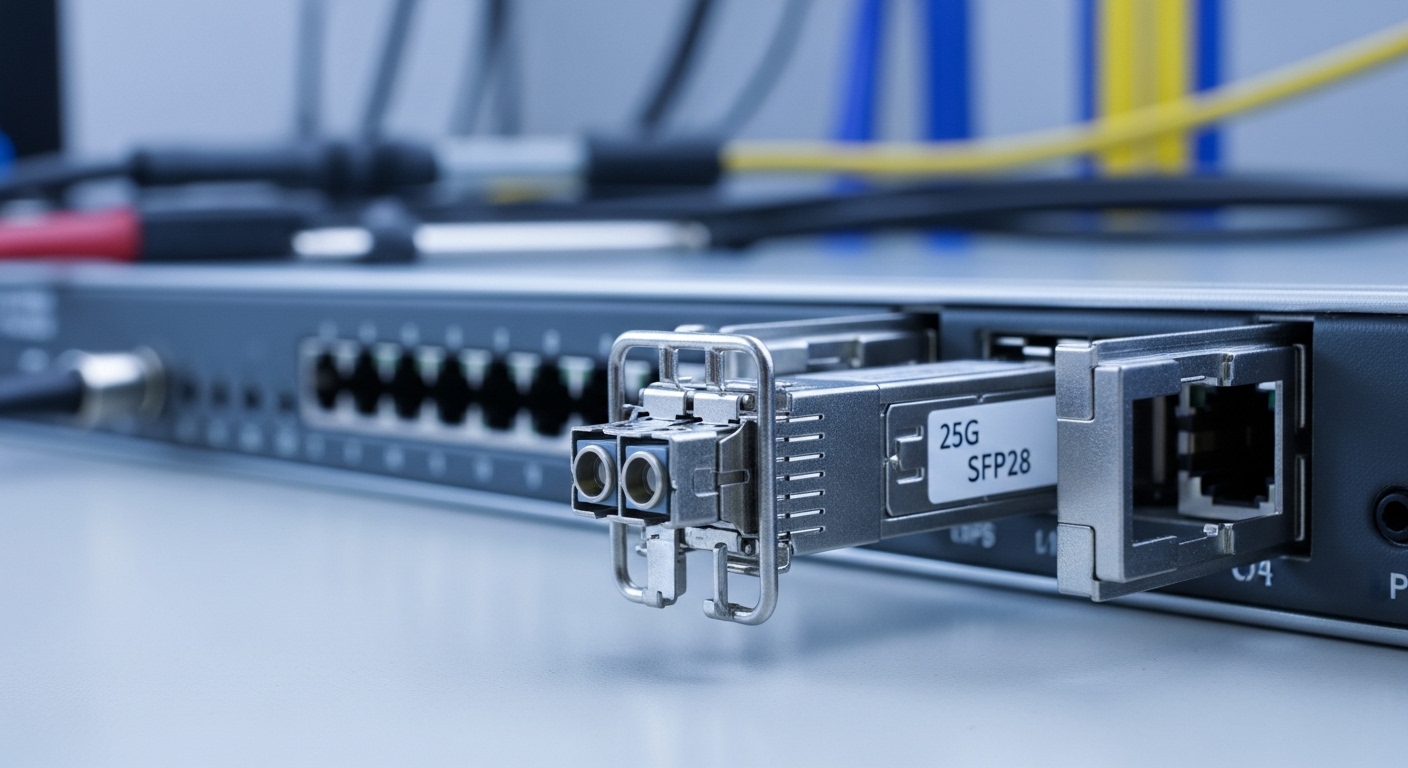
That close-up is basically the moment we stopped arguing and started cleaning. When you can see the ferrules clearly, you can also see why “installed last year” is not the same as “optically pristine today.”
FAQ
What does “ToR transceiver” mean in practice?
It refers to the optical module used in a top-of-rack switch port, typically for uplinks and sometimes for server-facing connectivity. In most modern data centers, ToR transceivers come as SFP/SFP28, QSFP28, QSFP56, or CFP2 families depending on the switch and target data rate. The exact module type must match the switch port electrical and optical expectations.
Can I use third-party ToR transceivers instead of OEM?
Often yes, but you must validate switch compatibility and confirm stable DOM telemetry and lane negotiation on your exact firmware version. We saw cases where modules linked but behaved worse under thermal ramp or after firmware changes. If you can’t run a staged validation, OEM is usually the safer operational choice.
How do I choose between multimode and single-mode for 100G to 400G?
Use installed distance and measured link budget. Multimode (commonly OM4 at 850 nm for SR families) is cost-effective and simple for shorter links, while single-mode is usually chosen for longer distances or when margin is consistently tight. For 400G, multimode often works well within design limits, but connector hygiene and patch density become even more critical.
Why do optics sometimes “link up” but still cause performance issues?
Link up only confirms basic signal detection and negotiation, not that you have comfortable optical margin. If receive power is near sensitivity limits, you can get higher error rates, CRC increments, or intermittent resets during temperature changes. Monitoring DOM trends and error counters after deployment is how you catch this early.
What should I check first when a ToR transceiver fails?
Start with physical inspection: correct connector type, polarity for MPO, and cleaning with proper tools. Then confirm switch logs for module type acceptance and check DOM diagnostics for temperature, bias current, and receive power. Finally, re-test with a known-good reference module to separate optics from fiber plant problems.
How long should burn-in or validation testing take?
For stable production readiness, we recommend at least a multi-cycle thermal validation window, commonly 24 to 72 hours, with monitoring enabled for link errors and DOM alarms. If you are scaling to hundreds of ports, validate a representative sample across different racks and fiber paths rather than only testing one lucky run.
Once your ToR transceiver selection is paired with measured link budgets and disciplined cleaning, upgrades go from “mystery outages” to predictable engineering. Next, review the related topic on fiber cleaning and inspection workflow so your optics spend their time transmitting data instead of negotiating with dirty glass.
Updated: 2026-04-29
Author bio: I have deployed Ethernet optics in real racks across leaf-spine fabrics, debugging everything from DOM alarms to lane negotiation quirks. I write as a field engineer who trusts measured link budgets more than marketing reach charts.
