
If you run industrial networks near ovens, outdoor enclosures, or cable trays with restricted airflow, a temperature derating transceiver can quietly turn “works today” into intermittent link drops next month. This article helps field engineers and network owners select and deploy optical modules with realistic thermal budgets, using vendor specs and IEEE-aligned practice. You will get an actionable Top 8 checklist, a troubleshooting playbook, and a ranking table to compare options by risk and reliability.
Decode how temperature derating affects optical power and link margin
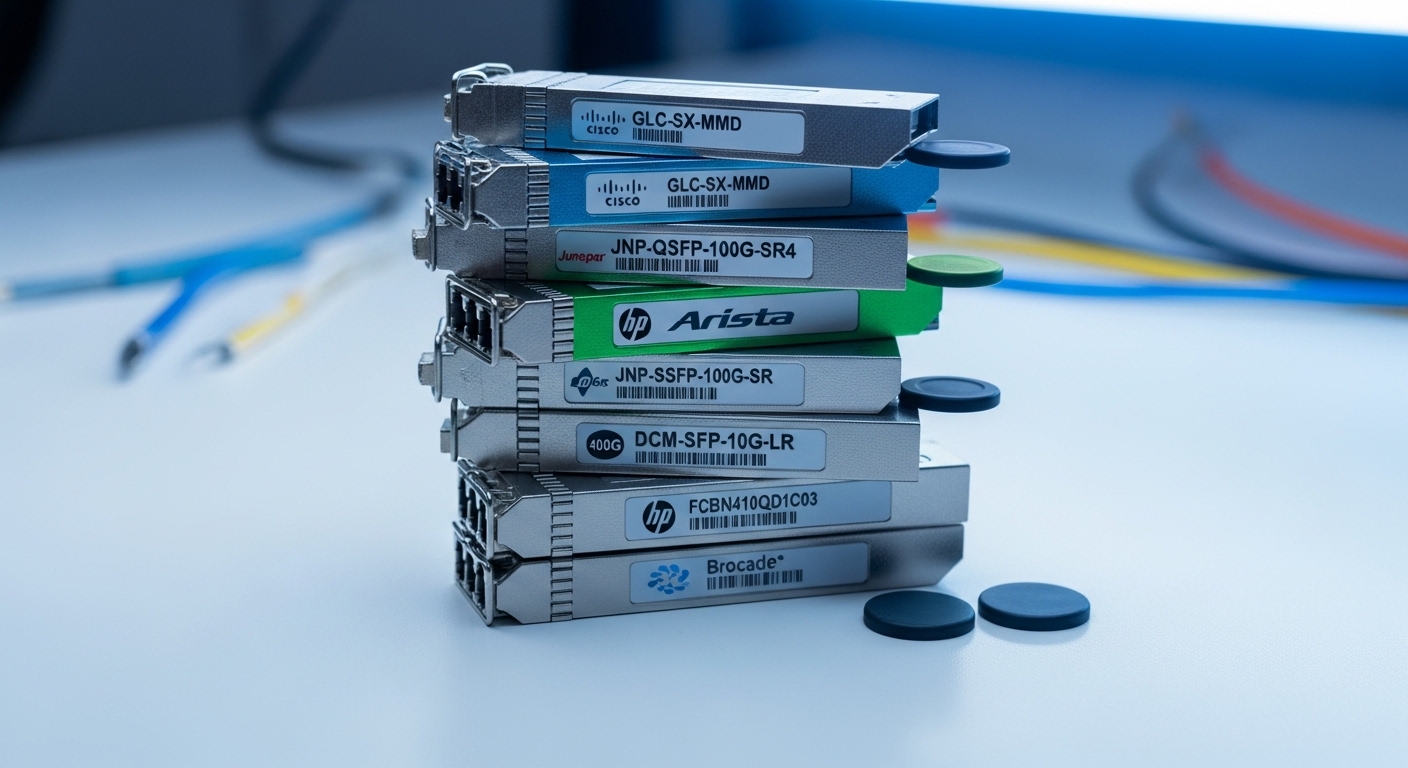
Temperature derating transceiver behavior is usually tied to how transmitter output power and receiver sensitivity shift as the module temperature rises. In practice, link budgets assume a minimum transmit power and a maximum receiver sensitivity over a defined operating range, and then you subtract fiber loss, connector loss, and aging margins. When the module reaches higher internal temperatures, some designs reduce laser drive current to stay within safety limits, which lowers optical power and can erode your margin. The key is to treat derating as a system-level link budget variable, not a cosmetic spec sheet note.
Most industrial optics still follow the same electrical and optical interfaces standardized for pluggables, but the thermal packaging and control loops differ by vendor. For wavelength-specific modules (for example, 850 nm multimode versus 1310/1550 nm single-mode), derating can show up as a shorter effective reach at the high end of the operating temperature. For authority, review IEEE 802.3 link layer expectations and vendor optical power tables; while IEEE does not “guarantee reach,” it defines operating behavior and electrical interfaces. anchor-text: IEEE 802.3 standard [Source: IEEE Standards Association].
- Best-fit scenario: Outdoor cabinets, rail substations, factory cells with heat load.
- Pros: Better uptime planning; fewer surprise brownouts.
- Cons: Requires link budget discipline and temperature data.
Pro Tip: In the field, the biggest derating risk is not the ambient temperature alone. Measure the cabinet’s internal hot-spot temperature near the pluggable cage, then apply that delta to the module’s specified operating range; many “rated” enclosures still create local air stagnation that drives internal module temperature above ambient.
Use a thermal margin model: ambient, airflow, and enclosure heat rise
A practical temperature derating transceiver plan starts with a thermal budget: Tcase or module internal temperature versus the vendor’s operating temperature range and any explicit “derated” curves. Many vendors provide maximum case temperature, recommended ambient limits, or derating guidance tied to laser safety and reliability. If your environment can reach 55 C ambient with poor airflow, a module designed for a 0 to 70 C operating range may still be safe, but the margin might vanish if the cage runs several degrees hotter than the room.
Where engineers go wrong is assuming forced airflow is uniform. In real cabinets, fans often create a directed flow path; modules near the inlet might see a 2 to 5 C rise, while modules near the exhaust can see 10 to 20 C rise. For optical modules, that rise can reduce transmitter output power and increase bit error sensitivity, especially on longer links. Align your design to ANSI/TIA guidance on structured cabling practices and environmental considerations when applicable, and always defer to the specific transceiver datasheet for thermal details. anchor-text: TIA standards portal [Source: Telecommunications Industry Association].
- Best-fit scenario: Cabinets with multiple heat sources (PSU + PoE + media converters).
- Pros: Turns thermal uncertainty into a measurable margin.
- Cons: Requires instrumentation (temperature logger) and time.
Compare industrial versus standard pluggables by temperature range and power budget
Industrial optics often cost more, but they are built for wider temperature operation and more robust thermal control. Standard pluggables may be rated for office-grade environments and can experience more aggressive derating outside their intended thermal profile. Before you buy, compare vendor datasheets for operating temperature range, typical optical output power, receiver sensitivity, and any derating statements. Also check whether the module includes DOM (Digital Optical Monitoring) so you can observe real-time bias current and temperature.
Below is an example comparison format you can use when evaluating candidates. Values vary by exact model and optics type, so treat this as a decision template and verify with the specific datasheet. The goal is to identify which modules maintain higher optical power at your worst-case temperature. anchor-text: IEEE 802 project home [Source: IEEE 802 working groups].
| Module example | Optics type | Wavelength | Typical reach | Operating temp range | Connector | DOM | Key derating risk |
|---|---|---|---|---|---|---|---|
| Cisco SFP-10G-SR (example class) | SFP+ SR | 850 nm | ~300 m OM3 | 0 to 70 C (varies) | LC | Typically supported on many platforms | Reduced Tx power at high module temp |
| Finisar FTLX8571D3BCL (example class) | SFP+ SR | 850 nm | ~300 m OM3 | -40 to 85 C (industrial class) | LC | Commonly available | Still needs link budget; higher temp reduces margin |
| FS.com SFP-10GSR-85 (example class) | SFP+ SR | 850 nm | ~400 m OM4 (varies) | -40 to 85 C | LC | Often available | Better thermal tolerance, but check Tx min power at temp |
- Best-fit scenario: You have mixed vendors across sites and need predictable temperature behavior.
- Pros: Faster procurement with fewer returns.
- Cons: Requires careful datasheet verification for minimum power at temperature.
Validate switch compatibility and DOM behavior before trusting monitoring
Even the best temperature derating transceiver is only as useful as your platform’s ability to read diagnostics and keep optics within safe operating bounds. Many switches support DOM via I2C and standard vendor-specific thresholds, but behavior can vary across firmware versions and port profiles. Confirm that your switch or media converter reads temperature, bias current, and received signal strength indicators correctly, and confirm that alarms map to actionable events (for example, “Tx power low” or “temperature high”).
If DOM is unavailable or misinterpreted, you lose the ability to detect early derating before link loss. During commissioning, run a controlled thermal test: warm the module environment gradually (for example, step from 25 C to 60 C) while monitoring link error counters and any DOM fields. This gives you an empirical view of how much margin you actually have in your installation. For electrical interface compatibility, consult IEEE 802.3 and vendor port requirements, because optical pluggables can also be sensitive to LOS thresholds and vendor calibration. anchor-text: IETF home [Source: general standards ecosystem].
- Best-fit scenario: Multi-vendor optics in a regulated environment where monitoring is mandatory.
- Pros: Early warning reduces truck rolls.
- Cons: Firmware variance can complicate thresholds.
Match optics type to environment: 850 nm MMF vs 1310/1550 SMF
Temperature derating interacts with optics type because launch conditions and receiver sensitivity differ. For example, 850 nm multimode links are often used in short, high-bandwidth scenarios inside plants, while 1310/1550 nm single-mode supports longer distances and can be more forgiving for reach at system level. However, multimode performance depends heavily on fiber quality (OM3 versus OM4), connector cleanliness, and modal bandwidth. If your thermal environment reduces transmitter power, the margin you thought you had on multimode can collapse faster.
When you choose between MMF and SMF, you should incorporate both fiber loss and thermal derating into the same budget. Also consider whether your link uses APC versus UPC connectors, because connector reflection and cleanliness can affect receiver behavior. Vendor datasheets often provide minimum transmit power and receiver sensitivity; use the minimum values for worst-case design. This is the difference between a “works on the bench” link and a deployed industrial link.
- Best-fit scenario: You are selecting optics for outdoor runs or congested cable trays with heat buildup.
- Pros: Better reach predictability with correct fiber choice.
- Cons: Wrong fiber type selection can negate any thermal advantage.
Build the decision checklist: distance, budget, switch fit, DOM, temperature, lock-in
To choose a temperature derating transceiver confidently, use this ordered checklist. It mirrors how engineers actually prevent failures in the field, especially when replacing modules under time pressure.
- Distance and fiber type: Confirm OM3/OM4 grade, fiber attenuation, and connector loss assumptions.
- Link budget with derating: Use minimum Tx power and receiver sensitivity at the relevant temperature range.
- Switch compatibility: Verify that the module is supported and that port diagnostics behave correctly.
- DOM support and thresholds: Ensure temperature and optical power fields are readable and alarms trigger.
- Operating temperature and hot-spot reality: Compare module rating to measured cabinet hot-spot temperature, not just ambient.
- Vendor lock-in risk: Assess whether firmware requires specific vendor optics and whether replacement spares are available.
- Power and thermal control: Check module power draw and whether the switch’s airflow design supports it.
- Lifecycle reliability: Prefer vendors with published reliability data and clear warranty terms for industrial environments.
- Best-fit scenario: You have to standardize optics across multiple sites with consistent performance.
- Pros: Reduces rework and improves procurement accuracy.
- Cons: Requires disciplined documentation and verification.
Common pitfalls and troubleshooting tips for temperature derating failures
When a temperature derating transceiver fails in the field, the root cause is often a mismatch between thermal conditions and the assumed link budget, or a monitoring blind spot. Here are common failure modes and how to fix them.
- Pitfall: Link drops only when the cabinet heats up. Root cause: Tx power derating reduces optical power below the receiver minimum for your actual fiber and connector losses. Solution: Recalculate link budget using worst-case minimum Tx power at your measured hot-spot temperature; clean connectors and verify fiber attenuation with test results.
- Pitfall: DOM shows “temperature high,” but no action is taken. Root cause: Alarm thresholds are not configured or the monitoring fields are misread due to firmware differences. Solution: Validate DOM mapping on the switch CLI or management platform; set actionable thresholds and confirm they trigger before errors spike.
- Pitfall: You swapped the module and the problem “moves ports.” Root cause: You might have a mismatch in supported optics parameters, or the new module has different minimum Tx power or different DOM calibration. Solution: Ensure the replacement matches the original optics class and speed, and verify vendor datasheet minimums; run a thermal warm test while monitoring error counters.
- Pitfall: Intermittent errors after maintenance. Root cause: Connector contamination introduced during reseating. Solution: Inspect with a fiber microscope, clean with lint-free methods, and re-test with OTDR or optical power meter as appropriate.
- Best-fit scenario: You already see errors and need a fast root-cause path.
- Pros: Prevents repeated swaps that waste time.
- Cons: Requires access to fiber test tools and DOM visibility.
Cost and ROI: how to budget spares, reduce truck rolls, and avoid hidden TCO
Industrial optics with wider temperature tolerance typically cost more than standard pluggables, but the ROI is often driven by reduced downtime and fewer dispatches. In many markets, a standard SFP+ SR module may be priced lower, while an industrial grade variant can cost meaningfully more depending on brand and certification. A realistic approach is to compare total cost of ownership: purchase price plus expected failure rate, expected truck rolls, and the labor cost of troubleshooting and re-cabling.
For TCO, consider that a temperature derating transceiver may be “compatible” but not “equivalent” in minimum Tx power at temperature. OEM modules can have predictable diagnostics and support, while third-party modules can be cost-effective if the switch reads DOM correctly and the datasheet derating behavior matches your environment. If you maintain spares, keep at least one verified spare per site type and validate it in a thermal warm test before going live. For procurement and compliance, always use the vendor warranty terms and document acceptance criteria at installation.
- Best-fit scenario: You are standardizing optics across remote or hard-to-access sites.
- Pros: Lower operational risk; fewer repeat failures.
- Cons: Higher upfront cost and more stringent validation work.
Summary ranking table: which temperature derating transceiver choice reduces risk fastest
| Ranking factor | Option A: Standard-grade optics | Option B: Industrial-grade with wider temp range | Option C: Industrial-grade plus strong DOM and documented derating |
|---|---|---|---|
| Thermal safety margin | Lower | Higher | Highest |
| Link budget predictability at hot spots | Variable | Better | Best |
| Monitoring and early warning | May be limited | Often available | Most actionable |
| Deployment speed | Fast purchase, slower troubleshooting later | Balanced | Best when validated upfront |
| Typical ROI | Mixed | Good | Excellent for harsh environments |
FAQ
What does temperature derating transceiver really mean in the field?
It means the module’s transmitter output and/or safety-limited behavior changes as temperature increases, often reducing optical power or tightening operating margins. In a deployed link, that can show up as higher error rates or link loss after warm-up. The only reliable way to confirm impact is to use minimum optical power values at temperature and validate with monitoring plus error counters.
How do I tell whether a module has meaningful derating data?
Look for datasheet tables that specify minimum transmit power and receiver sensitivity, and check whether the vendor states performance over the full operating temperature range. If DOM is supported, verify that temperature and optical power/bias fields are
