
Choosing the right 400GBASE transceiver types is one of the fastest ways to avoid late-stage fiber rework in modern data centers and campus backbones. This article helps network engineers, field techs, and operations leads map SR4, DR4, FR4, and LR4 to distance, fiber plant, and switch compatibility. You will get a step-by-step implementation guide, a spec comparison table, and field-tested troubleshooting for common failure modes.
Prerequisites and what you must verify before buying
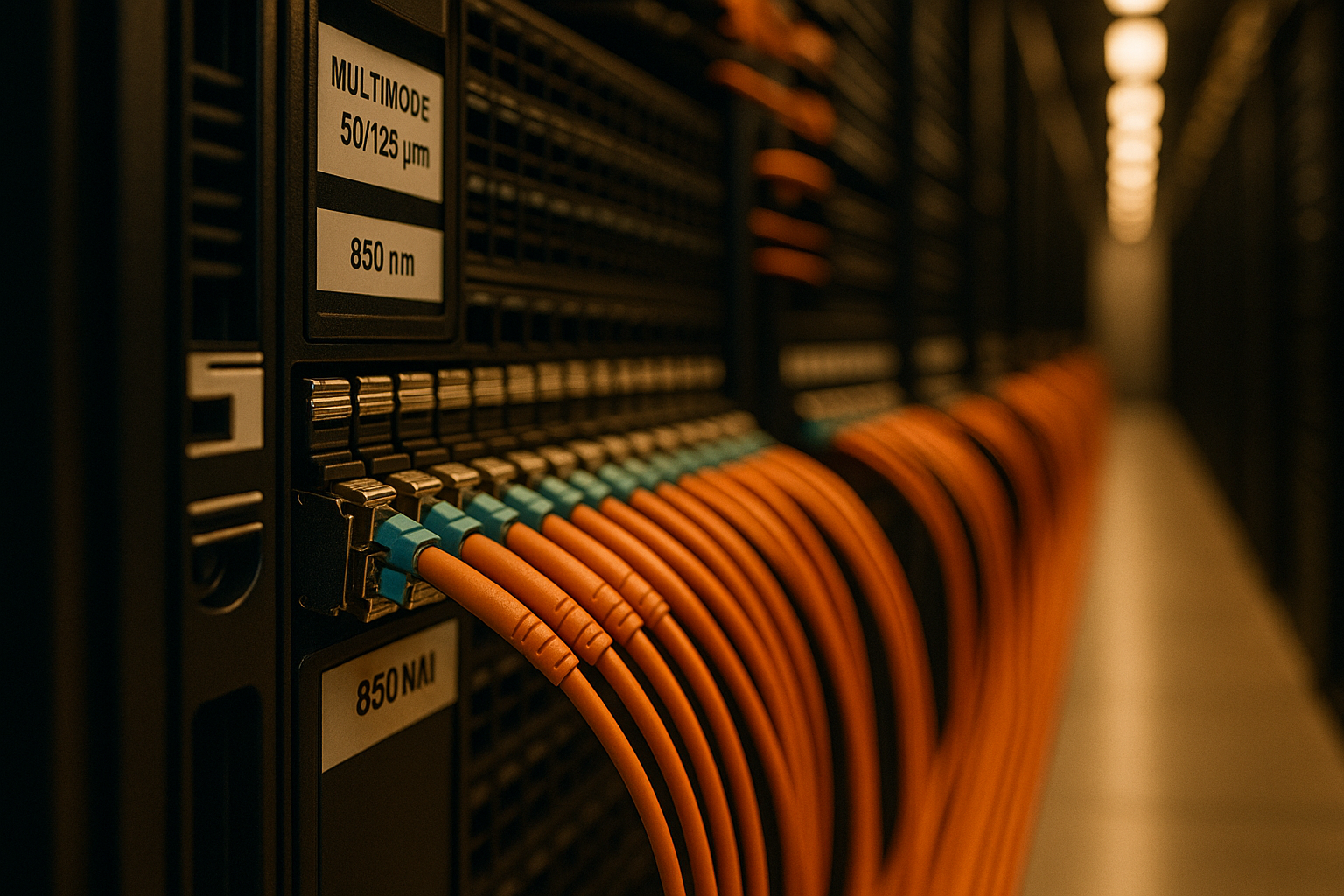
Before selecting optics, confirm your switch ports, optics support, and fiber plant characteristics. This prevents ordering the correct form factor but the wrong wavelength/encoding mode. The 400GBASE naming aligns with IEEE 802.3 standards for 400G Ethernet interfaces and optical reach classes; verify your vendor’s transceiver ordering guide and DOM behavior.
References: IEEE 802.3 Ethernet standards and optics requirements [Source: IEEE 802.3 (400GBASE optical interface specifications)], plus switch vendor transceiver compatibility notes [Source: Cisco UCS and Nexus transceiver compatibility guides], [Source: Arista EOS transceiver/Digital Optical Monitoring documentation].
-
Step 1: Inventory hardware and port capabilities. Record the exact switch model and port speed mode (for example, 400G native ports vs breakout-capable ports). Confirm whether the platform expects QSFP-DD (common for 400G) and whether it supports vendor-validated optics.
Expected outcome: A port-by-port list of compatible transceiver families and required optical interface (SR4/DR4/FR4/LR4).
-
Step 2: Measure the fiber plant and connector policy. Determine whether you have OM4 or OS2 fiber, check end-face cleanliness standards, and capture connector types (LC vs MPO/MTP). If you are unsure about loss, request OTDR traces or at minimum run a calibrated link loss budget.
Expected outcome: A reach-feasibility decision with measured or conservative worst-case loss margins.
-
Step 3: Confirm DOM and monitoring requirements. Verify whether your NMS expects DOM data fields (temperature, received power per lane, bias current) and whether you require specific alarm thresholds.
Expected outcome: DOM compatibility plan to avoid “optic present but unmonitored” situations.
SR4 vs DR4 vs FR4 vs LR4: what the reach classes actually imply
The SR4/DR4/FR4/LR4 labels indicate how 400G Ethernet is carried across four lanes with different optics and target media. In practice, the selection hinges on fiber type (multimode vs single-mode), reach, and link-loss budget under your connector and splice counts. While vendors may publish slightly different maximum distances, your deterministic constraint is the link budget and the fiber plant’s actual attenuation.
Key mapping: fiber type and typical use cases
SR4 is typically multimode-focused for short-reach deployments inside data centers. DR4 and LR4 are generally single-mode classes for longer distances; DR4 targets “data center or metro” ranges, while LR4 targets longer campus or metro backhaul. FR4 is a single-mode intermediate reach class often used when you want more than DR4 but less than LR4.
Technical specifications comparison (representative)
| Transceiver type (400GBASE) | Typical fiber | Wavelength band | Typical reach class | Connector | Temperature range (common) | Notes for selection |
|---|---|---|---|---|---|---|
| SR4 | OM4 multimode | Short-wave (around 850 nm class) | Up to ~100 m class (vendor-dependent) | MPO/MTP (often) | 0 to 70 C or -5 to 85 C | Best for ToR-to-row or intra-facility links |
| DR4 | OS2 single-mode | Long-wave (around 1310 nm class) | Up to ~500 m class (vendor-dependent) | LC or MPO (platform-dependent) | 0 to 70 C or -5 to 85 C | Good for structured cabling and shorter metro runs |
| FR4 | OS2 single-mode | Extended reach (around 1550 nm class) | Up to ~2 km class (vendor-dependent) | LC or MPO (platform-dependent) | 0 to 70 C or -5 to 85 C | Use when DR4 margins are tight or distance increases |
| LR4 | OS2 single-mode | Long reach (around 1550 nm class) | Up to ~10 km class (vendor-dependent) | LC | 0 to 70 C or -5 to 85 C | For campus backbone and metro aggregation |
Limitation: Actual maximum distance depends on transceiver vendor, fiber grade, number of splices/connectors, and whether you meet the specified optical power and dispersion constraints. Always validate against the vendor datasheet for the exact part number.
Examples of commonly deployed optics (verify compatibility): Cisco and Arista QSFP-DD optics families for 400GBASE-SR4 and 400GBASE-LR4, and third-party transceivers such as Finisar/FS and FS.com offerings (for example, FS.com SFP-10GSR equivalents do not apply to 400G; use the correct QSFP-DD 400G part numbers when sourcing). Check the exact ordering codes in your switch compatibility list [Source: Cisco compatibility tool], [Source: Arista transceiver support matrix].
Step-by-step selection guide for 400GBASE transceiver types
This numbered workflow is how teams typically avoid “it should work” surprises during cutover. It also helps you choose the smallest optic that meets the link budget, reducing both cost and operational risk.
-
Step 4: Match transceiver type to fiber type first. If your patch panels are OM4/OM3, prioritize SR4. If your backbone is OS2, consider DR4, FR4, or LR4 based on measured distance and loss.
Expected outcome: You eliminate impossible combinations early.
-
Step 5: Build a conservative link loss budget. Use your documented fiber attenuation (dB/km), connector/splice counts, and worst-case transceiver insertion/launch assumptions from the datasheet. If your margin is thin, move up reach class (for example, DR4 to FR4) rather than trying to “make it work” with cleaning-only fixes.
Expected outcome: A pass/fail decision with margin for aging and handling.
-
Step 6: Validate switch and transceiver interoperability. Confirm the optics are supported on your exact platform and that the port speed mode is set correctly. Some switches require explicit configuration changes after optic insertion.
Expected outcome: Reduced risk of link training failures or err-disabled ports.
-
Step 7: Confirm DOM visibility and alerting integration. Ensure your monitoring stack can read received power and temperature alarms. If you run strict SLAs, validate that alarms propagate to your ticketing workflow.
Expected outcome: Faster isolation when a link degrades.
Selection criteria / decision checklist (ordered)
- Distance vs reach class under your measured fiber loss and connector/splice counts
- Fiber type compatibility (OM4 multimode for SR4; OS2 single-mode for DR4/FR4/LR4)
- Switch compatibility list and supported transceiver family for your exact model
- DOM support and monitoring fields your NMS expects
- Operating temperature and airflow assumptions in the specific rack aisle
- Vendor lock-in and RMA policy risk (OEM-only vs third-party validated optics)
Pro Tip: In the field, the fastest path to stable 400GBASE links is not “more cleaning,” but verifying the MPO/MTP polarity and lane mapping before blaming the transceiver. Even when the optics are the correct SR4/DR4/FR4/LR4 type, a single polarity mismatch can produce symptoms that look like marginal power or intermittent link drops.
Common mistakes and troubleshooting for 400GBASE transceiver types
When deployments fail, the root cause is usually deterministic: wrong fiber type, insufficient link budget, or physical layer issues that prevent reliable lane alignment. Below are top failure modes seen during cutovers and how to fix them.
-
Pitfall 1: Mixing multimode and single-mode optics.
Root cause: Installing SR4 optics into OS2 paths or DR4/FR4/LR4 into OM links (or using the wrong patch cords).
Solution: Verify fiber grade at the patch panel, label the trunks, and confirm transceiver type matches the cabling standard before insertion. -
Pitfall 2: Ignoring polarity and MPO lane mapping.
Root cause: Incorrect MPO/MTP polarity can break channel alignment, causing link flaps or training timeouts.
Solution: Use the polarity method required by your system (for example, “A-B” or “B-A” mapping per your cabling standard) and re-terminate or re-patch to match. -
Pitfall 3: Overestimating reach because of unmeasured loss.
Root cause: Assuming datasheet reach equals your installed distance without accounting for extra connectors, dirty bulkheads, or aged splices.
Solution: Run OTDR (or at least end-to-end test results), compute worst-case loss, and
