
In an enterprise campus, one wrong transceiver choice can turn scheduled maintenance into days of packet loss. This article helps network engineers and field technicians select a single-mode transceiver campus design that matches distance, fiber plant, switch compatibility, and operational limits. You will get selection criteria, real-world deployment numbers, and troubleshooting steps that reflect how these links fail in the field.
Why single-mode optics matter on a campus network
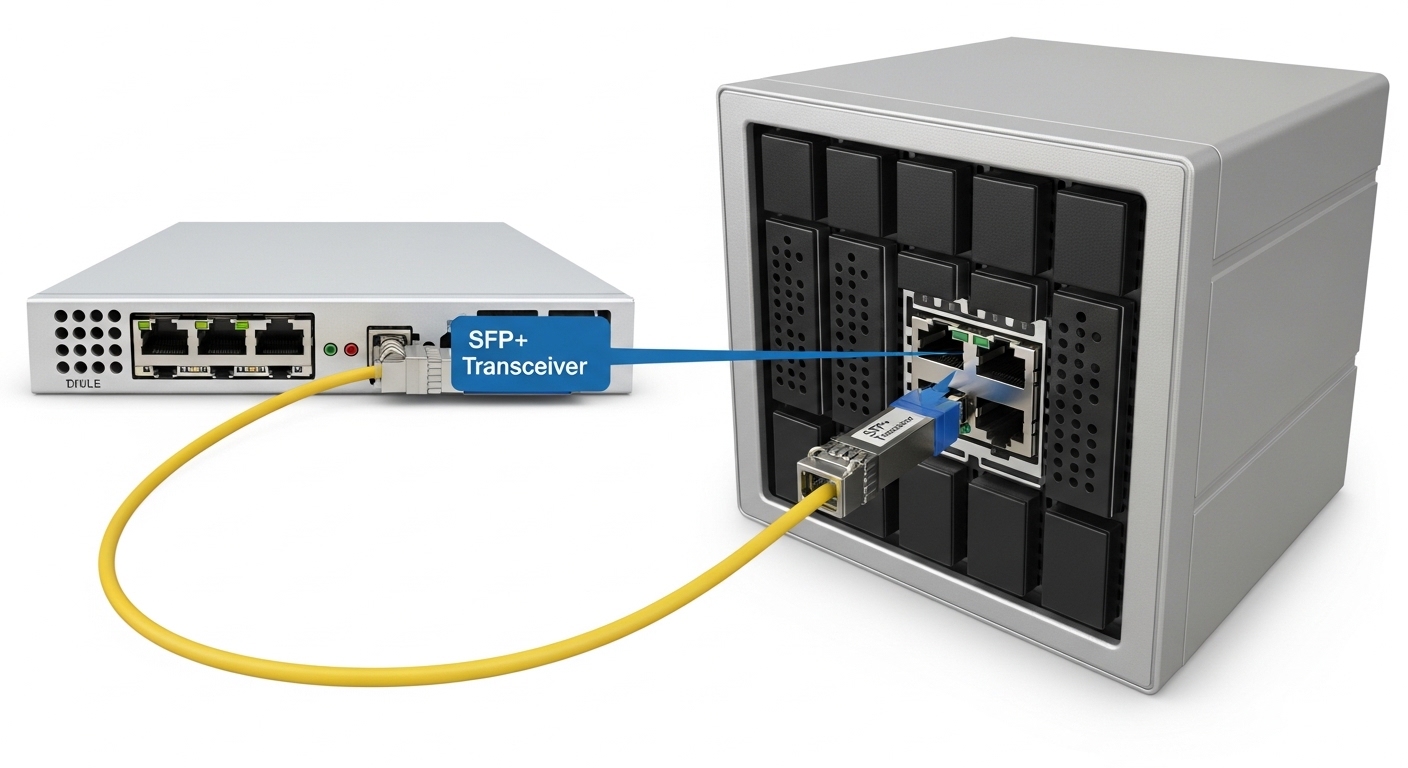
Campus networks often span from wiring closets to main distribution areas, plus long runs to distribution rooms and outdoor links. When the required reach exceeds what multimode can reliably support (especially after splitters, bends, and aging), single-mode becomes the practical choice. In Ethernet, single-mode transceivers typically operate at 1310 nm (O-band) or 1550 nm (C/L-band), depending on data rate and optics design.
From an operations perspective, single-mode links reduce modal dispersion concerns and generally tolerate higher link budgets when engineered correctly. Still, they are not “plug and forget”: you must align the transceiver wavelength, fiber core type, connector cleanliness, and link budget with the switch optics and the installed fiber plant. For Ethernet PHYs, IEEE 802.3 defines optical interfaces, while vendor datasheets define real reach, transmit power, receiver sensitivity, and safety limits. IEEE 802.3
Core specs that decide whether the campus link will work
Engineers typically start with distance and data rate, then validate wavelength and connector type (almost always LC duplex for Ethernet optics). After that, you verify the transceiver’s power and receiver sensitivity against the fiber plant loss and worst-case margins. In practice, I budget with conservative assumptions for connectors, splices, patch cords, and aging.
The table below compares common single-mode Ethernet transceiver profiles you will encounter in campus designs. Exact values vary by vendor and module revision, so always confirm the datasheet for the specific part number.
| Form factor / Data rate | Typical wavelength | Target reach (typical) | Fiber type | Connector | Operating temp (typical) | DOM / monitoring |
|---|---|---|---|---|---|---|
| SFP (1G) | 1310 nm | Up to 10 km | OS2 (single-mode) | LC duplex | -5 to 70 C or 0 to 70 C | Often available |
| SFP+ (10G) | 1310 nm | Up to 10 km | OS2 | LC duplex | -5 to 70 C or 0 to 70 C | Often available |
| SFP+ (10G) | 1550 nm | Up to 40 km (profile-dependent) | OS2 | LC duplex | -5 to 70 C or 0 to 70 C | Often available |
| QSFP+ (40G) | 1310 nm | Up to 10 km | OS2 | LC duplex | 0 to 70 C | Often available |
| QSFP28 (25G) | 1310 nm | Up to 10 km | OS2 | LC duplex | 0 to 70 C | Often available |
In my deployments, the “reach” number is less important than the effective link budget. You calculate total loss using fiber attenuation (dB/km) plus connector and splice loss, then compare to the transceiver’s specified margin. When you see modules rated for, say, 10 km, that rating assumes a particular transmitter power and receiver sensitivity at a given fiber loss profile. [Source: vendor datasheets for SFP+/QSFP optical modules]
Selection criteria for a single-mode transceiver campus
Choosing optics is a controlled engineering decision, not a parts-bin swap. Below is a practical checklist I use during design and during on-site verification when a link won’t come up.
- Distance and link budget: Measure or estimate worst-case loss (dB) including patch cords, connectors, splices, and any splitters. Then confirm margin versus the transceiver’s optical budget in the datasheet.
- Data rate and interface: Match the switch port type (SFP, SFP+, QSFP+, QSFP28) and Ethernet speed. Avoid “it fits physically” assumptions.
- Wavelength alignment: Confirm both ends use the same wavelength profile (commonly 1310 nm to 1310 nm for O-band designs). Mismatched wavelengths can lead to weak or failed reception.
- Fiber type in the field: Verify installed fiber is OS2 single-mode. If the plant is mixed (OS1 vs OS2 or unknown), test with a certified OTDR and/or fiber ID process.
- DOM support and visibility: Ensure the switch supports Digital Optical Monitoring (DOM) if you rely on real-time Tx/Rx power thresholds for proactive maintenance.
- Operating temperature and enclosure conditions: Campus closets can exceed spec during summer. Use modules rated for the environment, or add thermal controls.
- DOM and compatibility caveats: Some third-party optics may report DOM fields differently. Validate with the vendor compatibility list or run a controlled pilot.
- Vendor lock-in risk and spares strategy: OEM optics can be expensive; third-party can reduce cost. Plan spares so you do not get stuck during an outage.
Pro Tip: In many “it should work” cases, the real issue is connector cleanliness and micro-scratches, not the transceiver. When you clean LC ends properly with lint-free wipes and an inspection scope, you can recover marginal links without changing optics, because dust can add enough loss to push the receiver below sensitivity.
Real-world campus deployment scenario with measured constraints
Consider a three-tier campus design with leaf-spine switching in the core and distribution blocks per building. In one rollout, we connected a central distribution switch to four building distribution switches over single-mode fiber runs of 6 km, 8.5 km, 12 km, and 14 km. The ports were configured for 10G using SFP+ single-mode optics at 1310 nm for the 6–8.5 km links and 1550 nm for the 12–14 km links to preserve margin.
We validated the fiber plant before installation: measured end-to-end loss, counted connectors and splices, and added patch cord loss based on the actual inventory. For example, the 12 km path had fiber attenuation around 0.35 dB/km plus estimated patching and splice loss; the total worst-case loss was kept under the optical budget by maintaining at least a 3 dB implementation margin. After activation, we monitored DOM readings for Tx power and Rx power drift over the first two weeks to catch cleaning or connector seating issues early.
Operationally, this approach reduced repeat truck rolls. Instead of swapping modules blindly, we used the switch transceiver diagnostics and the optic’s DOM thresholds to isolate whether the problem was optical loss, wavelength mismatch, or a port-side speed mismatch. [Source: switch transceiver diagnostic behavior described in vendor operational guides]
Common mistakes and troubleshooting that actually works
Single-mode transceiver issues usually show up as “link up/down flapping,” CRC errors, or a port that never negotiates. The root cause is often measurable: optical power too low, loss too high, or a configuration mismatch. Below are frequent failure modes I have seen across campus cutovers.
Port never comes up due to speed or interface mismatch
Root cause: The transceiver type supports the physical layer but the switch port is configured for a different speed or mode, or the transceiver is not compatible with that platform revision. Some switches require explicit speed configuration and certain optics must be on the approved list.
Solution: Verify port type (SFP vs SFP+), confirm configured speed (for example, 10G vs 1G), and check the switch event logs for “unsupported transceiver” or “link training failed.” If available, use DOM to confirm link parameters.
“Works sometimes” due to connector contamination and poor cleaning
Root cause: Dust on LC end faces can create intermittent loss that varies with connector pressure or temperature cycles. Even a small amount of contamination can push Rx power below sensitivity, especially on longer links.
Solution: Inspect every connector with a microscope before mating. Clean both ends with approved fiber cleaning procedures and re-seat the connector. Re-check optical power readings after cleaning; if Rx improves by several dB, you found the culprit.
Link fails after moving patch cords because of fiber direction or wrong pair
Root cause: In duplex fiber cabling, the transmit and receive fibers can be swapped across patch panels. Some transceivers tolerate swapping; others fail completely depending on how the link is mapped.
Solution: Verify fiber polarity and patch cord mapping at both ends. If the link is down and the optics indicate weak Rx, swap the LC duplex fibers (Tx-to-Rx alignment) and validate with the switch’s optical diagnostics.
Marginal reach because the design ignored worst-case loss
Root cause: Engineers sometimes use “headline reach” without accounting for patch cord length, connectors, and splice loss. A campus plant can have additional patching during renovations that was not in the original bill of materials.
Solution: Recalculate loss using measured values from OTDR and connector counts. If the link budget is tight, replace with a transceiver designed for longer reach (often 1550 nm for longer single-mode campus spans) and validate DOM thresholds.
Cost and ROI: OEM vs third-party optics in campus spares
Cost differences are real, but total cost of ownership depends on failure rates, support, and maintenance time. OEM optics often cost more per module, but they typically align tightly with the platform’s compatibility expectations and DOM field behavior. Third-party optics can reduce upfront spend, but you must test compatibility and maintain a spares policy that avoids being blocked during an outage.
In many enterprise purchasing cycles, a single SFP/SFP+ single-mode transceiver might range from roughly $60 to $250 depending on reach profile and brand, while longer-reach 1550 nm versions can be higher. The ROI comes from fewer truck rolls and faster restoration: if a cheaper module causes negotiation failures or triggers repeated cleaning visits, the labor cost quickly exceeds the savings. [Source: typical market pricing observations across enterprise procurement cycles; validate against current vendor quotes]
FAQ: single-mode transceiver campus decisions
What fiber standard should a campus single-mode transceiver be matched to?
Most Ethernet single-mode campus deployments use OS2 single-mode fiber. Confirm the installed plant is OS2 (not multimode) and verify with OTDR or fiber certification records. If the plant is mixed or unknown, do not assume; test before ordering optics.
Is 1310 nm always better than 1550 nm for campus links?
Not always. 1310 nm is common for 1G/10G and shorter single-mode distances with simpler optics. For longer spans, 1550 nm often provides better reach and margin, but you must match wavelength profiles and confirm the link budget in the datasheet.
Do I need DOM support for a campus network?
DOM is strongly recommended if you want proactive monitoring of Tx/Rx power and to catch aging or connector issues early. However, DOM availability and reporting behavior can vary by vendor and switch platform, so validate compatibility with your switch model and firmware.
Can I use third-party transceivers on enterprise switches?
Often yes, but it depends on the switch model, firmware, and compatibility list policies. I recommend a controlled pilot with the exact transceiver part numbers, verifying link stability and DOM telemetry. If the switch has strict optics enforcement, OEM may be safer for production.
Why does my link show high error counters even when it is “up”?
High CRC errors usually indicate marginal optical power, excessive loss, or intermittent contamination. Re-check connector cleanliness, verify fiber polarity, and compare Rx power against the module’s specified sensitivity. If the link is near the budget, replace with a longer-reach optic or reduce patch cord loss.
What is the fastest troubleshooting path when a single-mode campus link fails?
Start with switch logs and port configuration, then inspect and clean LC ends, and verify fiber polarity. After that, use DOM to compare Rx power to expected ranges and recalculate link budget using measured loss values. Only after these checks should you swap optics.
If you want fewer surprises during campus cutovers, treat the single-mode transceiver campus choice as an engineered link budget problem: match wavelength, distance, fiber type, and compatibility, then validate with DOM and optical diagnostics. Next, review how to calculate fiber optic link budget for campus to tighten margins and reduce troubleshooting time.
Author bio: I am a veteran network admin who has deployed campus routing and switching, designed fiber links with link-budget verification, and handled real optics troubleshooting under outage pressure. I focus on operational reliability across VLAN, VPN, and switching domains, with hands-on testing and measurable acceptance criteria.
