
In many network rooms, the limiting factor is not bandwidth, it is installed fiber availability. If you are trying to light up more links without pulling new cable, a single fiber transceiver based on BiDi optics can be the practical answer. This article helps datacenter and enterprise engineers evaluate BiDi SFP+ modules, confirm compatibility with switches, and avoid the most common failure modes.
Why BiDi SFP+ acts like a single fiber transceiver
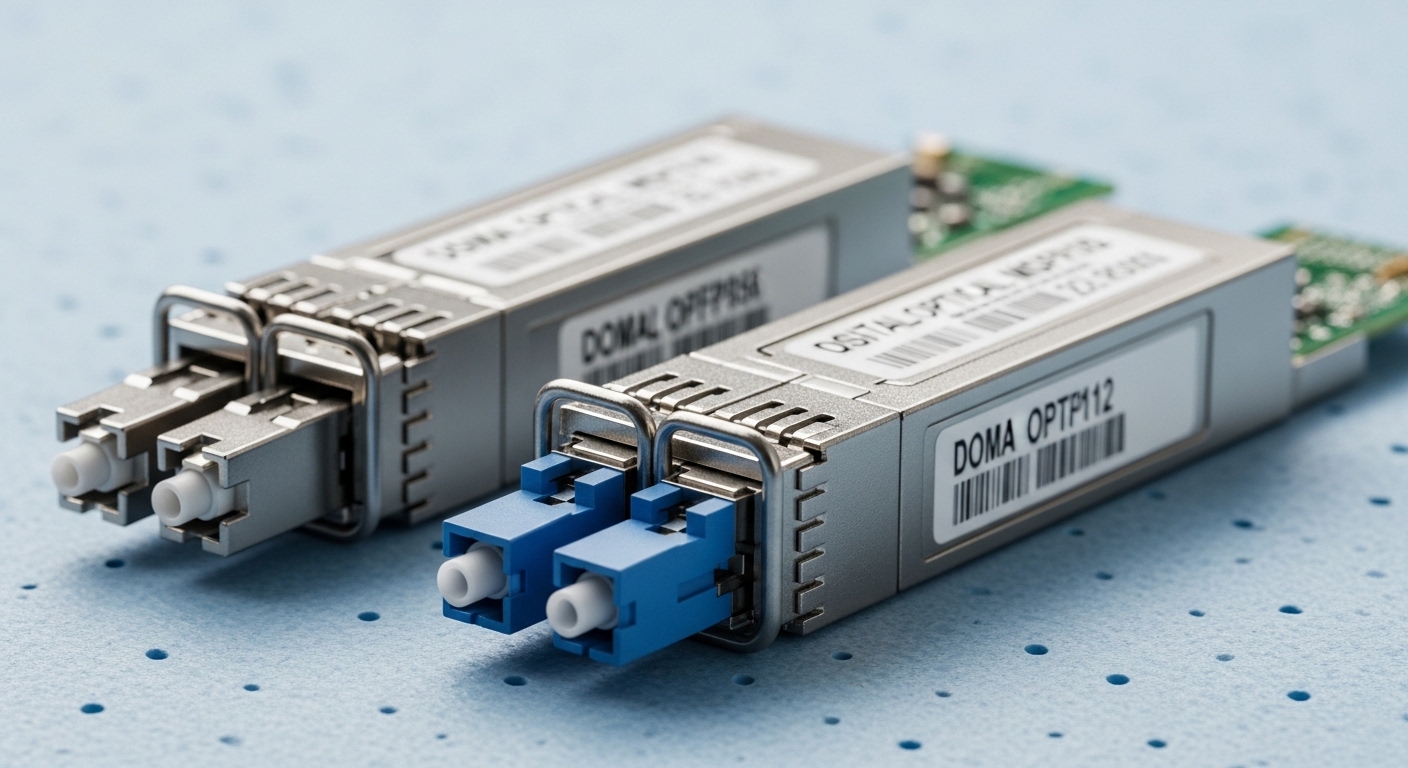
BiDi (bi-directional) optics use one fiber pair position to carry two independent optical channels: one direction uses a “Tx at longer wavelength” and the other uses a “Rx at a different wavelength.” In classic BiDi SFP+ implementations, you typically see 1310 nm for one direction and 1550 nm for the opposite direction, allowing two 10G links over a single strand. The transceiver still follows IEEE 802.3 physical-layer expectations for 10GBASE optical interfaces, but the wavelength plan is what enables the “single fiber” behavior. For verification, always read the specific module datasheet and confirm the wavelength pairing and supported reach.
What “single fiber” really means in the optics budget
“Single fiber transceiver” usually refers to using one strand per link instead of two strands (one for transmit, one for receive). The module’s optical budget accounts for transmitter power, receiver sensitivity, connector loss, and any splice or patch-panel attenuation. In the field, I have seen teams underestimate patch-panel cleaning quality; a few extra dB from dirty LC connectors can push an otherwise “supported” link into marginal operation. Treat the datasheet reach as conditional on clean optics and expected plant loss, not as a guaranteed maximum.
Typical BiDi SFP+ wavelength pairs and polarity
BiDi SFP+ modules are wavelength-matched and must be paired correctly. Many vendors label modules as “A” and “B” (or “Tx 1310 / Rx 1550” and “Tx 1550 / Rx 1310”). Swapping the wavelengths can result in a link that never comes up, even though the electrical interface is correct. If your switch supports optical power monitoring and DOM, you can often confirm the transceiver is alive but not seeing valid optical levels.
Key specs to compare before you buy a single fiber transceiver
BiDi SFP+ modules come in multiple reach classes and power profiles. Before selecting, compare wavelength, data rate, supported cable plant loss, optical output power, receiver sensitivity, connector type, DOM support, and operating temperature. Also verify whether the switch vendor lists the module as compatible or at least supports standards-based SFP+ optics. When you skip one of these checks, you can end up with a module that “detects” but fails link training or shows CRC errors under load.
| Spec | What to check for BiDi SFP+ | Why it matters |
|---|---|---|
| Data rate / interface | 10G, SFP+ (10GBASE-LR compatible electrical interface) | Prevents mismatched transceiver timing and lane mapping |
| Wavelength plan | 1310 nm / 1550 nm in opposite directions (A vs B pairing) | Wrong pairing can stop link establishment |
| Reach class | Often up to 10 km or 20 km depending on vendor | Must fit installed fiber attenuation and splice loss |
| Connector | Usually LC | Impacts cleaning workflow and mating reliability |
| Optical power | Tx output power range (vendor datasheet) | Determines link margin over passive loss |
| Receiver sensitivity | Minimum Rx power (vendor datasheet) | Sets the floor for “it works” under aging and temperature |
| DOM | Digital Optical Monitoring (temperature, voltage, bias, Tx power) | Enables field diagnostics and alerting |
| Operating temperature | Commercial vs industrial ranges | Cold/heat swings can affect optical power and error rates |
| Link diagnostics | LOS, TX fault, alarms via switch CLI | Speeds root-cause analysis when links flap |
For baseline standards context, consult IEEE 802.3 for 10GBASE optical interface behavior and link expectations. [Source: IEEE 802.3-2018, IEEE Standard for Ethernet]. For module-level parameter definitions (DOM behavior, optical specs, and safety limits), rely on the specific vendor datasheet for the model you plan to deploy, such as Cisco-compatible third-party BiDi SFP+ offerings sold under various part numbers.
Pro Tip: In practice, “it comes up” is not the same as “it is healthy.” Even when a BiDi single fiber transceiver link negotiates, watch interface counters for rising CRC/FCS errors and monitor DOM Tx power drift over 24 to 72 hours—connector contamination and marginal optical budgets often reveal themselves only under sustained traffic.
Deployment scenario: expanding a leaf-spine fabric with less fiber
Consider a 3-tier data center leaf-spine topology where 48-port 10G ToR switches connect to two aggregation switches, each uplink using 10GBASE optical SFP+ modules. A team wants to add 16 additional uplinks between racks but the patch panel has no spare strands in a critical bundle. They choose BiDi SFP+ single fiber transceivers so each new 10G link consumes one strand instead of two, effectively doubling usable links in the same cable tray. The installed plant loss is modeled as 0.35 dB/km plus connector and splice losses; with a 6 km route, the team budgets roughly 2.1 dB fiber attenuation plus patch loss, then validates the module’s link margin using the vendor’s Tx/Rx power and sensitivity figures. After installation, they verify optical levels using switch DOM telemetry and keep an eye on LOS alarms during peak HVAC cycles.
Selection criteria checklist for single fiber transceiver projects
Use this ordered checklist to reduce surprises during commissioning. It reflects what I see most often in field turn-ups where optics work in the lab but fail in production due to plant loss, polarity mismatch, or switch quirks.
- Distance and plant loss: calculate total dB from fiber attenuation, splices, and patch panels; confirm the module’s specified link budget supports your worst-case loss.
- Wavelength pairing correctness: buy matching “A” and “B” (Tx wavelength) for each end; do not assume two identical part numbers will interoperate.
- Switch compatibility: check vendor compatibility lists where available, especially for vendor-specific DOM alarm thresholds and EEPROM interpretation.
- DOM support and monitoring: confirm the transceiver supports DOM and that the switch reads temperature, Tx power, and fault flags you rely on.
- Operating temperature: select commercial vs industrial-grade modules based on rack intake air temperature and any direct airflow constraints.
- Connector and cleaning workflow: standardize LC polishing type and cleaning tools; plan to clean both ends before first insertion.
- Vendor lock-in risk: consider OEM vs third-party; verify optical safety class and management behavior so you can swap without operational drift.
When mapping to standards, remember that SFP+ electrical signaling is standardized, but optical details like wavelength plan, DOM implementation, and safety behavior are module-specific. [Source: IEEE 802.3-2018, IEEE Standard for Ethernet].
Common pitfalls and troubleshooting for BiDi single fiber transceivers
Even well-designed BiDi optics can fail due to deployment realities. Below are concrete failure modes I have seen, along with root causes and practical fixes.
Link never comes up after insertion
Root cause: wavelength pairing mismatch (Tx/Rx wavelengths swapped) or incorrect “A/B” orientation. Solution: verify each end’s module label in the datasheet, then replace one side with the correct complementary BiDi module. Also confirm you are using the correct LC strand in the patch panel.
Link flaps or shows high CRC/FCS errors under load
Root cause: marginal optical budget due to dirty connectors, high splice loss, or exceeding the module’s reach class. Solution: clean LC connectors with proper lint-free wipes and an approved cleaning kit, then re-check link counters. If errors persist, measure end-to-end loss with an OTDR or loss test kit and compare to the datasheet link budget.
LOS (loss of signal) alerts appear intermittently
Root cause: connector seating issues, poor patch cord quality, or transient dust contamination. Solution: reseat transceivers, inspect patch cords, and replace suspect jumpers. For repeat offenders, move to standardized, tested patch cord assemblies and enforce a cleaning SOP.
DOM telemetry looks wrong or switch reports TX fault
Root cause: DOM implementation differences, EEPROM parsing quirks, or power rail instability in the host. Solution: validate that the switch supports DOM for that vendor’s module style; test the transceiver in a known-good port. If multiple modules show similar DOM anomalies, inspect host power supply and airflow constraints.
Cost and ROI: when a single fiber transceiver pays off
Pricing varies widely by vendor, reach class, and DOM support. In many markets, 10G BiDi SFP+ modules often fall into an approximate range of $30 to $120 per module for third-party units, while OEM-branded modules can cost more depending on licensing and support agreements. The ROI comes from avoiding new fiber runs and reducing outage windows tied to cable rework. However, total cost of ownership includes cleaning supplies, spares strategy, and any compatibility testing time. If you expect frequent hardware swaps, consider that third-party modules may behave slightly differently in DOM thresholds and alarms, which can increase operational overhead even if the purchase price is lower.
For a balanced decision, compare your cost to pull new fiber (labor, conduit, permits, and downtime) against the cost of BiDi optics plus commissioning time. In some upgrades, the savings are straightforward: doubling link capacity over existing strands can eliminate a whole cable tray expansion project. In other cases, the savings are smaller if your main issue is not fiber count but power or switch port availability.
FAQ
What is a single fiber transceiver used for?
A single fiber transceiver is used to run bidirectional traffic over one strand by using different wavelengths for each direction. BiDi SFP+ is a common example for 10G links when you want to conserve fiber in patch panels and cable trays.
Can I mix two BiDi SFP+ modules with the same part number?
Often you cannot. Many BiDi systems require complementary “A” and “B” wavelength behavior (for example, one side Tx 1310/Rx 1550 and the other Tx 1550/Rx 1310). Check the datasheet pairing guidance before installation. [Source: vendor datasheet for the specific BiDi SFP+ model]
How do I verify link margin if the module says “up to 10 km”?
Use the vendor’s Tx power, Rx sensitivity, and link budget values, then subtract your measured or estimated plant loss (fiber attenuation plus splice and connector loss). If you have uncertainty, measure with an OTDR or a certified loss test kit and ensure you maintain a conservative margin for temperature and aging.
Does DOM work the same across OEM and third-party modules?
DOM generally provides temperature, voltage, bias, and Tx power, but the exact alarm thresholds and how the host switch interprets fields can differ. Validate by testing one module in a staging port and confirming the switch reports expected DOM readings and fault flags.
What is the most common reason BiDi links fail after cabling changes?
Connector contamination or polarity and wavelength pairing mistakes. In troubleshooting, I usually start with cleaning and then confirm the correct “A/B” wavelength behavior at both ends, because those two issues account for most non-negotiating links.
Are BiDi SFP+ modules compatible with standard 10GBASE optical ports?
They are compatible at the electrical interface level for SFP+ ports, but optical compatibility depends on the host’s expectations and the transceiver’s wavelength plan. Always confirm the module is intended for the same optical interface class and that the switch vendor supports it or at least does not block it.
If you are planning to conserve strand count, a single fiber transceiver with BiDi SFP+ optics can be an efficient path, provided you validate wavelength pairing, link budget, and DOM behavior. Next, review your host switch’s transceiver compatibility and optical reach assumptions using How to verify SFP+ optical compatibility and DOM support.
Author bio: A field-focused network writer and former deployment engineer who has commissioned 10G and 25G optical links across mixed OEM and third-party transceivers. I document what operators actually check in racks: optical budgets, DOM alarms, connector hygiene, and repeatable acceptance tests.
