
Long-distance CCTV over fiber often fails not because the camera is “bad,” but because the IP camera transceiver selection mismatches link budget, optics type, connector standard, or switch behavior. This article helps network and field teams design reliable SFP-based fiber links for IP surveillance, from rack-to-field cabinet runs to campus spurs. You will get practical selection criteria, a deployment scenario with measured link practices, and troubleshooting patterns seen in the field.
Why an IP camera transceiver matters in fiber CCTV links
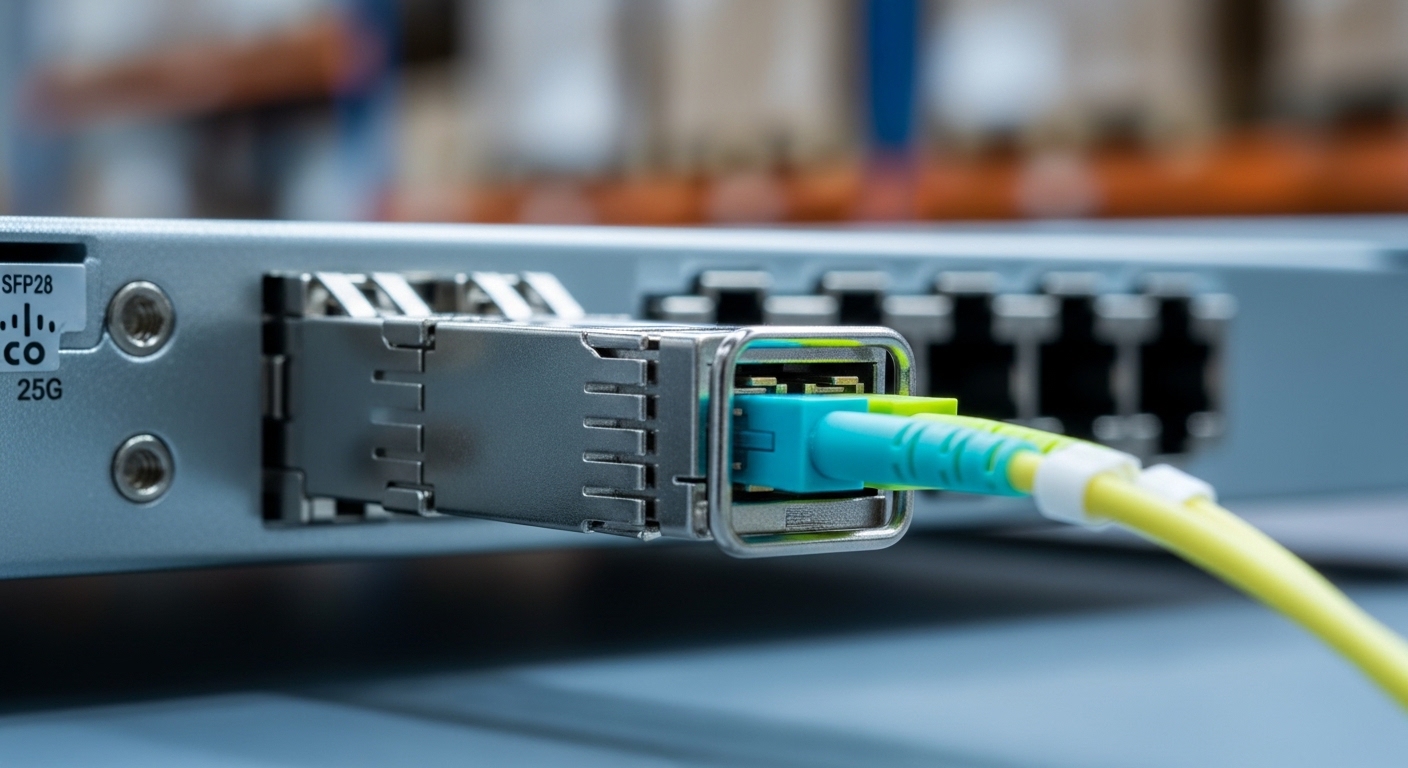
In an IP surveillance fiber network, the IP camera transceiver bridges Ethernet frames from an NVR, switch, or PoE injector side into optical fiber for distance extension and electrical isolation. Most CCTV long-haul designs use single-mode fiber (SMF) with wavelength-specific SFP optics, because SMF reduces attenuation and supports stable links over kilometers. The “gotchas” are often not bandwidth—most camera streams are well within 1G or 2.5G—but optics compatibility (SR vs LR), connector cleanliness, and SFP DOM configuration.
From an operational standpoint, field teams typically deploy SFPs in two places: (1) access switches at the head-end near the NVR, and (2) weatherproof media converter or ruggedized switch enclosures near the camera run, where fiber terminates into RJ45 for camera Ethernet. Standards like IEEE 802.3 define Ethernet PHY behavior, but vendor implementation details (auto-negotiation, FEC, and link partner expectations) still affect interoperability. For fiber optics, IEC and TIA practices around optical interfaces and test methods are essential for consistent commissioning; see TIA standards index.
Core SFP options for long-distance camera links (and what to verify)
For CCTV fiber, SFP selection usually starts with the data rate needed by the camera and recorder, then moves to reach and fiber type. A common pattern is 1G Ethernet for many IP cameras (especially H.264/H.265 profiles used in older deployments), using 1000BASE-LX class optics on SMF. Newer designs sometimes use 2.5G or 10G uplinks, but many camera systems still operate at 1G and rely on higher-level compression rather than raw throughput.
Typical optics classes used in CCTV
In practice, engineers map optics to deployment geometry: indoor rack-to-POP runs, outdoor splice closures, or tower links. The most frequent SFP classes are:
- 1000BASE-LX (often 1310 nm) for SMF long reach
- 1000BASE-SX (often 850 nm) for short reach on multimode (not ideal for long CCTV outside plants)
- Vendor-specific “LR” labels that still correspond to 1310 nm SMF optics families
- Higher-rate SFP variants (2.5G/10G) when cameras or aggregations demand it
Key technical specifications table
Use this table as a starting point for comparing typical SFP optics families used as an IP camera transceiver in CCTV fiber builds. Exact values vary by vendor and part revision, so verify against the specific datasheet before purchase.
| Spec | 1G SMF SFP (LX / LR class) | 1G MMF SFP (SX class) | 10G SMF SFP+ (LR class) |
|---|---|---|---|
| Nominal data rate | 1.25 Gbps (1000BASE) | 1.25 Gbps (1000BASE) | 10.3125 Gbps (10GBASE) |
| Wavelength | 1310 nm typical | 850 nm typical | 1310 nm typical |
| Connector | LC duplex common | LC duplex common | LC duplex common |
| Fiber type | Single-mode | Multimode (50/125 or 62.5/125) | Single-mode |
| Typical reach (manufacturer) | 10 km to 40 km (depends on module) | 0.3 km to 550 m (depends on MMF grading) | 10 km to 40 km (depends on module) |
| Tx optical power class | Vendor-specific; often a few dBm | Vendor-specific; often higher due to MMF | Vendor-specific; often around a few dBm |
| Rx sensitivity | Vendor-specific; verify with datasheet | Vendor-specific; verify with datasheet | Vendor-specific; verify with datasheet |
| DOM support | Common; read via switch CLI | Common; read via switch CLI | Common; read via switch CLI |
| Operating temperature | Typically 0°C to 70°C or extended options | Typically 0°C to 70°C or extended options | Typically 0°C to 70°C or extended options |
Compatibility verification you should not skip
An IP camera transceiver is only “compatible” if the switch or media converter accepts the transceiver and maintains stable link. Before field deployment, confirm:
- SFP standard: 1G SFP vs SFP+ (10G) vs vendor-specific cages
- Optics type: LX for SMF vs SX for MMF; wavelength must match the fiber plant expectation
- Connector type: LC duplex is common, but always match the patch panel and enclosure bulkheads
- DOM availability: many switches can read Tx/Rx power and temperature; this helps commissioning and early failure detection
- Auto-negotiation behavior: some camera-connected devices expect certain pause settings or link partner behavior
Pro Tip: In outdoor CCTV cabinets, the fastest way to prevent “intermittent camera offline” incidents is to standardize on SFPs with DOM and log Rx power over time. When a connector is slowly degrading from micro-scratches or vibration, Rx power drift appears days or weeks before complete link failure.
Deployment scenario: long-distance SFP fiber for IP cameras
Consider a 3-tier surveillance deployment in a regional warehouse campus. The design uses a leaf-spine style core for IT services, but for CCTV it follows an access-to-head-end model: 48-port 1G PoE ToR switches at each building distribution point uplink via fiber to a central NVR cluster. One critical camera corridor runs from Building A to a yard gate cabinet approximately 3.8 km away, with splices at a splice closure and multiple patch panels.
In this scenario, the field team uses an SFP-based IP camera transceiver pair: LX-class optics at 1310 nm on SMF, LC duplex connectors, and DOM-enabled modules in the distribution switch and in a ruggedized media converter near the gate. Before installation, they confirm fiber attenuation using OTDR and fiber test reports, then compute link budget including connector losses (typically 0.2 dB per mated LC pair as a realistic planning value), splice losses, and margin for future repairs. During commissioning, they check Rx power on the head-end switch and target a stable receive level within the module’s recommended operating window, not just “link up.”
Operationally, the team also standardizes on temperature-rated SFP modules for outdoor enclosures. In a summer afternoon test, the cabinet interior reached around 58°C with no active cooling; using extended temperature optics reduced the risk of drift and early failure compared to standard 0°C to 70°C modules near the upper limit. The result is stable camera stream delivery at 1G Ethernet and predictable maintenance behavior when replacing patch cords or cleaning connectors.
Selection criteria checklist for IP camera transceiver projects
Engineers usually decide in a sequence that prevents rework. Use this ordered checklist when selecting an IP camera transceiver for SFP-based long-distance CCTV links.
- Distance and fiber type: measure end-to-end distance and confirm SMF vs MMF. If you are beyond typical MMF ranges, default to SMF LX/LR optics.
- Required data rate: verify camera Ethernet speed (1G, 2.5G, or 10G) and whether the NVR uplink supports the same. Avoid “almost works” mismatches.
- Budget and link budget margin: compute worst-case loss including patch panels, adapters, splices, and aging margin. Use the module’s Tx power, Rx sensitivity, and typical link budget from datasheets.
- Switch and cage compatibility: confirm SFP form factor, DOM behavior, and whether the platform enforces vendor-specific optics policies. Check the switch optics compatibility list or test with a known-good module.
- DOM and monitoring requirements: decide whether you need real-time Tx/Rx power and temperature. For large camera systems, monitoring reduces MTTR.
- Operating temperature and enclosure conditions: match the optics temperature spec to real ambient conditions, including sun load and cabinet airflow.
- Vendor lock-in risk: if the switch vendor restricts optics, plan spares accordingly. Consider third-party modules only after validating compatibility and DOM support.
- Connector and cleaning capability: ensure you can use proper fiber cleaning tools and lint-free procedures. Dirty connectors cause the majority of “it worked on the bench” failures.
Common pitfalls and troubleshooting tips for SFP camera fiber links
Even well-designed IP camera transceiver deployments fail due to predictable issues. Below are concrete failure modes with root causes and field fixes.
Link comes up intermittently or flaps under vibration
Root cause: connector contamination, intermittent adapter seating, or damage to the LC endface due to repeated unplugging. Vibration in outdoor cabinets can intermittently degrade optical coupling.
Solution: clean both fiber ends with validated methods, inspect with a fiber scope, and replace any suspect patch cords. In commissioning, verify that the Rx power remains within the recommended range after re-mating.
“Link up but no camera video” or packet loss spikes
Root cause: duplex mismatch, incorrect VLAN tagging, or unexpected switch features (storm control, QoS, or port security) interacting with camera traffic. Less commonly, the optics are mismatched to the fiber plant (for example, using MMF optics on a long SMF run with incorrect expectations).
Solution: confirm Ethernet negotiation settings on both ends; capture traffic counters on the switch port; validate VLAN membership; and confirm optics type is consistent with fiber type. If you use a media converter, confirm it does not alter tagging behavior.
Gradual performance degradation weeks after installation
Root cause: marginal link budget with insufficient optical margin, plus seasonal temperature or aging effects. Another frequent cause is connector loss increasing due to moisture ingress into outdoor bulkheads.
Solution: re-measure optical power with DOM and compare to baseline. If the margin is tight, replace with a higher-budget optic or re-terminate with better connectors and dry closures. Add weatherproof boots and strain relief to reduce stress on the fiber.
DOM alarms or “unsupported transceiver” messages
Root cause: switch vendor enforces optics policy or DOM fields do not match expectations. Some third-party SFPs provide incomplete DOM data or deviate from the switch’s threshold logic.
Solution: test optics in a staging setup with the exact switch model and firmware. If the platform rejects the module, use vendor-approved or verified compatible optics. Log DOM readings and confirm alarm thresholds match the datasheet operating region.
Cost and ROI considerations for IP camera transceiver purchases
Pricing depends on optics class (1G vs 10G), reach, temperature grade, and whether DOM is included. In many markets, a 1G SMF LX/LR SFP module with DOM support commonly falls in a broad range of roughly $25 to $120 each for OEM-branded units, while third-party compatible modules may be lower but require compatibility validation. Extended temperature optics can cost more, and ruggedized media converter solutions often represent the bigger bill of materials in outdoor builds.
ROI should be calculated on both uptime and maintenance effort. Monitoring-enabled IP camera transceiver modules can reduce truck rolls by enabling early warnings when Rx power drifts. TCO also includes spares management: using multiple optics vendors can complicate spares and troubleshooting, especially when switches log DOM fields that differ across suppliers.
As an example reference for common field deployments, known SFP families include Cisco-branded optics such as Cisco SFP-10G-SR (for 10G multimode use cases) and compatible 10G SMF optics from vendors like Finisar (for example, FTLX8571D3BCL is a 10G SR family example) and FS.com offers wide catalog options such as SFP-10GSR-85. For CCTV SMF long reach, ensure you select the correct wavelength and reach class and verify against your switch compatibility list rather than relying on model naming alone. ITU-T reference overview
FAQ: choosing an IP camera transceiver for SFP long runs
What fiber distance is realistic for an IP camera transceiver using SFP LX optics?
Real distance depends on the specific module’s link budget, fiber attenuation, and connector/splice losses. For 1G SMF LX/LR class optics, deployments commonly support several kilometers, but you should compute worst-case loss and keep margin rather than relying on “typical reach” marketing numbers.
Should I use SMF or MMF for outdoor CCTV runs?
For long-distance outdoor runs, SMF is usually preferred because it supports long reach with lower attenuation. MMF can work over shorter distances, but it is more sensitive to installed fiber quality and patch cord grading, which can reduce reliability in buried plants.
Do I need DOM-enabled SFPs for surveillance networks?
DOM is not strictly required for link operation, but it is strongly beneficial for maintenance. With DOM, you can trend Tx/Rx power and temperature, helping you detect degrading connectors or aging optics before cameras fail.
Will third-party IP camera transceiver modules work in enterprise switches?
Often yes, but compatibility varies by switch model and firmware. Validate in a staging environment, confirm DOM behavior, and check whether the platform enforces an optics policy or specific DOM thresholds.
What is the most common reason cameras go offline after installing fiber transceivers?
In practice, contamination and poor connector handling are among the most frequent causes. Even small amounts of dust on LC endfaces can reduce optical power enough to cause flapping links, especially under outdoor vibration and temperature cycling.
How do I troubleshoot “link up” but no video?
Start by checking switch port counters and VLAN/QoS settings, then confirm the camera receives traffic as expected. If Ethernet statistics look normal yet video is missing, verify whether the media converter or camera expects specific tagging behavior, and confirm the optics are the correct type for the fiber plant.
Choosing the right IP camera transceiver for SFP-based CCTV fiber links requires disciplined verification of optics class, link budget, connector hygiene, and switch compatibility, not just matching “1G” or “LC.” For your next step, review your plant loss and create a repeatable commissioning checklist using fiber optic link budget for CCTV to standardize deployments across sites.
Author bio: I am a field-focused network engineer and research scientist who designs and validates fiber-based surveillance transport with hands-on commissioning, optical power trending, and failure analysis. I write methods grounded in vendor datasheets and Ethernet PHY behavior, aiming to reduce downtime in real CCTV deployments.
